
In-building fiber projects fail more often from mismatched optics and patching than from “bad fiber.” This guide helps facilities, cabling contractors, and network engineers choose a structured cabling transceiver for vertical risers and horizontal distribution using SFP-class optics. You will get field-ready selection steps, a specs comparison table, and troubleshooting patterns you can apply during acceptance testing.
Why in-building SFP optics are different (vertical risers vs horizontal runs)
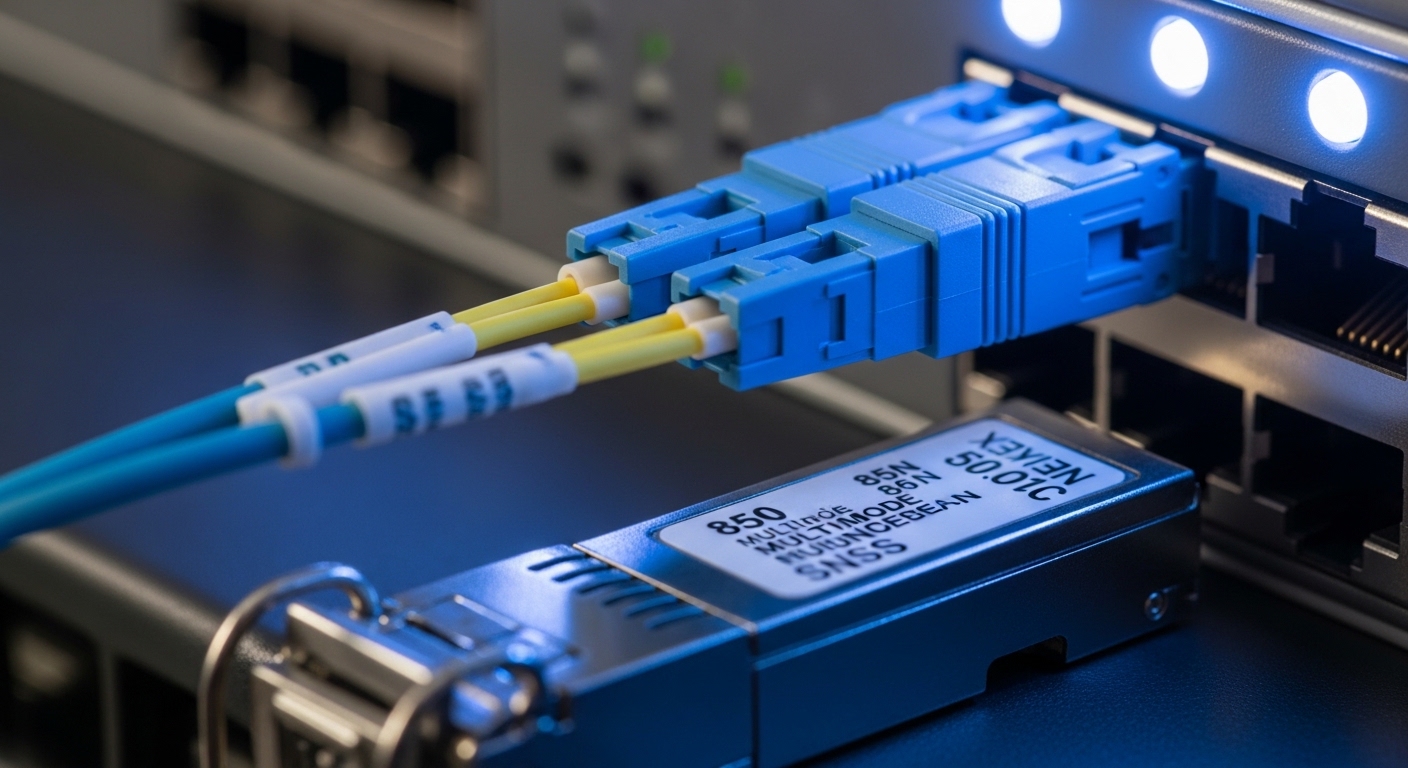
Vertical distribution (riser) links typically see more handling, longer patching paths, and more connectors across floors, which increases insertion loss and reflects light differently at each interface. Horizontal distribution is shorter but can be affected by cable bundling, tighter bend radii near work areas, and frequent moves that disturb patch cords. For SFP-based structured cabling transceiver deployments, the key is matching optics to the real link budget and ensuring the switch port and transceiver DOM behavior are compatible.
What to measure before you buy optics
On site, treat the project like a commissioning task. Confirm the fiber type (typically OM3 or OM4 for multimode), connector system (LC is common), and the end-to-end topology: wall outlets, consolidation points, patch panels, and any intermediate splices. Then measure or model: end-to-end attenuation (dB), connector loss count (dB per mated pair), and splice loss. This determines whether a given SFP reach class can survive worst-case conditions with aging.
Pro Tip: In in-building acceptance tests, engineers often verify “light level” but forget to count patch cord mated pairs separately from panel jumpers. Two extra LC connections can consume several dB of budget—enough to turn a marginal OM4 link into a flaky transceiver that fails under temperature swings.
Key specs that decide whether your structured cabling transceiver will work
When you select a structured cabling transceiver, you are really selecting an optics envelope: wavelength, fiber mode support, reach class, and electrical safety features. For SFP in modern enterprise networks, you will usually choose either multimode (850 nm) for shorter in-building runs or single-mode (1310/1550 nm) when you need longer reach or future expansion. Temperature range matters because risers often see different airflow and wall insulation effects than office corridors.
Practical SFP selection table (multimode and single-mode examples)
The table below compares common SFP optics classes used for vertical and horizontal distribution. Always verify exact parameters against the vendor datasheet and your switch vendor’s compatibility list.
| Transceiver (example models) | Data rate | Wavelength | Fiber type | Connector | Typical reach | Tx optical power / Rx sensitivity (class) | Operating temperature | DOM |
|---|---|---|---|---|---|---|---|---|
| Cisco SFP-10G-SR (example) | 10G (SFP+) | 850 nm | OM3/OM4 multimode | LC | ~300 m (OM3) / ~400-500 m (OM4, vendor dependent) | Typical 850 nm multimode budgets vary by datasheet | 0 to 70 C (typical) | Usually supported |
| Finisar FTLX8571D3BCL (example) | 10G (SFP+) | 850 nm | OM3/OM4 multimode | LC | ~300-400 m class | Typical multimode link budget parameters per datasheet | -5 to 70 C (model dependent) | Often supported |
| FS.com SFP-10GSR-85 (example) | 10G (SFP+) | 850 nm | OM4 multimode | LC | ~400-500 m class | Typical per datasheet; verify link budget margins | -40 to 85 C (model dependent) | Frequently supported |
| Standard 10G SFP+ LR (example) | 10G (SFP+) | 1310 nm | Single-mode (OS2) | LC | ~10 km | Typical LR budgets vary by datasheet | Commercial ranges vary | Often supported |
Link budgets are not one-size-fits-all. Even within “OM4 10G SR,” vendors publish different transmit power and receiver sensitivity. For safety, design with margin: confirm your calculated worst-case loss stays below the transceiver’s maximum supported budget, after accounting for connectors, splices, and patch cords.
Decision checklist for structured cabling transceiver selection
Use this ordered checklist during design and procurement. It is optimized for in-building fiber where vertical and horizontal segments share patching infrastructure.
- Distance and link budget: Calculate end-to-end loss from riser to endpoint, including every mated connector and splice.
- Fiber type and grade: Confirm OM3 vs OM4 vs OS2. Do not assume “multimode” means OM4.
- Switch compatibility: Check the switch model’s optics compatibility list and whether it supports third-party SFPs.
- DOM and monitoring: Verify your switch reads DOM values (Tx power, bias current, temperature) and that thresholds are acceptable.
- Operating temperature and airflow: Riser closets can exceed office temps; select a transceiver with an appropriate temperature rating.
- Connector cleanliness workflow: Plan for LC cleaning supplies and inspection. Dirty connectors cause “works in the lab, fails in the field” behavior.
- Vendor lock-in risk: Decide early if you will standardize on OEM optics or allow vetted third-party modules.
- Spare strategy: Stock one known-good spare per optics type and per site to reduce downtime during acceptance and later incidents.
Standards and authority references to align your design
Your cabling and measurement practices should align with recognized standards. For Ethernet PHY behavior and optical link expectations, reference IEEE 802.3 material via [Source: IEEE Standards Association]. For cabling installation and test methodology, align with ANSI/TIA guidance through [Source: TIA]. For transceiver behavior and DOM expectations, use the vendor datasheets and the switch optics documentation through [Source: Cisco and Finisar vendor datasheets].
Operational deployment scenario: 3-tier enterprise with vertical distribution
Consider a 3-tier enterprise campus with a core-distribution-access model. You have 48-port 10G ToR switches at each floor’s IDF, and uplinks to a distribution area via a vertical riser. Each floor uses about 120 m of multimode cabling in total from the patch panel to the riser termination, plus an additional 20 m of patching to endpoints. With OM4 installed, you target an SR optics class that supports at least the required reach, then validate with measured attenuation and connector count during acceptance.
In practice, I have seen teams successfully standardize on a 10G SR multimode structured cabling transceiver for horizontal runs (short patch cords and stable patch panels), while reserving single-mode LR optics for riser-to-core segments when future expansion is planned. During commissioning, the field team logs DOM values immediately after patching, then repeats the same readout after 24 hours to catch early thermal or power drift issues.
Common mistakes and troubleshooting patterns
If you want fewer truck rolls, focus on predictable failure modes. Below are common issues with root cause and a field solution.
“Link comes up, then flaps under load”
Root cause: Marginal optical power budget, often caused by too many patch cord mated pairs or slightly dirty connectors. Temperature changes in riser closets can also shift laser bias current.
Solution: Re-clean both LC ends using lint-free wipes and approved cleaning tools, inspect with a fiber microscope, and re-measure end-to-end loss including every patch cord. If DOM is available, compare Tx power and Rx signal levels against the vendor’s recommended operating range.
“Works on one switch, fails on another”
Root cause: Switch vendor compatibility differences, including DOM threshold expectations or optics EEPROM validation behavior.
Solution: Use the switch’s optics compatibility list. If you must use third-party optics, deploy only models verified by the switch vendor or by your internal interoperability test plan.
“Total link loss immediately after installation”
Root cause: Connector polarity or patching mismatch, or incorrect fiber pair selection in multi-fiber trunks. Another frequent issue is bent fiber near rack entry points causing microbends.
Solution: Confirm TX-to-RX mapping per the transceiver labeling and patch panel documentation. Reroute or re-terminate to eliminate tight bends and verify the patching using a continuity test before powering optics.
“High error counters, slow recovery, or CRC spikes”
Root cause: Physical layer degradation due to contaminated ferrules, damage from aggressive cleaning, or an unexpected fiber grade mismatch (OM3 used where OM4 was assumed).
Solution: Inspect ferrules, verify fiber grade labeling, and run a link test with both ends stabilized. Replace any suspect connectors and retest with a certified optical test kit.
Cost and ROI note: balancing OEM vs third-party optics
Typical street pricing for 10G SFP+ optics varies widely by brand, temperature grade, and whether you choose OEM or third-party. In many enterprise procurement cycles, OEM modules may cost roughly $80 to $200 each for common multimode SR optics, while vetted third-party options can be $40 to $120, depending on warranty and DOM support. For ROI, include total cost of ownership: inventory carrying costs, expected failure rates, and downtime cost during maintenance windows.
Practically, I recommend standardizing on one or two optics families per site (for example, one OM4 SR model for floors and one OS2 LR model for risers to core). This reduces troubleshooting complexity and improves spare effectiveness. Also budget for cleaning and inspection gear, because cleaning failures are among the most common causes of “bad transceiver” returns.
FAQ
What fiber type should I target for a structured cabling transceiver in an office building?
Most in-building 10G SFP deployments use OM3 or OM4 multimode for vertical and horizontal distances that fit SR reach classes, with OS2 single-mode reserved for longer runs or future expansion. Confirm the installed fiber grade labels and verify with test reports rather than assuming.
Do I need DOM support for structured cabling transceivers?
DOM is strongly recommended because it enables you to monitor Tx power, bias current, and temperature in real time. Many enterprise switches also log DOM alarms that help isolate optics issues before they become outages. Always confirm the switch supports the DOM format for your module class via the switch documentation.
Can I mix OEM and third-party structured cabling transceivers across floors?
You can, but it increases operational risk. Compatibility and EEPROM validation behaviors can differ by switch model and firmware, leading to inconsistent behavior. If you mix vendors, test interoperability in a staging environment and standardize on specific tested module part numbers.
How do I calculate whether my link budget supports the chosen SFP reach?
Use a loss budget model: fiber attenuation (dB per length), connector loss per mated pair, splice loss, and any additional patch cord losses. Then compare the total worst-case loss to the transceiver’s published maximum link budget. Keep margin for aging and cleaning variability.
What is the fastest way to troubleshoot a dead link after patching?
First, confirm physical mapping: TX-to-RX, correct fiber pair, and correct patch panel selection. Next, inspect and clean both LC ends and re-seat transceivers. Finally, check switch port diagnostics and any DOM readings to distinguish optics failure from cabling or polarity errors.
Where do standards like IEEE 802.3 and TIA fit in my transceiver choice?
IEEE 802.3 helps define Ethernet PHY expectations and optical interface behavior, while TIA guidance supports installation and testing methodology for structured cabling. You still must rely on vendor datasheets for exact optics parameters and on your switch documentation for compatibility.
If you want the lowest-risk roll-out, start with measured link budgets, then pick a structured cabling transceiver family that matches your fiber grade and switch compatibility. Next, review fiber optic link budget to turn your test results into a repeatable procurement and acceptance workflow.
Author bio: I am a clinician-turned-network reliability advisor who has supported field commissioning for fiber-heavy enterprise sites, focusing on measurable link budgets and safe operational practices. I partner with cabling teams to translate transceiver specs and test results into fewer outages and faster troubleshooting.
