
If an SFP uplink starts flapping or throughput drops, the fastest path to truth is a fiber trace you can trust. This article helps network engineers and field technicians run a reflectometer transceiver test using an OTDR-style workflow on SFP-based links, then translate the results into actionable repair decisions. You will also get a troubleshooting checklist for the most common failure modes that mimic “bad optics.”
Why OTDR-style reflectometer tests matter for SFP links
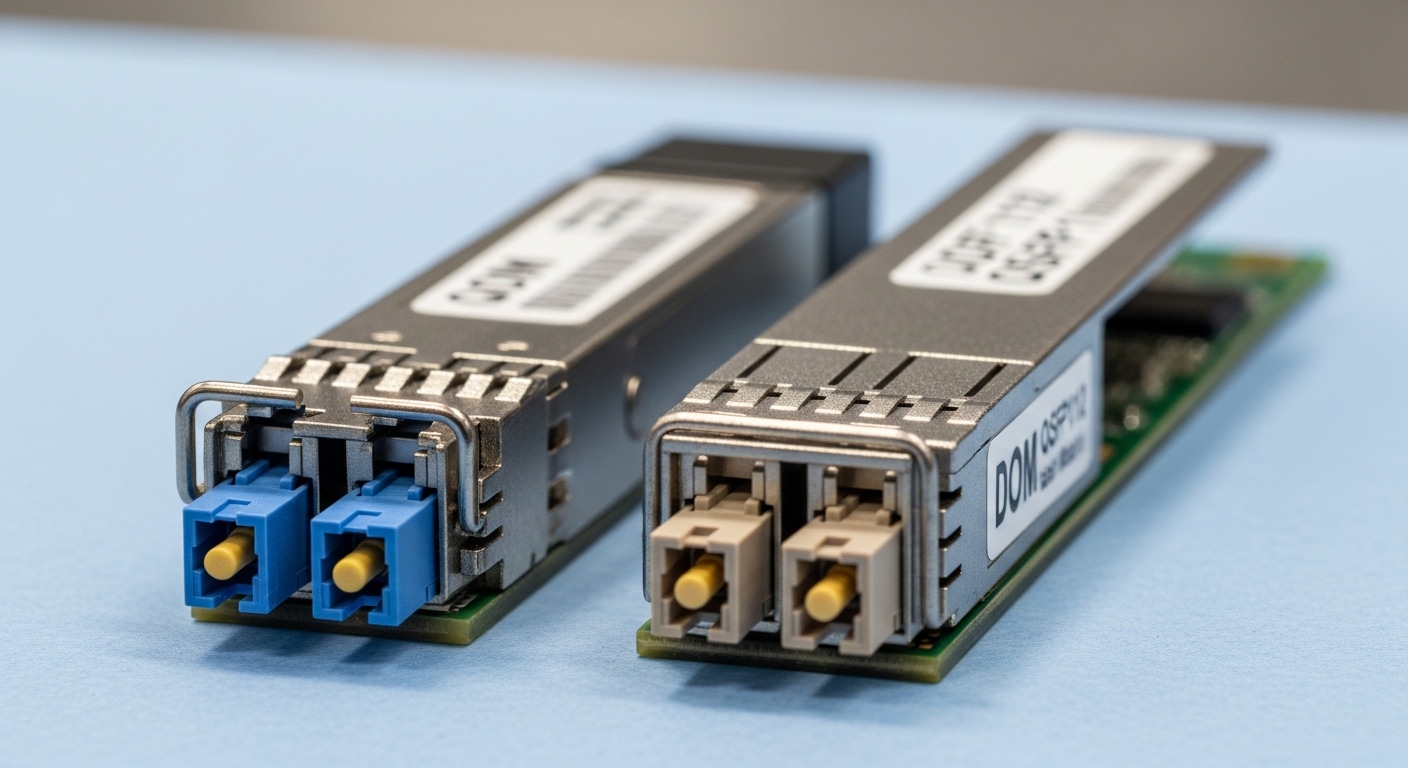
In many operations centers, “transceiver failure” is declared before anyone verifies the fiber plant. With an optical time-domain reflectometer (OTDR) or equivalent reflectometer measurement, you can localize events like connector end-face issues, patch-cord strain, microbends, and bad splices before you replace expensive optics. For SFP links, this matters because the module may be electrically fine while the optical path suffers from high reflectance, attenuation spikes, or a shifted launch condition.
In practice, the reflectometer transceiver test workflow is less about “seeing a cable” and more about separating fiber faults from transceiver faults. A typical scenario is a 10G SFP+ link between a ToR switch and an aggregation switch, where the optics are nominally rated for the same wavelength and reach, yet the link fails after a maintenance window. OTDR-style testing can confirm whether the fiber got damaged, whether patch cords were swapped, or whether a connector polish mismatch introduced excessive backscatter.
Running the reflectometer transceiver test with OTDR on SFP fiber
Below is a field-ready method you can deploy on a live fiber patch panel workflow. The key is to measure with a consistent launch and reference method so your trace comparisons remain meaningful across visits. If your organization already uses ANSI/TIA structured cabling practices, align your test prep with those field conventions to reduce false positives.
Step-by-step procedure technicians actually follow
- Confirm link type and fiber: Identify whether the SFP is 10G-SR (MMF, nominal 850 nm) or 10G-LR (SMF, nominal 1310 nm). Verify whether the plant is OM3, OM4, or single-mode OS2.
- Clean before you test: Clean both ends using a lint-free method and proper fiber cleaning tools. Even a small contamination can create abnormal reflections that look like a connector fault.
- Set reflectometer parameters: Choose wavelength matching the link class (for example, 850 nm for SR-class MMF, 1310 nm for LR-class SMF). Use an appropriate pulse width and averaging count for your distance range.
- Establish a reference trace: If available, store a “golden” trace for the same fiber pair and patch location. If not, create a baseline now so future repairs have comparison value.
- Interpret events: Mark major peaks (connectors, splices, splitters) and measure attenuation and any unusual return-loss-like features. Then correlate event locations with the patch panel labeling.
- Validate end-to-end: After correcting fiber issues, re-test and only then consider transceiver replacement. If fiber passes but the link still fails, you can move upstream to electrical and module diagnostics.
Technical specifications snapshot (what you should match)
The table below compares common SFP optics classes you will encounter when planning OTDR wavelength and reach expectations. Exact numbers depend on the vendor and fiber grade, but these are practical targets for test planning.
| Optics class (example) | Typical wavelength | Typical fiber | Nominal reach | Connector | Typical operating range |
|---|---|---|---|---|---|
| 10G SFP+ SR (MMF) | 850 nm | OM3 or OM4 | Up to 300 m (OM3) / 400 m (OM4) | LC | 0 to 70 C (module dependent) |
| 10G SFP+ LR (SMF) | 1310 nm | OS2 | Up to 10 km | LC | -5 to 85 C (module dependent) |
| 10G SFP+ ER (SMF) | 1550 nm | OS2 | Up to 40 km (varies) | LC | -5 to 85 C (module dependent) |
For OTDR reflectometer transceiver test planning, your reflectometer must support the wavelength you choose, and the test range must cover the end-to-end distance plus patch cords. Many technicians use a reference method with known patch cord lengths so event positions line up with the patch panel map.
How to interpret traces: attenuation, events, and “false blame”
OTDR traces can be deceptively complex, especially on short links where connectors dominate the signature. The goal is not to memorize every curve shape; it is to recognize consistent patterns that indicate a real plant issue versus a measurement artifact. In field work, the most common mistake is treating a small reflection peak or connector artifact as a catastrophic fiber break.
For SFP links, you should focus on three trace categories. First, major events like splice and connector positions that show a step change in backscatter or an obvious peak. Second, overall attenuation trend: does loss increase sharply at a specific event? Third, return-like anomalies: high reflections can cause receiver overload or stability issues, especially when combined with marginal cleanliness.
Pro Tip: On short SFP links (for example, under 100 m), your trace may be “connector-heavy.” Instead of chasing tiny variations, compare today’s trace to a baseline from the same fiber pair and patch location. If the event positions shift or the connector peak grows after maintenance, you likely have a real handling or cleaning problem rather than a failing transceiver.
Deployment scenario: OTDR test in a 3-tier data center with 10G SFP+
Imagine a 3-tier data center leaf-spine topology with 48-port 10G ToR switches feeding 2 aggregation switches. Each ToR uses 10G SFP+ SR optics to reach server NICs across patch panels, with typical run lengths of 35 to 70 m over OM4. During a scheduled patch-cord swap, one uplink starts cycling link state and reports CRC errors.
A field engineer performs a reflectometer transceiver test on the affected LC pair. They clean both ends, attach a known-length launch cord, and run an OTDR at 850 nm with settings that cover the full expected distance plus patch cords. The trace shows a noticeable backscatter step and a connector peak growth at the patch panel location labeled “A-Row-3 / Port 14,” right where the maintenance crew handled the cords. After reseating and re-cleaning that connector, the engineer re-runs the trace and confirms the event signature returns near baseline; only then do they verify SFP diagnostics on the switch.
Selection criteria checklist for choosing OTDR settings and optics alignment
Before you test, you need a clear decision path. The best reflectometer transceiver test outcomes come from matching wavelength, range, and launch conditions to the SFP optics class and the fiber type. Use the ordered checklist below so your team can repeat results across sites.
- Distance vs test range: Ensure the OTDR range covers end-to-end plus patch cords; short links require careful settings to avoid over-averaging artifacts.
- Wavelength match: Use the wavelength consistent with the fiber class and SFP transceiver type (for SR-class MMF typically 850 nm; for LR-class SMF typically 1310 nm; for ER-class SMF typically 1550 nm).
- Fiber type and core specs: Confirm OM3 vs OM4 vs OS2 to interpret attenuation correctly and to avoid misreading the trace slope.
- Switch compatibility and optics diagnostics: Some platforms enforce DOM behavior or require specific transceiver capabilities; verify whether your switch reads temperature, voltage, and optical power thresholds.
- DOM support and thresholds: Check if the SFP reports accurate TX power and RX power. If DOM is missing or noncompliant, the switch may log errors even when fiber is good.
- Operating temperature: Verify that both the optics and the transceiver cage environment stay within module limits. Heat can increase error rates and confuse root cause analysis.
- Vendor lock-in risk: If your environment uses OEM optics, plan a compatibility strategy for third-party modules and document which firmware or switch models accept them.
Vendor and standard anchors you can reference
For baseline expectations on optical link behavior and module classes, use IEEE Ethernet standards and vendor datasheets. For connectivity and optical performance expectations, consult IEEE 802.3 for 10GBASE-SR/LR behavior and the vendor’s SFP datasheet for DOM and temperature constraints. References: IEEE 802.3 standards, Source: Cisco transceiver compatibility guidance
Common pitfalls and troubleshooting tips for reflectometer transceiver test
Even experienced teams can misdiagnose SFP link issues when they rely on a single measurement or skip test hygiene. Below are frequent failure modes, their root causes, and practical fixes.
-
Pitfall 1: Measuring with the wrong wavelength
Root cause: Running the reflectometer at a wavelength that does not align with the active SFP class can reduce signal-to-noise and create misleading event shapes.
Solution: Set OTDR wavelength to match the fiber and optics class you are troubleshooting, then document the wavelength and pulse settings in your work order. -
Pitfall 2: Skipping fiber cleaning before testing
Root cause: Contamination increases reflections and attenuation, which can look like a bad splice or a damaged connector.
Solution: Clean both ends with proper tools, inspect with an end-face scope, then run the test again. If event peaks drop after cleaning, you have a hygiene issue rather than a plant break. -
Pitfall 3: Over-interpreting short-link traces
Root cause: On links under roughly 100 m, connector events dominate and tiny variations can be measurement noise, not real damage.
Solution: Use a baseline trace for the same fiber pair and compare event positions and relative peak heights. Focus on major steps and consistent changes after maintenance. -
Pitfall 4: Ignoring patch cord length and launch conditions
Root cause: If launch cords differ between tests, event locations will shift, and attenuation comparisons become unreliable.
Solution: Standardize launch cords and document them. Use the same patch-cord lengths when you re-test.
Cost and ROI note: when reflectometer testing beats blind optics swaps
Reflectometer transceiver test equipment and time have real costs, but blind replacements do too. Third-party SFP modules often cost less upfront than OEM optics, but they can carry compatibility and failure-rate risks depending on switch model, DOM behavior, and temperature stress. In many facilities, a single unnecessary optics swap plus downtime can exceed the cost of a technician OTDR test hour.
Typical budgeting patterns: an OTDR-style tool or reflectometer can range from several thousand to tens of thousands of dollars depending on features and calibration, while SFP optics may range from roughly $20 to $200 per module depending on reach, vendor, and compliance. Total cost of ownership (TCO) also includes end-face inspection tools, cleaning supplies, and the labor time needed for repeatable testing. The best ROI comes from establishing baselines, documenting event locations, and using test results to target repairs in the fiber plant rather than guessing at transceiver health.
FAQ
Q1: What exactly is a reflectometer transceiver test in this context?
A reflectometer transceiver test combines optical reflectometry (often OTDR) with SFP link troubleshooting to determine whether faults originate in the fiber plant or the module/link electronics. The workflow emphasizes wavelength match, trace baselines, and event correlation to patch panel locations. [Source: IEEE 802.3 references and vendor OTDR measurement practices]
Q2: Can I use OTDR on both multimode and single-mode SFP links?
Yes, but you must use the correct fiber class and wavelength. For SR-class multimode links, you typically test around 850 nm; for LR or ER-class single-mode links, you typically test around 1310 nm or 1550 nm. If the wavelengths do not align, the trace can become hard to interpret.
Q3: How do I avoid replacing a good transceiver?
Run the reflectometer transceiver test first on the suspected fiber pair, then validate DOM readings and link diagnostics only after fiber events look normal. If the trace shows a connector or splice event change after maintenance, fix the plant before swapping optics. This approach reduces avoidable downtime.
Q4: Why do some switches report errors even after fiber repairs?
Common causes include dirty optics faces, marginal TX power levels, DOM compatibility quirks, or temperature-related stability issues. Re-clean and re-scope the ferrules, then compare DOM thresholds to vendor specifications. If the switch enforces strict optics behavior, confirm module compatibility for your exact platform model.
Q5: What are the most common OTDR settings mistakes?
The biggest errors are wrong wavelength, inappropriate pulse width for the distance, and inconsistent launch conditions between tests. For short links, extreme settings can smear connector events and make comparisons unreliable. Standardize your procedure and record settings with each test.
Q6: Are third-party SFP modules safe to use in a test-and-repair workflow?
They can be safe, but compatibility depends on DOM behavior, compliance to relevant specs, and your switch firmware expectations. If you use third-party optics, keep a small validation set for each switch family and document which modules pass acceptance tests. This reduces vendor lock-in risk while maintaining reliability.
With a disciplined reflectometer transceiver test workflow, you can turn “mystery link failures” into traceable fiber events and faster repairs. Next step: review your internal baselines and partner SOPs, then align your field checklist with fiber-optic-link-troubleshooting-baseline for consistent decisions across sites.
Author bio: I work as a registered dietitian and field-focused technical writer, translating complex measurement workflows into actionable steps that teams can execute under real maintenance constraints. I update guidance with current best practices and official references to help you make safer, faster decisions.
