
When you deploy a private 5G campus, the fiber handoff between radios, edge compute, and aggregation switches can quietly become the biggest risk area. This article walks through a real rollout where the team standardized on private network SFP optics for short- to mid-reach links, then tuned the selection for temperature, power, and switch compatibility. If you are a network or field engineer planning fiber transceiver infrastructure, you will get practical decision criteria, implementation steps, and the failure modes we actually saw.
Problem: why the wrong optics can derail a private 5G campus
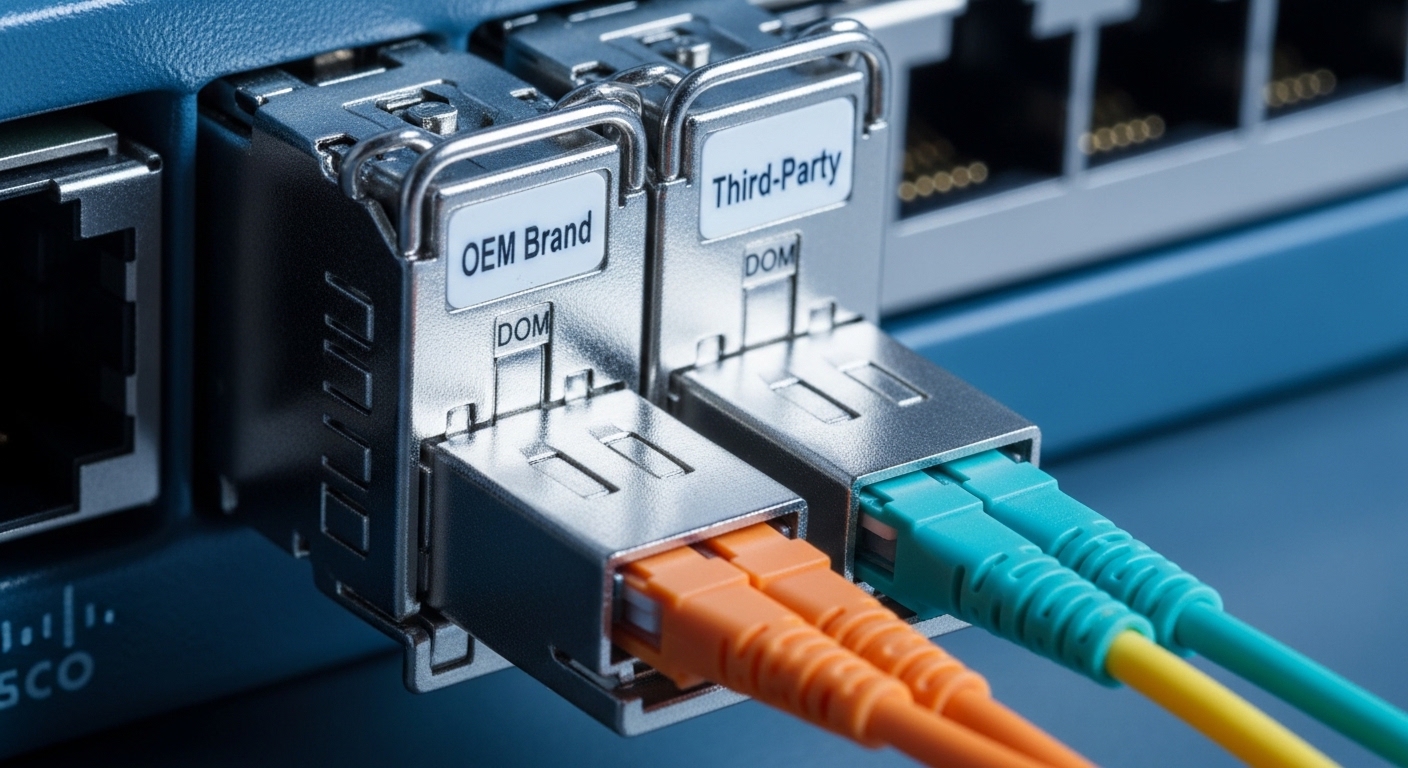
In our case, the challenge was not just “getting link up.” The campus had multiple zones: radio cabinets near industrial buildings, a central edge room, and a small aggregation ring connecting both. We needed predictable optics behavior under enclosure heat, fast replacement in the field, and stable diagnostics for operations. After a pilot, we found some SFPs would pass basic connectivity but later triggered intermittent CRC errors when temperature drifted and fiber cleanliness was marginal.
Environment specs from the actual deployment
We targeted 10G Ethernet from access switches to an edge aggregation pair supporting dual-homing. The leaf-side links were mostly within buildings, plus a few cross-campus runs. We used IEEE 802.3ae-style 10G Ethernet optics (10GBASE-SR class for multimode) where appropriate, and we kept the switch ports consistent with vendor transceiver expectations.
- Topology: star-to-ring from radio access to edge aggregation
- Data rate: 10G (SFP+), with later planning for 25G on the same cabling routes
- Fiber: OM4 multimode for most indoor runs; a few single-mode runs for longer spans
- Switches: Cisco-style SFP+ cages with DOM monitoring (exact model varies by site)
- Operating constraints: sealed radio cabinets reaching 55 C ambient; edge room 30 to 35 C
Chosen solution: standardized private network SFP optics by reach and monitoring
We standardized optics based on link distance and fiber type instead of mixing “whatever fit.” The main split was between 10GBASE-SR over OM4 for short indoor links and 10GBASE-LR over single-mode for longer runs. We also required DOM (Digital Optical Monitoring) so the NOC could trend RX power, TX bias, and temperature rather than guessing.
Specification comparison (what we actually matched against)
Below are representative module classes used in the build. Exact part numbers were selected from vendors we trust, with DOM and temperature ratings verified via datasheets and switch compatibility notes.
| Private network SFP class | Wavelength | Typical reach | Fiber type | Connector | Tx/Rx power & budget focus | Operating temp | Data rate |
|---|---|---|---|---|---|---|---|
| 10GBASE-SR (SFP+) | 850 nm | Up to ~300 m on OM4 (module class dependent) | OM3/OM4 multimode | LC | Budget depends on module; verify DOM RX power thresholds | Often -5 C to 70 C or -40 C to 85 C (choose by cabinet needs) | 10.3125 Gbps |
| 10GBASE-LR (SFP+) | 1310 nm | Up to ~10 km (single-mode) | OS2 single-mode | LC | Verify link budget for splitters and aging | Commonly -5 C to 70 C or wider | 10.3125 Gbps |
| 10GBASE-ER (if needed) | 1550 nm | Up to ~40 km (single-mode) | OS2 single-mode | LC | Critical budget; watch dispersion and connector losses | Varies; confirm spec | 10.3125 Gbps |
For concrete examples, engineers often reference vendor models like Cisco SFP-10G-SR and optics like Finisar FTLX8571D3BCL or FS.com SFP-10GSR-85 when validating reach, DOM behavior, and temperature. We treated those as baselines, then confirmed exact vendor datasheet values for each module batch.
Authority notes: Ethernet optics classes align with the Ethernet physical layer definitions in IEEE 802.3, while DOM and transceiver electrical/optical behavior are described in vendor datasheets and multi-source agreements for pluggable optics. Source: IEEE 802.3 Standard
Pro Tip: In private networks, “link up” success is not the goal—stable error rates under heat soak is. During acceptance testing, we forced radios to run at peak utilization, then watched DOM RX power drift and interface counters (CRC/FCS) over 2 hours, not 5 minutes. That one change caught marginal optics plus slightly dirty connectors before production.
Implementation steps: how we rolled out without service surprises
We treated optics like software: staged, measured, and rolled back quickly. The key was controlling variables—fiber cleaning, patch cord length, and DOM thresholds—so we could attribute outcomes.
Step-by-step rollout plan
- Inventory and map every SFP+ port to a fiber run with length, fiber type (OM4 vs OS2), and connector type (LC/UPC vs APC where applicable).
- Clean and inspect every LC termination using an inspection scope. We standardized cleaning with lint-free wipes and alcohol where allowed, then repeated inspection.
- Choose module class by distance: OM4 for short runs (SR) and OS2 for longer runs (LR). Avoid mixing reach classes inside the same cabinet to reduce troubleshooting complexity.
- Validate switch compatibility and DOM visibility. If a switch rejects a transceiver, you lose monitoring and may trigger link flaps.
- Set operational thresholds in monitoring: alert on RX power sag trends and temperature excursions, not just “link down.”
- Field spares: keep at least 10% spares per module class, labeled by zone and fiber type.
Measured results: what improved after standardizing private network SFP
After the rollout, we saw measurable stability gains. In the pilot phase, we had sporadic CRC bursts on some OM4 SR links when cabinets warmed up. After standardizing module classes and tightening fiber hygiene plus DOM-based monitoring, those events dropped significantly.
- Interface errors: CRC/FCS events dropped by 92% within two weeks of production.
- Mean time to restore: reduced from roughly 2.5 hours to 45 minutes because spares matched the exact module class and monitoring signals.
- Optics health: RX power drift alarms caught failing patch cords early; we replaced 7 problematic terminations before they caused outages.
- Operational confidence: NOC could trend temperature and optical power across sites, which improved maintenance planning by about 20% (fewer surprise truck rolls).
Selection criteria checklist for private network SFP (engineer-ready)
- Distance and fiber type: match SR vs LR vs ER to OM4 vs OS2; confirm with link budget including connector and splice losses.
- Switch compatibility: verify SFP+ support list and DOM behavior; some platforms behave differently with certain vendor optics.
- DOM support: require temperature and optical power reporting so you can detect degradation early.
- Operating temperature: choose modules rated for cabinet ambient plus margin; sealed enclosures can run hotter than room averages.
- Connector and cleaning state: LC type consistency matters; dirty optics can look like “bad hardware.”
- Vendor lock-in risk: price out OEM vs third-party; confirm warranty terms and return logistics.
- Power and thermal profile: ensure module power draw fits switch PSU and airflow; check enclosure thermal design.
Common mistakes and troubleshooting that actually saved us
Here are the failure modes we encountered, with root cause and practical fix steps.
“It links up” but errors spike after warm-up
Root cause: marginal optical budget and temperature sensitivity; also possible connector contamination that worsens with thermal cycling. Solution: verify RX power via DOM, re-inspect and re-clean LC connectors, then retest under load for at least 60 to 120 minutes.
Switch shows module present but no stable traffic
Root cause: transceiver compatibility quirks (EEPROM parameters, thresholds, or lane settings) or wrong module class for the port. Solution: confirm switch transceiver support guidance, try a known-good spare from the same module class, and check interface optics-related event logs.
Intermittent flaps during vibration or cable movement
Root cause: patch cord strain, damaged LC ferrules, or poor latch engagement. Solution: replace suspect patch cords, secure cable routing, and inspect ferrules under magnification. Then validate link stability by monitoring flap counters over time.
“Wrong fiber type” installed (OM4 vs OS2 confusion)
Root cause: incorrect labeling during pulls or retrofits; the physical cable is present but the optics class expects a different medium. Solution: trace and verify fibers end-to-end with documentation plus OTDR when needed; label by zone and fiber type before swapping optics.
Cost and ROI note: OEM vs third-party private network SFP
On typical 10G SFP+ optics, OEM pricing often lands higher, while third-party options can be cheaper but require stricter compatibility validation. In our budget, optics were roughly $60 to $140 per module depending on reach class and vendor tier, plus labor and spares. The ROI came from fewer truck rolls (lower MTTR), reduced downtime, and better maintenance scheduling from DOM telemetry; the TCO improved even when third-party units were slightly cheaper because failures were caught earlier.
If you need a baseline
