
When a Cambium Networks point to point microwave or radio hop suddenly shows high error counts, the root cause is often the optical side: the point to point fiber transceiver, optics, and patching. This article helps network builders, field technicians, and reliability engineers choose and verify an optical transceiver that matches a Cambium PTP link design, while minimizing MTBF risk and link instability. You will get practical selection checks, a troubleshooting playbook, and testing guidance aligned with real deployments.
How Cambium PTP links use optics on the fiber path
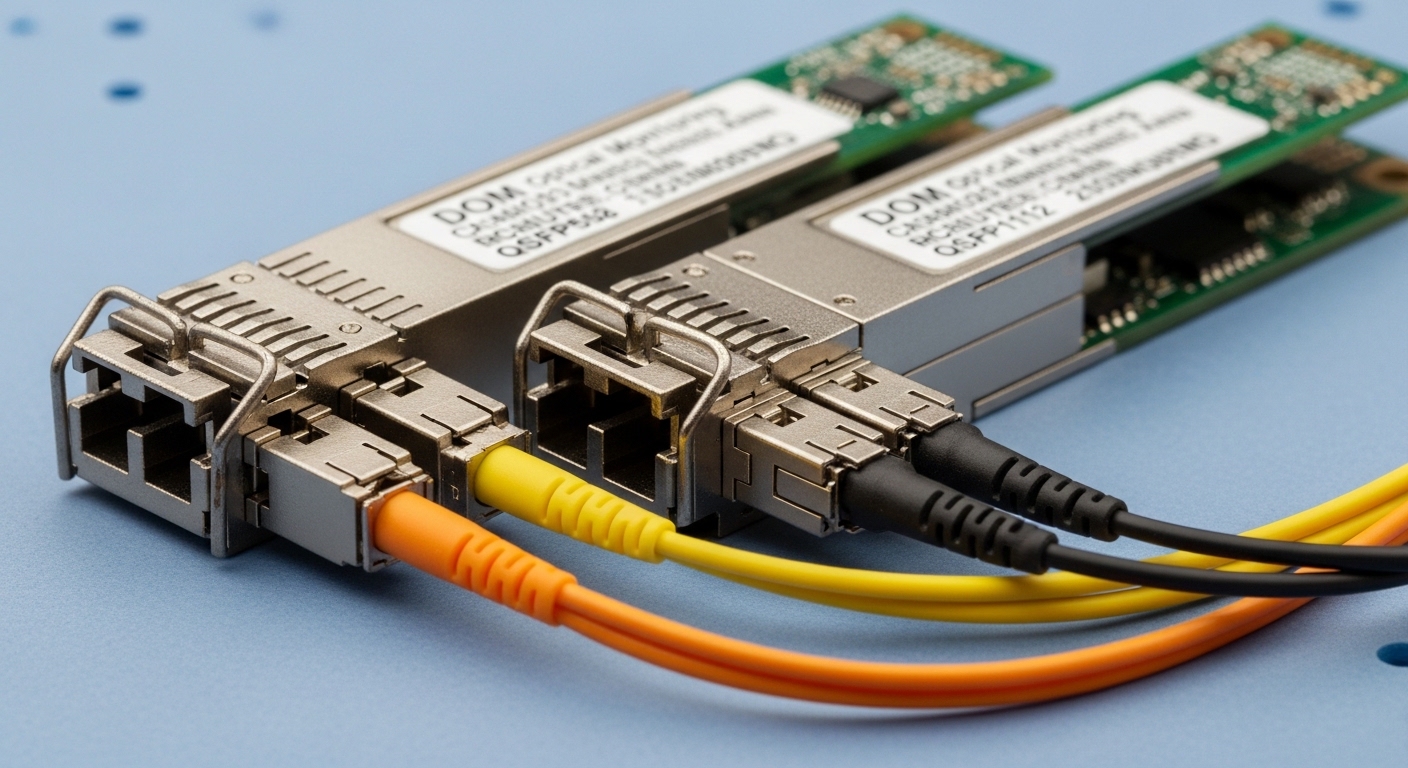
Cambium PTP architectures typically combine radio line-of-sight design with backhaul transport. In sites where fiber is used as the final or intermediate transport, the optical interface becomes a strict match for wavelength, reach class, and electrical interface (SFP/SFP+ form factor, or vendor-specific pluggables). For point to point fiber segments, the transceiver must meet the optical budget for the fiber type (single-mode vs multimode), connector losses, and any splitter or patch panel characteristics.
From a reliability standpoint, the biggest failure drivers are not “random bad luck,” but predictable stressors: temperature cycling at the radio shelter, dirty connectors causing elevated BER, and DOM mismatches leading to incorrect monitoring. A field engineer will often confirm the optical diagnostics (DOM) first, then validate receive power and link error counters against the vendor’s recommended operating window.
What to validate before you buy any transceiver
Start with the Cambium PTP interface requirement and the physical layer on the device port. Confirm whether the port expects an SFP or SFP+ module, the supported data rate (for example, 1G vs 10G), and whether the device is validated with specific vendor optics. Then capture the fiber type and expected reach: for single-mode, typical wavelengths are 1310 nm or 1550 nm; for multimode, 850 nm is common. Finally, document your connector and splicing plan so you can compute a realistic optical budget rather than relying on marketing reach.
Pro Tip: In many Cambium PTP backhaul designs, the “it lights up but performance is bad” symptom is caused by receive power that is within the transceiver absolute limit but outside the recommended sensitivity window after patching losses. Always compare measured Rx power at the far end to the transceiver datasheet sensitivity and the link budget, not just to whether the link comes up.
Key specs that must match for reliable point to point fiber
For point to point fiber, the transceiver is a coupled system: wavelength and reach must match the fiber and link budget, while the electrical interface and connector type must match the Cambium port. Below is a practical comparison of common pluggable options used in carrier and enterprise point to point fiber backhaul. Use it as a starting point, then confirm exact compatibility with the Cambium port model and transceiver form factor.
Comparison table: typical SFP optical parameters for point to point fiber
| Transceiver example | Wavelength | Typical reach | Data rate | Connector | Tx power class | Rx sensitivity class | Operating temp |
|---|---|---|---|---|---|---|---|
| Cisco SFP-10G-SR (10GBase-SR) | 850 nm (MM) | ~300 m (50/125) | 10G | LC | Varies by vendor | Varies by vendor | -5 C to 70 C |
| Finisar FTLX8571D3BCL (10GBase-SR class) | 850 nm (MM) | ~300 m (50/125) | 10G | LC | Varies | Varies | -5 C to 70 C |
| FS.com SFP-10GSR-85 (10GBase-SR) | 850 nm (MM) | ~300 m (50/125) | 10G | LC | Varies | Varies | Commercial grade |
| 10GBase-LR SFP (example: 1310 nm SM) | 1310 nm (SM) | ~10 km (single-mode) | 10G | LC | Higher than SR typical | Higher sensitivity spec | Often -5 C to 70 C |
| 10GBase-ER SFP (example: 1550 nm SM) | 1550 nm (SM) | ~40 km (single-mode) | 10G | LC | Higher Tx output budget | Lower Rx sensitivity requirement | Often -5 C to 70 C |
Note: Exact Tx power and Rx sensitivity depend on the specific part number and vendor. Always use the exact datasheet for the module you plan to deploy. For standards context, the Ethernet optical transceiver families map to IEEE optical PHY expectations under the relevant 10G Ethernet specifications; confirm line rate and module type with the Cambium port documentation. [Source: IEEE 802.3]
Wavelength and fiber type: the most common mismatch
For single-mode point to point fiber, you generally need 1310 nm (LR class) or 1550 nm (ER class) optics. For multimode, you typically use 850 nm SR optics. A transceiver can still “link up” when wavelength is wrong, but performance will fall apart: high BER, frequent retrains, or complete link flaps when temperature shifts alter laser output.
Connector and patching loss: the hidden budget eater
Even when wavelength matches, connector cleanliness and loss matter. A typical engineering approach includes per-connector insertion loss (often around 0.2 dB for clean LC connections, but higher if dirty), plus splices and any patch cords. In field audits, I have repeatedly found that a “mysterious” 3 to 6 dB loss came from a single poorly cleaned connector at the shelter bulkhead.
Selection criteria checklist for Cambium PTP optical compatibility
Engineers choose optics for point to point fiber by balancing technical compatibility, reliability, and operational visibility. For Cambium PTP links, the selection process should also consider how the platform handles optics monitoring and whether it is tolerant of third-party DOM implementations.
Ordered decision checklist
- Distance vs reach class: Use measured fiber length and worst-case loss (aging, connectors, splices). Choose LR/ER for single-mode long runs.
- Data rate and interface: Confirm SFP vs SFP+ and the exact Ethernet line rate required by the Cambium port.
- Wavelength and fiber type: Match 850 nm to multimode and 1310/1550 nm to single-mode.
- Connector type and physical fit: Confirm LC vs SC and whether patch panels match the module.
- DOM support and monitoring: Prefer modules with standard DOM behavior (temperature, voltage, bias, Tx power, Rx power). Validate that Cambium reads thresholds correctly.
- Operating temperature grade: Radio shelters can exceed 70 C in sun; choose modules with an industrial or extended temperature rating if the enclosure design is marginal.
- Optics vendor lock-in risk: If the Cambium device is validated only with specific part numbers, third-party modules may work initially but fail during firmware updates or under threshold changes.
- Reliability and warranty: Compare MTBF claims and return policies. Ensure you can replace quickly at the edge site.
Testing and acceptance for point to point fiber optics in the field
Acceptance testing should prove both link establishment and performance stability. In real deployments, I recommend a two-stage approach: bench validation of optics and DOM behavior, then on-site optical power and BER verification under realistic conditions.
Stage 1: bench checks before truck roll
Verify that the module type matches the port (SFP/SFP+), that the optical diagnostics are readable, and that Tx/Rx power values fall within the vendor’s typical range. If you have a characterization setup, run a short optical loopback with known-good patch cords to confirm that DOM readings are plausible and consistent across multiple modules from the same batch.
Stage 2: on-site measurements and stability criteria
Measure receive power at the far end using the transceiver DOM. Record baseline values at commissioning, then re-check after connector cleaning and after the enclosure is closed (to account for thermal behavior). For performance, validate link error counters and ensure no high BER events occur during temperature ramps.
If you are aligning with reliability practice, treat commissioning as an initial condition survey. ISO 9001 style control would include documented acceptance criteria, traceability of serial numbers, and a nonconformance process for modules that fall outside measured thresholds. [Source: ISO 9001 principles; vendor datasheets and DOM documentation]
Common mistakes and troubleshooting for Cambium PTP fiber transceivers
Most point to point fiber incidents are repeatable. The following pitfalls include root cause patterns and practical solutions that I have seen during network turn-ups and post-maintenance checks.
“Link comes up” but BER and errors spike
Root cause: Optical budget overrun due to dirty connectors, excessive patch cord length, or higher-than-expected splice loss. The module may still negotiate link but the receiver operates near sensitivity limits.
Solution: Clean both ends with proper fiber-cleaning tools, remeasure Rx power, and compare against the exact datasheet sensitivity and recommended operating range. If possible, swap patch cords with known-good certified cords to isolate the loss source.
Wrong wavelength class selected for the fiber type
Root cause: Installing 850 nm multimode optics on single-mode fiber, or mixing 1310 nm/1550 nm in a design that expects a specific wavelength. Sometimes the link lights up briefly, then becomes unstable with temperature.
Solution: Confirm fiber type at the patch panel (core type and labeling), then verify the transceiver part number wavelength before deployment. Standardize labeling: mark the transceiver and the patch cord with wavelength and direction.
DOM values look “valid” but monitoring thresholds trigger alarms
Root cause: Third-party DOM implementation differences, or incorrect module threshold interpretation by the Cambium platform. In some cases, the readout scale or calibration differs, causing false positives.
Solution: Validate DOM readings against expected Tx/Rx ranges from the vendor datasheet. If alarms persist, test with a known-vendor validated module and confirm Cambium firmware behavior. Open a ticket with the vendor if DOM fields do not match documented expectations.
Thermal stress in enclosed shelters causes intermittent link flaps
Root cause: Commercial-grade optics in hot enclosures; laser bias changes with temperature, pushing the receiver out of its effective margin.
Solution: Check enclosure ambient temperature during peak sun hours. Upgrade to an industrial temperature-rated module if your measured enclosure temperature approaches or exceeds the module’s operating spec. Improve airflow and reduce direct solar heating.
Cost and ROI considerations for point to point fiber transceivers
Optics pricing varies widely by data rate, reach class, and temperature grade. In typical procurement, 1G and 10G short-reach modules can cost less upfront, while long-reach single-mode optics cost more due to laser complexity and tighter optical requirements. As a field planning reference, many organizations see third-party SFP modules priced roughly 20 to 60 percent below OEM equivalents, but the total cost depends on failure rates, warranty coverage, and the time required to troubleshoot intermittent incidents.
From a TCO perspective, the ROI comes from reducing truck rolls and downtime. If you run dozens of Cambium PTP sites, even a small improvement in reliability can pay back quickly. Consider stocking spares with the same part number and batch characteristics to avoid “works on bench, fails in weather” surprises. Also account for the cost of connector cleaning supplies and certified patch cords, which often prevent the most expensive failures.
FAQ: Cambium PTP optical transceivers and point to point fiber
What does point to point fiber mean in a Cambium PTP deployment?
It refers to a direct fiber transport segment between two endpoints, typically without splitting. In Cambium PTP backhaul designs, the optical transceiver must match the endpoints’ port type and the fiber’s wavelength and reach class to maintain stable BER.
Can I use third-party SFP or SFP+ modules with Cambium equipment?
Often you can, but compatibility depends on the exact port requirements and how the platform handles DOM monitoring. I recommend validating with a small pilot and confirming DOM thresholds and alarm behavior before scaling.
How do I pick between 1310 nm and 1550 nm for single-mode?
1310 nm (LR class) is commonly selected for moderate long runs, while 1550 nm (ER class) is used for longer reach where fiber attenuation and budget require it. Use your measured link length and computed loss, then select the optics class that preserves a safety margin.
What Rx power reading should I target?
Target values must come from the specific transceiver datasheet, because recommended operating ranges differ by vendor and part number. In practice, you want Rx power comfortably above the minimum sensitivity while staying below the maximum input range to avoid receiver overload.
Why does the link flap only during hot afternoons?
Thermal stress can shift laser bias and receiver margins, especially with commercial-grade optics in high-ambient enclosures. Measure enclosure temperature during peak sun and consider industrial temperature-rated modules plus improved airflow.
What is the fastest troubleshooting sequence for errors on a point to point fiber link?
Start by checking DOM Tx and Rx power, then inspect and clean connectors and remeasure. Next, validate wavelength class and ensure the correct transceiver directionality (Tx to Rx). If issues persist, swap with known-good optics to isolate a failing module.
If you want stable Cambium PTP performance over point to point fiber, treat transceivers as reliability-critical components: match specs precisely, validate with DOM and optical measurements, and control commissioning quality. Next, review fiber-optic-link-budget-calculator to turn measured loss into a repeatable acceptance criterion.
Author bio: I work as a reliability and field validation engineer, commissioning optical links for edge and data center environments with documented acceptance criteria. My focus is MTBF-aligned practices, optical budget verification, and failure mode analysis based on vendor datasheets and IEEE guidance.
