
If you are deploying fiber links with Phoenix Contact fiber SFPs on FL SWITCH industrial Ethernet, the biggest risk is not signal quality but mismatched optics, DOM expectations, and connector or budget assumptions. This guide helps field engineers and network owners choose the right SFP for reliable operation in harsh environments—plus what to verify before you power-cycle a production line. It focuses on practical compatibility checks, measurable link behavior, and troubleshooting steps that match real commissioning workflows.
How FL SWITCH expects SFP behavior in industrial fiber links
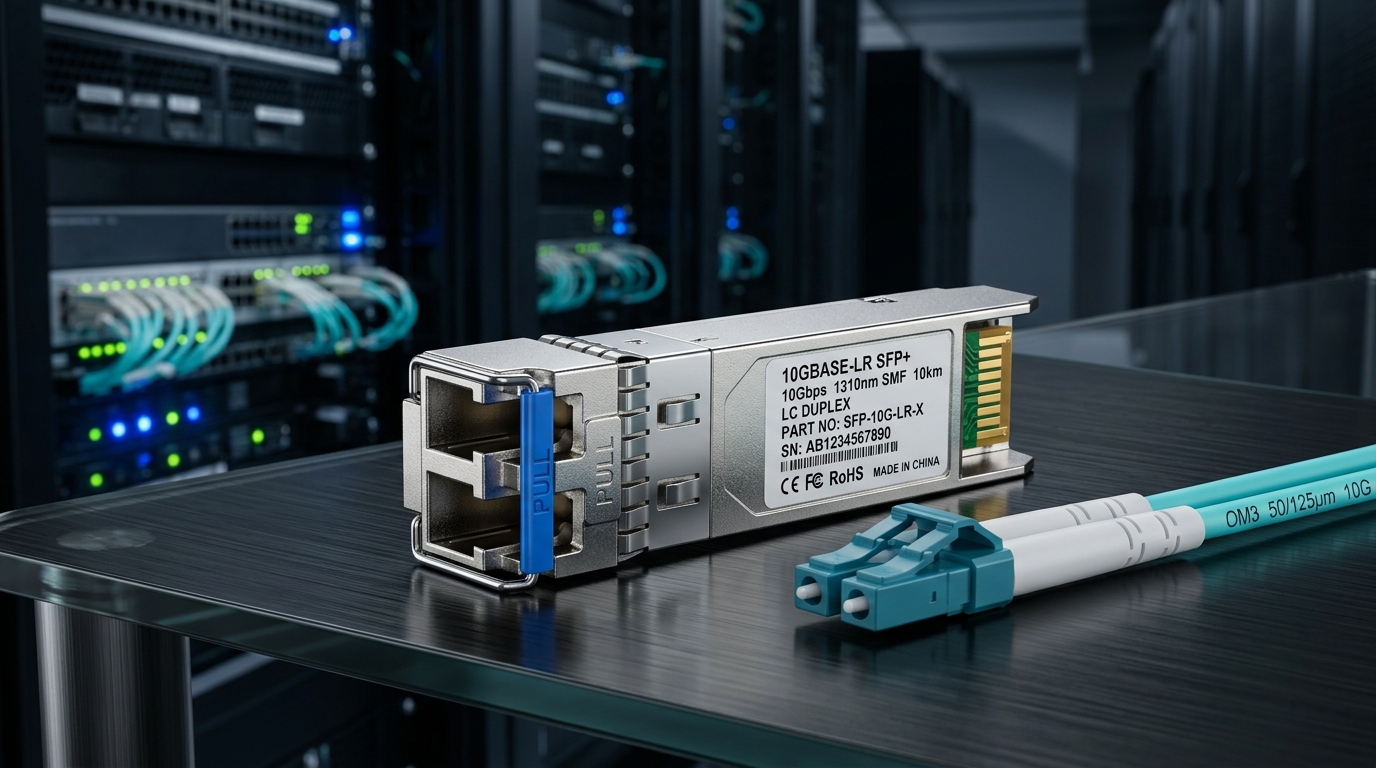
Phoenix Contact FL SWITCH models typically use standard SFP electrical interfaces (per MSA) and rely on the switch managing link bring-up through conventional diagnostics (DDM/DOM if supported by the transceiver). In practice, the “compatibility” problem shows up as link flap, “link down” despite clean fiber, excessive optical power usage, or missing diagnostics that break monitoring dashboards. Before ordering optics, confirm your exact FL SWITCH model and the transceiver form factor (SFP vs SFP+), since many industrial deployments mix 1G and 10G families. Also verify whether your switch firmware expects DOM data presence or tolerates “DOM absent” modules.
Compatibility checklist tied to FL SWITCH commissioning
- Form factor: SFP (not mini-GBIC, not SFP+).
- Data rate: 1G vs 10G must match the port hardware.
- Optics type: SR (850 nm multimode) vs LR (1310 nm single-mode) vs BX/BiDi where applicable.
- DOM/DDM: confirm whether the switch reads DOM values and how it behaves when DOM is absent.
- Connector: LC is common for SFP fiber; verify patch panel and pigtail type.
- Link budget: account for fiber attenuation, splice loss, and patch panel loss.
Pro Tip: In industrial cabinets, “it links” is not the same as “it will survive temperature cycling.” Validate optical power margin (TX bias current and received power) using DOM telemetry right after commissioning and again after a controlled warm-up/cool-down cycle. Many failures start as marginal receive power that only appears at temperature extremes.
Key SFP technical specs that determine real compatibility
Even when the SFP is electrically “MSA compatible,” industrial switches can be sensitive to wavelength, reach class, and optical power within the transceiver’s operating envelope. Use the wavelength and reach as the first filter, then validate optical budget against your actual fiber plant. If you are selecting third-party optics, confirm that they are the correct speed/duplex behavior and that the DOM implementation matches what the switch expects.
Specs comparison for common SFP fiber classes
| Spec | SFP 1G-SX (SR) | SFP 1G-LX (LR) | SFP 10G-SR |
|---|---|---|---|
| Wavelength | 850 nm (multimode) | 1310 nm (single-mode) | 850 nm (multimode) |
| Typical reach | ~550 m (OM3), ~300 m (OM2) | ~10 km (single-mode) | ~300 m (OM3), ~100 m (OM2) |
| Connector | LC (common) | LC (common) | LC (common) |
| DOM/DDM | Often supported; verify | Often supported; verify | Often supported; verify |
| Operating temp | Typically industrial grade; verify datasheet | Typically industrial grade; verify datasheet | Typically industrial grade; verify datasheet |
| MSA / standard basis | Compliant to SFP MSA electrical interface | Compliant to SFP MSA electrical interface | Compliant to SFP+ or 10G SFP electrical interface (verify exact module) |
For standards grounding, the optical behavior and SFP electrical expectations map to the IEEE 802.3 family for Ethernet PHYs and the SFP Multi-Source Agreement (MSA) for the module interface. For authoritative optics and link layer expectations, reference [Source: IEEE 802.3] and vendor transceiver datasheets for exact link budgets and DOM behavior. For SFP form factor and interface requirements, reference [Source: SFP MSA].
anchor-text: IEEE 802.3 standard
anchor-text: SFP ecosystem and industry references
Selection criteria: choose the right Phoenix Contact fiber SFP for FL SWITCH
Use this ordered decision checklist like a commissioning script. It reduces rework and prevents “wrong optics but correct connector” failures that are costly in industrial downtime.
- Distance and medium: Measure actual fiber length plus patch and splice counts; confirm multimode vs single-mode. If you do not have OTDR results, treat the loss as unknown and plan for margin.
- Data rate and port capability: Confirm the FL SWITCH port is 1G SFP or 10G-capable SFP/SFP+. Do not assume based on switch chassis.
- Wavelength and reach class: Choose SR (850 nm) for multimode, LR (1310 nm) for single-mode; align with the transceiver’s rated reach and your fiber type (OM2/OM3/OM4).
- Budget vs plant reality: Apply vendor link budget (dB) and add conservative margins for aging, micro-bends, and dirty connectors.
- Connector compatibility: LC vs SC vs other; verify polarity and patch panel labeling for bidirectional links.
- DOM support and monitoring: Confirm whether the switch displays DOM temperature, bias current, and received optical power; plan for alarms if DOM is missing.
- Operating temperature rating: Validate industrial temperature class against cabinet airflow and exposure to sun/loading cycles.
- Vendor lock-in risk: Decide whether OEM-only optics are required by your maintenance policy, or if vetted third-party modules are acceptable with documented testing.
Real-world deployment scenario: leaf-spine edge to PLC cells
In a 3-tier data center leaf-spine topology with 48-port 10G ToR switches feeding industrial edge cabinets, an operator uses Phoenix Contact FL SWITCH devices to bridge uplinks to PLC and motion-control cells. One project deployed 10G multimode links between an edge cabinet and a nearby patch bay: 150 m fiber runs across OM3 with 6 splices and two patch panels. Commissioning required selecting 10G SR-class SFP modules at 850 nm with DOM support so the monitoring system could alarm on received power drops. After installing, the team verified DOM received optical power at within 3 dB of the midline target across a thermal ramp, then confirmed stable link over 72 hours with no CRC spikes.
Common mistakes and troubleshooting tips for Phoenix Contact fiber SFPs
These are frequent failure modes we see during industrial cutovers. Each includes root cause and a practical fix path.
“Link down” after swapping SFPs: wrong wavelength or reach class
- Root cause: SR SFP (850 nm) installed on a single-mode plant, or LR SFP used on multimode without correct optics behavior.
- Solution: Match wavelength (850 vs 1310) and confirm fiber type (multimode vs single-mode). Validate with the transceiver datasheet and fiber labeling.
Link flaps at temperature: insufficient optical margin
- Root cause: Optical budget too tight once connectors age or cabinet temperature swings shift laser output and receiver sensitivity.
- Solution: Use DOM to check received power across temperature; re-terminate or clean connectors; reduce splice loss or move to a higher-reach optics class if budget is marginal.
DOM alarms or missing diagnostics: DOM not supported or unsupported behavior
- Root cause: Third-party module with incomplete DOM implementation, or a switch firmware behavior that expects DOM presence.
- Solution: Confirm DOM support from both the switch documentation and the transceiver datasheet; test in a staging rack before deploying at scale.
High CRC/errored frames: dirty connectors or polarity mismatch
- Root cause: Dirty LC endfaces or TX/RX polarity reversed on patch cords, especially with BiDi or mixed labeling.
- Solution: Clean with approved fiber inspection and cleaning tools; verify polarity with a known-good loopback or transceiver pair.
Cost and ROI: what to budget for SFP optics in industrial maintenance
In 2026 market conditions, typical pricing for SFP fiber optics varies by speed and reach class. Budget ranges often land around $25–$80 for common 1G SR/LX modules from reputable vendors and $80–$250 for higher-performance or industrial-grade 10G optics, depending on DOM and temperature class. Total cost of ownership (TCO) is driven more by spares policy, failure rate, and labor hours than by the optics unit price—especially when a module is swapped repeatedly due to marginal budget. OEM optics can reduce compatibility risk, while third-party optics can cut unit cost if you validate them with your specific FL SWITCH models and firmware.
For ROI planning, treat each module as a maintainable asset: maintain a tested spare set, log DOM baseline values, and standardize connector cleaning procedures. This approach reduces truck rolls and accelerates root-cause isolation when a link degrades.
FAQ
What does “Phoenix Contact fiber compatible” mean for FL SWITCH?
It means the SFP meets the required form factor and Ethernet PHY expectations for the specific FL SWITCH port, including correct wavelength, reach class, and link bring-up behavior. It also often includes DOM/DDM compatibility if your monitoring system depends on it.
Can I use third-party Phoenix Contact fiber SFP modules?
Yes in many cases, but you should validate using your exact FL SWITCH model and firmware in a staging environment. Confirm DOM behavior, operating temperature rating, and optical budget against your installed fiber.
How do I choose between SR and LR for industrial deployments?
SR (typically 850 nm) is for multimode fiber over shorter distances, while LR (typically 1310 nm) is for single-mode longer runs. Use OTDR or measured attenuation plus splice/patch loss to ensure the received power stays within the transceiver’s supported range.
Why does the link work initially but fails after a week?
Common causes include connector contamination, marginal optical budget, or thermal stress that changes laser output and receiver sensitivity. Use DOM telemetry and fiber inspection to correlate received power trends with environmental changes.
What DOM values should I monitor on FL SWITCH?
Monitor received optical power, laser bias current, and module temperature if the switch exposes them. Establish a baseline during commissioning and alert on deviations that shrink the power margin.
Do I need to worry about polarity and connector type?
Yes. LC connector type is common, but polarity conventions and patch cord labeling matter—especially for bidirectional optics. Verify with documentation and a known-good test before finalizing cabinet labeling.
If you want, share your FL SWITCH model number, port speed, fiber type
