
When your AI fabric scales from 200G to 800G, the bottleneck often shifts from switching horsepower to optics: reach, power, lane mapping, and thermal behavior in dense racks. This quick reference helps network and telecom engineers choose and troubleshoot an OSFP 800G transceiver for hyperscale and high-performance computing deployments. You will get practical selection criteria, a field-style checklist, and common failure modes pulled from real bring-up patterns. Update date: 2026-04-29.
Why OSFP 800G optics matter in AI fabric links
In AI leaf-spine and spine-super-spine fabrics, 800G OSFP transceivers typically carry high-count parallel lanes over multi-fiber trunks using either PAM4 electrical signaling plus coherent or non-coherent optical transport depending on the vendor implementation. The OSFP form factor is designed for high port density, with thermal and power envelopes that strongly influence airflow planning. In hyperscale racks, optics placement and module temperature can directly affect BER and link stability during traffic spikes. Engineers also care about deterministic latency, which is impacted by optical reach choice and forward error correction behavior.
Field deployment reality: what changes at 800G
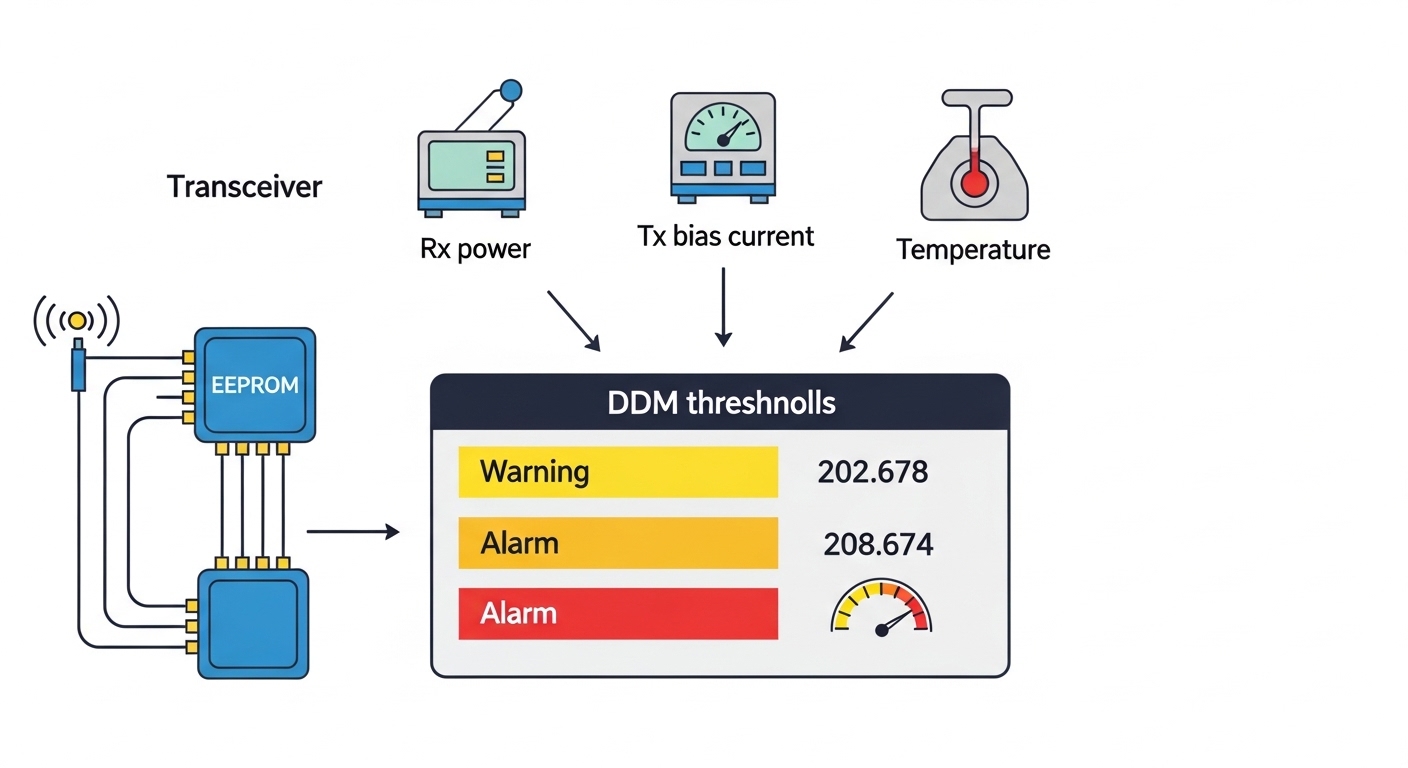
At 800G, you are no longer choosing only “distance and speed.” You are selecting a complete link budget outcome: transmit optical power, receiver sensitivity, dispersion tolerance, and the module’s internal FEC mode. In many data centers, the same switch line card can accept multiple optics families, but only certain OSFP variants pass vendor qualification. That is why bring-up often starts with confirming DOM telemetry support and verifying that the switch firmware recognizes the module vendor and revision.
Pro Tip: During AI fabric bring-up, log DOM telemetry and watch for “temperature ramp” events immediately after hot-plug. A module that stays within its rated temperature range can still cause BER excursions if the switch optics management expects a specific reset timing sequence; aligning your change-control procedure with vendor guidance often prevents flaky links that only appear under load.
OSFP 800G transceiver specs you must verify before ordering
Before procurement, confirm the module matches your physical plant: fiber count, connector type, wavelength plan, and maximum reach for your target BER (often 1E-12 pre-FEC or 1E-15 post-FEC depending on vendor). Also confirm the OSFP power class and operating temperature, because airflow constraints in AI racks are tight. Finally, validate compatibility with your switch or OCP platform line card, including lane mapping and supported FEC mode.
| Spec Item | What to Check | Typical Values (Examples) | Why It Impacts AI Fabrics |
|---|---|---|---|
| Form factor | OSFP mechanical and electrical interface | OSFP 800G class | Ensures fit, pinout, and thermal design alignment |
| Data rate | 800G line rate support | 800G | Prevents negotiation down to 400G or link instability |
| Wavelength / optics type | SR-style short reach vs LR/DR vs vendor-specific | Common short-reach multi-lane optics | Determines reach and fiber plant feasibility |
| Reach | Max distance for target BER/FEC | Varies by variant (consult datasheet) | Affects whether you need retiming or different topology |
| Connector | MT ferrule type for parallel optics | Common: MPO/MT style connectors | Wrong polarity or ferrule style causes immediate link failure |
| Power budget | TX power and RX sensitivity | Within module spec envelope | Determines whether aging fibers will still pass |
| DOM / telemetry | Supported management interface | DOM via standard management | Required for automated fleet monitoring and alarms |
| Operating temperature | Ambient and module internal temperature | Vendor-rated range | Thermal margin correlates with BER under load |
Compatibility references you should use
Start with the IEEE physical-layer intent and the vendor’s OSFP implementation details. For electrical and optical Ethernet alignment, consult IEEE 802.3 for relevant 400G/800G Ethernet specifications. For standards context on pluggable optics behavior and management expectations, also reference vendor datasheets and switch vendor optics compatibility guides. [Source: IEEE 802.3 Working Group] IEEE 802.3
Comparison: picking the right OSFP 800G variant by reach and plant
In AI fabrics, you usually select one of a few reach categories based on rack-to-rack distance and the structured cabling plan. Many hyperscale sites use short-reach OSFP 800G optics for leaf-to-spine and sometimes medium reach for longer spine hops, but the exact variant depends on fiber type, patch panel losses, and polarity handling.
| Use Case | Typical Link Distance | Fiber Plant Assumption | OSFP Selection Focus | Operational Note |
|---|---|---|---|---|
| Leaf-to-spine within same row | Short reach | OM4/OM5 or equivalent multi-fiber | Connector polarity, TX power budget, thermal margin | Optimize airflow; validate DOM alarms at steady state |
| Spine uplinks across aisles | Medium short reach | Higher patching loss expected | Reach spec vs actual measured channel loss | Run OTDR and verify end-to-end attenuation |
| Staged migrations during AI growth | Mixed distances | Varied patch panel history | Switch firmware compatibility and FEC mode support | Keep spares of the exact vendor revision |
Example part numbers engineers often validate in labs
Procurement teams frequently compare multiple vendor families, then lock the BOM after switch qualification. Example OSFP 800G optics families you may see in evaluations include models from major optics vendors and distributors; always confirm the exact reach grade and DOM behavior in the datasheet. Example starting points that teams commonly test include: Cisco OSFP-related optics for specific platforms, and third-party equivalents from suppliers such as Finisar and FS.com (verify reach grade, connector type, and operating temperature). [Source: vendor datasheets and platform qualification lists] FS.com Finisar
Selection checklist for OSFP 800G transceiver procurement
Use this ordered checklist during quoting and pre-install validation. It is designed to reduce “it fits but it will not link” incidents that waste maintenance windows.
- Distance and measured channel loss: Use OTDR or certified link loss results, not only cable-length labels. Include patch panel and splice losses.
- Reach grade and FEC mode: Confirm the module’s supported FEC behavior for your switch line card and target BER.
- Switch compatibility: Validate OSFP support and module vendor qualification for your exact switch model and firmware version.
- DOM telemetry support: Confirm DOM fields your NMS expects (temperature, bias, laser power, RX power) and whether alarms map correctly.
- Operating temperature and airflow: Check the module temperature range and your rack airflow profile; plan for worst-case ambient.
- Connector and polarity plan: Confirm MPO/MT ferrule type, keying, and polarity mapping. Label patch cords accordingly.
- Vendor lock-in risk: Evaluate whether third-party OSFP modules maintain compatibility across firmware updates and whether DOM works consistently.
- Spare strategy: Buy spares aligned to the same vendor revision and reach grade to avoid mixed-batch surprises.
Common mistakes and troubleshooting patterns
Most 800G OSFP failures are not “dead optics.” They are configuration, plant, or thermal issues. Here are concrete pitfalls engineers see during deployments.
-
Pitfall 1: Wrong MPO polarity or keyed orientation
Root cause: Transmit/receive fiber mapping mismatch through patch panels.
Symptoms: Link does not come up or comes up intermittently under load.
Solution: Verify polarity using a known-good polarity checker, re-terminate or re-cable to match the module vendor polarity guide, and re-label all patch cords. -
Pitfall 2: Exceeding reach due to hidden patch loss
Root cause: Patch panels, dirty connectors, or extra splices raise channel loss beyond module budget.
Symptoms: Link up but high error counters, rising BER, or frequent retrains.
Solution: Clean connectors, inspect with microscope, measure end-to-end loss, and if needed replace with a higher reach grade or shorten the channel. -
Pitfall 3: Thermal margin failure in high-density racks
Root cause: Insufficient airflow or obstructed vents around OSFP cages.
Symptoms: DOM temperature spikes, error bursts during peak traffic, or graceful degradation to lower speed.
Solution: Improve airflow (front-to-back pressure, unblock cable routing), confirm module stays within rated operating temperature, and validate fan tray profiles. -
Pitfall 4: Firmware mismatch and unsupported module revision
Root cause: Switch firmware expects specific capability bits or DOM mapping.
Symptoms: Link flaps after reloads, telemetry missing, or “unsupported optics” alarms.
Solution: Update switch firmware to a qualified version, or swap to the qualified vendor/revision OSFP module.
Real-world deployment scenario: hyperscale AI fabric
In a 3-tier data center leaf-spine topology with 48-port 10G to 800G capable ToR/leaf switches feeding a spine layer, a team expanded an AI cluster from 1.2 to 2.4 Tbps per rack. They deployed OSFP 800G transceivers on leaf-to-spine uplinks using structured cabling with MPO/MT trunks. Typical measured channel loss included patch panel contribution that pushed near the vendor reach limit, so they standardized on a single reach grade and enforced connector cleaning SOPs during every maintenance window. During acceptance testing, they validated DOM telemetry thresholds and confirmed that error counters remained stable during synthetic traffic runs at line rate.
Cost and ROI note: what drives total cost of ownership
Pricing varies by reach grade, vendor, and qualification status. In many markets, an OSFP 800G transceiver often lands in a broad range (commonly hundreds to over a thousand per module) depending on OEM vs third-party supply and the operational value of qualification coverage. OEM optics can reduce compatibility risk and shorten incident resolution time, while third-party modules can cut initial cost but may increase requalification effort after switch firmware changes. ROI improves when you standardize on one qualified reach grade, keep a consistent spare pool
