
Field teams often discover too late that the fiber type stamped on a cable label does not automatically translate into best performance for SFP single-mode optics. This article helps network and facilities engineers decide between OS1 and OS2 for SFP-based links when the plant uses G.652D fiber cable. You will get real deployment guidance, a comparison table of key specs, troubleshooting patterns, and a decision checklist you can apply on the next cutover.
Top 8 decision items for OS1 vs OS2 on SFP links
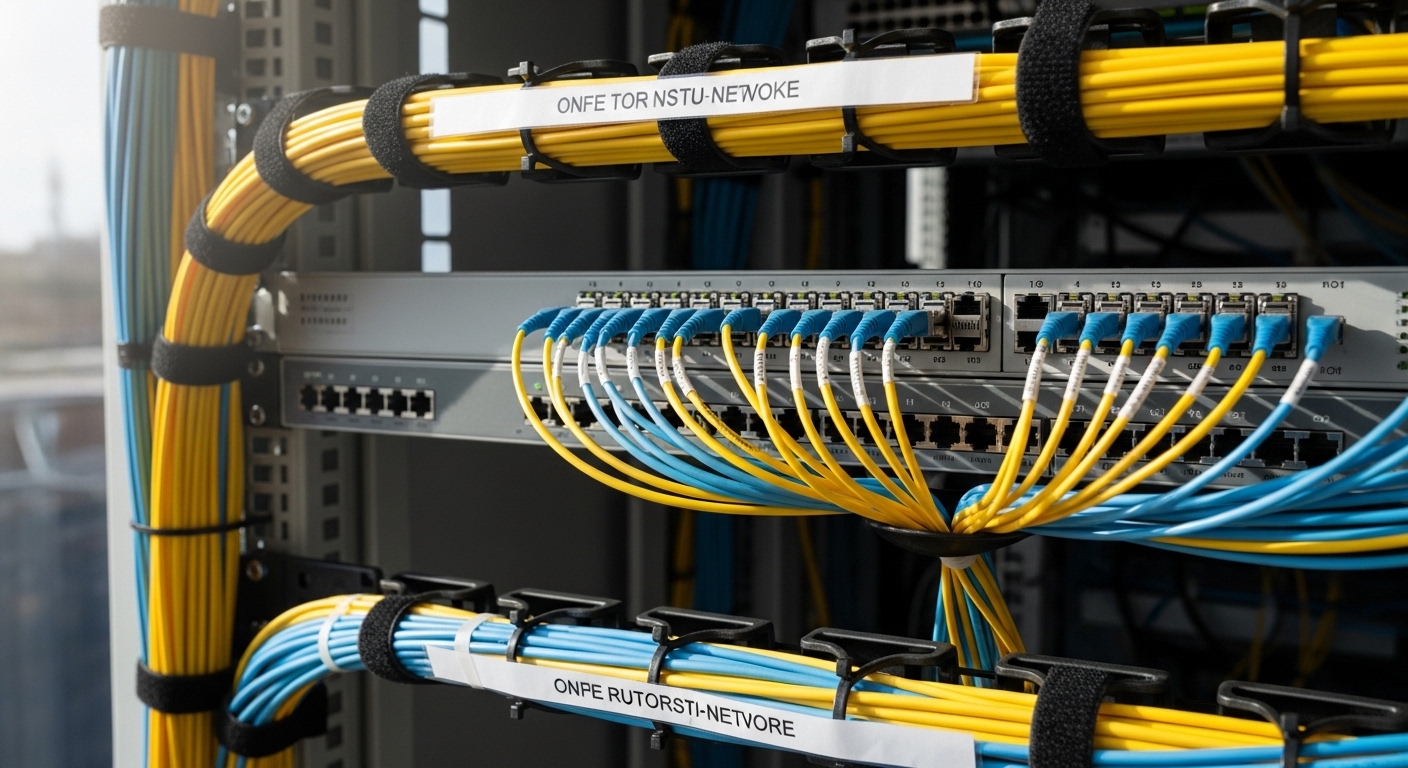
In single-mode SFP deployments, the fiber designation and the connectorized optical budget interact with splice loss, bend radius, and environmental temperature. Engineers typically choose OS1/OS2 based on installation environment and long-term attenuation targets, then validate with vendor optics and link budgets. Below are the eight most practical items that determine whether G.652D fiber cable behaves like “it should” in your specific topology.
What OS1 and OS2 actually mean for single-mode runs
OS1 and OS2 are commonly used classifications for single-mode fiber applications, with OS2 generally intended for outdoor or buried use and OS1 more for indoor or general premises use. In practice, the difference you care about is not the core physics of single-mode operation; it is the mechanical and environmental design assumptions, plus how the cabling is constructed for installation conditions. When your cable is labeled G.652D fiber cable, the optical transmission behavior is typically aligned to the ITU-T G.652D family, while OS1/OS2 focuses on the jacket, moisture resistance, and handling for the intended path.
Best-fit scenario: If your SFP links traverse data hall pathways inside conduits, OS1 cable can be operationally sufficient. If the same link exits into outdoor conduit runs, OS2 is often the safer selection because it is engineered for long-term environmental exposure.
- Pros: OS1 can reduce cost for interior routes; OS2 reduces environmental risk for exterior routes.
- Cons: OS1 may fail prematurely if exposed to moisture or temperature cycling beyond its design assumptions.
G.652D transmission behavior: why it matters to SFP optics
G.652D fiber cable is designed to meet the ITU-T G.652D single-mode performance profile, including low water peak characteristics and controlled attenuation. SFP transceivers for 9/125 single-mode typically transmit at 1310 nm and 1550 nm depending on the module class, and the fiber attenuation and dispersion directly influence reach and margin. Even when OS1 vs OS2 is the headline, you still need to confirm that the fiber attenuation spec at your operating wavelength meets your link budget.
When you plan a 1G/10G SFP link, the critical items are fiber attenuation (dB/km) at the wavelength of the transceiver, plus connector and splice losses. If the plant uses older single-mode fiber that is not G.652D-aligned, the same transceiver can show reduced margin or increased error rates under marginal conditions.
- Pros: G.652D is widely supported by SFP vendors; low water-peak design improves stability for buried or outdoor use.
- Cons: Vendor compatibility still depends on connector cleanliness, splice quality, and the transceiver’s optical budget.
Side-by-side specs: cable, reach, connectors, and temperature limits
Engineers often compare OS1 and OS2 using marketing labels, but the operational decision should be grounded in measurable parameters: attenuation, proof test, minimum bend radius, jacket temperature rating, and connectorization approach. Below is a practical comparison you can use when planning SFP single-mode links over G.652D fiber cable.
| Spec item | G.652D fiber cable (common target) | OS1 cable intent | OS2 cable intent |
|---|---|---|---|
| Fiber type family | ITU-T G.652D | Single-mode premises/application | Single-mode outdoor/buried application |
| Typical attenuation at 1310 nm | ~0.35 dB/km or better | Depends on manufacturer, must meet link budget | Depends on manufacturer, must meet link budget |
| Typical attenuation at 1550 nm | ~0.20 dB/km or better | Same fiber family; jacket differs | Same fiber family; jacket differs |
| Minimum bend radius (typical planning) | ~10x cable OD (varies by construction) | Indoor cable handling guidance applies | Outdoor construction often improves mechanical robustness |
| Connectorization | LC/UPC or LC/APC common; confirm polish and loss | Premises connector loss assumptions | Outdoor-ready termination practices; confirm ingress protection |
| Operating temperature range | Jacket dependent; verify datasheet | Typically narrower than outdoor-rated products | Often broader for exposure conditions |
| Water/moisture resistance | Fiber physics is low water-peak; cable jacket matters | Jacket not designed for harsh exposure | Enhanced jacket design for outdoor use |
Best-fit scenario: Use the table to sanity-check whether your G.652D fiber cable attenuation and bend guidance match the SFP optics reach you plan to deploy. For example, if your SFP budget is tight, a slightly higher splice loss rate can erase the margin regardless of OS1 vs OS2 labeling.
- Pros: A spec-based approach reduces “label mismatch” surprises during acceptance testing.
- Cons: Datasheets vary widely; you must verify the exact cable construction and test reports.
Link budget math: the real OS1 vs OS2 differentiator
In SFP single-mode links, OS1 vs OS2 matters only after you build a link budget that includes connector loss, splice loss, and safety margin. Typical engineering practice is to measure end-to-end loss with an OTDR or insertion loss tester after termination, then compare to the transceiver’s specified maximum reach. If you use pre-connectorized jumpers, the connector polish type (UPC vs APC) becomes a measurable contributor through return loss and sometimes system-level penalty if the optics vendor expects a specific reflectance profile.
For a realistic example, imagine a 10 km run with 0.35 dB/km at 1310 nm and 6 total splices plus 2 connectors (at each end). Even if the fiber attenuation looks acceptable, connector and splice losses can dominate the budget if field workmanship is inconsistent. That is why acceptance testing and documentation are often more decisive than OS1 vs OS2 alone.
- Pros: Link budgets make tradeoffs explicit; they also highlight where training improves yield.
- Cons: Without measured loss data, theoretical margins can mislead procurement decisions.
Environmental exposure: indoor conduits vs outdoor buried routes
OS1 vs OS2 is fundamentally about environmental design intent, especially moisture ingress and jacket durability. In outdoor or buried segments, the cable jacket must resist water migration and mechanical stress over time, while the fiber’s low water peak behavior supports stable transmission when the cable is properly installed. With G.652D fiber cable, the optical profile supports long-term performance, but the jacket and sealing practices determine whether the system stays within spec.
Best-fit scenario: If your SFP link runs from an MDF to an outdoor cabinet via buried conduit, OS2 typically aligns with the exposure profile. If your link stays inside conditioned spaces, OS1 can be economical.
- Pros: OS2 reduces risk of moisture-related attenuation growth and jacket cracking.
- Cons: OS2 can cost more upfront; it is only justified when the route truly warrants it.
Installation mechanics: bend radius, microbends, and splice quality
Even with the same G.652D fiber cable family, installation practices can change performance. Microbends caused by tight routing, sharp conduit corners, or uneven cable tray mounting can increase loss and trigger intermittent errors on sensitive SFP optics. Splice quality is equally critical: a small increase in average splice loss across multiple joints can consume the link margin.
Pro Tip:
During fiber acceptance, require both OTDR traces and a splice-by-splice loss log. Teams sometimes pass “total loss” checks while having one or two outlier splices that will likely fail under seasonal temperature stress.
- Pros: Mechanical discipline improves yield and reduces late rework.
- Cons: Tight bends and inconsistent cleave/splice procedures can cause loss spikes not predicted by the cable spec.
SFP compatibility: wavelength, connector polish, and vendor optics
OS1/OS2 is only part of the system; SFP transceivers define the wavelength, receiver sensitivity, and maximum reach. For G.652D fiber cable links at 1310 nm, many 10G SFP+ LR modules are designed for single-mode reach on the order of 10 km depending on the specific vendor and optics class. If you are deploying a long-haul or higher-power class module at 1550 nm, the fiber’s 1550 nm attenuation and dispersion assumptions become more important.
Connector polish matters because return loss and reflectance can affect some optical receivers. In practice, field teams should standardize on LC/UPC for typical 1310/1550 links unless the optics vendor specifies otherwise, and they should keep APC only where the system design calls for it. Always cross-check the SFP datasheet with the fiber type and maximum loss assumptions.
- Pros: Matching wavelength and connector polish reduces surprises during BER testing.
- Cons: “Compatible with single-mode” is not the same as “compatible with your exact link loss profile.”
Cost and ROI: balancing cable price, test time, and failure risk
OS2 is usually priced higher than OS1 because of jacket robustness and environmental certification. The ROI calculation should include not only the cable cost per meter, but also the cost of splicing, testing, and potential remediation if the route fails acceptance. In many deployments, the biggest cost driver is not the fiber itself; it is rework after incomplete documentation or inconsistent termination practices.
Typical street pricing ranges vary by region and volume, but you can expect OS2 to carry a premium that often makes sense when the run includes outdoor exposure or long buried segments. A realistic TCO approach treats OS1 as suitable for controlled indoor paths and OS2 as insurance for harsh routes, while you still budget for acceptance testing with OTDR and insertion loss testers.
- Pros: Measured acceptance reduces warranty claims and reduces downtime.
- Cons: Skipping OTDR documentation can turn a small savings into a major operational expense.
Common mistakes and troubleshooting for G.652D on SFP links
Below are frequent failure modes in OS1 vs OS2 decisions for SFP single-mode runs using G.652D fiber cable. Each includes a root cause and a practical fix based on what technicians commonly see in the field.
-
Mistake: Installing OS1 cable on a route with outdoor moisture exposure.
Root cause: Jacket and sealing design not intended for water ingress and temperature cycling.
Solution: Re-terminate and replace the affected segment with OS2 where the route exits conditioned indoor spaces; verify with OTDR before and after. -
Mistake: Exceeding the SFP link budget due to unmeasured splice loss.
Root cause: Total loss “looks fine” on one meter but the average splice loss is higher than expected across multiple joints.
Solution: Use end-to-end insertion loss testing plus OTDR to locate loss events; retrain crews and enforce splice loss limits per joint. -
Mistake: Mixing connector polish types without system validation.
Root cause: UPC vs APC reflectance differences can contribute to receiver margin issues or inconsistent link behavior in certain optics.
Solution: Standardize polish type per link design; clean and inspect connectors using approved procedures and verify with a light source and power meter. -
Mistake: Tight bends or improper tray routing causing microbends.
Root cause: Cable is bent below minimum bend radius or stressed by uneven mounting pressure.
Solution: Reroute with bend radius compliance; add slack management and verify with OTDR trace stability during temperature swings.
Selection criteria checklist engineers use on cutover day
- Distance and wavelength plan: confirm whether the SFP is operating at 1310 nm or 1550 nm and compute fiber attenuation plus connector/splice loss.
- Route environment: classify indoor-only as OS1 candidates; classify outdoor/buried exposure as OS2 candidates.
- Exact fiber family confirmation: verify the cable reel documentation states G.652D fiber cable, not a generic “single-mode.”
- Switch and transceiver compatibility: check the switch vendor’s supported optics list and module type (SFP vs SFP+), including DOM requirements.
- Operating temperature and jacket rating: match the cable jacket temperature range to the cabinet, conduit, and seasonal conditions.
- DOM and monitoring expectations: if you rely on digital diagnostics, confirm DOM is supported and that third-party optics meet your reliability thresholds.
- Installation workmanship constraints: enforce minimum bend radius, cleave/splice procedures, and require OTDR plus insertion loss acceptance.
- Vendor lock-in and supply risk: consider whether your transceiver ecosystem supports multiple vendors without degrading link performance.
FAQ
Do OS1 and OS2 change the optical performance of G.652D fiber cable?
They can be different in practical terms because OS1 vs OS2 primarily reflects cable construction for installation environment. The fiber core behavior is driven by the G.652D fiber cable family and its attenuation characteristics, but the jacket and sealing determine long-term stability in moisture and temperature cycling.
Which is safer for an SFP link that runs outdoors in conduit?
OS2 is typically the safer selection because it is engineered for outdoor exposure and buried or wet-route conditions. Even with G.652D fiber cable, a substandard jacket can lead to water ingress that gradually erodes optical margin.
What test should I require before accepting an SFP single-mode link?
Require both insertion loss testing and OTDR traces. Insertion loss validates total loss, while OTDR identifies event locations such as connectors, splices, and potential microbends.
Can I use LC/APC with standard SFP modules on G.652D?
Often yes, but you should follow the SFP vendor guidance for expected reflectance and connector type. If your system is designed for UPC, switching to APC without validation can create unexpected margin behavior.
How do I avoid intermittent link drops after installation?
Intermittent drops are commonly linked to connector contamination, insufficient cleaning, or microbends from routing below bend radius. Use connector inspection, enforce bend radius rules, and re-check OTDR stability across temperature changes.
Are third-party SFP optics acceptable on G.652D links?
They can be acceptable if they meet the vendor specified optical budget for your distance and if DOM behavior is supported by your switch or monitoring system. Validate with a BER test and confirm transceiver diagnostics compatibility, especially when using DOM-based alarms.
As a next step, map your current routes against the checklist and then verify acceptance results against the SFP datasheet reach limits for your wavelength plan, using fiber-optic-transceiver-link-budget-basics.
Author bio: I have deployed and troubleshot single-mode SFP links in enterprise and campus networks, using OTDR event mapping and insertion loss acceptance to prevent latent failures. My work focuses on translating datasheet optical budgets into field-ready procedures and measurable cutover criteria.
Sources: IEEE 802.3 Ethernet specifications for optical PHY behavior; ITU-T G.652D recommendations for fiber characteristics; vendor transceiver datasheets for reach and receiver sensitivity; [Source: ITU-T G.652D Recommendation], [Source: IEEE 802.3 Ethernet standard], [Source: Cisco SFP module documentation], [Source: Finisar and OEM SFP datasheets].
Summary ranking: OS1 vs OS2 choice for G.652D SFP links
| Rank | Scenario | Recommended cable choice | Why it wins |
|---|---|---|---|
| 1 | Indoor-only runs in conditioned spaces | OS1 with G.652D fiber cable | Lower cost with adequate protection for the environment. |
| 2 | Outdoor conduit or buried segments | OS2 with G.652D fiber cable | Better jacket robustness for moisture and temperature cycling. |
| 3 | Mixed routes (indoor to outdoor) | OS2 for the exposed segment | Prevents the most common long-term failure mode: water ingress. |
| 4 | Tight link budget where margin is small | Either, but require measured acceptance | Workmanship and measured loss dominate OS1 vs OS2 labeling. |
