
If you have mixed switches, uncertain fiber plant, or vendor part number drift, choosing the right optical module speed can stall installs. This optical module speed guide helps network and field engineers map 1G through 400G speeds to standard optics, realistic reach, and switch compatibility. You will also get a step-by-step selection workflow, a comparison table, and failure-mode troubleshooting that matches what you see in the rack.
Prerequisites: what you must measure before picking module speed
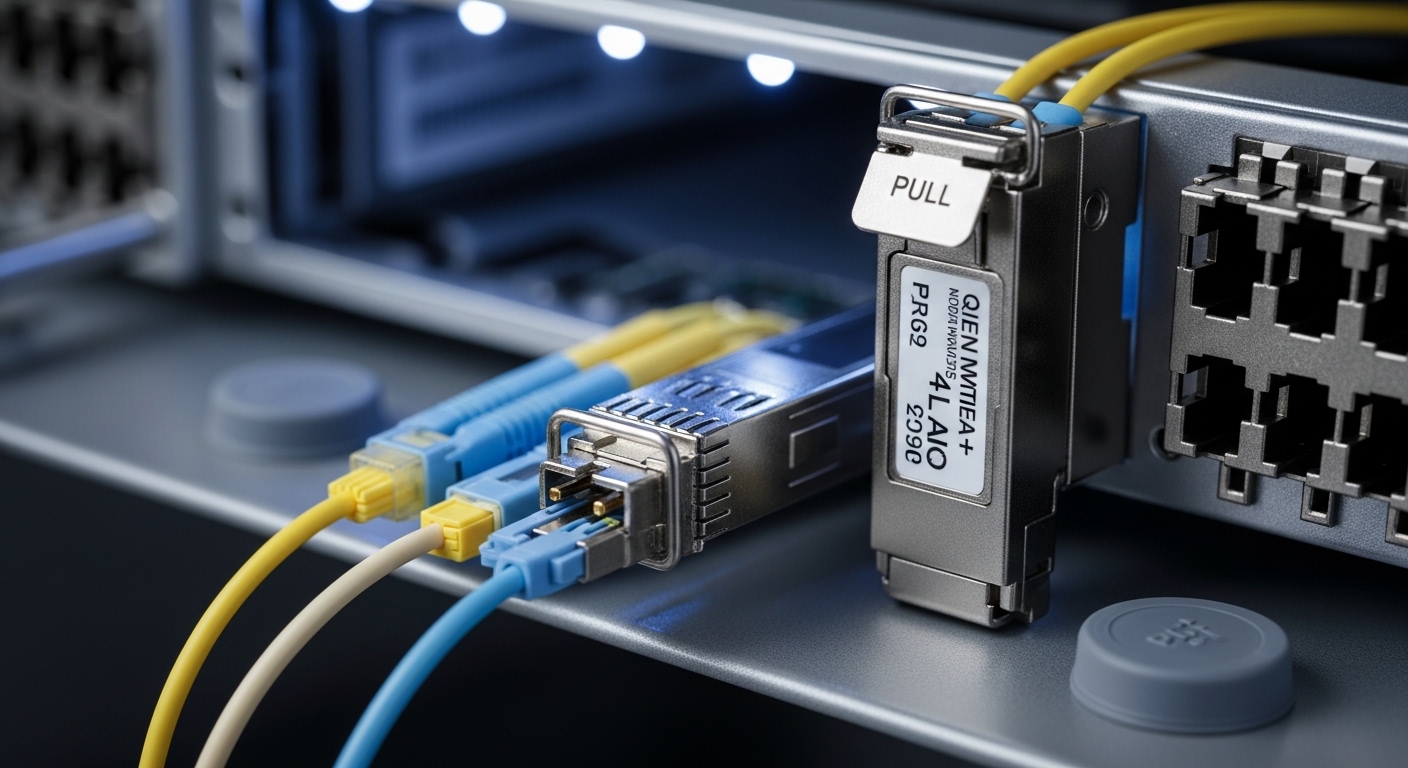
Before you decide between 10G, 25G, 40G, 100G, or 200G/400G optics, collect the physical and electrical constraints. This prevents buying the wrong lane rate, connector type, or transmitter technology for your switch backplane. It also reduces RMA churn when DOM data or temperature grades do not match your environment.
Inventory the host ports and required lane rate
- Record the switch model and transceiver type supported per port (for example, Cisco Nexus and Catalyst SKUs often specify optics families).
- Note the port speed mode: e.g., 10G/25G/40G capable, or strict 100G breakout behavior.
- Confirm whether the platform supports breakout (for example, 100G QSFP28 to 4x25G) and the exact breakout mapping.
Expected outcome: A port-speed matrix showing which optics are electrically compatible with each interface.
Validate fiber type, core count, and link budget
- Identify fiber: OM3, OM4, or OS2.
- Confirm connector style: LC vs MPO/MTP, and whether you have polarity requirements for duplex vs array.
- Measure or estimate attenuation at the wavelength band using OTDR results if available.
Expected outcome: Reach feasibility for each candidate speed using vendor link budgets and IEEE requirements.
Check operating temperature and DOM policy
- Confirm whether your site requires commercial or industrial temperature ranges.
- Decide if you rely on Digital Optical Monitoring (DOM) for alarms and thresholds.
- Plan for vendor lock-in risk: some ecosystems enforce verified optics lists.
Expected outcome: A shortlist of optics that can operate within your environmental envelope and monitoring policy.
Map optical module speed to standards, optics type, and reach
Optical module speed is not just “the number on the label.” Speed determines the signaling format, lane structure, and the optical technology: SR for multimode, LR/ER for single-mode, and DR for specific reach targets. IEEE 802.3 defines electrical and optical interface requirements, while vendor datasheets define the practical link budget and temperature grade.
Choose the optics family by speed and fiber type
Use this mapping to reduce guesswork:
- 1G to 10G: Commonly SFP or SFP+ with SR over OM3/OM4 or LR over OS2.
- 25G: Often SFP28 or QSFP28; SR over OM4/OM3 with OM4 preferred for longer runs.
- 40G: QSFP+ SR using parallel optics (MPO) for multimode.
- 100G: QSFP28 SR4 over multimode; LR4/ER4 over single-mode; breakout depends on switch support.
- 200G: QSFP56 or similar; typically uses parallel optics with higher lane counts.
- 400G: QSFP-DD or OSFP-class optics; typically requires careful lane/bandwidth planning.
Expected outcome: A candidate optics class aligned with your fiber plant and the switch port’s required interface.
Compare representative modules across speeds
Below is a practical comparison of widely deployed optics families and what their speed implies for reach and connector type. Always confirm exact reach with your vendor datasheet and your switch compatibility list.
| Module speed / form factor | Typical standard target | Wavelength (band) | Fiber type | Connector | Representative examples | Reach class (typical) | Operating temp |
|---|---|---|---|---|---|---|---|
| 1G SFP | IEEE 802.3z (legacy) | 1310 nm or 850 nm | OM3/OM4 or OS2 | LC | Finisar FTLF1319P3BTL, Cisco-compatible 1000BASE-SX/LX | Up to a few km (LX) or hundreds of m (SX) | Commercial / Industrial variants |
| 10G SFP+ | IEEE 802.3ae | 850 nm (SR) or 1310 nm (LR) | OM3/OM4 or OS2 | LC | Cisco SFP-10G-SR, FS.com SFP-10GSR-85 | ~300 m (OM3) to ~400-500 m (OM4) for SR; up to 10-40 km for LR variants | Commercial / Industrial variants |
| 25G SFP28 / 25G QSFP28 | IEEE 802.3by | 850 nm (SR) | OM4 recommended | LC or MPO depending on form | Finisar/FS.com 25G SR optics | ~70-100 m (OM3 class) to ~100-150 m+ (OM4 class) depending on spec | Commercial / Industrial variants |
| 40G QSFP+ | IEEE 802.3ba | 850 nm (SR4) | OM3/OM4 | MPO/MTP | 40G SR4 QSFP+ modules | ~100-150 m class (OM3/OM4 depends on spec) | Commercial / Industrial variants |
| 100G QSFP28 | IEEE 802.3ba | 850 nm (SR4) or 1310 nm (LR4/ER4) | OM4 or OS2 | MPO/MTP or LC (varies by type) | Finisar FTLX8571D3BCL (100G ER4 class), 100G SR4 QSFP28 from major vendors | ~100-300 m (SR4) or 10-40 km+ (LR/ER classes) | Commercial / Industrial variants |
| 200G / 400G | IEEE 802.3 (modern high-speed) | 850 nm (SR) or 1310/1550 nm (LR/DR/FR style) | OM4 or OS2 | MPO/MTP | QSFP56/QSFP-DD optics from OEM or third-party | Short-reach SR for data centers; long-reach for metro/backbone | Commercial / Industrial variants |
Expected outcome: A grounded view of how speed choices map to connector type and fiber reach classes.
Pro Tip: In the field, many “link flaps” blamed on bad optics are actually lane count or breakout mode mismatches between the switch port configuration and the module’s expected electrical interface. Always verify the platform’s transceiver mode and breakout mapping in the switch CLI before swapping optics.
Selection criteria: an ordered checklist for speed decisions
Engineers typically choose optics in a strict order because each constraint narrows the option set quickly. Use this checklist to make the decision repeatable across sites and vendors.
- Distance and fiber class: pick SR vs LR vs ER/DR first, then confirm OM3/OM4 vs OS2.
- Switch compatibility: confirm the exact transceiver family supported by the switch model and software version.
- Data rate and breakout behavior: ensure the port supports the intended speed and lane mapping (especially for 100G+).
- DOM support and telemetry policy: confirm whether you need temperature/laser bias alarms and whether third-party DOM is accepted.
- Operating temperature: select industrial-rated optics if you have hot aisles, outdoor cabinets, or constrained airflow.
- Vendor lock-in risk: compare OEM vs third-party total cost, including RMA rate and compatibility testing.
Expected outcome: A purchase decision that survives both optics validation and operational monitoring.
Common pitfalls and troubleshooting: top failure modes
Even when the speed is correct, optics can fail due to mechanical, optical, or configuration issues. Below are the most frequent real-world mistakes with root causes and fixes.
Failure mode 1: Correct speed, wrong fiber polarity or connector handling
Root cause: MPO/MTP polarity not matched (common in 40G/100G/200G/400G SR). Duplex LC polarity is also sometimes mishandled during patching. The result is bit errors or link up then down under load.
Solution: Re-terminate or re-patch using the polarity standard required by your MPO harness (consult vendor polarity diagrams). Clean connectors with lint-free swabs and isopropyl alcohol or approved cleaning tools, then retest.
Failure mode 2: DOM or vendor verification blocks unstable optics
Root cause: Switch firmware rejects unsupported DOM signatures or thresholds, or the optics are outside spec for your temperature range. Symptoms include “unsupported module,” “PHY down,” or excessive CRC.
Solution: Check switch logs and transceiver diagnostics. Try a known-good module from the approved list. If using third-party optics, validate DOM acceptance and firmware compatibility before rollout.
Failure mode 3: Speed selected, but lane rate or breakout mode mismatched
Root cause: For example, configuring a port for 4x25G breakout while installing a module that expects a different lane mapping, or enabling the wrong interface mode on the switch. This can prevent link from training or cause intermittent errors.
Solution: Confirm port mode in the switch CLI, then match the module’s electrical interface to that mode. Perform a controlled test: one port, one module, one fiber pair, with link-level counters monitored.
Real-world deployment scenario: upgrading a leaf-spine fabric
In a 3-tier data center leaf-spine with 48-port 10G ToR switches and 10G to 25G uplinks, the team planned a phased migration. They replaced 10G SR optics with 25G QSFP28 SR optics on uplinks while keeping the existing OM4 patch panel. On the leaf, they ran 24 uplinks at 25G over OM4 with typical link lengths of 35 to 60 meters, verified by OTDR attenuation and vendor SR4/SR budgets. For spine-to-core, they standardized on 100G QSFP28 SR4 for campus-sized distances under 150 meters, and reserved OS2 LR4 for any route exceeding the multimode reach.
Expected outcome: Higher throughput without wholesale fiber replacement, while keeping optics within validated temperature and DOM policies.
Cost and ROI note: pricing, TCO, and operational risk
Typical street pricing varies by region, volume, and temperature grade. As a ballpark, OEM 10G SR optics often cost more than third-party, while 100G and 400G optics carry a higher per-port cost; industrial-rated modules can add a premium. Over a multi-year horizon, TCO should include: optics purchase price, installation labor, expected failure rate, RMA logistics, and the time lost to troubleshooting when compatibility lists or DOM verification fail.
ROI is usually strongest when you standardize on a small set of validated optics families per speed and fiber type, then use DOM telemetry to detect early degradation. In practice, teams reduce downtime by staging spares and maintaining an approved transceiver matrix per switch model and software release. For the exact cost bands in your supply chain, check current quotes and compare by part number and temperature grade, not just headline reach.
Sources and standards to cite while you validate
- IEEE 802.3 Ethernet physical layer specifications for link signaling and interface behavior. anchor-text: IEEE 802.3 standard portal
- Vendor datasheets for module part numbers, DOM behavior, and link budgets, including temperature range and connector/polarity requirements. anchor-text: FS.com optics product and datasheet pages
- Transceiver compatibility discussions and practical guidance from reputable tech media and vendor documentation. anchor-text: Cisco support and transceiver compatibility documentation
FAQ
What speeds are most common for enterprise optics today?
In many deployments, 10G, 25G, and 100G dominate the access and aggregation layers, while 200G and 400G appear in higher-capacity cores and new fabrics. The best choice depends on oversubscription, distance, and whether you can upgrade switch ports without re-cabling.
How do I choose between multimode SR and single-mode LR or ER?
Use SR when your run length fits the multimode reach for your fiber type and module spec. Switch to LR/ER when you exceed multimode budgets or when you need longer metro reach on OS2, especially for 100G+ where connector and polarity complexity increases.
Does DOM matter for reliability, or is it optional?
DOM is not required for basic link operation, but it is valuable for operations. If you rely on alarms for temperature, voltage, and optical power, DOM helps you catch degradation before a full failure and supports cleaner incident triage.
Can I mix OEM and third-party optics on the same switch?
Sometimes yes, but compatibility depends on the switch model and firmware, and on whether the module’s DOM is accepted. Plan a validation step with one port and monitor link counters and switch logs before scaling out.
Why does a link come up but then shows high CRC or intermittent drops?
Common causes include dirty connectors, wrong MPO polarity, marginal fiber attenuation, or a speed/breakout mismatch. Start with cleaning and polarity checks, then confirm switch port mode and optics diagnostics.
What is the best way to avoid wasting money on the wrong module speed?
Follow an ordered checklist: measure distance and fiber class, confirm switch compatibility and breakout behavior, and then validate DOM and temperature grade. Keep a small approved parts list per switch model to reduce the probability of incorrect purchases.
Follow this optical module speed guide workflow to align speed, reach, connector type, and switch behavior before you buy or swap optics. Next, use related topic to build a fiber and transceiver validation plan you can repeat across racks.
Author bio: Field engineer focused on optics bring-up, DOM diagnostics, and rack-level migration planning. Builds checklists that reduce downtime during 10G to 400G transitions.
