
You can have a link that “lights up” yet fails application traffic, and the root cause is often a marginal optical path or a transceiver that slips under load. This article shows how to perform optical BER measurement and translate raw results into clear pass/fail decisions for SFP/SFP+/QSFP modules and fiber runs. It helps network engineers, field technicians, and data center teams standardize testing so you stop guessing and start deploying with confidence.
Prerequisites: tools, standards, and what “pass” really means
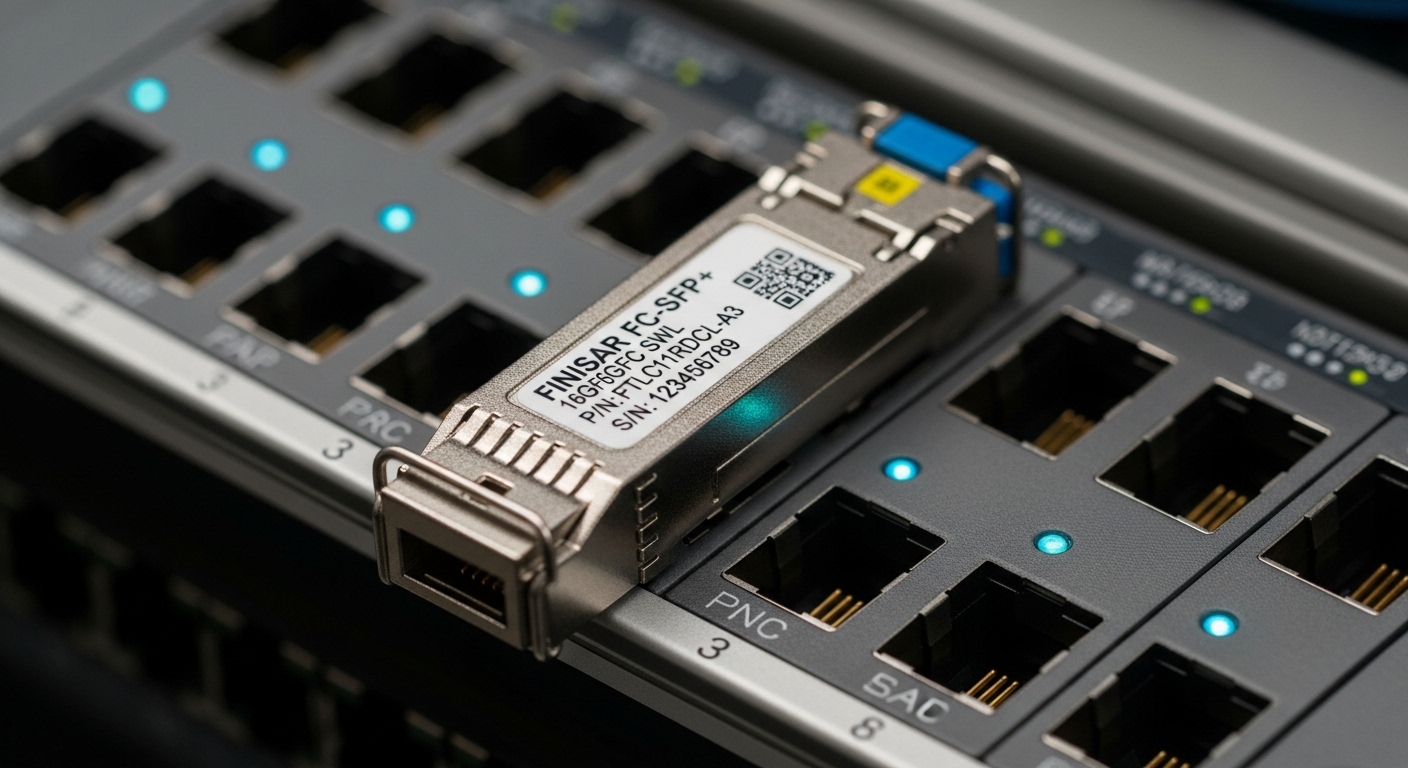
Before you measure, confirm you are testing the right layer and using repeatable conditions. BER testing is governed by the optical link budget and the measurement method; in practice you follow the intent of IEEE 802.3 link performance and the vendor guidance for transceiver test modes. For Ethernet optics, the most common approach is to use a BERT (Bit Error Rate Tester) with a known PRBS pattern and verify that the measured BER meets the vendor or system requirement. For safety and repeatability, ensure you test at the same data rate, modulation mode, and expected optics temperature range used in production.
Minimum kit checklist
- BERT with the correct data rate option (examples: 10G, 25G, 40G, 100G) and PRBS support (PRBS-7/PRBS-9/PRBS-31 are common).
- Optical test interfaces compatible with your transceiver: LC/SC or MPO/MTP breakouts depending on the module.
- Known-good patch cords (same fiber type and connector geometry as the production cabling).
- Attenuators or optical variable attenuator if you need sensitivity curves.
- Transceiver under test (for example: Cisco SFP-10G-SR or Finisar FTLX8571D3BCL class optics) and a supported switch/router port or a DUT test jig.
- Lab power and temperature control or at least recorded ambient conditions.
Pass/fail criteria you can defend
In the field, “pass” usually means the BER is below a threshold at a specified stress condition (often at nominal launch power and after a defined warm-up). Many vendors and system teams use a criterion like BER ≤ 1e-12 for passing, with stricter internal targets such as BER ≤ 1e-15 for high-consequence links. If the BERT provides eye diagram metrics or Q-factor equivalents, document them too, but keep BER as the primary decision metric.
If you are validating a transceiver for a specific Ethernet standard, align your criteria with the system’s forward error correction (FEC) behavior and link margin assumptions. Note that some platforms use FEC, which can mask raw BER until it approaches a “cliff,” so confirm whether your test is pre-FEC or post-FEC if the equipment supports that distinction.
Step-by-step implementation: run optical BER measurement and capture results
This numbered workflow is built for repeatability: same PRBS, same timing, same optical power condition, and the same logging format. You will be able to hand your results to an operations team and get consistent acceptance decisions.
-
Verify compatibility and test mode.
Confirm the transceiver data rate and interface standard match the BERT configuration. If you are testing a module in a switch, set the port to the intended speed and encoding mode (for example, 10GBASE-SR, 25GBASE-SR, or 100GBASE-SR4). Allow a warm-up period (commonly 5–15 minutes) before starting error counts.
Expected outcome: The DUT link indicates stable signal and the BERT reports lock on PRBS synchronization.
-
Attach optics with controlled geometry and clean connectors.
Use lint-free wipes and inspect endfaces with a scope if available. Connect the module to the test interface using patch cords of the same type as production. If you are validating performance across a range, insert an attenuator and record its value in dB.
Expected outcome: No intermittent link drops; connector inspection passes; optical path is stable.
-
Set PRBS pattern and measurement window.
Select a PRBS pattern supported by both the BERT and the DUT test mode. Use a measurement window that produces statistically meaningful results for your target BER; shorter windows can overstate performance. For example, to claim strong confidence at low BER targets, you generally need longer acquisition times or higher error observation thresholds.
Expected outcome: The BERT shows PRBS lock and begins accumulating error counts.
-
Record baseline optical parameters and BER.
Log receive power (if your test setup includes an optical power meter), temperature, and any DOM readings such as bias current and laser current. Then capture BER results at the nominal condition first (no attenuator or your default attenuation).
Expected outcome: A baseline BER value with measurement duration and error count is stored for audit.
-
Stress test with controlled attenuation (optional but recommended).
Decrease receive power in controlled dB steps to identify the sensitivity knee. Stop once BER crosses your fail threshold or the BERT loses lock. This gives you a margin profile rather than a single data point.
Expected outcome: A curve of BER vs attenuation with a clear pass region and a fail boundary.
-
Apply pass/fail criteria consistently.
Use the same thresholds across batches. If your team uses BER ≤ 1e-12 as pass, confirm you measured under the agreed conditions (rate, PRBS, warm-up, and optical power). If you use stricter thresholds internally (for example, BER ≤ 1e-15), document that too.
Expected outcome: Each transceiver gets a clear PASS or FAIL with supporting logs.
Comparing optical module reach and how it affects BER expectations
BER results are not just a transceiver property; they depend on link reach, fiber type, connector losses, and launch power. When you compare optics, start with the expected reach and wavelength band, then adjust for your actual attenuation and splice/connector loss. This table gives a practical snapshot for common short-reach multimode and singlemode scenarios you will encounter in enterprise and campus networks.
| Module type | Wavelength | Typical reach | Connector | Data rate | Operating temperature | Notes for BER testing |
|---|---|---|---|---|---|---|
| 10G SR (MMF) | ~850 nm | ~300 m (OM3/OM4 class) | LC | 10G | 0 to 70 C (typical) | Immature launches and dirty LC ends often show up as BER degradation before link loss. |
| 100G SR4 (MMF) | ~850 nm | ~100 m (OM4 class) | MPO/MTP | 100G | 0 to 70 C (typical) | Multiple lanes increase the chance that one lane dominates failures; test each lane if your BERT supports lane visibility. |
| 10G LR (SMF) | ~1310 nm | ~10 km | LC | 10G | -5 to 70 C (typical) | Fiber attenuation and aging dominate; verify patch cord quality and keep splices clean. |
| 100G LR4 (SMF) | ~1310 nm (4 sub-bands) | ~10 km | LC | 100G | -5 to 70 C (typical) | Sub-band imbalance can cause lane-specific BER spikes; compare per-lane optical metrics when available. |
For standards context, Ethernet optical performance expectations trace back to the IEEE 802.3 family for link behavior and modulation requirements. For test methodology details and PRBS considerations, also consult the BERT vendor application notes and the transceiver manufacturer datasheets. [Source: IEEE 802.3 series] [Source: Vendor transceiver datasheets such as Cisco SFP-10G-SR and Finisar transceiver families] [Source: ANSI/TIA-568 and TIA-568.3 fiber cabling guidance]
Pro Tip: In many deployments, the earliest BER symptom is not “link down,” but a progressive BER worsening as you add attenuators or as the transceiver warms. If your test rig supports it, log DOM temperature and laser bias current alongside BER; a bias drift of only a few percent can correlate with a sudden sensitivity knee.
Selection criteria: decide what to test, at what power, and with what thresholds
Use this ordered checklist so your acceptance testing is consistent across vendors, batches, and sites. This is where teams win time: fewer re-tests, fewer “it works on my bench” surprises.
-
Distance and fiber class.
Match your test conditions to the installed fiber type (OM3/OM4/OS2), and estimate total loss including connectors, splices, and patch cord runs. For example, a 100G SR4 link over MPO with multiple jumpers can consume a meaningful portion of the budget.
-
Budget and risk tolerance.
If you need rapid screening, use a shorter measurement window at nominal conditions. If you need high confidence for spares or new builds, run a sensitivity sweep.
-
Switch compatibility and port behavior.
Some platforms require specific optics profiles or have strict optic vendor checks. Confirm DOM support and any vendor-specific calibration behaviors.
-
DOM and telemetry support.
Prefer transceivers that expose laser bias/current, received power estimates, and temperature via digital diagnostics (commonly compliant with SFF standards families). Log these values during BER testing.
-
Operating temperature range.
Test at the expected environment. A transceiver that passes at 22 C can fail at 55 C if your system margin is thin.
-
Vendor lock-in risk.
Third-party optics can work, but validate them with your exact BERT and thresholds. Track performance by batch so you can make procurement decisions with evidence.
Common mistakes and troubleshooting: top failure points
When optical BER measurement fails, it is rarely “mystical.” These are the most common field failure modes I see, with root cause and fixes.
Failure point 1: PRBS lock is unstable or not synchronized
Root cause: Wrong PRBS pattern, DUT not in the right test mode, or BERT configuration mismatch (data rate/encoding). Solution: Re-check PRBS selection, confirm the DUT is generating or responding correctly, and verify the BERT status shows PRBS lock before you trust BER numbers.
Failure point 2: Dirty connectors and micro-scratches on optical ends
Root cause: Contamination on LC or MPO endfaces causes unpredictable coupling loss and lane-specific noise, which shows up as BER spikes. Solution: Inspect with an optical scope, clean using approved procedures, and re-test. If you use MPO/MTP, ensure the polarity and keying match your breakout and that the connector faces are clean on every lane.
Failure point 3: Attenuation mismatch vs real link loss
Root cause: Engineers insert an attenuator but ignore fiber jumpers, patch cords, and splice loss, so the stressed condition does not represent the real deployment. Solution: Build a loss budget using ANSI/TIA guidance, then set attenuation to emulate actual receive power at the far end. Validate with an optical power meter where possible.
If you need a fast triage workflow: start at nominal condition, confirm PRBS lock, verify clean connectors, then apply attenuation in small steps while logging DOM temperature and any per-lane metrics. That sequence narrows the culprit quickly.
Cost and ROI: what BER testing really saves
In practice, BER testing reduces costly truck rolls and minimizes “intermittent” incident tickets. Third-party transceivers can be 10% to 40% cheaper than OEM, but the ROI depends on your validation discipline. A typical BERT test workflow for one batch might cost a few hours of technician time plus optics and cabling consumables; however, preventing even one failed deployment or one week of downtime can outweigh that easily. Also factor TCO: repeated failures often come from connector hygiene and marginal links, so the real savings can come from improved processes, not only hardware selection.
For procurement and acceptance, consider maintaining a qualification matrix per transceiver model number (including DOM behavior and typical BER under your standard test conditions). That turns optical BER measurement into a repeatable asset, not an ad-hoc event.
FAQ
What does optical BER measurement actually prove?
It quantifies how often bits are received incorrectly under a known pattern (PRBS) at a specified test condition. A low BER indicates the optical physical layer is operating with sufficient margin for the chosen data rate and optics setup.
Is BER testing required if the link comes up normally?
No, but it is strongly recommended when you see intermittent errors, high CRC/FCS counts, or new cabling changes. “Link up” only proves training succeeded; it does not guarantee margin under stress.
What pass/fail threshold should I use?
A common engineering target is BER ≤ 1e-12
