
If your Omron automation line needs a stable fiber uplink, the wrong Omron SFP transceiver can cause link flaps, link-down events, or silent packet loss. This article helps network and controls engineers choose SFP modules that actually work with Omron and Keyence controller ecosystems. You will get practical selection criteria, a specs comparison table, common failure modes, and a ranked checklist for real deployments.
Top 7 Omron SFP transceiver selection decisions that prevent link flaps
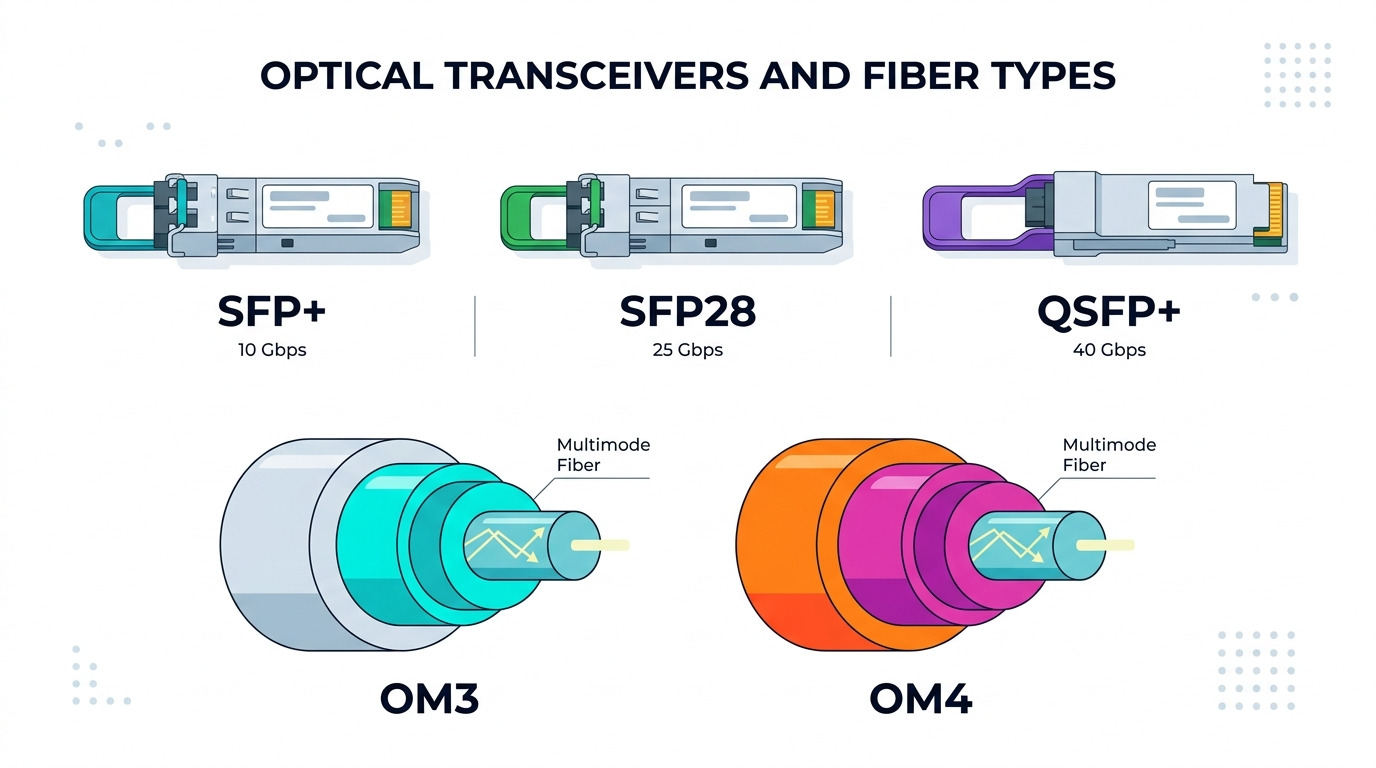
In controller-integrated networks, “it lights up” is not the success metric. Engineers typically validate optical budget, link training behavior, and DOM telemetry before committing spares to the cabinet. The best Omron SFP transceiver for your setup depends on distance, fiber type, controller port expectations, and thermal headroom in the panel.
Match fiber type and wavelength to your plant reality
Most SFP deployments for industrial uplinks use 850 nm (MMF) for short reach and 1310/1550 nm (SMF) for longer runs. If your cable plant is already terminated with multimode patch cords, forcing single-mode optics leads to immediate low optical power and unstable receive.
Best fit scenario: A machine-to-cell link using OM3 multimode fiber between a controller cabinet and a nearby managed switch (typically under a few hundred meters) where you want lower cost per port.
- Pros: Lower cost optics on multimode; simpler fiber handling
- Cons: Limited reach vs single-mode
Confirm data rate and signaling expectations
Even when the connector form factor is identical, 1G vs 10G signaling mismatch will fail link negotiation or produce intermittent errors. For Omron and Keyence controller networks, the controller’s Ethernet physical layer and the upstream switch must agree on speed and duplex behavior.
Best fit scenario: A leaf cabinet design where the controller ports are 1 GbE and the uplink must be consistent across patch panels and industrial managed switches.
- Pros: Prevents “link up but traffic stalls” issues
- Cons: Requires you to verify port specs in controller documentation
Validate reach against measured optical power and fiber attenuation
Vendor “maximum reach” is not a substitute for optical budget math using your fiber attenuation and connector losses. Engineers often calculate: total loss = fiber loss (dB/km times km) + splice/connector losses + safety margin. If your Omron SFP transceiver is rated at the edge of budget, field vibration and temperature swings can push it over the threshold.
Best fit scenario: A 300 m run on OM3 with multiple patch points where you want a module with comfortable margin rather than a “minimum spec” choice.
- Pros: Fewer late-stage commissioning surprises
- Cons: Needs basic fiber plant measurements
Check DOM support and telemetry compatibility
DOM (Digital Optical Monitoring) is common on modern SFPs, but not every controller or switch exposes DOM telemetry the same way. If your operations team relies on thresholds for rx power or temperature, choose an Omron SFP transceiver with DOM behavior that your monitoring stack can read.
Best fit scenario: A plant monitoring dashboard that triggers maintenance when rx power drops by a defined dB amount over time.
- Pros: Earlier detection of aging optics and dirty connectors
- Cons: Telemetry visibility may vary by host device
Use temperature range that matches enclosure conditions
Industrial panels can run warm due to power supplies, drives, and airflow constraints. Confirm the SFP’s operating temperature range and consider whether you need an extended industrial grade. Modules rated only for commercial environments may pass bench tests but fail after hours in a hot cabinet.
Best fit scenario: A conveyor control cabinet with limited ventilation where ambient can exceed typical office conditions during peak production.
- Pros: Higher reliability under real cabinet temperatures
- Cons: Industrial-grade modules may cost more
Ensure connector type and cleaning discipline align
LC connectors are common for SFP fiber transceivers. However, field failures often come from contamination rather than electronics. Use consistent endface inspection, cleaning tools, and dust caps; then select the Omron SFP transceiver that matches your connector style and fiber type.
Best fit scenario: A high-maintenance production line where technicians frequently move patch cords and need quick, repeatable cleaning workflows.
- Pros: Reduces sporadic link-down events
- Cons: Requires adherence to cleaning SOPs
Account for compatibility and vendor lock-in risk
Omron and Keyence controller environments can be strict about optics behavior, especially regarding link negotiation and power-level thresholds. While many “third-party compatible” SFPs work, the safest approach is to validate with your specific controller model and firmware baseline. Track part numbers for spares to avoid last-minute substitutions that behave differently.
Best fit scenario: A multi-site rollout where you need consistent behavior across sites, not just “it links” during initial commissioning.
- Pros: Predictable spare management
- Cons: Requires validation work or vendor documentation
Key Omron SFP transceiver specs to compare before you buy
Engineers typically compare optics parameters that directly impact link stability: wavelength, reach, fiber type, DOM, connector, and power/temperature. Below is a practical comparison of common SFP variants you will encounter when integrating controller uplinks.
| Omron SFP transceiver type | Wavelength | Typical reach | Fiber type | Connector | Data rate | DOM | Operating temperature |
|---|---|---|---|---|---|---|---|
| 10G SR-style SFP | 850 nm | Up to 300 m on OM3 | MMF | LC | 10G | Often supported | Commonly -5 to +70 C (confirm) |
| 1G SX-style SFP | 850 nm | Up to 550 m on OM2 (varies) | MMF | LC | 1G | Often supported | Commonly -5 to +70 C (confirm) |
| 1G LX-style SFP | 1310 nm | Up to 10 km on SMF | SMF | LC | 1G | Often supported | Commonly -5 to +70 C (confirm) |
For standards context, SFP optical characteristics align with common Ethernet PHY behavior described in IEEE Ethernet specifications, and SFP electrical and management behaviors are defined by the SFP Multi-Source Agreement (MSA) approach. Always cross-check with your module datasheet and host port requirements. IEEE 802.3 Ethernet overview SFP MSA organization
Pro Tip: In commissioning, measure received optical power at the host (if DOM is available) and set an acceptance window, not just a “link up” threshold. Field experience shows that modules operating 1 to 2 dB above the minimum rx power can still pass today but fail early during seasonal temperature peaks.
Real deployment: Omron and Keyence controllers with fiber uplinks in a leaf-spine-like plant
Consider a manufacturing site using a 3-tier design: controller cabinets connect to ToR switches, and ToR switches aggregate to a distribution pair. In this example, 48-port 1G managed switches uplink to a pair of aggregation switches with redundant fiber. Each machine cell has an Omron PLC connected to an access switch, and the access switch uses an Omron SFP transceiver to reach the ToR over multimode fiber.
The fiber run is 220 m on OM3, with 6 LC connector pairs and 3 splices. During design, the team budgets connector/splice losses plus a 3 dB safety margin. They select an 850 nm multimode SFP with DOM, then verify rx power during commissioning and again after 30 days to catch early contamination or patch cord wear.
Selection checklist: how engineers pick the right Omron SFP transceiver fast
Use this ordered checklist to reduce trial-and-error and shorten commissioning time.
- Distance and fiber type: confirm MMF vs SMF, core rating (OM2/OM3/OM4), and actual path length.
- Data rate and optics class: match 1G vs 10G and ensure the host port supports the speed.
- Switch and controller compatibility: verify the exact controller/switch model supports that SFP family and link behavior.
- DOM and monitoring needs: decide whether rx power telemetry is required for your maintenance workflow.
- Operating temperature: compare enclosure ambient and airflow with the module’s rated range.
- Connector and cleaning plan: ensure LC type, endface inspection availability, and SOP compliance.
- Vendor lock-in risk: plan spares with stable part numbers; validate third-party optics if you must reduce cost.
Common mistakes and troubleshooting tips for Omron SFP transceiver links
Below are field-proven failure modes engineers see when integrating SFP optics with controller ecosystems.
“Link up” but traffic errors or packet loss
Root cause: Speed mismatch or marginal optical budget causing frequent FEC/PCS errors at the PHY level. Sometimes the module is correct for wavelength but not for reach or fiber grade.
Solution: Check port speed/duplex negotiation, then validate DOM rx power. Recalculate optical budget and inspect/clean LC connectors with an endface scope.
Link flaps during cabinet heating
Root cause: Temperature-rated mismatch. A commercial-grade SFP may drift in output power or receiver sensitivity under sustained enclosure heat.
Solution: Confirm module temperature range and consider an industrial-grade option. Improve airflow or add filtered ventilation if allowable by your cabinet design.
Works on the bench, fails in the field after patching
Root cause: Contamination from repeated handling, missing dust caps, or damaged fiber endfaces. Dirty connectors can reduce optical power enough to intermittently drop the link.
Solution: Implement an inspection-and-cleaning SOP, replace suspect patch cords, and verify proper mating and latching of LC connectors.
Wrong fiber type installed (MMF vs SMF)
Root cause: Field labeling errors or reuse of existing conduits. Using 850 nm multimode optics on single-mode fiber can lead to low coupling and unstable receive.
Solution: Verify fiber type at the patch panel, test with a known-good reference optic, and label both ends of the run.
Cost and ROI note: OEM vs third-party Omron SFP transceivers
Pricing varies by data rate and reach, but typical field ranges for commonly used SFP optics are often roughly $30 to $120 per module for 1G multimode/single-mode variants, and $80 to $250+ for 10G SR-class optics depending on vendor grade and DOM support. OEM-branded modules can carry higher cost, but they may reduce compatibility risk and expedite RMA handling.
ROI comes from fewer commissioning cycles and fewer downtime incidents. If your line has strict uptime requirements, a slightly higher module cost can be cheaper than one extra day of troubleshooting across multiple cabinets. Total cost of ownership also includes cleaning consumables, inspection tools, spares stocking strategy, and failure rates under industrial thermal conditions.
Summary ranking: best Omron SFP transceiver picks by deployment priority
Use this ranking table to decide which module class to prioritize during procurement and validation. “Best” assumes you match distance and fiber type correctly.
| Priority | Best-fit Omron SFP transceiver choice | Best for | Main watch-outs |
|---|---|---|---|
| #1 | 850 nm MMF SFP with DOM | Short-to-mid multimode plant links | Confirm OM grade and optical budget margin |
| #2 | 1310 nm SMF SFP with DOM | Long runs across buildings or cable trays | Confirm SMF cabling and connector cleanliness |
| #3 | 10G SR-class SFP (850 nm) for high-throughput uplinks | Upgrade paths from 1G to 10G | Reach depends heavily on OM3/OM4 and budget |
| #4 | Extended temperature industrial-grade SFP | Hot cabinets and constrained airflow | Higher unit cost; still validate compatibility |
FAQ
Which Omron SFP transceiver type is best for most Omron and Keyence controller uplinks?
For many plants, 850 nm multimode SFPs fit short-to-mid links where the fiber plant is already OM2/OM3. If you have long runs or inter-building paths, 1310 nm single-mode is typically the safer choice. Always validate with your specific controller and switch port specifications.
Do I need DOM support on an Omron SFP transceiver?
If your team monitors rx power for preventive maintenance, DOM is strongly beneficial. Without DOM, you can still troubleshoot using link stats and optical tests, but you lose early warning telemetry. Check whether your host device exposes DOM data in a usable way.
Can I use third-party Omron SFP transceivers with Keyence controllers?
Often yes, but compatibility is not guaranteed across every controller firmware and switch vendor. The reliable approach is to validate with your exact controller model, firmware version, and the upstream switch. Keep a small pilot batch and test for hours under expected temperature conditions.
What causes link flapping even when the fiber is the correct type?
Common causes include marginal optical budget, connector contamination, and temperature-rated mismatches. Check DOM rx power trends if available, then inspect and clean LC endfaces using a microscope. Also confirm the negotiated link speed matches design intent.
How do I calculate whether my Omron SFP transceiver has enough reach?
Use fiber attenuation (dB/km) times length, add connector and splice losses, then subtract from the module’s specified optical budget while leaving a safety margin. If you cannot measure attenuation, conservative margins and DOM rx-power validation during commissioning
