
When an Alcatel-Lucent OmniSwitch running AOS needs an SFP, the wrong transceiver can trigger port flaps, DOM read failures, or a hard “unsupported” state. This guide helps procurement and field teams verify compatibility before you buy, using real-world validation steps that reduce return rates and downtime. You will get a spec comparison table, a step-by-step implementation workflow, and a troubleshooting section focused on the top failure points seen in production.
Prerequisites before you touch the purchase order
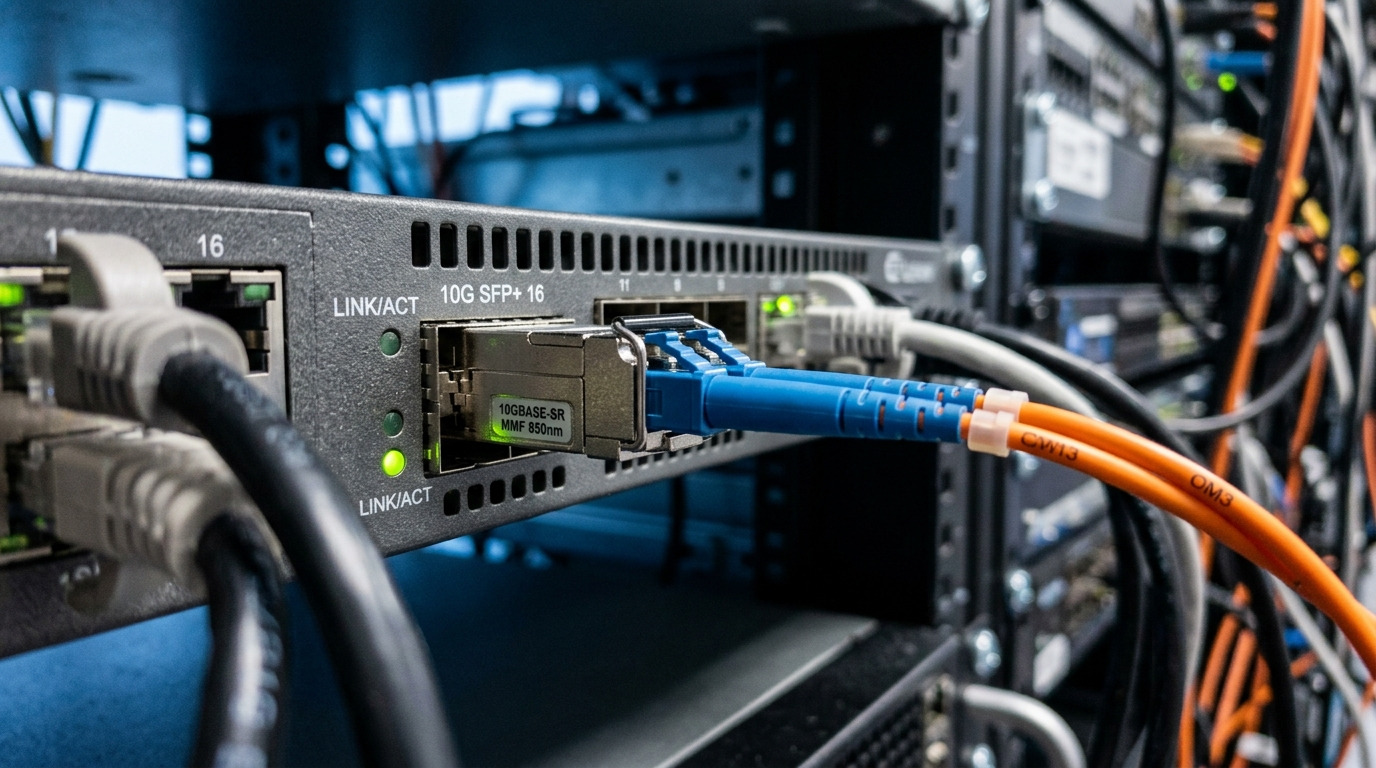
Before selecting an OmniSwitch transceiver, lock the exact platform details, because AOS compatibility varies by chassis, software release, and optical budget settings. Field experience shows that “same port type” labels (for example, SFP vs SFP+) are not sufficient; the switch family and AOS version determine whether DOM and vendor IDs are accepted.
Prerequisites to collect
- Switch model (example: OmniSwitch 6450 vs 6850 series) and slot/port mapping from the inventory database.
- AOS software version (capture from the switch CLI or change record).
- Fiber type and plant loss: SR multimode (OM3/OM4) vs LR single-mode (OS2), plus patch cord lengths and measured dB loss.
- Transceiver form factor required: SFP (1G/2G/4G depending on platform) vs SFP+ (10G) even if the physical cage looks similar.
- Operational constraints: ambient temperature at the intake, airflow direction, and whether the optics must support high-power modes.
Expected outcome: you can match the exact AOS SFP compatibility rules to the needed optics class (wavelength, reach, and DOM behavior), not just the connector type.
Reference points you should align to
- IEEE 802.3 for Ethernet optical PHY expectations and link behavior (for example, 1000BASE-SX and 1000BASE-LX). [Source: IEEE 802.3]
- Vendor datasheets for DOM implementation details (digital optical monitoring availability and I2C behavior). [Source: Cisco SFP product documentation, vendor datasheets]
- ANSI/TIA fiber standards for attenuation measurement methodology. [Source: ANSI/TIA-568]
Identify the optics class your AOS SFP port expects
On OmniSwitch AOS, the safest path is to map the port to the expected optical profile: wavelength (nm), nominal reach (m), and power class. Even when the transceiver is electrically “SFP compliant,” AOS may enforce vendor ID and DOM read requirements during link bring-up.
How to confirm what the port expects
- From the switch CLI, identify the interface type and current transceiver status (up/down, diagnostics, and any DOM flags).
- Check whether the port is configured for a specific media type (for example, auto-negotiation settings that may differ by platform).
- Compare the required optics class to the fiber plant: OM3/OM4 for SR, OS2 for LR.
Expected outcome: you know whether the OmniSwitch transceiver you must source is SR or LR and whether you need DOM working for diagnostics and alarms.
Spec guardrails you should not violate
- Wavelength: SR typically uses 850 nm; LR uses 1310 nm for 1G-class optics.
- Reach: SR depends heavily on OM grade and budget; LR depends on link loss and dispersion.
- Optical power and receiver sensitivity: must fit the real measured dB loss, not the marketing reach.
Compare candidate SFPs against AOS compatibility and optical budgets
Procurement often compares only “works in the lab.” For AOS, you should treat compatibility as both a mechanical/electrical and a management/DOM requirement. Below is a practical comparison table for common 1G SFP SR and LR candidates you may encounter when sourcing replacements for OmniSwitch AOS SFP ports.
| Vendor / Example Part | Data rate | Wavelength | Reach (nominal) | Connector | DOM support | Typical power | Operating temp |
|---|---|---|---|---|---|---|---|
| Finisar FTLX8571D3BCL (example SR) | 1G | 850 nm | ~550 m on OM2/OM3 class (varies) | LC | Yes (module diagnostics) | ~1 W class | 0 to 70 C (typical) |
| FS.com SFP-10GSR-85 (example SR, note: 10G class) | 10G (not 1G) | 850 nm | ~300 m (depends on OM) | LC | Yes | ~1.5 W class | 0 to 70 C (typical) |
| Generic 1000BASE-LX SFP 1310 nm (common) | 1G | 1310 nm | ~10 km (depends on budget) | LC | Often yes (verify) | ~1 W class | -40 to 85 C (varies) |
Compatibility note: the table illustrates typical categories; you must verify the exact DOM behavior and whether AOS accepts the vendor ID and diagnostic page reads for your specific module SKU. If you buy third-party, insist on a compatibility sample test on the target OmniSwitch AOS release.
Pro Tip: In many OmniSwitch AOS environments, the fastest way to reduce returns is to validate DOM reads and “diagnostics polling” behavior immediately after insertion. A module that passes a basic link-up test but fails DOM access can still trigger monitoring alarms and automated maintenance actions that look like network instability.
Validate DOM and vendor ID behavior before scaling deployment
For OmniSwitch transceiver procurement, DOM is not a “nice to have.” AOS may use DOM readings for threshold alarms and may mark ports as “faulty” if diagnostics do not respond correctly. Field teams typically discover this during monitoring rollout, when thresholds are enforced and automation expects consistent DOM fields.
Validation steps (repeatable)
- Insert one module into the target chassis slot and port.
- Wait for link state and confirm Ethernet link-up at the expected speed.
- Check DOM diagnostics via switch CLI or management interface; confirm temperature, Tx bias/Tx power, Rx power, and alarm flags populate.
- Run a sustained traffic test (for example, iperf3 at line rate for the port speed, or the vendor’s standard traffic profile).
- Capture logs for 30 to 60 minutes to detect port flaps or recurring DOM read errors.
Expected outcome: you confirm both data-plane stability and management-plane compatibility with the specific AOS release.
Common AOS compatibility caveat
Two modules can both be “850 nm SR SFP,” but differ in DOM implementation details and calibration constants. If you are replacing a specific OEM module, prefer the same vendor family and DOM profile, or test third-party modules against the exact AOS build.
Build a procurement decision checklist that matches AOS reality
Use this ordered checklist to minimize supply chain risk and reduce operational surprises. It is designed for teams buying replacements for OmniSwitch AOS SFP ports where compatibility is enforced at bring-up and during diagnostics polling.
- Distance and fiber type: confirm OM grade (OM3/OM4) or OS2, measured dB loss, and connector counts.
- Switch compatibility: validate against the OmniSwitch model and AOS software version; do not assume “SFP” equals “accepted.”
- DOM support quality: require DOM reads for temperature and optical power; confirm alarms don’t trigger.
- Operating temperature: match enclosure temperature range and airflow; avoid modules rated only for 0 to 70 C if your intake exceeds 40 C.
- Power and optical budget fit: verify Tx power and Rx sensitivity specs from datasheets; compute budget using measured plant loss.
- Vendor lock-in risk: decide whether OEM-only purchasing is acceptable or whether third-party with tested compatibility is acceptable.
- Lead time and supply assurance: confirm stocking strategy, allocation risk, and whether you can dual-source.
Expected outcome: a purchase decision that accounts for technical fit, monitoring behavior, and supply continuity.
Implementation in the field with operational controls
Once you confirm compatibility, you still need an operational rollout plan. In a live network, even a compatible OmniSwitch transceiver can fail due to fiber patching errors, connector contamination, or mismatched optics polarity.
Deployment playbook
- Stage spares: keep at least 1 spare per 10 installed modules, labeled by wavelength and reach class.
- Clean connectors before insertion: use lint-free wipes and a proper fiber cleaning method; do not “blow dust out” with compressed air.
- Verify polarity on LC links: confirm Tx-to-Rx mapping and duplex orientation.
- Document optical parameters after insertion: record DOM temperature and Rx power readings at steady state.
- Set monitoring thresholds based on observed DOM values and vendor guidance; avoid overly tight thresholds that cause nuisance alarms.
Expected outcome: predictable link stability and clean monitoring signals after replacement.
Cost and ROI note: OEM vs third-party for OmniSwitch transceiver spares
Typical street pricing for 1G SFP optics often ranges from $25 to $120 per module depending on brand, reach class, and DOM quality. OEM-branded modules can cost more, but they often reduce compatibility and RMA overhead in environments that enforce DOM diagnostics tightly.
TCO drivers
- Failure rates and RMAs: third-party modules can be cost-effective, but only after you validate AOS compatibility on your exact AOS release.
- Downtime cost: a single failed swap during peak hours can outweigh the unit price difference.
- Power and monitoring overhead: modules with stable DOM reduce staff time spent on false alarms and troubleshooting.
- Lead time: if you rely on a single supplier, a shortage can force emergency buying at premium prices.
ROI approach: run a small compatibility pilot (for example, 5 to 10 units) before bulk purchasing, then scale only if DOM reads and monitoring remain stable for several days.
Common mistakes / troubleshooting (top failure points)
Below are the most frequent issues seen during OmniSwitch AOS SFP replacement, with root causes and fixes. Use these as a fast diagnostic checklist before you assume the module is defective.
Failure point 1: Link never comes up after insertion
Root cause: mismatched optics class (for example, LR 1310 nm vs SR 850 nm) or wrong speed/media expectation on the port. Another common cause is reversed fiber polarity on LC duplex.
Solution: confirm wavelength and reach class against the fiber plant; verify Tx-to-Rx polarity; inspect connector cleanliness; then reinsert and recheck port state.
Failure point 2: Port flaps or errors appear under load
Root cause: optical budget mismatch due to higher-than-expected plant loss (extra patch cords, dirty connectors, or damaged fibers). Some third-party modules also exhibit higher optical power fluctuation under temperature swings.
Solution: measure end-to-end loss with an OTDR or certified loss test; clean all connectors; verify DOM Rx power at steady state; if needed, switch to a higher-budget optic class.
Failure point 3: DOM alarms, missing diagnostics, or “unsupported module” behavior
Root cause: DOM implementation differences (I2C timing, missing diagnostic fields, or vendor ID mismatch). A module can appear “electrically fine” while failing management-plane polling.
Solution: validate DOM reads immediately after insertion; capture switch logs; if DOM fields are missing or thresholds fail, replace with a module SKU known to pass your AOS release compatibility test.
FAQ
How do I verify an OmniSwitch transceiver is compatible with my AOS SFP port?
Confirm the OmniSwitch model and AOS software version, then validate DOM diagnostics and port behavior immediately after insertion. Do a short traffic test and monitor logs for at least 30 to 60 minutes to detect flaps and DOM polling failures.
Can I use third-party SFPs instead of OEM for OmniSwitch AOS?
Yes, but treat compatibility as a testable requirement. Run a pilot batch and require stable DOM reads and no monitoring alarms; otherwise you may see “supported” ports that still generate diagnostics failures.
What matters more for reach: the datasheet range or the measured fiber loss?
Measured fiber loss matters more. Datasheet reach assumes ideal conditions; in production you must include connector insertion loss, splice loss, and patch cord length to ensure optical power budget and receiver margin are met.
What DOM readings should I record after installation?
Record temperature, Tx power/bias, and Rx power at steady state, plus any alarm flags. These become your baseline for threshold tuning and help pinpoint whether later issues are optics degradation or plant loss changes.
Why does a module show link-up but still causes alarms?
This typically indicates DOM field mismatch or diagnostic polling issues rather than a pure data-plane failure. Check switch logs for DOM read errors and validate the module SKU against the AOS release in a controlled test.
What is the fastest troubleshooting sequence when replacing an SFP?
Verify connector cleanliness and polarity first, then confirm wavelength match to the fiber plant. Next check DOM Rx power and alarm flags; only after that evaluate whether the module SKU fails diagnostics compatibility.
If you want fewer surprises in the next procurement cycle, start by standardizing your OmniSwitch transceiver selection workflow around AOS version, DOM validation, and measured optical budgets. For related guidance on media planning and link stability, see fiber optic reach planning
Author bio: I have deployed and troubleshot OmniSwitch AOS optics in mixed OEM and third-party environments, focusing on DOM diagnostics, optical budgets, and operational monitoring thresholds. I write procurement-ready checklists based on real switch CLI behaviors and field test outcomes.
