
You are planning a high-speed upgrade and your optics spreadsheet suddenly asks for OM3, OM4, or OM5. This article helps network engineers and field technicians pick the right OM3 OM4 OM5 multimode transceiver for real distances, switch models, and operating environments. You will also get a step-by-step implementation checklist, a spec comparison table, and troubleshooting guidance for the most common install failures.
Prerequisites before you pick OM3 OM4 OM5 multimode transceivers
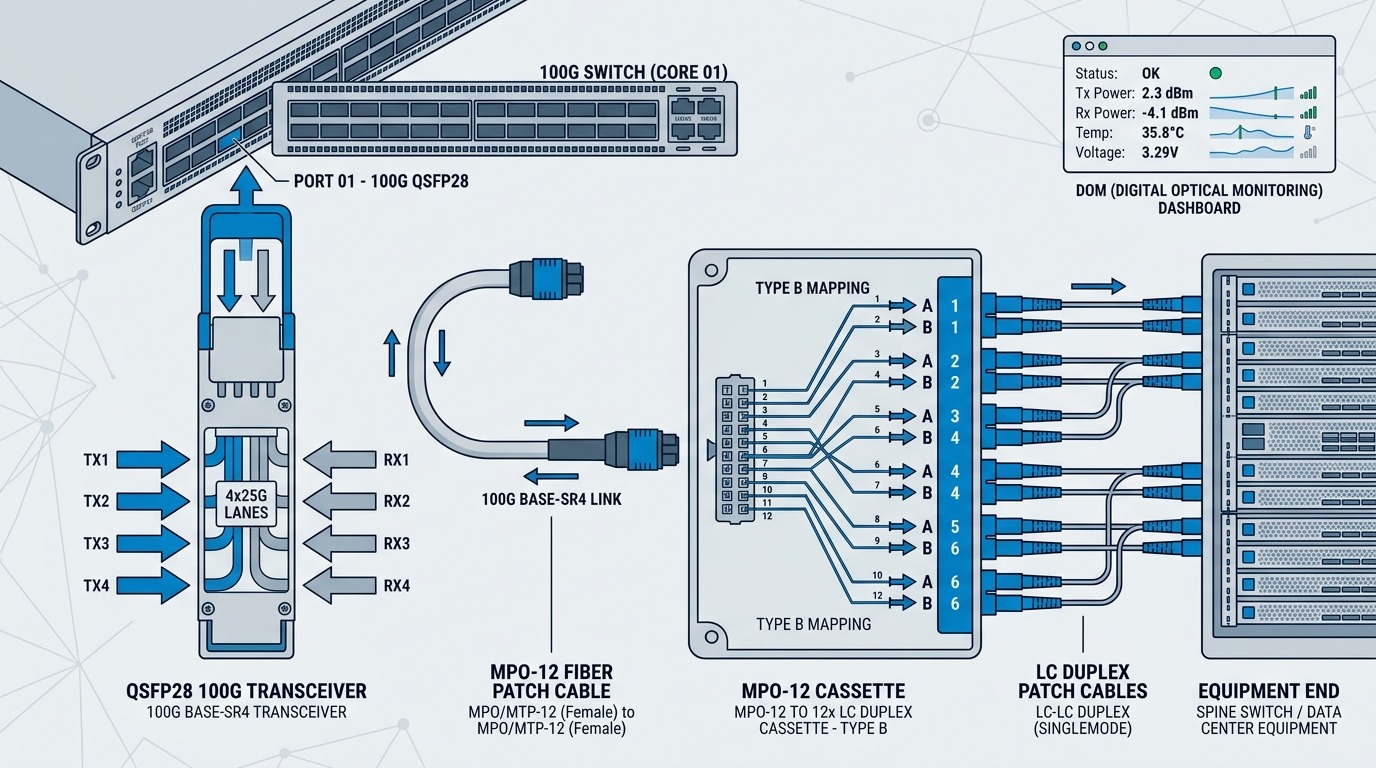
Before ordering optics, confirm your link budget and your hardware constraints. Multimode transceivers depend on both the fiber grade (OM3, OM4, OM5) and the transceiver wavelength/optics (for example, 850 nm VCSEL for legacy modes, or 850/950 nm for newer OM5-aware designs). In practice, technicians also need to validate connector cleanliness and transceiver vendor behavior, because DOM and EEPROM handling can vary by manufacturer.
What to gather on site
- Switch and transceiver part numbers: e.g., Cisco, Juniper, Aruba, or a specific vendor SFP+ or QSFP module family.
- Fiber plant details: cable type, length per run, connector type (LC vs MPO), and whether the plant is OM3/OM4/OM5.
- Environment limits: rack temperature, airflow, and whether you need extended temperature optics.
- Test data: last OTDR results, insertion loss estimates, and whether you have a fiber certification report (ANSI/TIA-568.3-D / ISO 14763 process).
Expected outcome: You can map each planned uplink/downlink to a fiber grade and a transceiver type without guessing.
Step-by-step selection: OM3 vs OM4 vs OM5 for high-speed links
Think of OM3, OM4, and OM5 as different “lanes” for light in multimode fiber. The higher the grade, the more modal bandwidth the fiber supports, which improves your distance headroom for short-reach transceivers. OM3 and OM4 are both centered around legacy 850 nm operation, while OM5 is designed to support both 850 nm and 950 nm wavelengths using wavelength-division within multimode (so it fits migration paths).
Determine required data rate and interface form factor
Match optics to the port type: 10G SFP+ (850 nm typical), 25G SFP28 (850 nm typical), or 40G/100G QSFP/QSFP28 (often MPO-12 or MPO-16). For example, an engineer might deploy Cisco SFP-10G-SR on OM4 within the supported reach, or use third-party compatible modules like FS.com SFP-10GSR-85 when the distance and budget align. Confirm the switch supports the module family and speed.
Expected outcome: You know which connector geometry you need (LC duplex vs MPO) and which wavelength band is expected.
Map fiber grade to reach and expected link budget
Use the fiber grade to estimate whether you can meet the transceiver’s specified reach and power budget. OM4 generally supports more effective modal bandwidth than OM3, so it often extends usable distance for 10G and 25G. OM5 can be advantageous when you need a migration-friendly plant that supports 950 nm operation for newer designs, but you must still select a transceiver that actually supports the relevant wavelength.
Validate transceiver wavelength and supported fiber type
Check datasheets for explicit statements like “OM3/OM4/OM5 supported” and the distance at each fiber grade. Common real-world examples include Finisar and OEM-compatible optics that specify reach in meters for OM4 at 850 nm, and newer multi-rate designs that mention OM5 support. Always verify connector type: a 100G SR4 QSFP28 module typically expects MPO-12 cabling and may not work with LC jumpers without the correct fanout.
Confirm DOM and switch compatibility
Many deployments rely on Digital Optical Monitoring (DOM) for alarms and inventory. Verify that your switch recognizes the transceiver EEPROM fields and DOM thresholds. Some organizations standardize on specific vendors to reduce “unsupported module” events. If you use third-party optics, test at least one module per vendor before scaling across the site.
Expected outcome: Each link is validated for both optical specs and operational behavior (DOM, alarms, speed negotiation).
Implement with certified cabling and conservative loss margins
During installation, clean connectors, verify polarity, and ensure patch cords meet the expected grade. Use a fiber certifier to confirm end-to-end performance rather than relying on cable drawings. A practical target many teams use is to keep measured insertion loss well below the transceiver spec limit to account for future patching and connector aging.
Expected outcome: Links pass certification and remain stable during maintenance moves.
Key specifications comparison: OM3 vs OM4 vs OM5 multimode
The table below summarizes typical engineering considerations for multimode grades and how they influence transceiver selection. Exact reach depends on transceiver design, modulation format, and measured link loss plus modal bandwidth.
| Spec | OM3 (850 nm multimode) | OM4 (850 nm multimode) | OM5 (multi-wavelength multimode) |
|---|---|---|---|
| Core diameter | 50/125 µm (typical) | 50/125 µm (typical) | 50/125 µm (typical) |
| Typical operating wavelengths | 850 nm | 850 nm | 850 nm and 950 nm (designed for both) |
| Modal bandwidth (engineering impact) | Lower than OM4 | Higher than OM3, more distance headroom | Designed for higher modal bandwidth across supported wavelengths |
| Connector types commonly used | LC duplex or MPO (depends on port) | LC duplex or MPO (depends on port) | LC duplex or MPO (depends on port) |
| Typical use cases | Short 10G links where plant is already OM3 | Most modern 10G/25G SR deployments | Migration-friendly plants targeting newer multi-rate optics |
| Temperature range (example modules) | Commercial often 0 to 70 C; confirm datasheet | Commercial often 0 to 70 C; confirm datasheet | Commercial or extended options exist; confirm datasheet |
Reference points: IEEE 802.3 links multimode SR families to optical reach concepts, while ANSI/TIA fiber certification practices help ensure the installed plant matches the assumed loss and bandwidth. For vendor-specific reach tables, always defer to the optics datasheet. [Source: IEEE 802.3] [Source: ANSI/TIA-568.3-D] [Source: vendor transceiver datasheets]
Pro Tip: In the field, engineers often discover that OM4 “works” during initial bring-up but fails after a few maintenance moves because connector contamination and patch cord swaps increase insertion loss. If you have OM3 plant, protect yourself by certifying every link end-to-end and keeping measured loss margins tighter than the transceiver minimum budget.
Decision checklist: how engineers choose OM3 OM4 OM5 multimode transceiver
- Distance and measured loss: Use fiber certification results, not only the planned length.
- Transceiver reach per fiber grade: Confirm meters for OM3 vs OM4 vs OM5 at the exact data rate.
- Switch compatibility: Validate module family support and DOM behavior on your specific switch model.
- Connector and polarity: LC vs MPO, and correct polarity for MPO fanouts.
- DOM support and alarm thresholds: Confirm the switch can read and act on DOM values.
- Operating temperature: Choose commercial vs extended temperature optics based on measured rack inlet air.
- Vendor lock-in risk: Standardize on one or two qualified vendors, but test third-party modules before broad rollout.
Expected outcome: A reproducible selection that reduces rework and avoids “it should work” optics orders.
Common mistakes and troubleshooting for OM3 OM4 OM5 multimode installs
Even when the transceiver is “compatible,” failures usually come from either optical mismatch, cabling problems, or environmental constraints. Below are three common failure modes with root cause and a practical fix.
Failure mode 1: Link comes up then flaps or shows high error counters
Root cause: Connector contamination, marginal insertion loss, or excessive patch cord length beyond what the reach table assumes. OM3 is especially sensitive when you are near the modal bandwidth limit.
Solution: Clean connectors using approved methods, replace patch cords with known-good certified cords, and re-run link tests (including BER counters if available). Re-certify the specific end-to-end path.
Failure mode 2: “Unsupported transceiver” or DOM read failures
Root cause: EEPROM fields or DOM thresholds not recognized by the switch firmware, sometimes triggered by optics vendor differences or incomplete compatibility.
Solution: Update switch firmware to the supported optics release (per vendor guidance), or swap to a vendor-qualified module. Confirm that you are using the correct speed grade (10G vs 25G) and correct form factor.
Failure mode 3: Total link failure after MPO patching
Root cause: Incorrect MPO polarity (Type A vs Type B), wrong fanout mapping, or a damaged fiber in the MPO cassette.
Solution: Verify polarity using the patching standard your site uses, inspect MPO end faces under magnification, and re-terminate or replace the MPO cassette. Then perform certification again after the correction.
Cost and ROI note: what to budget for optics and fiber grade upgrades
In typical enterprise and data center procurement, 10G SR optics often cost roughly tens of dollars for qualified OEM-compatible modules, while brand-name modules can be higher. 25G and 100G optics usually cost more, and third-party modules may reduce CapEx but increase the need for qualification testing. TCO is driven by failure rates, maintenance time, and the cost of truck rolls; investing in correct fiber grade (especially moving from OM3 to OM4/OM5 where feasible) can reduce long-term rework. Always include labor and certification tooling time in your ROI model, not just per-module price.
[[IMAGE:Lifestyle scene of a network field engineer in a cold aisle data center, holding an inspection microscope and a fiber certifier, with
