If your team is troubleshooting flaky links, mismatched polarity, or inconsistent port labeling during a fiber migration, an MPO MTP breakout cable can be the fastest way to get order back. This article helps network engineers and field technicians understand MPO to MTP fanout configurations, so you can choose the right cable style for switches, patch panels, and transceiver optics. You will also get practical selection criteria, common failure modes, and ROI guidance for buying OEM versus third-party assemblies.
What an MPO to MTP breakout cable really does in the field
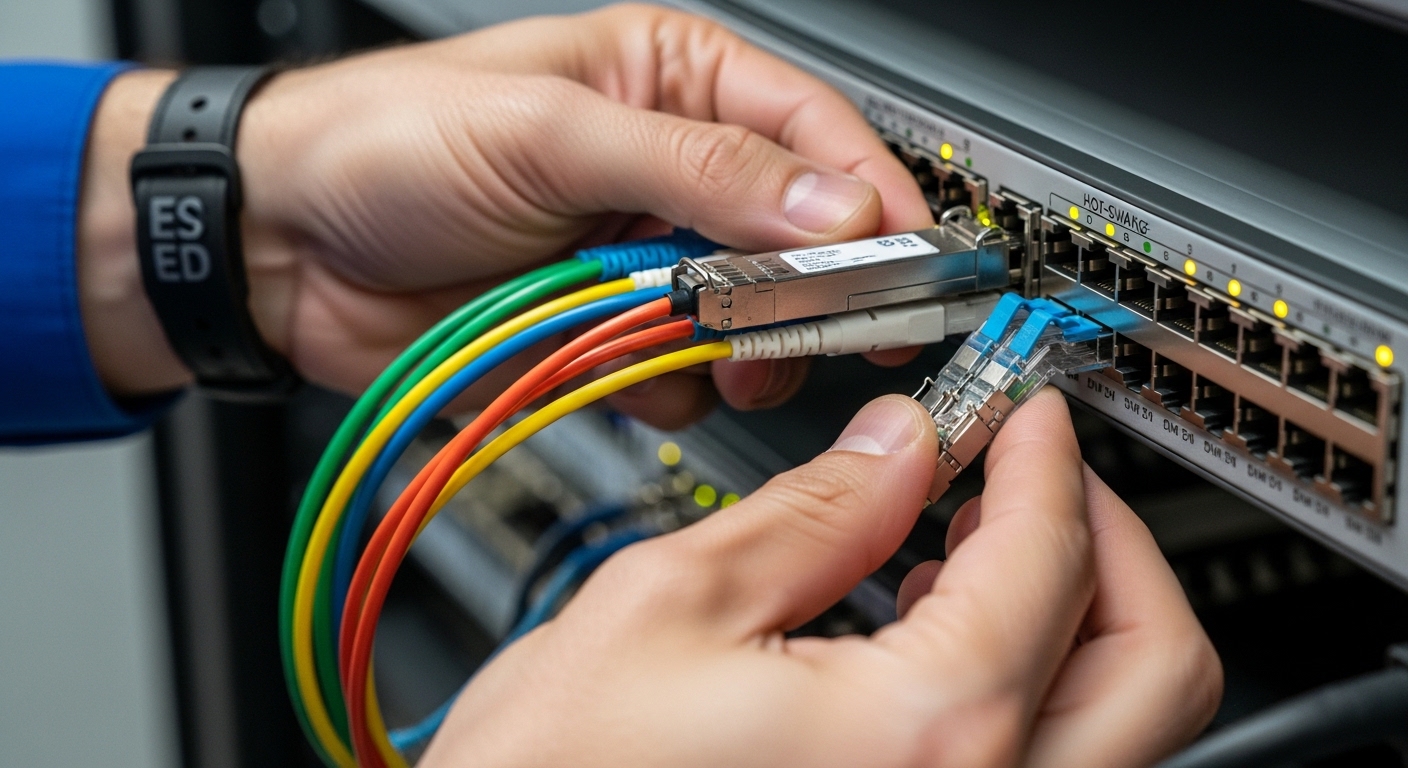
An MPO MTP breakout cable is an assembly that starts with an MPO connector (typically 12-fiber or 24-fiber) and breaks out into multiple individual or grouped fibers using MTP connectors (often 8-fiber or 12-fiber fanouts). The key operational idea is lane mapping: each fiber inside the MPO has a defined position, and polarity rules determine how those lanes must align at the far end. In practice, teams use these cables to connect high-density backbone equipment to lower-density patching and test points without re-terminating fibers.
Most modern data center optics follow IEEE 802.3 link behaviors, but the optical pathway still depends on your patching plan. For example, 10GBASE-SR and 100GBASE-SR typically rely on multi-fiber parallel optics, where lane count and polarity determine whether transmitters land on the correct receivers. If you treat the breakout as “just a connector change,” you can end up with swapped lanes that look like “bad optics” or “mystery link flaps.” [Source: IEEE 802.3ae, IEEE 802.3ba]
Common fanout configurations you will see on patch panels
Fanout configurations vary by how many fibers you want to split and how you want to label and test them. Typical patterns include:
- 12-fiber MPO to 2x 6-fiber (less common in modern high-density patching, but seen in legacy designs)
- 12-fiber MPO to 2x 8-fiber (often used to create symmetrical test and patch zones)
- 24-fiber MPO to 4x 12-fiber (common for structured cabling migrations where each 12-fiber segment maps to a transceiver group)
- 12-fiber MPO to 6x 2-fiber pigtails (useful when the switch side expects discrete duplex pairs, though you must confirm polarity)
Before ordering, confirm connector gender (male or female), keying direction, and whether your system expects a polarity scheme such as A/B. Many MTP assemblies are labeled with a polarity convention, but your documentation must match the actual internal fiber cross-connect pattern.
Pro Tip: In the field, the fastest way to confirm mapping is not by connector appearance but by testing continuity lane-by-lane using a polarity checker or OTDR plus a known-good reference patch. The “same looking” MPO and MTP connectors can still represent different internal lane order, especially across vendors and polarity types.
Key specs that affect link performance and compatibility
Breakout cables are not all equal: insertion loss, return loss, polarity mapping, connector type, and operating temperature can make or break high-speed links. For parallel optics, a small loss budget problem can show up as link instability or reduced reach. Always compare specs against your transceiver and link budget assumptions.
Spec comparison table for typical MPO MTP breakout assemblies
Use this table as a practical checklist when comparing product sheets from different manufacturers.
| Spec | Typical MPO MTP breakout value | Why it matters |
|---|---|---|
| Connector type | MPO (12f or 24f) to MTP fanout (8f or 12f) | Determines lane count and patching layout |
| Wavelength | 850 nm (multimode), sometimes 1310/1550 nm (SM variants) | Matches SR/longer-reach optics families |
| Fiber type | OM3/OM4 multimode or OS2 singlemode (varies by SKU) | Impacts reach and modal bandwidth |
| Insertion loss | Often in the ~0.3 dB to ~0.7 dB range per mated path (vendor dependent) | Consumes your link budget |
| Return loss | Typically higher performance with APC or low-reflection polishing options | Reduces back-reflections that can affect receivers |
| Polarity mapping | Defined by polarity type labeling and internal fiber cross pattern | Prevents swapped transmit/receive lanes |
| Connector end face | Male/female keying, 2-fiber or 12-fiber ferrule style | Ensures correct mating and alignment |
| Operating temperature | Commonly around -10 C to +60 C (check datasheets) | Protects ferrule and jacket performance |
When you connect to switch optics, confirm the transceiver class and lane expectations. For example, a common 10G SR module such as Cisco SFP-10G-SR uses duplex fiber, while 40G/100G QSFP and CFP families often use parallel lanes. On the optics side, vendor datasheets and IEEE specifications define supported fiber types and reach. [Source: IEEE 802.3ba; vendor datasheets for QSFP/QSFP28 SR modules]
How polarity and keying interact with polarity types
Connector keying (male/female) affects physical mating, but internal polarity determines optical alignment. Polarity types are often described as A/B styles, sometimes with “reversed” or “non-reversed” lane order. If your patch panel uses one polarity standard and your breakout uses another, you can end up with consistent but wrong lane mapping, producing reduced signal, high error rates, or complete link failure.
Selection criteria: choosing the right MPO MTP breakout cable for ROI
To maximize uptime and minimize rework, engineers typically run a disciplined checklist before buying. Here is the exact decision flow you can apply to new installs and migrations.
- Distance and reach requirement: confirm the expected link length and fiber type (OM3 vs OM4). Then estimate insertion loss from the breakout plus patch cords and couplers.
- Transceiver and port density compatibility: verify whether the switch uses parallel optics that expect specific lane groupings.
- Connector gender and keying: ensure MPO male/female and MTP male/female match the patch panel and transceiver harnesses.
- Polarity type documentation: require the vendor to provide a polarity diagram and lane mapping reference. Align it with your patch panel scheme.
- DOM or optical monitoring needs: if you are using transceivers with digital optical monitoring, the breakout cable still matters indirectly through link quality; ask for measured loss and test methodology.
- Operating temperature and mechanical strain relief: check jacket rating and bend radius for your cable management constraints.
- Vendor lock-in risk and spares strategy: confirm whether third-party replacements preserve polarity and lane mapping. Keep a small spares kit of “known good” assemblies for fast swaps.
From an ROI lens, the goal is not only lowest unit price. A cable that costs slightly more but has lower measured insertion loss and clear polarity documentation can prevent expensive truck rolls and hour-long outage windows. In many deployments, the real cost driver is labor and downtime, not the cable bill of materials.
Common mistakes and troubleshooting patterns
Even experienced teams get tripped up by optical lane mapping and connector mating details. Below are frequent failure modes, with root cause and a field-tested fix.
“It plugs in, so it must be correct” polarity mismatch
Root cause: The breakout cable polarity type does not match the patch panel polarity scheme, so transmit lanes land on the wrong receive lanes. Symptom: Link comes up erratically or not at all; error counters climb after initial negotiation. Solution: Use a polarity checker and verify lane-to-lane mapping end-to-end. Swap to the correct polarity assembly or re-map using a polarity-compliant patch panel.
Wrong connector gender or keying orientation
Root cause: MPO/MTP male-female orientation mismatch or keying rotation during installation. Symptom: Poor mating feel, intermittent link, or elevated insertion loss. Solution: Re-seat connectors while confirming keying alignment marks. Inspect ferrules for contamination and verify the mating cycle and cleanliness process.
Exceeding bend radius or stressing the cable during routing
Root cause: Cable is routed too tightly around trays or bundled under tension, stressing internal fibers. Symptom: Works initially, then degrades after thermal cycling or during ongoing moves/adds. Solution: Re-route with correct bend radius, ensure strain relief is maintained, and re-test with an appropriate OTDR or link test methodology.
Dirty end faces and connector contamination
Root cause: Dust on ferrule end faces causes scattering and increased insertion loss. Symptom: High loss readings, unstable receive power, or sudden link drops after handling. Solution: Clean with approved fiber cleaning tools and inspect with an end-face microscope. Then re-test before concluding the transceiver is defective.
Cost and ROI: what you should expect to pay
Typical street pricing varies by fiber type (OM3 vs OM4), connector polish, and whether the vendor provides measured insertion loss with test reports. As a ballpark, many 12f-to-fanout MPO MTP breakout cables land in the range of $25 to $80 per assembly, while higher-count or stricter spec assemblies can be more. OEM-branded assemblies may cost more, but they sometimes include tighter documentation and faster replacement logistics.
TCO is usually driven by installed labor, test time, and rework risk. If a polarity mistake causes a re-termination or a second outage window, the “savings” from a cheaper cable can evaporate quickly. For ROI-safe procurement, prioritize assemblies with clear polarity diagrams, consistent labeling, and a demonstrated loss budget compatible with your selected optics and fiber plant. [Source: ANSI/TIA-568.3-D; vendor datasheets and patch panel documentation]
FAQ
Do I need an MPO MTP breakout cable for 10G SR links?
Usually not. Many 10G SR transceivers are duplex LC-based, so you would use duplex patch cords. You need MPO MTP breakout cabling when your system uses parallel optics with MPO/MTP interfaces and your patching plan requires lane aggregation or fanout.
How do I confirm polarity before installing an MPO MTP breakout cable?
Ask the vendor for the polarity diagram and lane mapping for your exact SKU, including whether it is polarity A or B style. Then confirm in the field with a polarity checker and continuity tests, not by visual inspection of connector end faces alone.
What fiber type should I match: OM3 or OM4?
Match the breakout cable fiber type to the rest of your multimode plant and the reach requirements of your optics. OM4 generally supports higher modal bandwidth and can improve reach headroom, but you must still validate loss and patching budgets.
Will third-party MPO MTP breakout cables work with OEM patch panels?
Often yes, but compatibility depends on connector geometry, gender/keying, polish type, and especially internal polarity mapping. The safest approach is to buy from vendors who provide documented lane mapping and measured insertion loss for the same connector style.
What is the fastest troubleshooting step when a parallel link fails?
Start with cleaning and inspection, then verify polarity and lane mapping with a checker. Only after those steps should you suspect transceiver failure, since dirty connectors and polarity errors are more common and cheaper to fix.
How should I plan spares for an MPO MTP breakout cable deployment?
Keep a small kit of assemblies that match your exact polarity type, connector gender, and fanout configuration. Label them to align with your patch panel documentation so replacements preserve mapping and reduce outage time.
If you want faster migrations and fewer optics-related surprises, treat an MPO MTP breakout cable as a lane-mapping component, not a generic patching accessory. Next, compare your transceiver reach and patching budget with fiber optic link budget planning for parallel optics to lock in an ROI-safe design.
Author bio: I deploy and troubleshoot parallel fiber cabling in enterprise and data center environments, validating polarity and insertion loss with field test workflows. I focus on measurable uptime outcomes, vendor-agnostic compatibility planning, and practical ROI decisions.