
Master transceiver firmware update for third-party optics safely
When a third-party SFP or QSFP link suddenly flaps after a switch upgrade, engineers quickly discover that optics firmware can be the hidden variable. This guide helps network teams perform a transceiver firmware update with confidence, using vendor tools and industry-safe checks. It is written for operators who need repeatable steps, measurable outcomes, and a clear rollback path.
Why third-party transceiver firmware updates become urgent
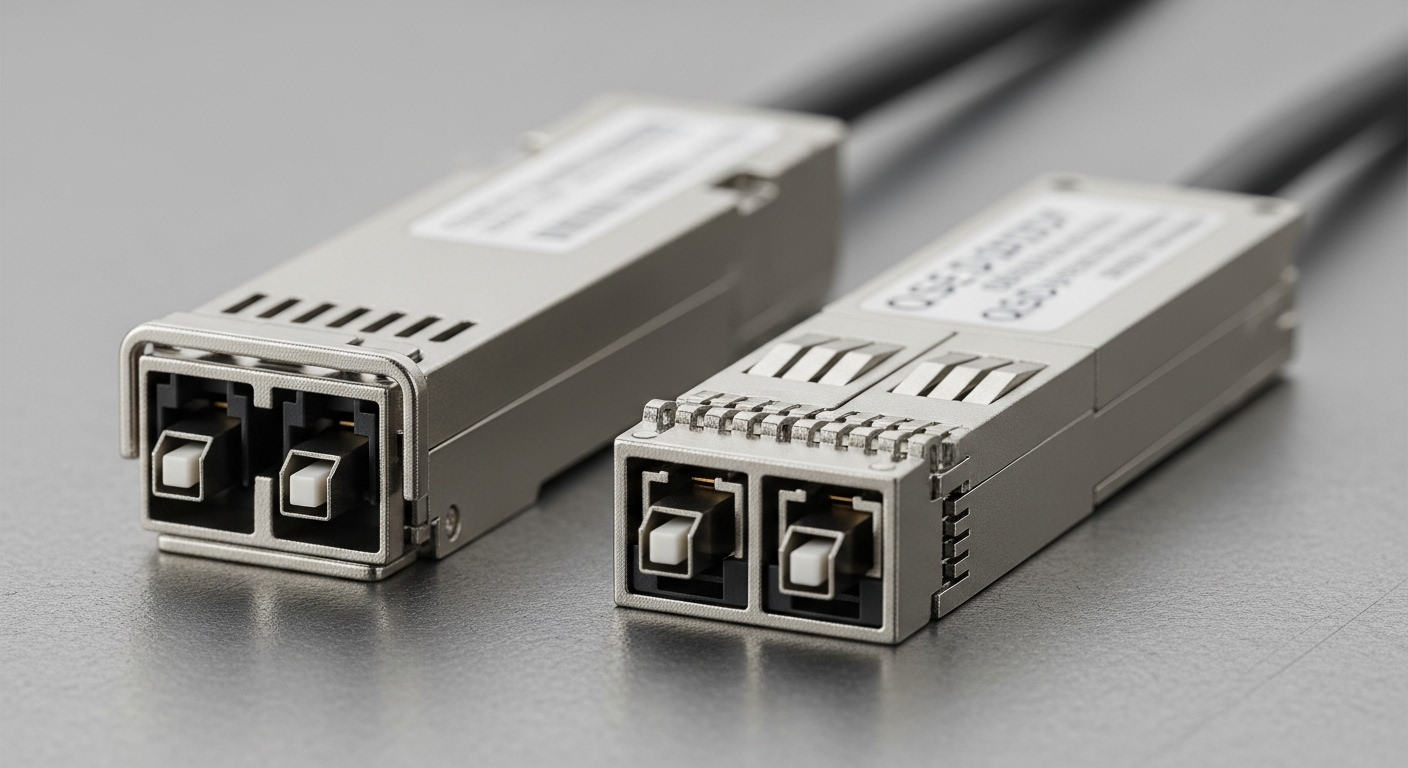
Think of a transceiver like a “smart adapter” with its own control software: it negotiates link parameters, reports diagnostics, and may implement vendor-specific behaviors on the wire. After a switch OS upgrade, the host may request different capabilities or timing, and an older optics image can respond poorly. In practice, this shows up as increased CRC errors, link up/down events, or DOM alarms that do not match the physical layer health.
Common triggers include new NIC firmware, a switch platform change, or a migration from one IEEE profile to another (for example, different FEC behavior on 25G/50G/100G links). The IEEE 802.3 family defines optical interfaces and electrical characteristics, but it does not mandate identical firmware behavior across vendors. For the operational “why,” reference your switch vendor’s optics interoperability notes and the optics vendor’s firmware release bulletin. [Source: IEEE 802.3] [[EXT:https://standards.ieee.org/standard/]]
Pre-flight checklist: verify compatibility before you touch firmware
Before you run a transceiver firmware update, treat the process like swapping a component in a live aircraft: verify the model, verify the firmware target, then verify the environment. If you update the wrong image, a transceiver can still enumerate but fail at link training under certain temperatures or power modes.
Step-by-step safety gates
- Identify exact optics part number and revision (from the module label and from DOM fields exposed by the switch).
- Confirm interface type: SFP vs SFP28 vs QSFP+ vs QSFP28 vs QSFP56. Firmware images are not interchangeable across form factors.
- Check switch compatibility using the switch vendor’s optics matrix (or the switch’s documented support for third-party optics).
- Validate optical budget: ensure the link is within receiver sensitivity and expected loss at wavelength (do not “fix” a marginal fiber with firmware).
- Record current state: capture DOM snapshot, link counters, optics temperature, Tx bias/Tx power, Rx power, and current firmware version.
- Plan rollback: confirm you have the previous firmware image and a documented method to restore it.
What “compatibility” means in real terms
Firmware compatibility is not just “same wavelength.” It also depends on serializer/deserializer settings, digital signal processing modes, and how the module implements diagnostics reporting. If the switch asks for a different FEC mode than the module expects, the link may train but later degrade under load. That is why you should correlate the firmware update with the exact switch and host changes you made.
How to perform a transceiver firmware update (third-party optics)
The safest method depends on the optics vendor’s tooling. Some vendors provide a firmware update utility that runs on a host OS, others support updating via a management interface, and some require using a vendor programmer or a supported transceiver reader. Your goal is consistent: upload the correct image to the module, verify checksum, reboot the optics, and validate link stability.
Typical workflow that field teams follow
- Isolate the target link: move traffic off the port using a maintenance window and confirm no active flows will be disrupted.
- Collect baseline telemetry: record interface status, CRC/BER counters, FEC counters (if exposed), and optics DOM values.
- Run vendor update tool or management command for that module type.
- Watch update progress: confirm the tool reports successful flash write and integrity validation.
- Force module reset if the tool instructs it (some platforms toggle the module power or reinitialize the serial bus).
- Verify firmware version from DOM again, then confirm link comes up and stays stable for a defined soak time.
- Post-check counters: verify CRC errors return to baseline (or drop), and DOM alarms clear.
- Document results: firmware version, time, operator, tool version, and observed counters.
Example optics families you may be updating
Third-party modules commonly include 10G SFP/SFP+ SR, 25G SFP28 SR, and 100G QSFP28 SR4, often using vendor-programmable control firmware. In the field, engineers frequently update modules such as Cisco-compatible optics (e.g., Cisco SFP-10G-SR) or widely used third-party models like Finisar FTLX8571D3BCL and FS.com SFP-10GSR-85. Always check the vendor’s firmware bulletin for the exact module SKU and revision.
Firmware update spec snapshot: what matters for link stability
To keep decisions grounded, compare the core physical-layer constraints that firmware cannot override. If your module is out of reach or your fiber loss exceeds the budget, the update will not save the link.
| Module type | Typical wavelength | Reach (typical) | Connector | Data rate | Operating temp | Key firmware impact |
|---|---|---|---|---|---|---|
| 10G SFP SR | 850 nm | Up to 300 m (OM3) / 400 m (OM4) | LC | 10.3125 Gbps | 0 to 70 C (common) | Link training timing, DOM calibration, diagnostics thresholds |
| 25G SFP28 SR | 850 nm | Up to 100 m (OM3) / 150 m (OM4) | LC | 25.78125 Gbps | -5 to 70 C (common) | FEC/PCS parameter alignment, Tx/Rx power reporting behavior |
| 100G QSFP28 SR4 | 850 nm | Up to 100 m (OM3) / 150 m (OM4) | MPO-12 | 4 x 25.78125 Gbps | 0 to 70 C (common) | Lane mapping, equalization settings, DOM alarms under temperature swings |
Important limitation: firmware updates generally do not change the optical transmitter’s fundamental output capability or the receiver sensitivity class. If you are already near the edge of the power budget, you may see intermittent errors that only firmware “exposes” more clearly.
Selection criteria and decision checklist for update success
When teams succeed with firmware updates, it is usually because they follow a disciplined decision process. Use this checklist before, during, and after the change.
- Distance and link budget: confirm fiber type, connector cleanliness, and measured Rx power is within the module spec.
- Data rate and optics class: ensure the firmware image matches the exact data rate and form factor.
- Switch compatibility: verify the switch OS version and transceiver interoperability guidance for third-party optics.
- DOM and MSA support: confirm the module implements expected digital diagnostics fields and behavior for your platform.
- Operating temperature range: check whether the site has cold spots or hot aisles; firmware fixes may target temperature-dependent thresholds.
- DOM thresholds and alarm mapping: ensure your monitoring system expects the same threshold semantics after update.
- Rollback readiness: keep previous firmware files, and confirm the update method can restore them.
- Vendor lock-in risk: assess whether updates require proprietary tools or access to vendor-specific utilities.
Pro Tip: In many networks, the “real win” is not the firmware change itself but the verification window. Run a 10 to 30 minute soak after the update while monitoring CRC/FEC and DOM temperature drift; transient training improvements can disappear once thermal equilibrium is reached.
Common mistakes and troubleshooting tips
Firmware updates are powerful, but they can also mask underlying physical-layer issues. Here are field-proven failure modes, with root cause and fix.
Link stays up but errors spike
Root cause: Fiber loss or dirty connectors push the receiver near sensitivity limits; firmware does not improve optical power. Solution: clean MPO/LC connectors, re-terminate if needed, and measure optical power with a calibrated meter. Confirm Rx power and compare to module datasheet targets.
Firmware update “succeeds” but DOM values look wrong
Root cause: Monitoring software assumes a prior DOM mapping or threshold semantics; updated firmware may adjust calibration or units. Solution: update your monitoring profiles, verify DOM fields against the vendor documentation, and confirm temperature and bias/Tx power readings are within expected ranges.
Repeated link flaps after host or switch upgrade
Root cause: The optics firmware version does not align with the new switch’s expected link training and FEC behavior. Solution: confirm the exact switch OS and optics firmware release notes; test in a lab or single-port pilot, then roll out only to compatible module revisions.
Update tool fails mid-process
Root cause: Power instability, unsupported module revision, or tool version mismatch. Solution: ensure stable power, confirm module SKU matches the firmware package, retry with the correct tool version, and keep rollback media ready.
Cost and ROI: when a firmware update is worth the effort
Third-party optics typically cost less upfront than OEM modules, but firmware updates introduce labor and operational risk. In many data centers, a single failed update can cost more than the price difference due to downtime, port remaps, and troubleshooting time. Typical pricing ranges vary widely by speed and reach; third-party 10G SR optics often sit in a lower price tier than OEM equivalents, while 100G QSFP28 SR4 can be substantially more expensive and more sensitive to compatibility.
TCO view: consider the cost of optics replacements, expected failure rates, and the time spent in maintenance windows. If your fleet shows recurring link errors correlated with a switch or host upgrade, a firmware update can reduce incident frequency and prevent costly escalations. However, if errors are driven by cabling cleanliness or budget mismatch, firmware changes will not deliver ROI.
FAQ
What exactly is a transceiver firmware update?
A transceiver firmware update replaces the module’s internal control software used for link training, diagnostics reporting, and management behavior. For third-party optics, it is often required after a switch OS change or when resolving a known interoperability issue. Always use the vendor’s firmware package that matches your exact module SKU.
Do I need a firmware update for every third-party transceiver?
No. If the link is stable and counters are normal, updating can add risk without benefit. Prioritize updates when release notes cite your switch model, OS version, or a specific defect affecting error rates or flaps.
How do I confirm the update worked?
Confirm the firmware version via DOM (or the vendor tool output), then validate link stability and counters for a soak window. Watch CRC errors and any exposed FEC counters, and ensure DOM alarms match your monitoring expectations. If anything looks inconsistent, revert using the documented rollback method.
Can firmware updates fix bad fiber or dirty connectors?
No. Firmware cannot compensate for major optical power budget violations or severe connector contamination. If you see high error rates, start with physical checks: cleaning, reseating, and measuring optical power against the module datasheet.
Are third-party optics firmware updates compatible with all switches?
Compatibility depends on the switch platform’s optics expectations, the module’s digital diagnostics behavior, and the switch’s link training parameters. Use your switch vendor interoperability guidance and test on a small pilot set before scaling out.
What is the safest rollout strategy?
Run a one-port pilot on a low-risk link, verify counters for at least 10 to 30 minutes, then expand in batches. Keep rollback ready, and schedule change windows to avoid overlapping with other upgrades that could confound root cause.
If you want a practical next step, review your monitoring and DOM workflow so you can detect firmware-induced behavior changes early: optics DOM monitoring.
Author bio: I have deployed optics fleets across leaf-spine data centers, performing controlled firmware updates and validating link counters under real traffic loads. I focus on operational safety: deterministic rollouts, measurable verification, and interoperability discipline.
