
Live event production networks fail in ways that look “mysterious” until you map optics behavior to SMPTE 2110 timing and your physical plant. This article helps broadcast and AV engineers choose SFP transceivers for live production fiber runs carrying SMPTE 2110 media streams. You will get practical reach and power expectations, a compatibility checklist for switch vendors, and field-tested troubleshooting patterns that prevent intermittent dropouts.
Why SMPTE 2110 stresses SFP optics more than typical Ethernet
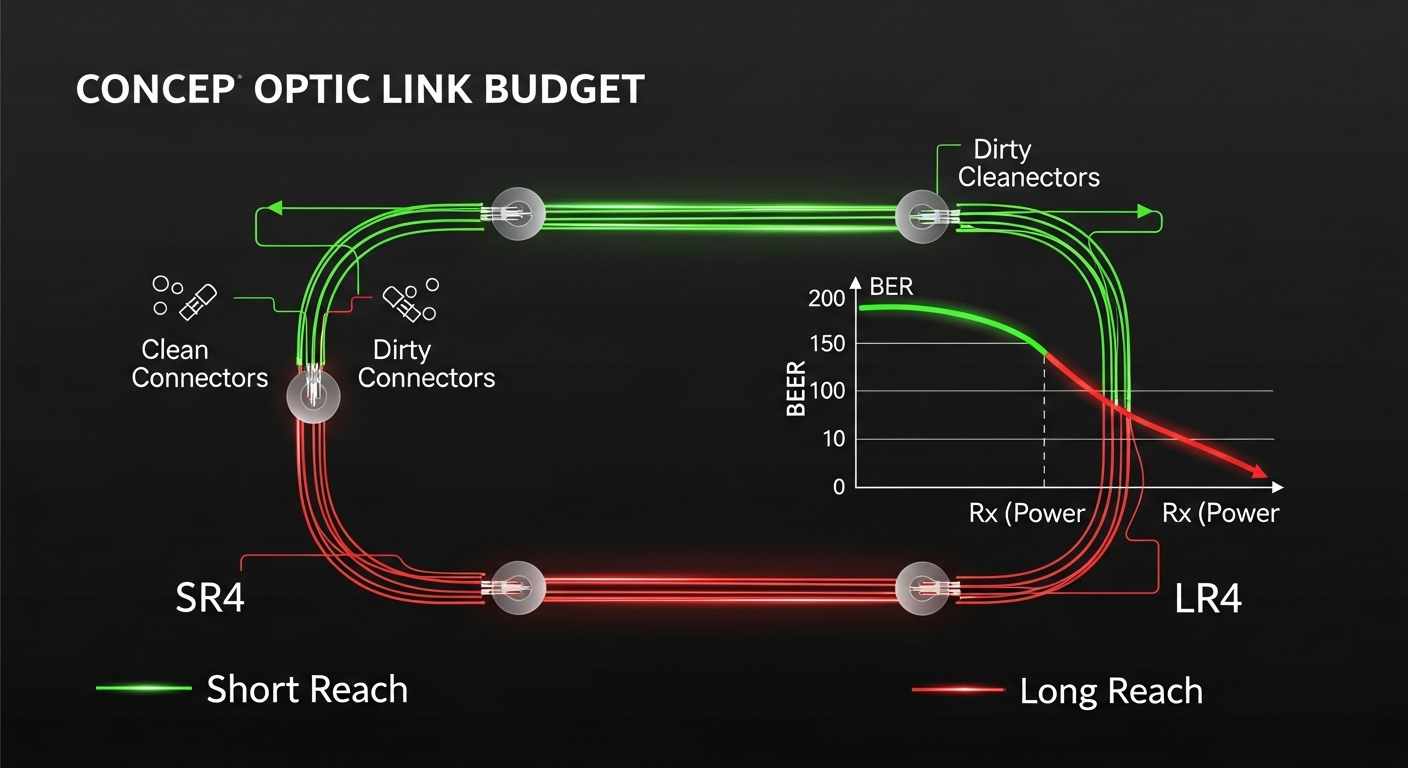
SMPTE 2110 transports media over IP using time-sensitive networking concepts and strict latency budgets, so optical link stability matters as much as raw bandwidth. While SMPTE 2110 is “just Ethernet” at the packet level, the system behavior under jitter and retransmission differs from best-effort traffic. In practice, marginal optical power, high bit error rates (BER), or connector micro-misalignment can manifest as periodic frame loss that is hard to correlate to a single switch port. For engineers, the key is matching SFP optical parameters—wavelength, reach class, receiver sensitivity, and thermal behavior—to the actual fiber plant and operating temperature.
What the receiver actually cares about: power budget and BER margin
Even if a link “comes up,” SMPTE 2110 can expose weak margins because it is sensitive to timing under load. SFPs specify a receiver sensitivity and an optical budget that assumes worst-case aging and connector cleanliness. If you run near the maximum reach (especially with aging laser output and higher insertion loss), BER margin shrinks. The result can be bursts of CRC errors that trigger upper-layer retransmission or buffer pressure, which then becomes visible as stutter or picture artifacts.
DOM and monitoring: knowing whether you are drifting
Many production environments depend on digital optical monitoring (DOM) to detect drift early. DOM provides real-time laser bias current, received optical power, and temperature. If your SFP supports DOM and your switch platform can read it, you can set thresholds and correlate drops to optical power changes. Without DOM, you often discover problems only after the event is already underway.
Pro Tip: In live production fiber deployments, treat “link up” as a commissioning milestone, not an acceptance test. During pre-show, capture DOM readings (TX bias and RX power) over the full temperature range you will see in the venue. If RX power trends toward the vendor’s minimum sensitivity by the end of the warm-up period, you likely have an insertion-loss or connector cleanliness problem that SMPTE 2110 timing will make obvious.
SFP optical choices for SMPTE 2110: wavelength, reach, and connector reality
Most SMPTE 2110 live event networks use 10GBASE-SR or 25GBASE-SR style optics over multimode fiber (MMF) in camera-to-rack and rack-to-rack segments. Depending on the venue, you may also use 1310 nm single-mode (SMF) variants for longer runs or when MMF bandwidth-distance is constrained. Your selection should be driven by the fiber type (OM3/OM4/OM5 vs OS2), the measured link loss, and the connector and patch panel design.
Common SFP families you will see in production
- 10G SFP+ SR (850 nm over MMF): Typical for short-to-medium runs inside staging and room-to-room links.
- 25G SFP28 SR (850 nm over MMF): Increasingly used when you need more headroom per port.
- 10G SFP+ LR (1310 nm over SMF): For longer runs with lower attenuation and better reach stability.
Compatibility caveat: SFP electrical interface and vendor behavior
SMPTE 2110 systems often use managed switches with strict transceiver qualification. Some switch ASICs enforce specific timing for SERDES equalization or expect DOM behavior. If you use third-party optics, the switch may still link, but you can hit intermittent issues when the vendor uses non-standard vendor IDs or when the optics are “compatible” only under certain temperature/voltage conditions. Always validate the exact optic model with the exact switch model in a controlled pre-event test.
Key specifications comparison: 10G SR vs 25G SR vs 10G LR for live production fiber
The table below compares representative SFP optics used for SMPTE 2110 links. Actual performance depends on fiber grade, patch loss, and the transceiver vendor’s measured receiver sensitivity and power levels. Use this as a selection baseline, then confirm with vendor datasheets and your measured optical budget.
| Optic class (typical) | Wavelength | Media type | Reach class | Connector | DOM | Operating temp (typical) | Representative vendor models |
|---|---|---|---|---|---|---|---|
| 10GBASE-SR SFP+ | 850 nm | MMF (OM3/OM4) | Up to ~300 m (OM3) / ~400 m (OM4) | LC | Often yes (readable by most managed switches) | 0 to 70 C (commercial) or -40 to 85 C (extended) | Cisco SFP-10G-SR, Finisar FTLX8571D3BCL, FS.com SFP-10GSR-85 |
| 25GBASE-SR SFP28 | 850 nm | MMF (OM4/OM5 where applicable) | Up to ~100 m (OM4 typical) | LC | Often yes | 0 to 70 C or -40 to 85 C | Vendor-specific SFP28 SR modules for 25G (check exact reach class and DOM support) |
| 10GBASE-LR SFP+ | 1310 nm | SMF (OS2) | Up to ~10 km | LC | Often yes | 0 to 70 C or -40 to 85 C | Cisco SFP-10G-LR, Finisar/FS.com LR SFP+ variants |
For standards context, the Ethernet PHY behavior underlying these optics follows IEEE 802.3 families for 10GBASE-SR, 25GBASE-SR, and 10GBASE-LR. Always cross-check the exact standard variant against your network gear capabilities. Source: IEEE 802.3 overview
Budget math that matters in the field
Optical budget is the difference between transmitter launch power and receiver sensitivity, minus typical losses from fiber attenuation and passive components (patch cords, couplers, and splices). In live production fiber, patch panels and quick-turn connectors often dominate loss variability. Engineers should measure end-to-end loss with a launch-and-receive method or an OTDR-based workflow for longer SMF runs, then keep a margin for cleaning and reconnections.
Selection criteria checklist for SFPs on live production fiber
In real deployments, you rarely choose optics in isolation. You choose them as a system: switch platform, patch panel design, fiber type, temperature profile, and operational constraints like swap time during show day. Use the ordered checklist below to avoid last-minute surprises.
- Distance and fiber type: Confirm MMF grade (OM3/OM4/OM5) or SMF OS2, then compare against the transceiver’s reach class. Use measured link loss, not cable-label distances.
- Switch compatibility: Verify the switch vendor’s transceiver compatibility list (if provided) and firmware version. Some platforms behave differently across releases.
- Data rate and PHY mode: Ensure the port supports the required PHY (10GBASE-SR vs 25GBASE-SR). Do not assume auto-negotiation will pick the right mode for optics.
- DOM support and monitoring: Prefer SFPs with DOM and confirm the switch can read DOM values. This is critical for live production fiber health checks.
- Operating temperature range: Choose extended temperature optics for venues with warm racks or outdoor line-of-sight enclosures. Heat soak affects laser bias current and can reduce margin.
- Vendor lock-in risk: If you anticipate field swaps under time pressure, choose a sourcing strategy that minimizes “only works with one vendor” constraints. Validate third-party optics with the exact switch model.
- Connector and cleaning workflow: Confirm LC type (generic vs keyed), and enforce a cleaning SOP. Dirty connectors can masquerade as “bad optics.”
Commissioning steps that reduce live event risk
- Run a controlled throughput test at line rate while monitoring interface counters for CRC errors and link flaps.
- Record DOM readings at cold start, mid-show temperature, and end-of-show temperature.
- Verify end-to-end latency and loss behavior under SMPTE 2110 load profile used in your venue (camera count, audio channels, and redundancy mode).
Common mistakes and troubleshooting patterns for live production fiber links
Most SMPTE 2110 optic issues are not “mystical.” They are deterministic failures caused by margins, cleanliness, or platform quirks. Below are concrete pitfalls with root cause and a practical fix.
Link up but SMPTE 2110 shows periodic stutter: elevated BER from marginal optical power
Root cause: RX power is near the receiver sensitivity threshold, often due to excessive patch loss, poor connector condition, or an optics mismatch (wrong reach class for the fiber plant). Under load, BER spikes create CRC errors and packet loss.
Solution: Compare DOM RX power to vendor minimum sensitivity, then re-clean and re-seat connectors. If RX power remains low, shorten the run, replace patch cords with lower-loss assemblies, or move to an LR/longer-reach class.
Works on day one, fails after warm-up: thermal drift and insufficient margin
Root cause: Commercial-temperature optics are installed in a warm rack. Laser output and receiver bias drift reduce margin over hours, causing intermittent drops.
Solution: Measure ambient and transceiver temperature during warm-up. Swap to extended-temperature optics rated for the actual environment, and ensure airflow paths are not blocked by cabling.
Intermittent link flaps when swapping optics: switch compatibility or DOM quirks
Root cause: Some switch platforms enforce transceiver qualification or expect DOM behavior consistent with certain vendor EEPROM layouts. Third-party optics may link but behave poorly under specific equalization conditions.
Solution: Validate optic models with the exact switch SKU and firmware. If you must use third-party, keep a “known-good” inventory and test in advance. Update switch firmware if the vendor documents transceiver compatibility fixes.
Correct optic type but consistently high errors: connector geometry and cleaning failures
Root cause: LC connectors can be contaminated with dust or residue from repeated rental equipment handling. Even a clean-looking connector can hide contamination that increases insertion loss and degrades optical coupling.
Solution: Use lint-free wipes and approved cleaning tools, then inspect with a fiber microscope if available. Replace damaged ferrules and enforce a consistent cleaning SOP before every reconnection.
Cost and ROI: what to budget for reliable live production fiber
In live event networks, “cheap optics” often fail as an operational cost problem rather than a purchase price problem. Typical street pricing (varies by region and volume) for common SFP optics is often in the range of $40 to $150 per module for many 10G variants, with higher costs for 25G optics and extended-temperature SKUs. OEM optics can be more expensive, but they reduce compatibility risk and may include better vendor support pathways during incidents.
TCO should include failure rate, swap time, and downtime impact. In a venue with 48 ToR ports, a single optic swap can cost hours if spares are not validated. If you run SMPTE 2110 redundantly (dual fabrics or dual paths), you can reduce risk, but you still need to ensure both paths use optics with comparable behavior and monitoring. For many teams, the best ROI comes from stocking a limited set of validated optics, rather than buying broad “compatible” assortments.
When evaluating third-party optics, request datasheets with DOM behavior and confirm compliance claims against the relevant IEEE 802.3 PHY. Source: IEEE 802 working group resources
FAQ: SFP optics for SMPTE 2110 live production fiber
What SFP type is most common for SMPTE 2110 in venues?
Most deployments use 10GBASE-SR SFP+ over MMF for short-to-medium runs, because it is cost-effective and easy to patch. If you need longer reach or have higher insertion-loss patch panels, 10GBASE-LR SFP+ over SMF is often more margin-friendly. For higher bandwidth per port, teams adopt 25G SFP28 SR where switch ports support it.
How do I verify a live production fiber link is stable before show day?
Commission the link with traffic at your real SMPTE 2110 load profile and monitor interface CRC errors, link flaps, and DOM RX power. Record readings at cold start and after warm-up; thermal drift is a common cause of late failures. If you see RX power trending toward the vendor minimum, fix loss and cleanliness issues before the event.
Do I need DOM, or can I run optics without monitoring?
DOM is strongly recommended for live production fiber environments because it turns “mystery packet loss” into measurable optical health. Without DOM, you often cannot distinguish a marginal optical budget from a switch configuration issue quickly during a live event. If your switch cannot read DOM values, consider using an external optical monitor or stick to optics proven with that platform.
Can I mix optics vendors on the same switch for SMPTE 2110?
It is possible, but you must validate compatibility with the exact switch model and firmware. Even when optics meet the IEEE PHY requirements, vendor-specific EEPROM layouts and DOM behavior can trigger edge-case equalization or monitoring differences. For reliability, keep the optics set consistent across redundant paths and pre-validate any vendor mix in a staging test.
What is the fastest troubleshooting path when SMPTE 2110 stutters?
Start with optical layer indicators: check DOM RX power and interface error counters, then re-clean and re-seat connectors. If errors correlate with temperature changes or specific patch segments, you likely have a margin or cleanliness issue. Only after optical checks should you move to switch QoS, VLAN tagging, or SMPTE 2110 stream configuration.
What should I prioritize if I must choose between reach and temperature rating?
Prioritize temperature rating and optical margin for the actual venue environment. A reach class that barely meets maximum distance can fail under warm-up drift, while extended-temperature optics can keep margins stable. If you have uncertain loss, choose optics that provide additional budget and validate with measured link loss.
Choosing SFP optics for live production fiber on SMPTE 2110 is an engineering exercise in margins: optical power, thermal stability, DOM visibility, and strict switch compatibility. Next, review your fiber plant loss and connector hygiene practices, then cross-check against the transceiver reach class using vendor datasheets and measured commissioning results via fiber link budgeting for live networks.
Author bio: I have 10+ years designing and deploying broadcast-grade IP transport and optical interconnects, with hands-on work in SMPTE 2110 production environments and switch transceiver qualification. I focus on measurable optical budgets, deterministic commissioning workflows, and failure-mode-driven troubleshooting in the field.
