
A factory line does not fail because someone missed a theory lesson; it fails when a link drops, latency spikes, or a transceiver runs outside its thermal envelope. This quick reference helps plant engineers and field technicians choose the right industrial PROFINET fiber transceiver for deterministic Ethernet, with practical selection steps, deployment numbers, and failure-mode troubleshooting.
You will learn what to verify on the switch, what to match on the optics (wavelength, reach, fiber type), and how to avoid expensive downtime caused by incompatibility or marginal optics. It also includes realistic cost and total cost of ownership (TCO) notes so you can justify spares and vendor strategy to operations leadership.
Why PROFINET over fiber needs different transceiver thinking
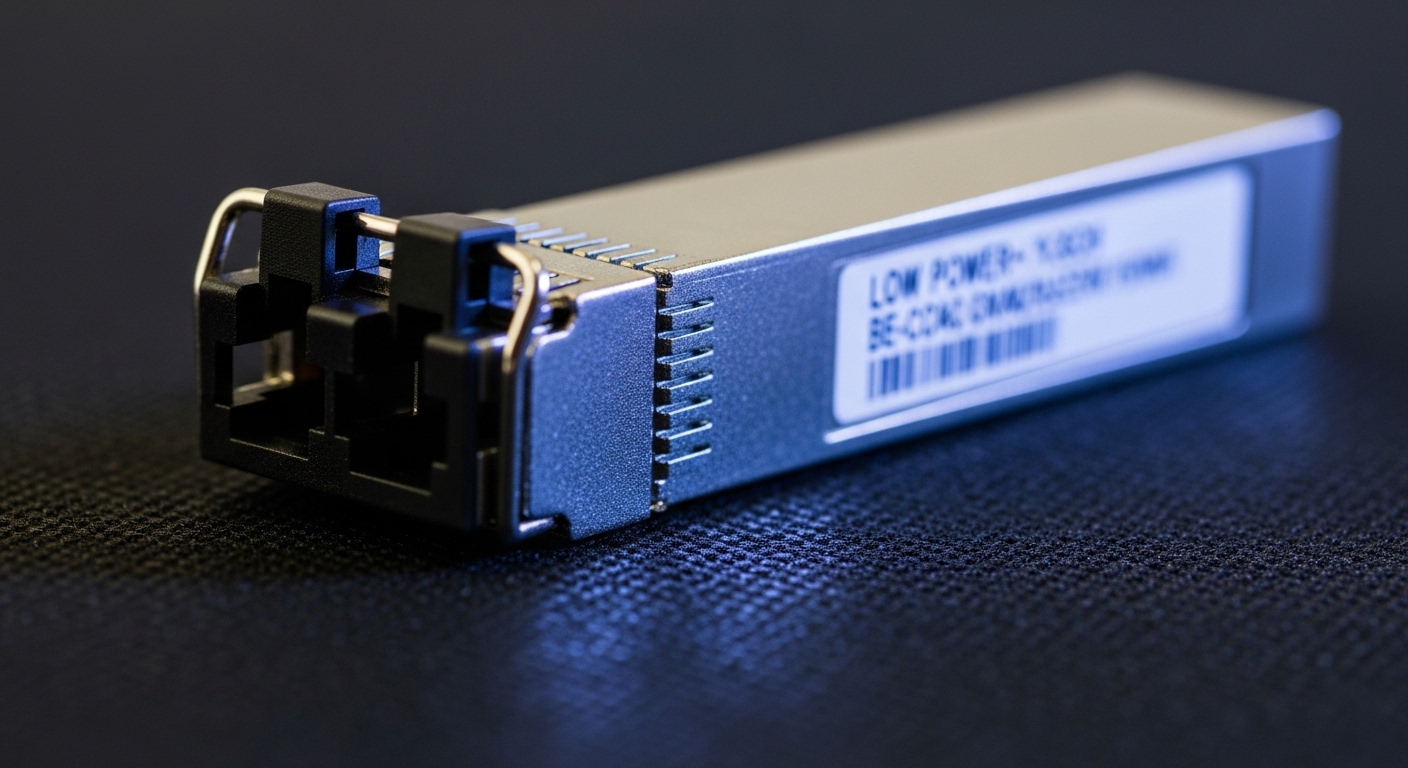
PROFINET uses real-time Ethernet behavior that is sensitive to link stability and timing. While the application layer handles scheduling, the physical layer still must provide consistent link negotiation, low bit error rate, and stable optical power within spec. Fiber helps because it reduces electromagnetic interference compared with copper, but only if the optics match the installed fiber plant and the switch transceiver behavior.
What to validate for deterministic operation
- Link stability: ensure the transceiver and switch support the same optical diagnostics expectations (for example, DOM fields availability).
- Optical budget: confirm that the transceiver launch power and receiver sensitivity meet the fiber attenuation plus connector and splice losses.
- Wavelength and fiber type: 850 nm multimode (MMF) vs 1310 nm single-mode (SMF) must match the plant fiber.
- Temperature range: factory cabinets can exceed standard lab conditions; pick optics rated for your environment.
Pro Tip: In the field, the most common “mystery PROFINET fiber” outage is not a dead transceiver—it is a marginal optical budget caused by extra patch cords and aged connectors. Measure with an OTDR or at least validate end-to-end attenuation against the vendor link budget before you blame protocol settings.
Key specs that decide reach and compatibility
Before you compare prices, lock down the transport requirements: data rate, fiber type, and reach. For PROFINET deployments in industrial control networks, transceiver families commonly align with Ethernet rates like 1G/2.5G/10G, depending on the switch generation and design. Choose optics that match both the electrical interface expectations and the optical parameters for your fiber plant.
Typical industrial transceiver choices
- 10GBASE-SR (MMF): usually 850 nm over OM3/OM4, common for short runs.
- 10GBASE-LR (SMF): usually 1310 nm over single-mode for longer runs.
- 1GBASE-SX (MMF): 850 nm for shorter industrial links when your switch is older.
- 1GBASE-LX/LH (SMF): 1310/1550 nm for longer single-mode links.
Transceiver specification comparison (what to check first)
Use this table as a fast “spec sanity check” when you shortlist modules. Model names below are examples; always verify the exact datasheet revision and DOM support with your switch vendor.
| Parameter | Example Module (10G MMF) | Example Module (10G SMF) | Why it matters for industrial PROFINET fiber |
|---|---|---|---|
| Data rate | 10G | 10G | Mismatched rate support can prevent link up or force fallback modes. |
| Wavelength | 850 nm | 1310 nm | Must match the fiber plant and the switch optics profile. |
| Reach (typical) | ~300 m (OM3), ~400 m (OM4) | ~10 km typical | Controls where you place patch panels, media converters, and splices. |
| Connector | Duplex LC | Duplex LC | Prevents “it fits but it fails” connector polarity and mating issues. |
| DOM / diagnostics | Often supported (verify) | Often supported (verify) | DOM is critical for early warning on optical power drift. |
| Power consumption | ~1 to 2.5 W class (varies) | ~1 to 2.5 W class (varies) | Impacts cabinet thermal load and switch PSU planning. |
| Operating temperature | Industrial grade: commonly -40 to 85 C | Industrial grade: commonly -40 to 85 C | Out-of-range optics cause intermittent link flaps. |
| Standards basis | IEEE 802.3 10GBASE-SR | IEEE 802.3 10GBASE-LR | Helps predict interoperability with compliant optics. |
Example part numbers you may encounter in industrial catalogs include Cisco SFP-10G-SR, Finisar FTLX8571D3BCL, and FS.com SFP-10GSR-85. For single-mode, you may see 10GBASE-LR variants with 1310 nm optics rated for up to 10 km. Always cross-check with the exact datasheet and the switch model compatibility list.
Authority references: IEEE 802.3 for Ethernet optical transceiver families and link behavior continuity: IEEE 802.3 standard. Vendor datasheets for specific DOM and temperature ratings: Cisco support and datasheets.
Deployment scenario: leaf-spine factory network with real link math
Consider a 3-tier factory network: 48-port 10G ToR switches connect to two aggregation switches (leaf-spine style) and an edge router. In one machine hall, you run six 10G uplinks from ToR to aggregation using 10GBASE-SR at 850 nm over OM4. The patch-and-splice budget looks like: 220 m fiber plus 2 patch cords (2 m each), 4 mated connectors, and 3 splices. With OM4 attenuation roughly ~3.5 dB/km and typical insertion losses, the total budget can remain within the transceiver’s published link budget if your connectors and splices are clean and properly mated.
In another area, you need to bridge across a warehouse aisle where cable routing forces 4.8 km of single-mode fiber. Here you select 10GBASE-LR at 1310 nm with LC connectors and confirm that the launch power and receiver sensitivity meet the end-to-end attenuation plus margin. With deterministic control traffic, the operational win is not “fiber is fast,” it is that optical links stay up with fewer physical-layer retransmissions caused by noise and EMC events.
Selection criteria checklist for industrial PROFINET fiber
Use this ordered checklist like a field engineer’s pre-flight. If you can answer each item, your odds of link-up and stable PROFINET behavior rise dramatically.
- Distance and fiber type: identify OM3/OM4 vs OS1/OS2, then map the required reach to the correct wavelength family (850 nm vs 1310/1550 nm).
- Data rate and port type: confirm the switch port supports the transceiver form factor (SFP+, SFP, QSFP+) and the target Ethernet speed without unsupported breakout modes.
- Connector and polarity: verify LC vs SC and ensure Tx/Rx polarity is correct. Many “it should work” failures come from reversed polarity.
- DOM support: check whether your switch reads DOM (diagnostics) and which fields it expects. If DOM is required for monitoring, pick modules that report temperature, bias current, Tx power, and Rx power.
- Operating temperature: confirm the transceiver is rated for your cabinet and ambient conditions (industrial grade often targets -40 to 85 C, but validate).
- Switch compatibility and vendor lock-in risk: consult the switch vendor compatibility list and verify third-party optics are “known-good” for that model. Some switches enforce stricter EEPROM or DOM behaviors.
- Optical budget with margin: compute end-to-end loss including attenuation, connectors, splices, and patch cords. Add margin for aging and cleaning variance.
- Spare strategy and lead times: decide whether you stock the same OEM part numbers or a vetted third-party equivalent with matching specs and DOM behavior.
ROI note: OEM optics cost more, but they often reduce commissioning time and avoid compatibility surprises. Third-party optics can cut unit cost, yet TCO can rise if you spend more hours troubleshooting link flaps or if monitoring gaps delay failure detection.
Common mistakes and troubleshooting tips
Even well-designed industrial PROFINET fiber networks fail when small physical or configuration details get overlooked. Below are concrete failure modes you can recognize quickly.
Link won’t come up after installation
Root cause: Wrong wavelength family (850 nm module inserted for single-mode or vice versa), or unsupported form factor/rate. Another frequent cause is reversed Tx/Rx polarity on duplex LC connectors.
Solution: verify the transceiver label and datasheet wavelength; confirm the switch port supports the module type and Ethernet speed. Then inspect and correct fiber polarity (use a polarity checker or relabel patch cords consistently).
Link flaps under heat or vibration
Root cause: Transceiver operating outside its rated temperature range, or marginal optical power due to dirty connectors and high insertion loss. Vibration can worsen imperfect mating or dust contamination.
Solution: clean LC connectors with approved fiber cleaning tools, re-seat modules, and check DOM Rx power trends over time. If the cabinet ambient exceeds spec, move optics to a better thermal zone or use industrial-grade modules rated for your range.
PROFINET performance degrades despite “link up”
Root cause: High error rates from marginal optical budget, causing increased retransmissions at higher layers and jitter that affects real-time behavior. This can happen even when the link LED shows up.
Solution: check switch interface counters (CRC errors, FCS errors, optical alarm flags) and DOM Rx/Tx power if available. Recalculate the optical budget with measured connector and splice losses; replace the worst patch cords and consider higher-margin optics.
DOM shows alarms or inconsistent readings
Root cause: Third-party optics with partial DOM implementation or EEPROM field differences that your switch interprets differently, or DOM not supported on that specific port profile.
Solution: confirm DOM compatibility in the switch documentation and with the optics datasheet. If monitoring is mandatory, standardize on a vetted module family and keep a known-good spare for fast swap testing.
Cost and ROI: choosing OEM vs third-party without regret
Typical street pricing varies by region, volume, and whether you need industrial temperature grade plus DOM. As a realistic planning range, many 10G SR and LR optics may land roughly in the low tens to a few hundred currency units per module, while OEM-branded modules can be higher. The bigger ROI lever is not just unit price; it is the cost of downtime, commissioning time, and the ability to monitor optics health.
- OEM approach: higher upfront cost, often faster validation, and better alignment with switch compatibility lists. Good when you have strict uptime SLAs and limited engineering time.
- Third-party approach: can reduce procurement costs, but you must validate compatibility on your exact switch models and software versions. Good when you can run a structured pilot and keep spare inventory.
- TCO drivers: labor hours during installation, failure detection speed (DOM), spares stocking strategy, and replacement lead times.
Field reality: if a module causes even a single unplanned outage during peak production, the ROI of “cheaper optics” disappears quickly. A pragmatic strategy is to buy a small batch of candidate optics, validate in a non-critical segment, and then standardize only after you confirm stable link behavior and DOM readings.
FAQ: industrial PROFINET fiber transceiver buying questions
What fiber type should I use for industrial PROFINET fiber?
Match the fiber type to the transceiver wavelength family. For many short runs, 850 nm with OM3/OM4 is common; for longer distances, 1310 nm with single-mode OS1/OS2 is typical. Always verify connector type, polarity, and end-to-end loss budget.
Do I need DOM (digital optical monitoring) for PROFINET?
DOM is not strictly required for link operation, but it is highly valuable for maintenance. With DOM, you can trend Tx power and Rx power and catch degradation before a full failure. If your switch supports DOM alarms, you can integrate alerts into maintenance workflows.
Can I mix OEM and third-party transceivers in the same switch?
Often yes, but compatibility is not guaranteed across all switch models and software versions. Some switches enforce strict EEPROM or DOM behavior expectations. For best results, standardize the optics family per switch model and validate any third-party optics in a pilot window first.
How do I estimate optical budget quickly?
Start with transceiver link budget from the datasheet, then add estimated losses: fiber attenuation by length, plus connector and splice insertion losses, plus patch cords. If you have OTDR results, use them to refine the budget. Keep margin for aging and cleaning variability.
What temperature rating matters most for factory cabinets?
Confirm the transceiver’s specified operating temperature and ensure it matches your cabinet ambient and airflow conditions. Cabinets near heat sources can exceed nominal room temperatures, and intermittent link flaps can correlate with thermal cycles. If your environment is harsh, prioritize industrial temperature grade optics.
What is the fastest troubleshooting workflow when a PROFINET fiber link is unstable?
First, verify wavelength family, connector type, and polarity. Then check DOM Rx/Tx power and switch error counters, and clean/re-seat connectors. If instability persists, swap with a known-good module and verify the fiber attenuation with OTDR or measured loss.
Industrial PROFINET fiber success comes from disciplined matching: optics wavelength, reach, DOM behavior, and optical budget margin. Next, compare your current switch port capabilities with a shortlist of modules and run a controlled pilot before scaling across the plant with fiber-optic-transceiver-compatibility (related topic).
Author bio: I have deployed industrial Ethernet fiber links in multi-hall factory networks, validating optical budgets, DOM telemetry, and thermal performance during commissioning. I write from hands-on field experience to help teams reduce downtime and make ROI-backed transceiver decisions.
