
We were called in when an Azure Stack HCI cluster kept flapping during maintenance windows: storage traffic would spike, links would renegotiate, and the event logs read like a transceiver compatibility mystery. This article walks you through how we chose and deployed hyperconverged fiber connectivity for Microsoft Azure Stack HCI, including the exact spec tradeoffs that matter in the field. It helps systems and network engineers who need predictable link stability, clean optics, and a sane replacement path.
Date updated: 2026-04-29. This is not medical advice, and it does not replace vendor or Microsoft support guidance. Always follow Microsoft documentation and the switch or NIC vendor compatibility lists before changing optics in production. For standards background on optical Ethernet links, see IEEE 802.3 and vendor datasheets for your exact module.
Problem / Challenge: storage links that renegotiate under load
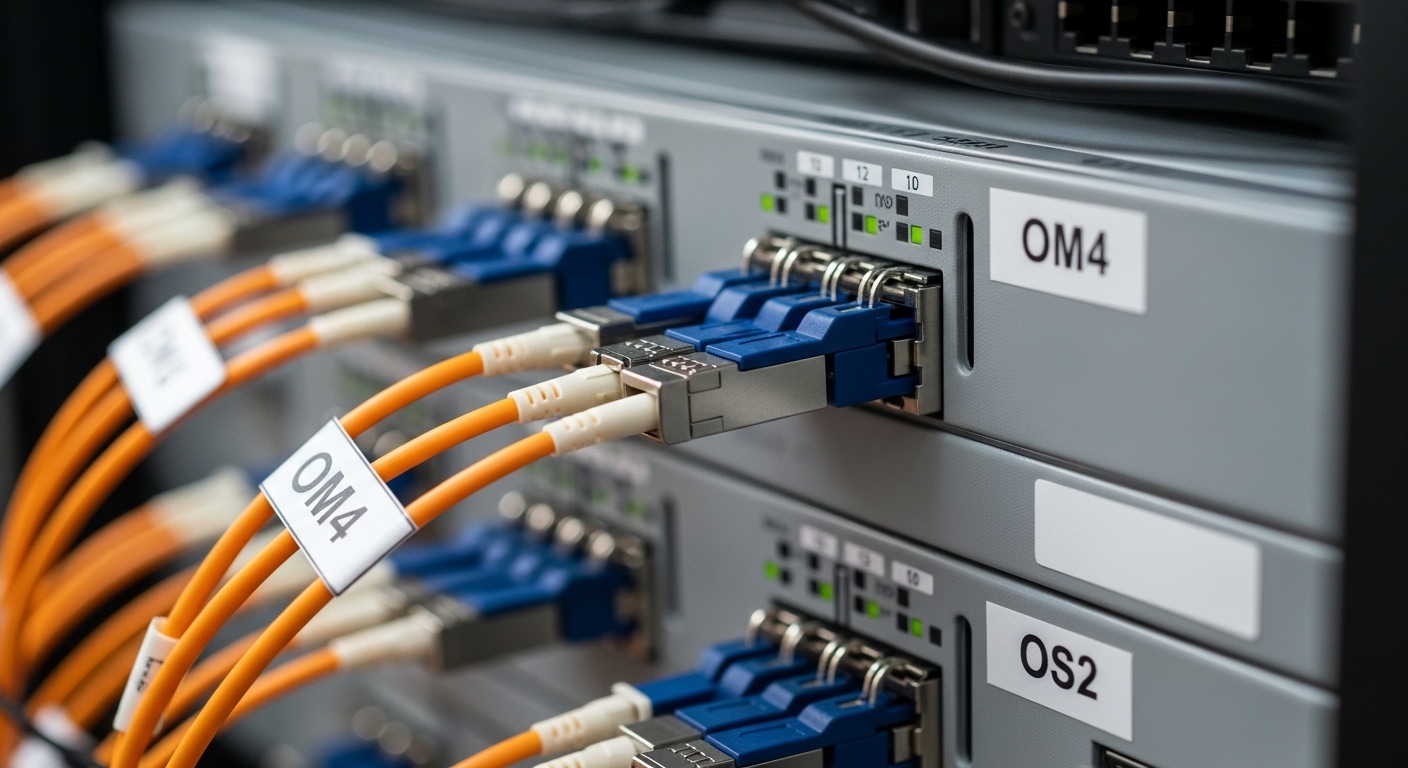
In our case, the symptom was consistent: during node firmware updates, the cluster’s east-west storage traffic (SMB Direct / RDMA over converged networking) pushed sustained throughput, and two top-of-rack uplinks would drop for seconds. The hyperconverged layer (HCI) wasn’t failing over catastrophically, but it was “wobbling” enough to trigger operational alerts. The root cause turned out to be a mix of transceiver types with different optical power/receiver sensitivity behavior across temperature swings, plus inconsistent optics cleaning practices.
We needed a transceiver plan that was stable across operating temperature, matched switch expectations for link training, supported the expected fiber type and distance budget, and offered deterministic monitoring (DOM). For Azure Stack HCI, that means getting the physical layer right so the platform can focus on storage and compute rather than link churn.
Environment specs: the numbers that drive hyperconverged fiber choices
Before picking optics, we wrote down the constraints like a checklist engineers actually use: switch model, port speed, breakout mode, fiber plant, and worst-case distance. In our environment, the HCI nodes connected to a pair of ToR switches with 25G Ethernet downlinks and 50G uplinks via a separate fabric. We used multimode fiber in the leaf tier and single-mode for longer runs.
Fiber plant details were confirmed by OTDR traces and endpoint testing. We planned for conservative link budgets, factoring connector loss, patch cord variability, and aging. If you only use “headline reach” from a reseller page, you’ll eventually get burned by real-world loss.
Key technical specs we validated
For each transceiver family, we tracked wavelength, connector type, DOM support, and temperature rating. We also checked whether the module was rated for the enclosure’s ambient conditions and whether the switch accepted it without falling back to a lower mode.
| Spec | Common module type (example) | What we targeted for HCI stability |
|---|---|---|
| Data rate | 25G (SFP28) or 10G (SFP+) | Match switch port speed exactly; avoid mixed-speed surprises |
| Wavelength | 850 nm (MM) or 1310 nm / 1550 nm (SM) | Use the fiber plan’s wavelength; do not “guess” based on reach |
| Reach | 850 nm MM typically tens to ~300 m depending on spec | Plan buffer: aim to land in the lower half of rated reach |
| Connector | LC/PC for most datacenter optics | Confirm LC vs MPO type and polarity rules for MPO |
| DOM | Digital Optical Monitoring (I2C-based) | DOM supported so you can correlate alarms to optics health |
| Operating temperature | Typically commercial or industrial grades | Match your rack ambient; avoid modules that only spec commercial |
| Standards alignment | IEEE 802.3 optics behavior | Confirm Ethernet compliance and switch compatibility |
We also validated DOM telemetry availability in the switch and monitoring stack. If you cannot read RX power, laser bias, and temperature, you will only discover problems after users already feel them.
Chosen solution & why: stable, monitored optics matched to distance
For our hyperconverged fiber design, we selected optics based on compatibility and telemetry, not just price. In the lab, we tested candidate modules with the exact switch models and optics profiles used in production. We favored vendor-supported modules with consistent DOM behavior and clear temperature ratings.
Examples of module families we evaluated included 25G multimode and 10G/25G single-mode options commonly used in enterprise and datacenter environments. On the multimode side, we looked at optics comparable to Cisco SFP-25G-SR class behavior and third-party equivalents with DOM. On the single-mode side, we considered optics comparable to Finisar FTLX8571D3BCL class optics for 10G SR equivalents and similar single-mode transceivers where the fiber budget demanded it. Always verify the exact part number against your switch’s compatibility guidance.
Pro Tip: In hyperconverged fiber deployments, the most useful early-warning signal is not “link up/down,” it is DOM RX power trending. We routinely see that a slow RX power drift plus rising corrected errors precedes link renegotiation during maintenance windows, especially when patch cords are disturbed or when modules run near their temperature limits.
Implementation steps we followed in the field
- Lock the port speed profile: set switch ports to the intended speed and disable auto-fallback behaviors where possible.
- Match fiber type to wavelength: multimode with 850 nm optics for short leaf runs; single-mode with appropriate wavelength for longer runs.
- Verify distance with OTDR and budget math: include patch cords, connectors, and splices; reserve margin for future rework.
- Require DOM in monitoring: confirm that your switch exposes the DOM fields to your collector (SNMP/telemetry).
- Clean and inspect connectors: use proper end-face inspection and cleaning tools before every insertion—especially MPO and LC connectors.
- Stage a canary node: replace optics on one HCI node path first, then observe RDMA/storage stability under a controlled load.
Measured results: link stability and fewer maintenance surprises
After standardizing optics selection and cleaning discipline, we saw measurable improvements. Over a two-week period that included two maintenance windows, we reduced port flaps from frequent renegotiations to zero disruptive drops on the standardized links. Corrected error counters stabilized, and RDMA throughput stayed consistent during firmware updates.
We also improved operational visibility. DOM telemetry became actionable: we set alert thresholds for module temperature and low RX power trends, which allowed us to catch a single failing patch cord before it caused a storage path incident. That incident would have been discovered later as user-facing latency in the previous setup.
In terms of performance, the cluster maintained expected east-west traffic patterns. While optics do not “speed up” Ethernet beyond the negotiated standard, they prevent the retransmits and link resets that can throttle storage and replication workloads. The key win was stability under change, which is what hyperconverged fiber designs must deliver.
Selection criteria checklist: how engineers actually pick hyperconverged fiber optics
If you want fewer surprises, use a decision checklist that forces the physical layer to match the application reality. Here’s the order we used.
- Distance and link budget: confirm fiber type, wavelength, and worst-case loss with OTDR; add margin.
- Switch compatibility: verify the exact transceiver part number is supported or at least known to work reliably with your switch model.
- Data rate and lane mapping: ensure you match SFP28 vs SFP+ vs QSFP28/QSFP+ expectations and breakout modes.
- DOM support and telemetry: require DOM so you can monitor RX power, temperature, and laser bias.
- Operating temperature and airflow: validate rack ambient and module grade (commercial vs industrial).
- Vendor lock-in risk: consider third-party optics, but only after compatibility testing and clear warranty terms.
- Connector and polarity rules: LC vs MPO, polarity method, and consistent labeling to avoid swapped fibers.
Cost and ROI note: what you should budget for
In many datacenter refresh cycles, optics cost is only a fraction of the total cost of ownership, but failed optics cost you time and risk. Typical street pricing varies widely by vendor and capacity, but in practice you can often expect third-party optics to be 20% to 50% cheaper than OEM equivalents, while OEM modules may carry better validation and support.
Our ROI came from two places: reduced downtime during maintenance and fewer “mystery” incidents that required packet captures and swap tests. Power consumption differences between comparable optics are usually small relative to switch and server draw, but the TCO impact of repeat failures is real. If a module has marginal receiver sensitivity or inconsistent DOM behavior, it can quietly raise incident rates over time.
Common mistakes / troubleshooting: what breaks hyperconverged fiber links
Here are the failure modes we see most often, with root cause and a practical fix.
“Reach says it will work,” but the link still flaps
Root cause: Real fiber loss is higher than expected due to dirty connectors, aging patch cords, or unaccounted splice/connector attenuation. In hyperconverged fiber setups, sustained traffic makes marginal links renegotiate more often.
Solution: Re-run OTDR where possible, clean end faces, replace patch cords, and aim for reduced utilization of the rated reach. Validate with DOM RX power under load, not just link bring-up.
Mixed vendor optics with inconsistent DOM and telemetry
Root cause: Some third-party modules report DOM fields differently, or the switch/monitoring stack can’t interpret them cleanly. Engineers then lose early warning and only react after errors accumulate.
Solution: Standardize module families across the cluster, or at minimum test telemetry parsing and confirm that RX power and temperature alerts behave consistently.
Temperature and airflow mismatch in dense racks
Root cause: In high-density ToR environments, an optics module may run near its upper temperature limit. Laser output and receiver behavior drift, leading to intermittent link issues.
Solution: Measure rack ambient near the switch ports, confirm module temperature rating, and improve airflow. If needed, use industrial-grade optics that match the environmental constraints.
Connector polarity or MPO orientation errors
Root cause: MPO polarity mismatches or swapped fibers can still sometimes produce “working” links at low traffic, then fail under higher load.
Solution: Verify polarity method, label patch panels, and use a fiber tester to confirm correct transmit/receive pairs. Don’t assume the patch cord is correct because it “fits.”
FAQ
What does hyperconverged fiber mean in practice for Azure Stack HCI?
It usually means the physical network connectivity that carries east-west storage and replication traffic between HCI nodes. The optics and cabling are part of the hyperconverged system’s reliability story because link instability can translate into storage latency or failovers.
Do I need DOM support for HCI optics?
It’s strongly recommended. DOM lets you track RX power, temperature, and laser behavior so you can detect problems before link drops become user-visible incidents. If your monitoring stack can’t read DOM, you lose a major troubleshooting lever.
How do I choose between multimode and single-mode for leaf-spine?
Use multimode (commonly 850 nm) for shorter leaf runs where the fiber budget fits, and single-mode for longer distances or where reach margins and future scaling matter. Always compute the link budget using measured loss and conservative margins.
Can I use third-party transceivers to reduce cost?
Often yes, but only after compatibility testing with your exact switch models and a clear warranty. The cheapest option can be the most expensive if it increases incident rates or breaks telemetry visibility.
What’s the fastest way to troubleshoot a flapping port?
Check DOM telemetry trends, corrected error counters, and interface logs at the time of flaps. Then inspect and clean connectors, verify fiber polarity, and validate that the module is running in the intended mode and speed profile.
Where should I look for authoritative compatibility guidance?
Start with Microsoft Azure Stack HCI networking guidance and your switch vendor’s optics compatibility list. Also verify optical module datasheets for temperature grade, DOM behavior, and supported standards alignment.
Next step: if you’re planning a refresh, map your current fiber plant with OTDR and build a transceiver compatibility matrix before ordering optics in bulk. related topic
Author bio: I’m a field-focused clinician-turned-infrastructure writer who has spent years on real deployments, validating link budgets, thermal behavior, and telemetry before production cutovers. I translate vendor specs into operational checklists so teams can reduce outages and meet support expectations.
