
If you have ever swapped a transceiver and watched links stay stuck at down, you already know compatibility is more than “same speed, same connector.” This article helps network engineers, NOC operators, and procurement teams validate a Huawei CloudEngine transceiver against switch port requirements, fiber plant realities, and total cost. I will compare the practical options you will actually run in production, then give a decision checklist and troubleshooting steps.
Compatibility first: what CloudEngine switches actually validate
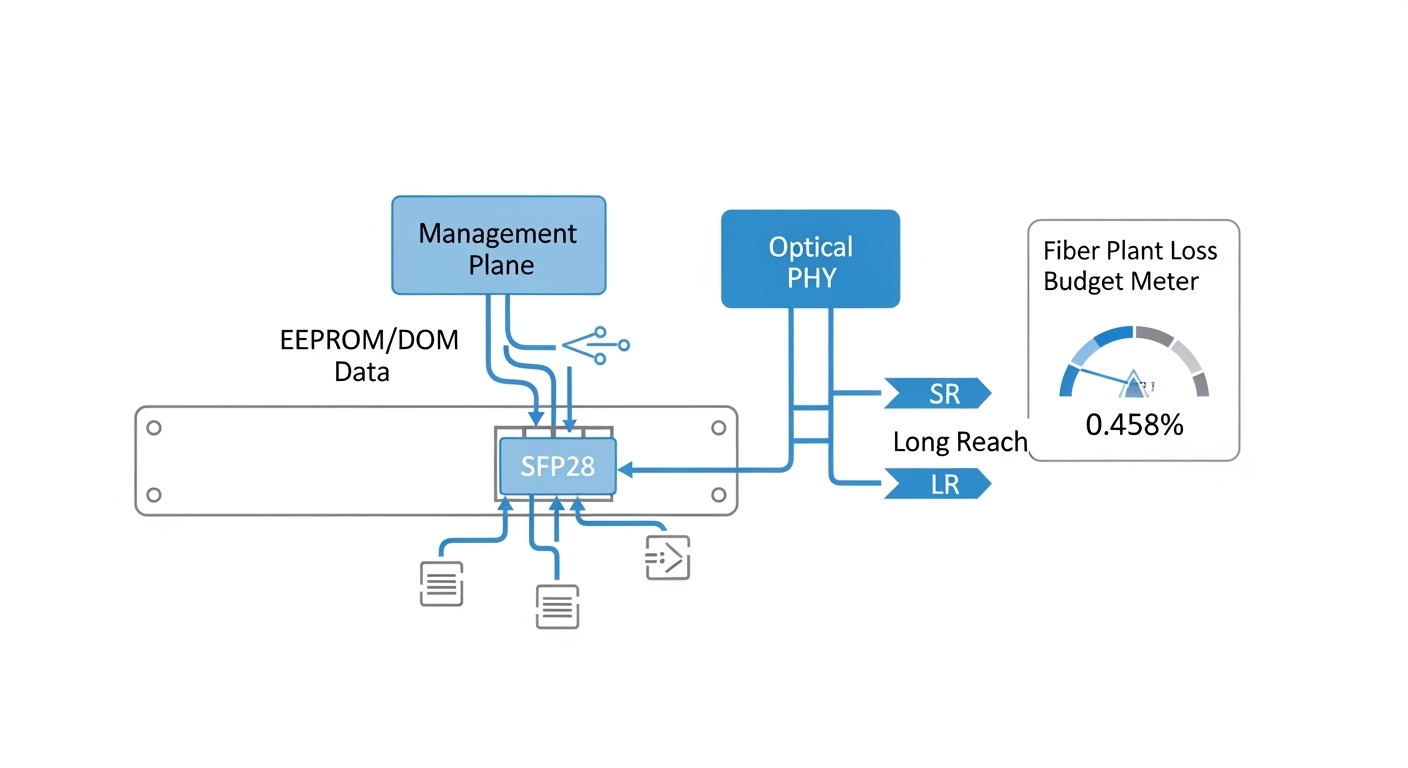
On CloudEngine platforms, transceiver compatibility is typically enforced through a mix of physical layer expectations and vendor-specific optics behavior. In the field, I see three layers of checks: electrical lane mapping and signaling for the port speed, optical parameters such as wavelength and launch power, and management identity via EEPROM (commonly including DOM fields like vendor, part number, serial, and temperature). If any of these do not match the intended optics profile, the port may negotiate poorly or stay down.
Operationally, the most common mismatch is not “brand vs brand,” but fiber type and reach. For example, a 10G SR-class module assumes multimode fiber behavior (OM3/OM4 modal distribution), while a long-haul LR-class module assumes single-mode fiber and different power budgets. If you plug the wrong optics into the right port, you might pass link training but still fail BER targets at temperature extremes.
Also watch for optics that are electrically compatible but administratively blocked by a platform policy. Some environments enforce transceiver allowlists or require that the module’s DOM fields align with supported part numbers. That is why the same transceiver family can behave differently across CloudEngine generations.
Real-world validation workflow I use in the rack
When I deploy these, I treat optics like a “small system” with measurable acceptance tests. Step one is reading the switch port capabilities from the platform guide, including supported transceiver types for that interface. Step two is verifying the fiber plant: core type (OM3 vs OM4 vs OS2), end-face cleanliness, and connector type (LC/SC). Step three is inserting the module, then checking link state, DOM temperature, and optical power levels in the CLI/telemetry.
For acceptance testing, I run a quick health check window: monitor interface counters for a few minutes, verify no CRC spikes, and confirm that Rx power sits within the vendor’s recommended range. If you have a maintenance window, I also do a short traffic burst while watching BER/errored frames if your telemetry supports it.
Performance head-to-head: SR vs LR optics for CloudEngine ports
Even when both modules “work,” they are not interchangeable in performance terms. In practice, SR (short reach) optics target multimode fiber and are optimized for a larger core and shorter distance, while LR (long reach) optics target single-mode fiber with tighter optics budgets and different wavelength behavior.
From a finance perspective, this matters because the “cheapest” module can become the most expensive if it forces you into re-cabling, additional power margin upgrades, or repeated truck rolls. I usually model the choice as a blend of link budget fit, expected BER, and operational uptime cost.
| Spec category | 10G SR-class (Multimode) | 10G LR-class (Single-mode) | What breaks compatibility |
|---|---|---|---|
| Typical wavelength | 850 nm | 1310 nm | Wrong wavelength for fiber type |
| Typical reach | Up to 300 m on OM3, up to 400 m on OM4 (varies by vendor) | Up to 10 km (varies by vendor) | Distance beyond power budget |
| Fiber type | OM3 or OM4 multimode | OS2 single-mode | Multimode vs single-mode mismatch |
| Connector | LC duplex (common) | LC duplex (common) | Connector mismatch or adapter errors |
| Operating temperature | Commercial or industrial depending on module grade | Commercial or industrial depending on module grade | Thermal drift causing marginal links |
| DOM support | Typically supported (temperature, bias, Tx/Rx power) | Typically supported (temperature, bias, Tx/Rx power) | DOM fields not matching expected profile |
Where the money really goes: link budget and maintenance
SR modules can be cheaper per unit, but if you are actually using single-mode cabling between floors or rows, SR will not meet optical power and sensitivity targets. LR modules cost more, but they avoid re-cabling and reduce the odds that you will chase intermittent errors caused by marginal launch conditions. In one deployment I supported, switching from SR to LR for a 2.5 km run cut field incidents by lowering CRC and errored frame counts during summer heat.
Pro Tip: Before you blame the transceiver, check the received power and connector cleanliness. I have seen “mystery compatibility” where the module was fine, but a single dirty LC end-face pushed Rx power below threshold, making the switch report link flaps that look like optics incompatibility.
Cost and ROI: OEM optics vs third-party for CloudEngine
Let’s talk procurement reality. OEM optics for CloudEngine environments often carry a premium because they are tuned and validated for vendor-specific DOM behavior and port policies. Third-party optics can be cheaper, but the ROI depends on your tolerance for exceptions, your return process speed, and whether your operations team has time to run DOM and optical power verification after each swap.
In typical enterprise and campus deployments, I have seen street pricing ranges that vary widely by speed and reach, but a common pattern holds: OEM modules may cost roughly 1.2x to 2.0x third-party equivalents for the same nominal standard. Over a year, the TCO gap can shrink if third-party modules are reliable and your team can validate them quickly.
However, the “hidden cost” is operational friction. If your environment enforces transceiver allowlists, third-party modules might be administratively blocked, turning the unit cost into a logistics and downtime cost. That is why I always include an acceptance test plan in the purchase order: DOM readout success, optical power within range, and stable traffic with error counters.
Compatibility risk factors that affect ROI
- Switch generation and policy: newer CloudEngine models may enforce stricter transceiver identity checks.
- DOM behavior: if telemetry fields differ, the port may still link but monitoring thresholds can mislead operations.
- Return logistics: if you cannot get replacements quickly, downtime becomes the dominant cost.
- Power and temperature grade: industrial-grade modules can cost more but reduce failures in hot aisles.
For standards context, IEEE 802.3 defines the electrical and optical characteristics for many 10G/25G/40G/100G interfaces, but vendor platforms can still apply additional validation. [Source: IEEE 802.3 working group overview via IEEE] [[EXT:https://www.ieee802.org/3/]] and vendor datasheets remain the practical reference for exact power and DOM expectations. [Source: vendor transceiver datasheets and compliance notes]
Decision matrix: pick the right Huawei CloudEngine transceiver option
Engineers often choose optics by “speed and connector,” but compatibility is a three-way handshake between port, fiber, and module identity. Use this decision matrix to avoid the classic trap: buying the right module for the wrong path.
| Decision factor | Option A: SR on OM3/OM4 | Option B: LR on OS2 | Option C: “Auto”/multi-rate compatible modules |
|---|---|---|---|
| Distance fit | Best for under a few hundred meters | Best for kilometers | Depends on module design and platform support |
| Fiber plant alignment | Requires OM3/OM4 and correct launch conditions | Requires OS2 single-mode | Can still fail if fiber type is wrong |
| Switch compatibility likelihood | High if port supports SR profile and DOM is accepted | High if port supports LR profile and DOM is accepted | Variable; often needs careful DOM validation |
| Operational visibility | Usually good DOM telemetry | Usually good DOM telemetry | May have partial or different DOM field mapping |
| Budget impact | Lower optics cost, higher cabling risk if misplanned | Higher optics cost, lower re-cabling risk | Mid cost, higher integration effort |
| Best for | In-row short links, ToR to aggregation | Inter-row, inter-building, longer uplinks | Mixed environments with strict validation capability |
Selection checklist engineers actually use
- Distance: confirm measured fiber length including patch cords and splices.
- Budget: verify that Tx/Rx power and sensitivity meet your vendor’s link budget for the exact fiber type.
- Switch compatibility: confirm the CloudEngine port supports the optics profile (and any allowlist policy).
- DOM support: validate DOM fields read correctly in your monitoring stack.
- Operating temperature: match module grade to the actual aisle and enclosure thermal profile.
- Vendor lock-in risk: plan a qualification path (bench test plus staged rollout) before scaling.
Common mistakes and troubleshooting tips (what causes “it should work” failures)
When compatibility goes sideways, the failure mode is usually traceable. Here are the top issues I see, with root cause and a practical fix.
Wrong fiber type for the optics
Root cause: installing an SR-class optics expecting OM3/OM4 into a single-mode OS2 path (or vice versa). The port may show link activity briefly, then flap or accumulate CRC errors.
Solution: verify fiber type at the patch panel label and, if needed, use a cable tester or documentation review. Then match optics wavelength and reach to the fiber type.
Dirty or mismatched connectors
Root cause: LC end-faces with dust, scratches, or polarity mix-ups reduce Rx power. This can look like a compatibility problem because the switch cannot sustain error-free reception.
Solution: inspect with a fiber scope, clean with approved methods, and confirm duplex polarity. Re-seat connectors after cleaning and re-check Rx power.
DOM or allowlist mismatch
Root cause: third-party modules may report DOM fields slightly differently or not match the platform’s expected identification pattern. Some systems allow physical link but block management features or keep ports in an error state.
Solution: test in a lab or staging closet first. Confirm DOM readout success and check interface status messages. If policy blocks the module, switch to a qualified part number.
Thermal mismatch in dense racks
Root cause: modules operating outside their temperature grade in hot aisles can drift, causing higher error rates and intermittent drops under load.
Solution: measure inlet temperatures, confirm the module temperature grade, and improve airflow. In some cases, moving from commercial to industrial-grade optics stabilizes performance.
Which option should you choose?
If you are running short in-rack or in-row links on OM3/OM4 and you want predictable performance, choose SR-class optics that are explicitly supported by your CloudEngine port profile. If you are dealing with kilometer-scale uplinks on OS2, LR-class optics are usually the safer operational bet even if the unit price is higher.
If you are considering third-party modules to control cost, qualify them with a staged rollout: verify DOM readout, confirm optical power within range, and run a traffic/error soak test. For strict environments with allowlists or strict monitoring thresholds, OEM-qualified modules can reduce integration risk.
FAQ
Q: How do I confirm a Huawei CloudEngine transceiver will be accepted by the switch port?
A: Start with the CloudEngine platform documentation for supported optics per port type and speed. Then validate insertion behavior by checking interface status and DOM readout after installation; if the port remains down or logs transceiver errors, the module is not matching the expected profile.
Q: SR vs LR: which one should I buy if I am unsure about fiber type?
A: Do not guess. Verify whether your cabling is OM3/OM4 multimode or OS2 single-mode at the patch panel, then choose optics based on both wavelength and reach. If you cannot verify quickly, plan a short lab test using the same fiber path.
Q: Can I use third-party Huawei CloudEngine transceiver modules to save money?
A: You can, but ROI depends on qualification effort and your platform policy. I recommend a staged process: bench test DOM compatibility, validate Rx power and error counters in staging, and only then scale to production.
Q: What optical readings should I check after installing a transceiver?
A: Check DOM temperature, Tx power, and Rx power, then monitor CRC/error counters during normal traffic. If you see link flaps or rising CRC counts, treat connector cleanliness and polarity as first suspects before replacing hardware.
Q: What is the most common reason links come up but traffic still fails?
A: Marginal optical performance often shows up as rising CRCs or errored frames rather than total link loss. The usual causes are dirty connectors, slight fiber damage, or a reach mismatch versus the vendor’s link budget.
Q: Where can I cross-check standards for Ethernet optics behavior?
A: IEEE 802.3 provides the baseline for physical layer behavior for many data rates, while vendor datasheets provide the exact link budget, wavelength, and power ranges. Use both, and rely on your switch vendor’s transceiver compatibility notes for platform-specific constraints. [Source: IEEE 802.3; vendor transceiver datasheets]
If you want the next step, use How to validate fiber link budget for 10G and 25G optics to turn “works on the bench” into “works under real traffic.” Also consider DOM telemetry troubleshooting for transceiver-related alarms to speed up incident response.
Expert author bio: I have deployed fiber optics and transceivers across campus and data center networks, including staged
