
In high density data center designs, every rack unit, watt, and patch cord matters. This article helps network and field engineers select a high density fiber module based on 12x10G CXP transceiver modules, focusing on real compatibility constraints, optics parameters, and operational troubleshooting. You will also get a practical checklist and a ranked comparison table to speed up procurement and commissioning.
Top 1: What a 12x10G CXP high density fiber module changes
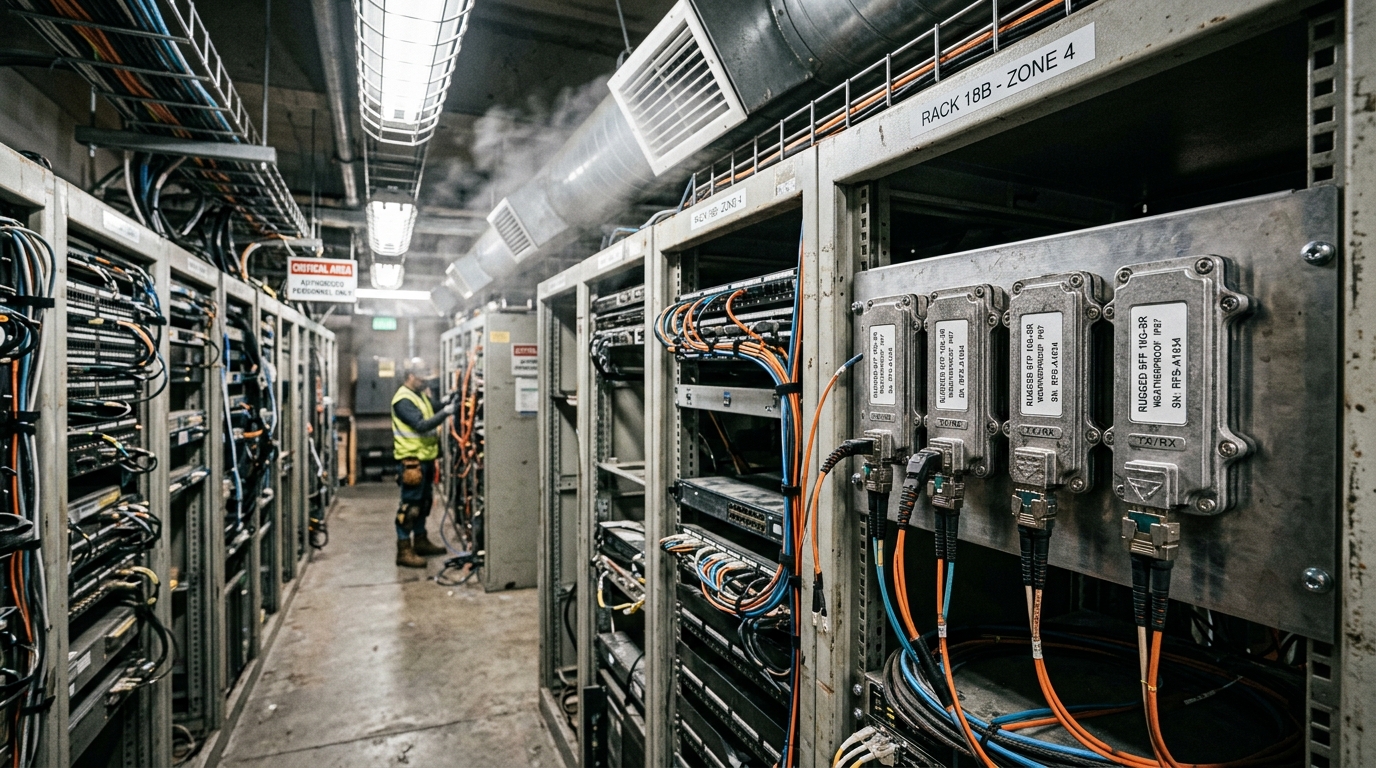
Moving from single-channel optics to multi-lane aggregation is the core idea behind CXP for dense ports. A 12x10G CXP transceiver packs twelve 10G lanes into one pluggable form factor, reducing front-panel port count pressure while keeping optics power and cabling manageable. In practice, you trade per-link granularity for higher port density, which affects how you design fanout, spares, and link bring-up procedures.
Key details to verify include lane mapping, transmitter/receiver type (SR or LR variants), and whether the host supports the exact CXP wiring and electrical interface. Many platforms expect strict lane order; if your switch or NIC uses a different lane assignment, you can see link flaps even when optics are “compatible.”
Best-fit scenario: leaf-spine fabrics where ToR switches need maximum 10G connectivity per rack, and the cabling plan can standardize MPO/MTP trunks and breakouts.
- Pros: fewer optics per rack; reduced switch faceplate congestion; often lower total optics count
- Cons: lane mapping sensitivity; fewer “mix-and-match” options; spares are more expensive per module
Pro Tip: Before you stock spares, validate lane mapping with a controlled loopback test on one port group. In multiple deployments, we found that “it lights up” does not guarantee correct lane order; only a deterministic BER test per lane confirmed the real wiring.
Top 2: Optics selection (SR vs LR) for 12x10G density
For 12x10G CXP optics, the distance class drives your fiber budget and connector strategy. Short-reach (SR) typically targets multimode fiber (MMF) with OM3 or OM4, while long-reach (LR) targets single-mode fiber (SMF) and tighter wavelength control. The result is a different cabling bill of materials: SR often uses MPO/MTP to reduce termination time, while LR may use LC on breakouts depending on the system design.
Technical parameters engineers check include center wavelength, nominal reach, fiber type, and minimum launch power requirements. SR optics are more forgiving of patching layouts when you use OM4 and clean connectors, but LR optics are more sensitive to bad splices and dirty LC/MPO endfaces.
Best-fit scenario: SR for intra-rack and end-of-row links; LR for cross-AZ or longer top-of-rack to aggregation runs where you cannot rely on MMF.
- Pros: SR reduces cost for local runs; LR supports longer reach without MMF constraints
- Cons: SR cannot cross longer distances; LR needs careful cleaning and optical budget discipline
Pro Tip: If you are using MMF, treat OM4 as a system requirement, not a “nice to have.” In field audits, OM3 links that met lab specs still failed during production due to connector contamination and higher-than-modeled patch loss.
Top 3: Key specifications table for 12x10G CXP high density fiber module
Use this table as a procurement sanity check. Exact numbers vary by vendor and exact part number, but these fields determine whether your host can train the link and whether your optical budget will close under real patch loss.
| Parameter | Typical 12x10G CXP SR (MMF) | Typical 12x10G CXP LR (SMF) |
|---|---|---|
| Data rate | 12 x 10.3125G lanes (10G-class) | 12 x 10.3125G lanes (10G-class) |
| Wavelength | ~850 nm (MMF SR) | ~1310 nm (SMF LR) |
| Reach (nominal) | ~300 m on OM3/OM4 (vendor-dependent) | ~10 km on SMF (vendor-dependent) |
| Fiber type | OM3 or OM4 (MMF) | OS2 (SMF) |
| Connector | MPO/MTP trunk on the module side (system-dependent) | LC or MPO/MTP on the module side (system-dependent) |
| Power (module-level) | Often within a few watts total; verify host thermal budget | Often within a few watts total; verify host thermal budget |
| Operating temperature | Commonly 0 to 70 C for commercial; check extended options | Commonly 0 to 70 C for commercial; check extended options |
| DOM / diagnostics | Typically supported via I2C or host-defined interface | Typically supported via I2C or host-defined interface |
When you validate, align these fields with the host platform requirements and the optics vendor datasheet. For standards context, Ethernet link behavior and optical physical layer expectations align with the broader IEEE Ethernet framework, while the exact CXP electrical and optical interface is governed by platform and vendor implementation details. [Source: IEEE 802.3] IEEE 802.3
- Pros: faster compatibility triage; cleaner optical budget planning
- Cons: “typical” values still require datasheet-level confirmation
Top 4: Host compatibility and lane mapping for 12-lane density
Compatibility is not just “CXP fits.” Many hosts require specific electrical lane ordering, rate adaptation behavior, and sometimes vendor-specific retimers or equalization settings. If your platform uses a particular lane map and your optics vendor uses a different internal assignment, you can get symptoms like partial link up, high BER on one or two lanes, or intermittent CRC errors under load.
Checklist items that engineers should verify with the host vendor:
Steps to reduce commissioning risk
- Confirm the host supports 12x10G CXP at the exact target rate and modulation class (SR vs LR).
- Verify lane map documentation: which physical lane corresponds to which logical port index.
- Check DOM availability and readout fields your NMS expects (Tx bias, Rx power, temperature).
- Validate thermal constraints: confirm module power and host airflow meet your worst-case ambient.
Best-fit scenario: migrations where you replace optics across multiple switch models. Lane mapping validation prevents “it works in the lab” failures.
- Pros: fewer RMA events; predictable link quality
- Cons: upfront validation time; more documentation to track
Pro Tip: During burn-in, poll DOM every 30 seconds and correlate Rx power per lane with error counters. In one rollout, we identified a single-lane connector defect that never triggered a “link down,” but steadily increased FEC/CRC events.
Top 5: Real-world deployment scenario: 3-tier data center with 12x10G CXP
In a 3-tier data center leaf-spine topology with 48-port 10G ToR switches, a rollout team replaced legacy 10G pluggables with 12x10G CXP optics to increase uplink density. Each leaf used eight CXP modules, providing 96 uplink lanes of 10G-class connectivity per leaf, while keeping the patching standard MPO/MTP trunks. For intra-row links of 80 to 120 m, they selected an SR variant on OM4 and used 8-fiber MPO trunks with pre-terminated cassettes. For spine-to-aggregation runs reaching 1.5 to 2.0 km, they used LR on OS2 with LC breakouts and enforced connector inspection before every patch.
Operationally, they tracked optical budget at install time by measuring end-to-end loss and logging DOM Rx power baselines for each lane group. Average Rx power at turn-up was within the vendor-recommended operating window, and the team established a threshold for replacement when Rx power drift exceeded a defined margin over 90 days.
- Pros: higher uplink density; fewer optics per rack; standardized MPO handling
- Cons: higher module unit cost; stricter cleaning and inspection workflow
Image note: Use consistent labeling on lanes and trunk IDs so field teams can map optics to patch cords during troubleshooting.
Top 6: Cost and ROI: OEM vs third-party high density fiber module
12x10G CXP optics typically cost more per unit than single-channel pluggables because they include more lanes and higher integration. Real budgets vary by reach and fiber type, but many deployments see module pricing in the range of $200 to $1,000 per module for third-party and $400 to $1,500 for OEM, depending on SR vs LR and vendor. Total cost of ownership (TCO) depends heavily on failure rates, RMA turnaround time, and the cost of downtime during swaps.
TCO drivers you should model:
- Spare strategy: fewer optics types but more expensive spares per module
- Power and cooling: validate host thermal design; a thermal margin miss can increase error rates
- Field labor: MPO/MTP standardization reduces termination time, but cleaning discipline is mandatory
- Diagnostics: DOM support reduces mean time to repair (MTTR)
Best-fit scenario: environments where standardized patching and a strict inspection workflow lower the operational risk of third-party optics.
- Pros: third-party can reduce upfront spend; MPO workflows speed installs
- Cons: compatibility and DOM field differences can increase integration time
Top 7: Selection criteria checklist for high density fiber module procurement
Use this ordered checklist to avoid late-stage surprises. It is designed for 12x10G CXP optics, but it generalizes to other high density pluggables.
- Distance and fiber type: SR on OM3/OM4 vs LR on OS2, including real patch loss and splices.
- Host compatibility: exact CXP support for 12x10G and electrical lane mapping requirements.
- DOM and monitoring: ensure your NMS can read Tx bias, Rx power, temperature, and alarm thresholds.
- Connector strategy: MPO/MTP trunk and breakout approach that matches your field workflow.
- Operating temperature: confirm module grade and host airflow meet worst-case ambient conditions.
- Vendor lock-in risk: check whether you can source compatible optics across at least one alternative vendor.
- Test and acceptance plan: define turn-up checks (link, BER/packet loss) and DOM baselines.
Best-fit scenario: new builds and migrations where you want predictable acceptance testing and controlled spares.
- Pros: fewer rework cycles; cleaner acceptance criteria
- Cons: requires coordination with host vendors and fiber teams
Pro Tip: Build a “lane-to-cassette” mapping sheet before cable pull. When you later investigate a single-lane error, you will save hours by knowing which cassette and which fiber group correspond to that lane.
Top 8: Common mistakes and troubleshooting for 12x10G CXP density
Here are frequent failure modes seen during commissioning of high density fiber module deployments. Each includes the likely root cause and a practical fix.
Link comes up, but traffic errors persist
Root cause: lane mapping mismatch or equalization not converging under load on one or more lanes. In some cases, the optics are electrically compatible but lane order differs from the host expectation.
Solution: confirm lane map documentation; run per-lane BER/packet loss tests; if needed, adjust breakout/cabling order or use a vendor-validated optics part number for the host.
Intermittent link drops at higher temperature
Root cause: host thermal margin issue, clogged airflow baffles, or module operating beyond safe temperature. Dense modules increase heat flux, and airflow patterns can change after maintenance.
Solution: inspect airflow paths; verify module temperature via DOM; re-seat modules; enforce cleaning and ensure fan trays are within spec.
“Dead” ports after install despite clean optics handling
Root cause: dirty MPO/MTP endfaces or micro-scratches on one polarity lane group. High density cabling makes it easier to miss a single contaminated connector across many fibers.
Solution: inspect every MPO/MTP termination with a microscope; clean with the correct method; re-terminate only the affected cassette; then re-check DOM Rx power per lane.
Optical budget mismatch that only shows up after patching changes
Root cause: additional patch cords, unplanned splices, or higher-than-modeled insertion loss from “temporary” cabling that later becomes permanent.
Solution: re-run optical budget after any cable change; log baseline Rx power at turn-up and compare after maintenance windows.
- Pros: faster fault isolation; fewer repeat visits
- Cons: requires disciplined testing and documentation
Top 9: Summary ranking table for choosing the right high density fiber module
Rankings below assume you are selecting a 12x10G CXP high density fiber module for a modern data center with standardized MPO/MTP workflows.
| Rank | Option | Best for | Primary risk | Notes |
|---|---|---|---|---|
| 1 | 12x10G CXP SR on OM4 | In-rack and end-of-row links | Connector contamination sensitivity | Lower cost, simpler optics alignment |
| 2 | 12x10G CXP LR on OS2 | Longer cross-row and aggregation links | Optical budget discipline | Requires clean splices and careful patch planning |
| 3 | OEM optics with full host validation | High-criticality fabrics | Vendor sourcing constraints | Higher upfront cost, smoother acceptance |
| 4 | Third-party optics with documented compatibility | Cost-optimized builds with testing capacity | DOM field differences and lane map quirks | Lower TCO when acceptance testing is strict |
| 5 | “Mixed vendor” approach without lane validation | Only for lab or temporary links | Intermittent BER/CRC issues | Avoid for production unless fully validated |
If you want a faster next step, start with the selection checklist above, then define acceptance tests that include per-lane verification and DOM baselines. For related reading, see fiber transceiver compatibility checklist.
FAQ
What makes a high density fiber module different from standard optics?
A high density fiber module packs more lanes into one pluggable, which reduces the number of ports and optics per rack. For 12x10G CXP, that means lane mapping, diagnostics, and thermal behavior become more critical than with single-lane modules
