
Port and maritime networks have a unique mix of constraints: long fiber runs, harsh vibration, salt air, and tight operational windows. This article helps IT and network teams choose and govern harbor network optics—fiber transceivers that reliably connect quay-side infrastructure, on-dock switching, and ship access points. You will get practical decision criteria, a specs comparison table, and troubleshooting patterns drawn from field deployments.
Why maritime links stress fiber transceivers differently than data centers
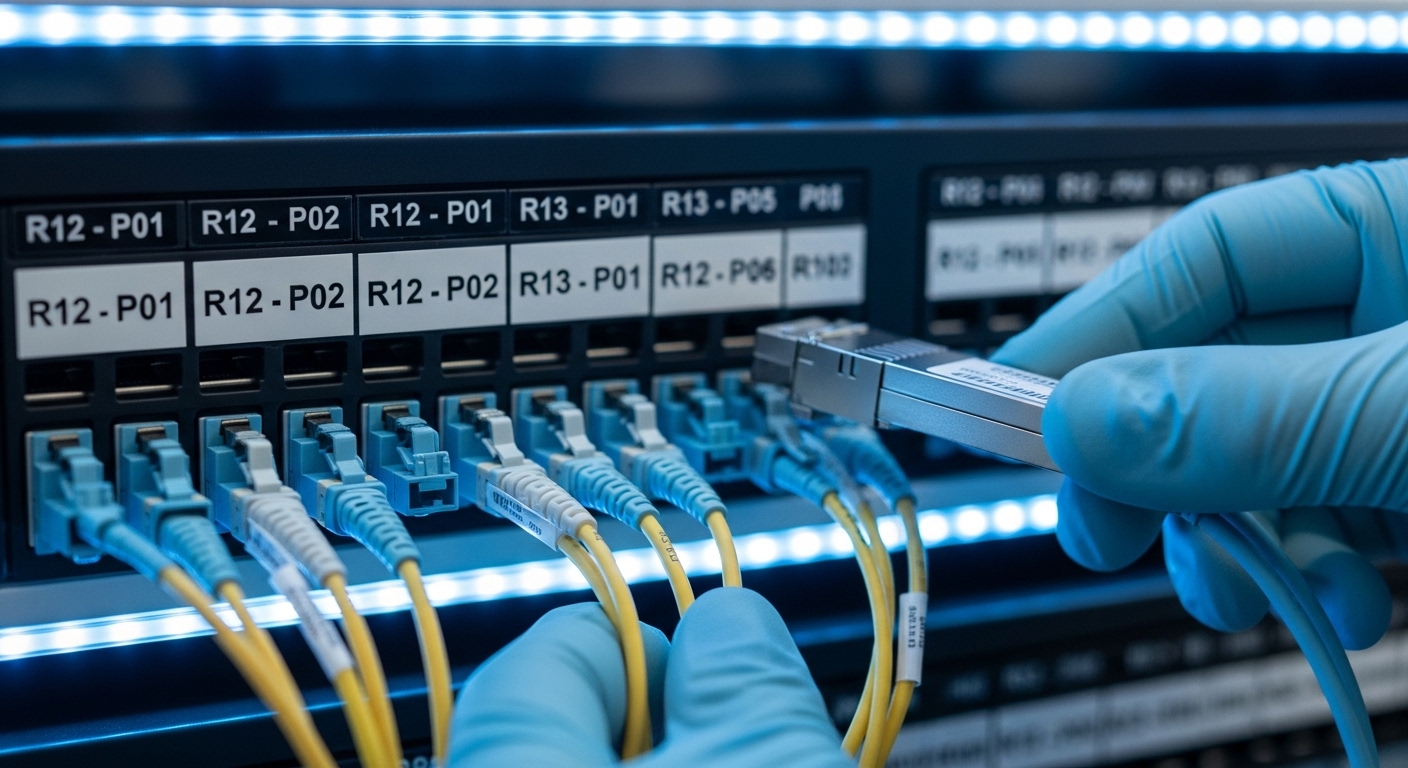
In many ports, fiber is treated as “infrastructure plumbing,” but the electronics at each end still face real-world physical stress. Salt-laden air and condensation can accelerate connector corrosion; vibration from cranes can loosen patch connections; and temperature swings along container yards can push optics beyond comfortable margins. From a standards perspective, Ethernet optics still follow IEEE 802.3 physical-layer requirements, but the operational environment affects link stability, error rates, and thermal behavior. That is why governance matters: you want repeatable optics selection tied to validated operating conditions, not just headline reach.
For transceivers, the most important concept is the link budget: transmitter power, fiber attenuation, receiver sensitivity, and margin for aging. Most vendors publish minimum receiver sensitivities and typical transmit power; you then verify that the planned fiber type and run length (including patch panels and splices) keep you within the tolerance window. If you are using DOM (Digital Optical Monitoring), you can also monitor laser bias current and received power to detect drift before failures escalate.
In port environments, governance should also cover inventory compatibility. Many switch vendors enforce optics “supported lists,” and some will log warnings or disable ports if the transceiver is not on the certified roster. A rational policy balances cost savings from third-party optics against operational risk from mismatched firmware expectations, DOM calibration differences, and vendor-specific diagnostics.
Key specs that determine which optics fit your harbor topology
The first step is mapping your physical plant to the optical interface standard. Ports often use a mix of short-reach multimode for buildings and longer-reach single-mode for yard-to-yards or control-room spans. A common modernization pattern is upgrading from 1G/10G to 10G/25G Ethernet while keeping existing fiber where possible, which makes optics selection strongly dependent on fiber type and reach.
Practical spec table: matching transceivers to fiber and distance
Below is a field-relevant comparison of typical modules teams choose for port and maritime links. Values come from vendor datasheets and module specification sheets; always confirm with the exact part number and switch compatibility list.
| Module (example part numbers) | Data rate | Wavelength | Typical reach | Fiber type | Connector | DOM / monitoring | Operating temperature | Common use in harbor networks |
|---|---|---|---|---|---|---|---|---|
| Cisco SFP-10G-SR (SFP+) | 10G | 850 nm | ~300 m (OM3), ~400 m (OM4) | Multimode (OM3/OM4) | LC | Yes (per vendor) | Commercial / Industrial variants exist | Building-to-switch patches in terminals |
| Finisar FTLX8571D3BCL (SFP+ SR) | 10G | 850 nm | ~300 m class (depends on OM) | Multimode | LC | Yes | Varies by grade | Cost-effective multimode upgrades |
| FS.com SFP-10GSR-85 (SFP+ SR) | 10G | 850 nm | Up to ~300 m class (OM3/OM4) | Multimode | LC | Yes | Varies by grade (confirm) | Standardization across multiple yards |
| QSFP28-ER4 (example: 25G ER4) | 25G | ~1310 nm (ER4) | ~40 km (typical spec) | Single-mode (OS2) | LC | Yes | Commercial / Industrial variants exist | Yard-to-control-room links |
Two governance notes matter here. First, check the exact temperature grade: many “commercial” optics will pass bench tests but fail reliability targets in sun-exposed outdoor cabinets. Second, confirm that your switch supports the specific form factor and speed mode (SFP+, QSFP+, QSFP28) and that the optics’ DOM implementation aligns with your platform’s diagnostics expectations.
Pro Tip: Before you order optics in bulk, measure and record current received optical power using the switch’s DOM readouts after installation. In ports with frequent patch changes, the fastest way to prevent “mystery link flaps” is to set alert thresholds for low receive power and rising error indicators, not just rely on link-up status.
Real-world deployment scenario: quay-to-yard upgrades without downtime
Consider a 3-tier port network with 48-port 10G ToR switches in a terminal building, aggregation switches in a nearby equipment room, and a core fabric that interconnects multiple quay segments. The team upgrades 24 uplinks to support 10G to edge sites across runs averaging 900 m of existing fiber. They discover that some segments are OM3 multimode and others are OS2 single-mode, so they mix SFP+ SR optics for indoor patching and 10G/25G LR or ER optics for longer yard spans. To reduce disruption, they stage optics by cabinet, label each fiber route, and validate each link’s DOM telemetry after splice and patch changes.
In practice, the field engineer verifies link stability under load by running sustained traffic (for example, iperf3-equivalent throughput tests at line rate) and watching for optical alarms. They also inspect connector cleanliness: a single dirty LC endface can drop received power by several dB, creating intermittent CRC errors that look like “switch instability” but originate at the physical layer. Finally, they align the optics temperature grade with outdoor cabinet specifications, using industrial-rated modules where the cabinet experiences large diurnal swings.
Selection criteria checklist for harbor network optics governance
Engineers often have to balance performance, cost, and operational risk. Use this ordered checklist to avoid late-stage surprises.
- Distance and fiber type: map each link to multimode (OM3/OM4) or single-mode (OS2), then validate planned attenuation including splices and patch cords.
- Data rate and interface standard: ensure the port speed matches the module (10G SR vs 25G ER4), and confirm switch support for the exact transceiver form factor.
- Link margin: compare transmitter power and receiver sensitivity from datasheets; keep headroom for aging and connector cleaning variability.
- DOM support and telemetry: confirm compatibility so the switch can read diagnostic thresholds and vendor-specific alarms.
- Operating temperature and enclosure reality: use industrial or extended temperature optics for outdoor cabinets near cranes, where sunlight and airflow can swing temperatures quickly.
- Connector and polarity management: verify LC type, endface cleanliness expectations, and whether your patching policy uses consistent A/B polarity.
- Vendor lock-in risk: check the switch vendor’s optics compatibility matrix; decide whether you will standardize on OEM optics or allow third-party with a qualification test.
- Spare strategy and lifecycle: define which SKUs are stocked, how you rotate spares, and what telemetry signals trigger proactive replacement.
For standards grounding, Ethernet optical interfaces are defined through IEEE 802.3 physical-layer specifications, while optical module characteristics are typically covered via transceiver multi-source agreements such as SFP and QSFP MSA documents. Your governance should reference both: IEEE for link behavior and MSA for mechanical/electrical interoperability assumptions. For background on optical Ethernet requirements, see [Source: IEEE 802.3].
anchor-text: IEEE 802.3 physical layer optical Ethernet requirements
Common pitfalls and troubleshooting patterns in port environments
Even well-chosen harbor network optics can fail operationally if the deployment process ignores physical and platform details. Below are frequent failure modes seen in field work, with root causes and solutions.
Link flaps after patching or seasonal maintenance
Root cause: connector contamination or incorrect cleaning procedure before re-mating LC connectors, causing intermittent high insertion loss. Salt air can also leave residues that are invisible to the naked eye.
Solution: implement a cleaning workflow using proper fiber inspection (microscope or handheld scope), clean with lint-free wipes and approved cleaning media, and document connector cleanliness checks as part of change control.
Ports come up but traffic shows CRC errors or throughput plateaus
Root cause: insufficient link margin due to unexpected attenuation from damaged fibers, too many patch points, or a mismatch between intended fiber type and actual installed fiber (for example, OM3 labeled but measured closer to OM2 performance).
Solution: measure fiber attenuation with an OTDR or certified test results, then compare against datasheet budgets; replace with an optics type that provides more margin (for example, LR/ER instead of SR) or reduce patch complexity.
Switch reports “unsupported optics” or administratively disables ports
Root cause: DOM and diagnostic compliance mismatch, or the module is not on the vendor’s supported list for that switch hardware revision. Some platforms enforce stricter checks that can vary by firmware.
Solution: validate optics using a staging lab with the same switch model and firmware; if you allow third-party modules, qualify them per SKU and keep a compatibility record tied to switch firmware versions.
Outdoor cabinets see premature aging in commercial temperature modules
Root cause: operating temperature excursions that push laser bias and internal thermal control beyond spec, accelerating degradation.
Solution: specify industrial or extended temperature optics for outdoor runs; verify cabinet airflow, add shading where feasible, and use DOM trends to detect drift.
Cost and ROI: balancing OEM optics, third-party modules, and downtime risk
Price varies widely by speed, reach, and temperature grade. In many enterprise and port deployments, OEM 10G SR SFP+ modules can cost roughly $60 to $150 each, while qualified third-party options may land around $25 to $80 depending on brand and grade. Higher-speed and longer-reach optics (for example, 25G ER/DR) often increase unit cost substantially, and industrial temperature grades can add a premium.
ROI should include not only purchase price but also operational risk and labor time. A failed optics event can trigger truck rolls, vessel schedule impacts, and extended outage windows, so the “cheapest module” may be expensive if it increases mean time to repair (MTTR). A practical TCO model uses: unit cost, expected failure rate (from historical RMA rates if available), labor cost per incident, and the value of downtime. If you have a governance process with qualification testing and DOM-based monitoring, third-party optics can be cost-effective without turning into a reliability liability.
FAQ: harbor network optics for port and maritime fiber links
Which optics are most common for port building-to-building links?
Most teams start with 10G SFP+ SR at 850 nm for short runs over multimode fiber inside buildings and equipment rooms. If you are bridging across yard distances or long corridors, you typically move to single-mode LR/ER optics at 1310 nm wavelengths.
How do I avoid buying optics that my switch will reject?
Use the switch vendor’s optics compatibility matrix and match the exact module type (SFP+ vs QSFP28) and speed. Then qualify in a staging environment with your specific switch firmware, because compatibility can change across revisions.
Do I really need DOM, or is link-up enough?
Link-up is a blunt signal. With DOM, you can track received power, laser bias current, and diagnostic alarms, which is critical in outdoor cabinets where gradual drift leads to intermittent errors before total failure.
What should I test after installing new harbor network optics?
Validate with sustained traffic at expected load and confirm no CRC or FEC-related alarms, then record DOM telemetry baselines. Finally, run a fiber verification workflow if patching was involved, including inspection and cleanliness checks.
Can I mix OEM and third-party optics on the same fabric?
Often yes, but only if the optics are compatible with the switch platform and meet the required optical budgets. For governance, treat each SKU as a controlled item and document qualification results and firmware dependencies.
What is the biggest operational risk for maritime deployments?
Physical connector issues and temperature excursions are common root causes, more than theoretical reach limits. Invest in cleaning discipline, inspection tooling, and industrial temperature-rated optics where outdoor exposure exists.
related topic
If you want to standardize your selection process further, review your internal policy on optical inventory and telemetry thresholds, then align it with your change control workflow. For deeper governance patterns, see network optics governance.
Author bio: I have led network optics rollouts across data centers and harsh environments, working directly with field teams on DOM telemetry baselining, OTDR validation, and compatibility testing. My focus is measurable ROI: reliability targets, spare strategy, and enterprise architecture governance that survives firmware and vendor changes.
