
If your HARTING ha-VIS industrial IP switches are powering production lines, the wrong optics can mean link flaps, intermittent throughput, or a hard-to-reproduce outage on site. This guide helps field engineers and procurement teams choose the correct ha-VIS transceiver by mapping switch expectations to real-world SFP electrical and optical requirements. You will get a practical checklist, a specs comparison table, and troubleshooting paths that match how these links fail in the field.
How ha-VIS switches expect SFP optics to behave
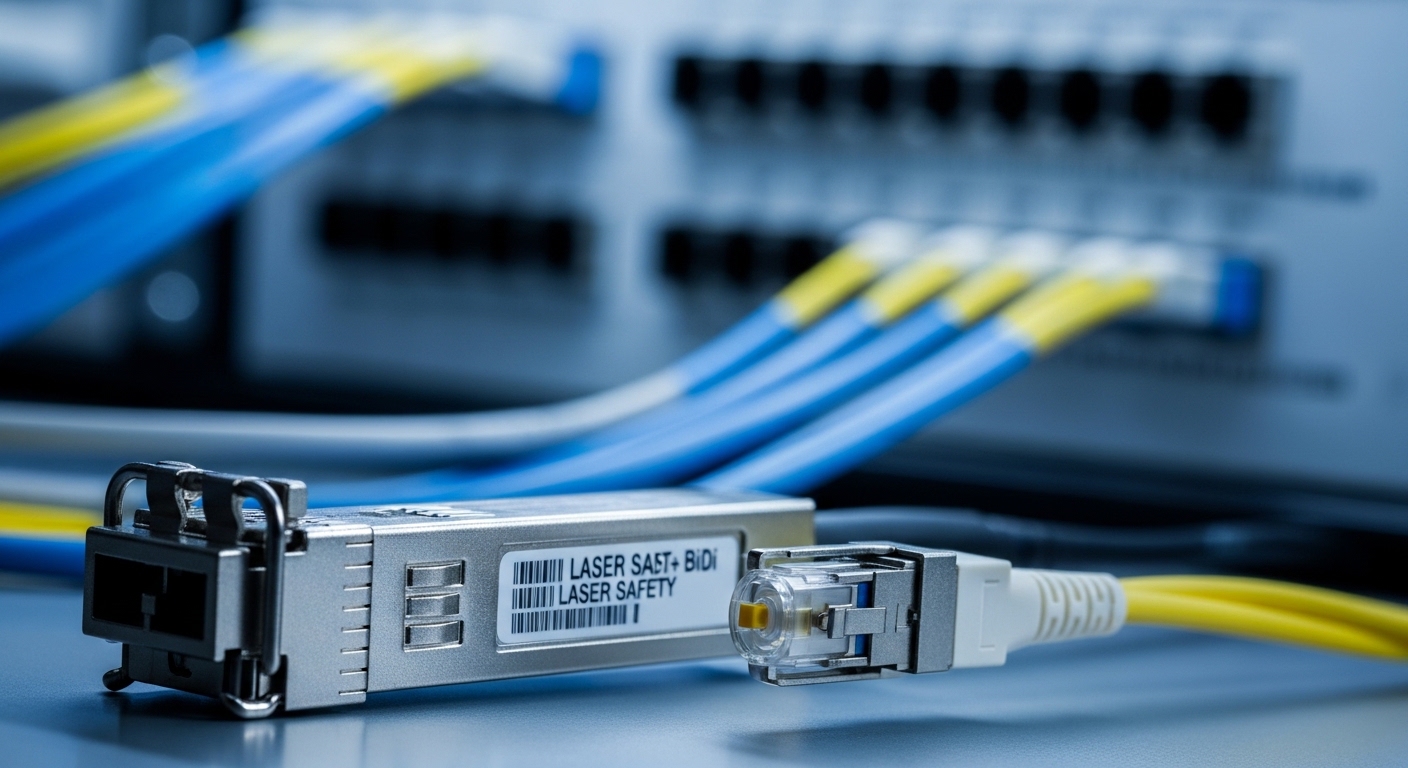
Most industrial IP switch designs using SFP ports expect standard optics compliant with SFF-8472 (digital diagnostic interface) and Ethernet PHY behavior under IEEE link training. In practice, ha-VIS industrial deployments add constraints: higher vibration, wider ambient temperature swings, and harsher EMC in factory cabinets. That means you must validate not only wavelength and reach, but also DDM/DOM support, transmit power class, and connector/patch-cord compatibility.
On the switch side, the ha-VIS port typically negotiates at the SFP data rate (commonly 1G Ethernet, sometimes 2.5G/10G depending on exact model). On the optics side, a true ha-VIS transceiver choice is really two decisions: (1) the optical type (SR, LR, BX, CWDM, or single-fiber variants) and (2) the electrical/management behavior (DDM, module presence detection, and alarm thresholds).
Field reality: cabinet temperature and link margin
In a typical industrial cabinet, the optics may sit next to DC/DC converters and fanless power supplies. A module rated for 0 to 70 C might run close to its limit during peak production, while the cabinet could exceed that during summer starts. Your link margin is affected by launch power, fiber attenuation, splice loss, and aging; therefore, matching reach class to measured plant loss is safer than relying on datasheet maxima.
Pro Tip: Before you swap a suspect module, read the DOM values (Tx power, Rx power, and optical alarms) from the ha-VIS switch. If the Rx power is consistently near the low threshold while link remains up, you likely have fiber or connector loss drift rather than a bad transceiver—this saves truck rolls.
ha-VIS transceiver spec comparison: wavelength, reach, DOM, and temperature
To choose correctly, use a spec table as a filter, then confirm the exact ha-VIS port speed and optical budget. Below is a practical comparison of common SFP families engineers deploy in industrial plants. Exact values vary by vendor, so treat this as a selection baseline and verify against the module datasheet and the HARTING switch optics notes.
| Transceiver type (SFP) | Typical wavelength | Connector | Target reach class | DOM/DDM | Power/Tx class (typical) | Operating temperature | Best-fit use case |
|---|---|---|---|---|---|---|---|
| SFP-SX (multimode SR) | 850 nm | LC duplex | Up to ~300 m (OM3/OM4 dependent) | Yes (SFF-8472) | Low-to-moderate launch power | -40 to +85 C (industrial variants) | Short runs between cabinet and nearby aggregation |
| SFP-LX (single-mode LR) | 1310 nm | LC duplex | Up to ~10 km | Yes (SFF-8472) | Higher launch power than SX | -40 to +85 C (industrial variants) | Long plant runs, inter-building links |
| SFP-BX (single-fiber) | 1310/1490 nm pair (varies) | LC simplex | Typically multi-km | Yes (SFF-8472) | Bidirectional over one fiber | -40 to +85 C | When fiber count is limited in trays |
For ha-VIS transceiver selection, the most common mismatch is not wavelength—it is reach class vs actual plant loss. Measure real attenuation with an OTDR or certified link test kit, and include splice and patch-cord loss. Also check that the module supports DOM/DDM that your ha-VIS firmware can read; some switch dashboards rely on threshold fields for alarm events.
Standards and where they matter
DOM/DDM behavior is typically governed by SFF-8472, and optical interfaces align with IEEE Ethernet transceiver requirements. For Ethernet over fiber, confirm the relevant IEEE clause for your speed tier (for example, 1000BASE-SX/LX in IEEE 802.3). For external references, see: IEEE 802.3 and SNIA optical interface resources.
[Source: IEEE 802.3 overview via IEEE Standards] [Source: SFF-8472 DOM/DDM concepts widely referenced in transceiver documentation]
Decision checklist: choosing the right ha-VIS transceiver without surprises
This ordered checklist mirrors how engineers avoid downtime during commissioning and maintenance. Use it for both OEM optics and third-party modules, and record the final selection in your change control system.
- Confirm the ha-VIS port speed and optics type (SFP 1G vs other rates). Match the transceiver data rate to the port capability.
- Verify wavelength and fiber type: 850 nm for multimode, 1310 nm for single-mode, or single-fiber BX variants. Never assume based on “looks similar.”
- Calculate link budget using measured plant loss: include splice loss, connectors, patch cords, and worst-case margins for aging.
- Check DOM/DDM support and switch compatibility: confirm the ha-VIS software reads Tx/Rx power and raises alarms as expected.
- Operating temperature rating: prefer industrial-grade optics (often -40 to +85 C) if your cabinet can exceed typical office conditions.
- Connector and polarity match: LC duplex vs LC simplex, and for BX ensure correct direction pairing (Tx/Rx wavelengths).
- Vendor lock-in risk: if you must use an OEM optics SKU for certification, plan spares accordingly and validate third-party modules only after a pilot.
- Power and compliance: check transmit power class and optical safety requirements; confirm the module is compliant with the intended Ethernet standard.
Concrete compatibility validation steps
- Insert the module and confirm the ha-VIS port comes up with stable link (no recurring renegotiation cycles).
- Read DOM values and verify Rx power is within the module’s recommended operating band.
- Perform a short traffic test (iperf or production-like traffic) and monitor error counters for bursts during link establishment.
- Document firmware version and optical module part number for future swaps.
Common mistakes and troubleshooting: what fails on real shop floors
Industrial fiber links fail in predictable ways. Below are frequent mistakes when selecting or deploying a ha-VIS transceiver, with root causes and fixes.
Link up but frequent CRC errors or micro-outages
Root cause: marginal optical power due to high fiber attenuation, dirty connectors, or excessive patch-cord loss. The link can still “train,” but the BER is elevated.
Solution: clean LC connectors using lint-free wipes and approved cleaning tools, then re-test with an optical power meter or DOM readings. If DOM shows low Rx power, replace patch cords/splices or move to a higher reach class (within standard and budget).
Port flaps during temperature changes
Root cause: module is not rated for the cabinet temperature profile, or the switch cage airflow and thermal contact are poor. Optical power drift under heat can trigger alarm thresholds.
Solution: deploy an industrial-rated module (-40 to +85 C if appropriate), improve cabinet airflow, and verify the module is fully seated with latch engagement. Re-check DOM alarm flags after thermal stabilization.
“No module detected” or alarms after swapping optics
Root cause: incompatible DOM implementation, missing SFF-8472 fields, or a port expects a specific transceiver type variant. Some third-party modules provide partial diagnostics or nonstandard threshold formatting.
Solution: confirm the module supports DOM/DDM per SFF-8472 and that the ha-VIS firmware version supports reading those fields. If needed, test an OEM module in the same slot to isolate whether the issue is module ID vs optical path.
Wrong BX pairing on single-fiber links
Root cause: installing a BX transceiver with the wrong direction pairing (wavelength mismatch). The fiber is single, but the transmit wavelengths must align with the receive wavelengths at the opposite end.
Solution: identify the label “Tx 1310/Rx 1490” style marking on both ends and correct the pair. Verify with DOM Rx power after correction.
Cost and ROI: OEM vs third-party ha-VIS transceivers
Budget pressure is real, but optics are safety-critical for uptime. Typical street pricing for SFP industrial optics varies by vendor, reach, and temperature grade. In many deployments, you can expect approximate ranges like: OEM 1G-SX or 1G-LX industrial modules often cost more, while third-party compatible SFPs can be cheaper with similar optics when properly validated.
Example field pattern: a plant might carry 1 to 2 spare optics per critical link. If a module fails, the cost of downtime usually dwarfs the unit price difference. TCO should include: spare inventory holding, compatibility test time, and the probability of repeat failures. A realistic ROI framing is to buy fewer, better-validated modules for critical paths, while using cost-optimized spares for non-critical segments.
- OEM optics: higher price, higher confidence in DOM and switch compatibility.
- Third-party optics: lower unit cost, but require pilot validation for DOM and threshold behavior.
- Energy and power: differences are usually small per module, but stable links reduce retransmissions and operational overhead.
For concrete product examples that engineers commonly evaluate (always validate against your exact ha-VIS port speed and requirements): Cisco SFP-10G-SR or Finisar/FS.com SFP variants are widely referenced in the industry. Example part numbers you may encounter during sourcing include Cisco SFP-10G-SR (where applicable) and optics from Finisar and FS.com (consult exact datasheets for wavelengths and temperatures). [Source: vendor datasheets for transceiver models such as Cisco and Finisar/FS.com]
FAQ: ha-VIS transceiver buying questions from engineers
Which ha-VIS transceiver type should I choose for multimode fiber?
For multimode, you typically choose an 850 nm SFP-SX with LC duplex connectors. Confirm your fiber type (OM3 or OM4) and measure loss to ensure reach stays within budget. If DOM alarms appear after installation, check connector cleanliness before replacing the module.
Do ha-VIS switches require DOM/DDM support on the ha-VIS transceiver?
Most industrial switch monitoring workflows benefit from DOM/DDM, and many ha-VIS deployments expect it for alarm thresholds. Validate that the module supports SFF-8472 diagnostics and that your switch firmware reads and displays Tx/Rx power correctly.
Can I use third-party ha-VIS transceivers instead of OEM?
Yes, but only after a pilot validation in your exact cabinet and firmware context. Test link stability, DOM alarm behavior, and error counters under normal traffic. If your ha-VIS configuration uses strict optics alarms, you may need OEM-style diagnostics formatting.
What causes Rx power to be low even when the link comes up?
Low Rx power usually comes from connector contamination, excessive splice loss, or a patch-cord mismatch. Use DOM readings to quantify the issue, then clean and re-test with optical measurement tools.
How do I avoid wrong BX pairing on single-fiber links?
Read the transceiver label for the Tx and Rx wavelength pair, then match direction at both ends. If you swap one side, you can get a link that fails intermittently or stays down; correcting the pairing restores stable operation.
What temperature rating matters most for industrial cabinets?
Choose an optics module rated for your worst-case ambient and cabinet thermal profile, commonly targeting -40 to +85 C for robust industrial use. Then confirm the module is seated properly and that the cabinet airflow design supports stable thermal conditions.
For the fastest path to a correct purchase order, take the decision checklist above and pair it with measured fiber loss and DOM validation on a live ha-VIS port. Next, align your spares strategy with your maintenance windows using industrial switch optics spares strategy for a downtime-aware inventory plan.
Author bio: I have deployed and troubleshot industrial Ethernet fiber links using SFP and DWDM optics in production environments with real DOM monitoring and cabinet thermal constraints. I regularly design compatibility test plans for SFP optics across switch firmware revisions and validate optical budgets with field measurements.
