
If your metro network depends on predictable link stability, the choice between a gray optics colored optics transceiver can quietly affect commissioning time, spare strategy, and long-term operational risk. This article helps network engineers and field techs choose correctly for leaf-spine-to-metro handoffs, provider edge rings, and campus-to-ISP aggregation. You will also get a practical step-by-step implementation plan, including prerequisites, validation steps, and troubleshooting for the most common failure modes.
Prerequisites: what you must measure before choosing gray vs colored
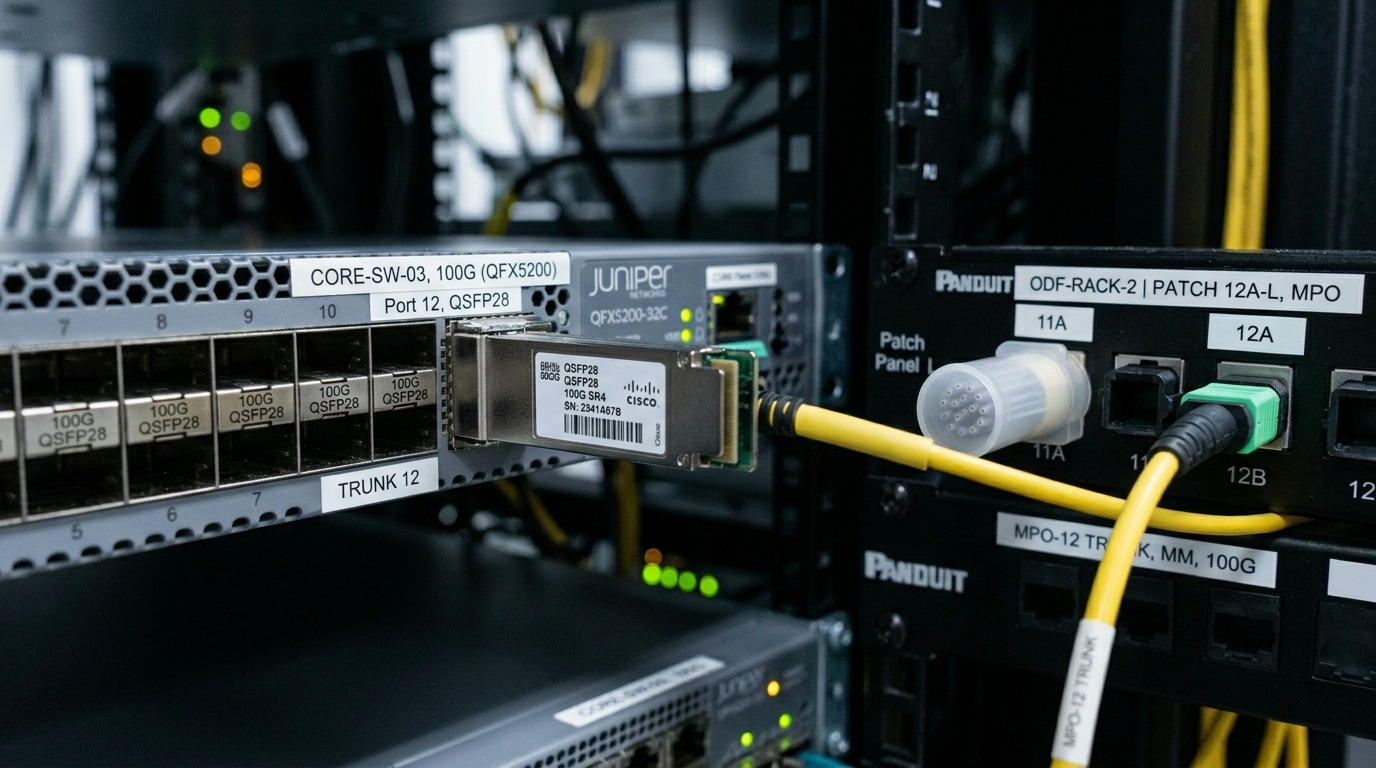
Before you decide on gray optics colored optics transceiver for metro runs, collect link parameters and operational constraints that actually drive performance. In practice, the safest approach is to treat optics as a system component: fiber plant quality, transceiver optical budget, and switch optics compatibility all matter. If you skip plant characterization, you may blame the optics for issues caused by connector geometry, patch panel loss, or dirty ferrules.
Inventory your switch and optics compatibility
Gather the exact module part numbers supported by your switching platform and their transceiver types (SFP28, QSFP28, QSFP56, CFP2). For example, Cisco uses platform-specific compatibility lists; Juniper and Arista similarly publish optics matrices. Plan for both OEM and third-party options, but confirm that your switch supports DOM (Digital Optical Monitoring) and the vendor’s laser/safety profile.
Expected outcome: You know which transceiver form factors and speed grades are acceptable and whether DOM is required for alarms and telemetry.
Characterize the fiber plant and connector condition
Measure end-to-end link loss using an OTDR and light source/power meter, and record worst-case values per span. Metro deployments often include multiple patch points; a single dirty connector can add unpredictable insertion loss. Also verify fiber type (single-mode OS2) and confirm the wavelength plan (typically 1310 nm or 1550 nm depending on reach and dispersion needs).
Expected outcome: You can compute whether your selected transceiver’s optical budget covers measured loss with margin.
Define your operational targets (uptime, maintenance window, spares)
Decide what “good” means for your network: e.g., fewer than 2 link flaps per month, deterministic commissioning under a 2-hour maintenance window, and a spare strategy that reduces truck rolls. These targets influence whether you prefer gray optics colored optics transceiver variants that are easier to identify and match for field swaps.
Expected outcome: Your choice is tied to uptime and operations, not only to purchase price.
Pro Tip: In metro rings, “it came up in the lab” is not the same as “it stays stable under aging.” Always validate with your switch’s DOM alarms and check for temperature drift behavior during a full warm-up cycle, not just link-up time.
How gray optics vs colored optics transceivers differ in metro practice
The “gray” versus “colored” distinction usually refers to the physical housing color and sometimes the vendor’s visual coding, not the fiber physics. In many environments, colored optics are used as an operational cue for wavelength, vendor family, or link type, while gray optics are used as a neutral default. From a standards perspective, the critical factors are the optical wavelength, reach class, laser type, and whether the module meets the relevant electrical and optical interfaces specified for the transceiver standard.
What actually changes: optics parameters and identification workflow
For metro networks, the practical difference is often operational: how quickly field teams can pick the right module, how spares are tracked, and how mis-inserts are prevented. Many operators also standardize on one “house color” for a given wavelength plan to reduce configuration errors during maintenance.
However, you should not assume colored optics are automatically “more advanced” or gray optics are “older.” Always verify the datasheet values: wavelength (e.g., 1310 nm vs 1550 nm), reach, transmitter type (e.g., DFB vs FP), receiver sensitivity, and safety compliance.
Standards context you can cite during design reviews
Most metro transceiver behavior is governed by the optical and electrical specifications of the host interface and the IEEE Ethernet physical layer where applicable. For example, IEEE 802.3 Ethernet PHY specifications define optical link requirements for various speeds and distances, while vendor datasheets define the practical transmit power and receive sensitivity. If you are using DWDM at higher aggregation layers, you may also need to consider ITU-T recommendations and mux/demux behavior; for plain single-channel SMF, IEEE-aligned optics and the switch vendor’s compatibility matrix are typically the key references.
Authoritative references: [Source: IEEE 802.3] [[EXT:https://ieeexplore.ieee.org/browse/standard/802.3][IEEE 802.3 overview]] and vendor datasheets such as Cisco and QSFP/SFP module documentation from module OEMs (for example, transceiver vendors publishing wavelength, reach, and DOM details).
Specifications comparison: typical metro reach classes and what to verify
Metro links usually run at 10G, 25G, 40G, 100G, or higher, over single-mode fiber with distances that can range from a few kilometers to tens of kilometers. Below is a representative comparison for common SFP/SFP28 and QSFP28-style single-channel optics you might deploy for metro aggregation. Exact values vary by vendor and part number, so treat this as a checklist scaffold—not a substitute for your specific datasheets.
| Optics type | Nominal wavelength | Typical reach (SMF) | Connector | DOM | Operating temp | Common safety class |
|---|---|---|---|---|---|---|
| SFP+ (10G) | 1310 nm or 1550 nm | 10 km (typical) | LC | Yes (often) | 0 to 70 C or -40 to 85 C | Class 1 laser product |
| SFP28 (25G) | 1310 nm | 10 to 20 km (typical) | LC | Yes (often) | 0 to 70 C or -40 to 85 C | Class 1 laser product |
| QSFP28 (100G over 4 lanes) | 1310 nm | 10 km (typical) | LC | Yes (often) | 0 to 70 C or -40 to 85 C | Class 1 laser product |
| QSFP56 (100G/200G-class) | 1310 nm or 1550 nm depending on SKU | Varies by SKU | LC | Yes (often) | 0 to 70 C or extended | Class 1 laser product |
When you compare gray optics colored optics transceiver options, focus on measurable parameters: transmit power (dBm), receiver sensitivity (dBm), optical budget (dB), and whether the module supports the same lane mapping and electrical standards the switch expects. If you see a housing color difference but the optical parameters match within datasheet tolerance, the color is likely an identification aid rather than a performance differentiator.
Concrete metro examples you might see in the field
In real deployments, operators often standardize on specific part families. Examples include Cisco-aligned optics such as Cisco SFP-10G-SR (short-reach multimode) for access and longer-reach single-mode SKUs for metro. For single-mode metro links, third-party vendors commonly offer 10G and 25G LR optics that map to switch compatibility requirements, such as Finisar FTLX8571D3BCL (example of a 10G-class single-mode LR transceiver family) and FS.com SFP-10GSR-85-like families for specific reach and temperature classes. Always confirm the exact wavelength and reach variant that matches your fiber plan and switch matrix.
Step-by-step implementation: choosing the right transceiver housing for metro uptime
This section turns the gray vs colored optics decision into a repeatable deployment process. Your goal is to reduce commissioning risk and speed up field swaps without sacrificing optical performance. Think of it as a change control workflow: select, validate, deploy, monitor, and document.
Choose based on distance and optical budget first
Compute your link budget: measured fiber loss + worst-case patch panel and splice loss + connector degradation margin. Then verify that the transceiver optical budget and receiver sensitivity provide enough margin for aging. If your measured loss is close to the transceiver’s maximum, you should prefer the longer-reach SKU even if it costs more. This is where “gray vs colored” is secondary to the actual reach class and optical parameters.
Expected outcome: Your selected module variant meets the link budget with margin on the worst-case span.
Validate switch behavior with DOM and alarm thresholds
Enable optics telemetry and alarms on your switch. Many platforms expose DOM readings such as laser bias current, received power, and module temperature; use those to baseline normal values after installation. For example, you can set alert thresholds for received optical power and module temperature based on your operational tolerance, then confirm the alarms trigger correctly during controlled link tests.
Expected outcome: You can detect degradation early rather than waiting for a link flap.
Standardize spares using a consistent housing color strategy
In metro rings and provider edge environments, maintenance speed matters. A practical approach is to assign a single housing color family to each wavelength and reach class within your spare kit. This reduces the chance of inserting the wrong module during emergency swaps. If you choose “gray optics colored optics transceiver” SKUs, document the mapping in your runbooks and asset database so field teams do not rely on memory.
Expected outcome: Faster swaps with fewer mis-insert events during outages.
Confirm environmental suitability and temperature class
Metro cabinets and huts can exceed typical datacenter ambient, especially in summer or in poorly ventilated enclosures. Select transceivers with the right operating temperature range, commonly -40 to 85 C for extended scenarios if your vendor supports it. Also confirm that your switch port’s optical power and link tuning behavior are compatible with the module’s transmit power levels.
Expected outcome: Stable operation across seasonal temperature swings.
Selection criteria checklist engineers actually use
Use this ordered checklist when choosing between gray optics and colored optics transceiver options for metro links. It is designed to minimize rework and reduce the risk of silent incompatibility.
- Distance and reach class: match measured fiber loss to datasheet optical budget.
- Switch compatibility: verify the exact part number against the switch vendor optics matrix.
- DOM support: confirm the module provides DOM and the switch reads it reliably.
- Wavelength plan: ensure 1310 nm or 1550 nm matches your fiber and any dispersion constraints.
- Operating temperature range: pick extended range for huts, cabinets, and high-ambient rooms.
- Connector and cleaning strategy: LC/APC vs UPC expectations and your field cleaning kit readiness.
- Vendor lock-in risk: evaluate OEM vs third-party availability and whether your platform has strict identification checks.
- Spare standardization: decide whether housing color helps or hurts your operational workflow.
Common pitfalls and troubleshooting for metro optics
Even experienced teams can lose time when optics behave unexpectedly. Below are common failure modes with root cause and concrete remediation steps. These are the top issues I see during metro commissioning and maintenance windows.
Failure mode 1: Link flaps after installation
Root cause: marginal optical budget due to connector contamination, patch panel loss, or fiber aging. Sometimes the transceiver “links up” but received power hovers near the threshold. Solution: clean both ends with proper fiber cleaning tools (dry wipe plus inspection scope), then re-measure received power via DOM. If received power is near the minimum, move to a longer-reach SKU or reduce patch loss by re-terminating or re-routing.
Failure mode 2: Module not detected or DOM alarms missing
Root cause: switch does not support the module’s identifier, DOM implementation, or vendor-specific compliance behavior. Some platforms reject modules that do not match expected EEPROM contents. Solution: confirm the exact module part number is in the switch’s compatibility list and verify DOM readings appear in the telemetry dashboard. If using third-party optics, test with one known-good spare in the same port type before scaling deployment.
Failure mode 3: High BER or intermittent errors despite link-up
Root cause: wavelength mismatch, wrong transceiver family (for example, using an SR-class SKU on a longer single-mode budget), or dispersion/reflectance issues. Solution: verify wavelength label and datasheet reach, check for fiber swaps in patch panels, and inspect connectors for micro-scratches. Where available, run a built-in optics/PHY diagnostic and capture BER counters before and after cleaning and reseating.
Cost and ROI note: what gray vs colored affects in TCO
In many metro deployments, the price gap between gray optics and colored optics transceiver variants is not the housing color itself but the underlying optical performance class, temperature grade, and whether the module is OEM-certified. Typical street pricing ranges (vary by region and volume) can place 10G-class single-mode optics in the tens of dollars to low hundreds, while 25G and 100G-class optics can reach higher totals depending on reach and temperature class. Even if a third-party module is cheaper, factor in commissioning labor, compatibility validation time, and the risk of higher failure rates.
ROI reality: The biggest cost lever is often reduced truck rolls and faster maintenance. A spare strategy that prevents mis-inserts can save more than the module price difference over a 3 to 5 year lifecycle, especially in provider edge or ring-protected metro designs.
[[EXT:https://standards.ieee.org/ieee/802.3][Source: IEEE 802.3]]
FAQ for choosing gray optics colored optics transceiver in metro networks
Do gray optics and colored optics transceivers have different performance?
Usually the housing color is an identification convention, not a performance guarantee. The real performance differences come from wavelength, laser type, transmit power, receiver sensitivity, and optical budget. Always verify datasheet parameters and switch compatibility before assuming equivalence.
Can I mix gray and colored optics in the same metro ring?
Yes, if the transceiver types match the required speed, wavelength plan, reach class, and DOM expectations. Operationally, mixing can increase the chance of selecting the wrong spare during emergencies unless your documentation and spares labeling are strong.
What is the safest way to buy third-party optics?
Use the switch vendor’s compatibility guidance and test one module per optics family in a spare port before scaling. Capture DOM baselines and verify alarm behavior under normal load. This reduces the risk of silent incompatibility that might only show up during aging or temperature transitions.
How do I confirm optical budget quickly during commissioning?
Measure end-to-end loss with an OTDR and then validate received power using DOM after installation. Compare DOM received power to the minimum sensitivity and your expected margin. If you have near-threshold readings, re-clean connectors and check patch panel loss.
Why do I still see errors even when the link is up?
Link-up only proves basic signaling; it does not guarantee acceptable BER. Common causes include marginal optical power, wavelength or fiber mix-ups, and dirty connectors. Use PHY diagnostics and BER counters, then troubleshoot optics and fiber cleanliness before suspecting the transceiver.
What should be in my spare kit documentation?
Include transceiver part number, wavelength, reach class, temperature grade, and which ports it supports. Also add a mapping between housing color and the wavelength plan you use, so field teams can select the correct gray optics colored optics transceiver under time pressure.
Choosing between gray optics and colored optics transceivers in metro networks is less about color and more about verified optical parameters, switch compatibility, and an operations-friendly spare strategy. If you want a deeper operational playbook, see optics compatibility for how to validate transceiver matrices and DOM telemetry across platforms.
Author bio: I design and validate high-availability fiber and Ethernet transport systems, with hands-on commissioning experience in metro and provider edge environments. I focus on measurable optical budgets, DOM-driven monitoring, and resilient spare strategies that survive real field conditions.
