
When a link stays down after swapping a transceiver, the cause is often not “bad fiber” but broken fiber module interoperability between the optics and the switch port. This article helps network engineers and data center operators choose and validate SFP, SFP+, QSFP, and QSFP28 optics that actually work together. You will get a practical checklist, common failure modes, and a ranked shortlist for faster, safer deployments.
Top 7 transceiver compatibility traps that break fiber module interoperability
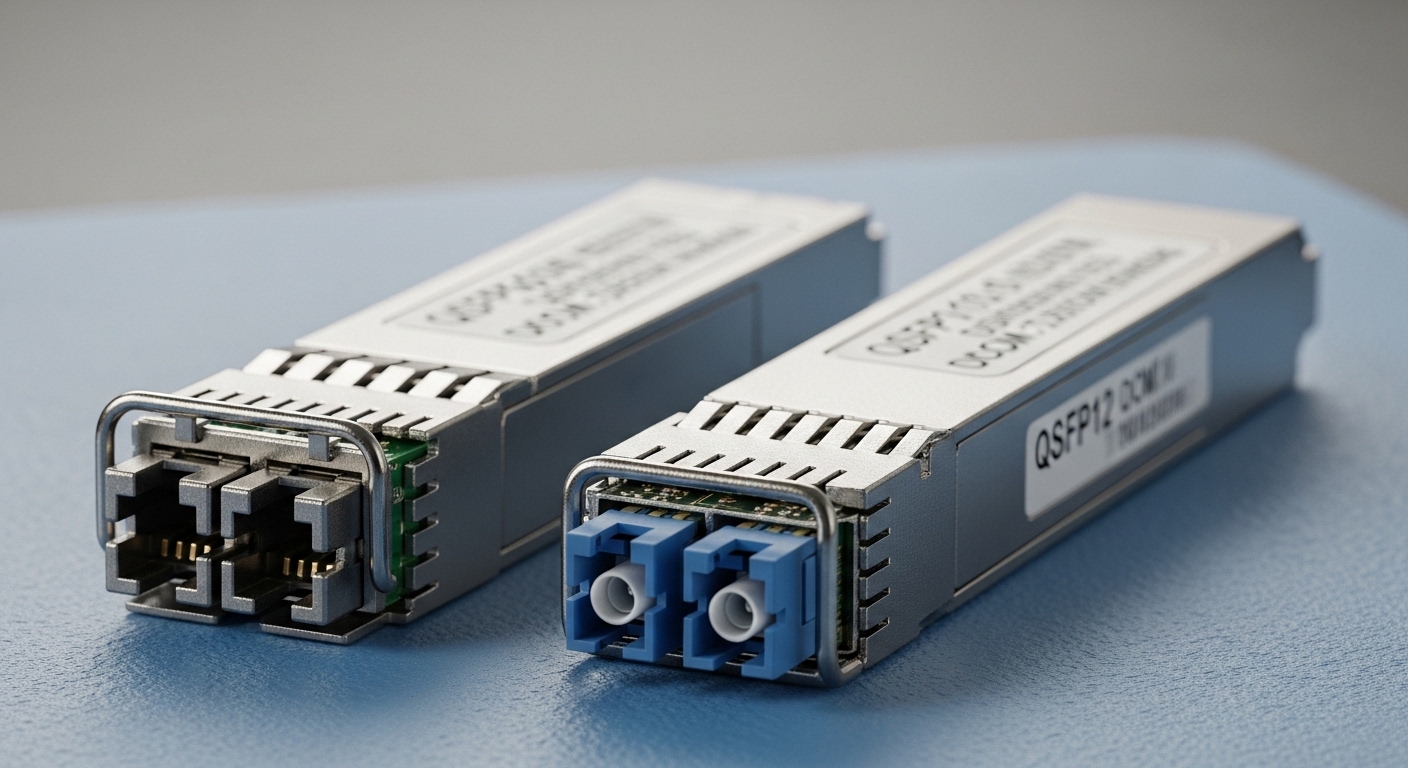
Interoperability fails when electrical signaling, optical parameters, and vendor-specific behaviors do not line up with what the switch expects. In real rollouts, the most expensive failures are the ones you cannot detect during procurement and staging. Below are seven traps I see in the field, with what to check before you commit ports to production.
- Wavelength mismatch: e.g., 850 nm optics in a 1310 nm design, or mixing SR and LR families.
- Wrong data-rate class: 10G optics in a 25G-capable port configured for 25G, or overspeeding/underspeeding without proper auto-negotiation.
- Connector and optics type mismatch: LC vs MPO, or single-mode vs multi-mode optics.
- DOM and management expectations: switch requires DOM polling; module lacks compliant digital diagnostics.
- Vendor vendor lock-in assumptions: some switches accept third-party optics only with specific firmware/compatibility lists.
- Temperature and power budget: marginal modules trigger thermal throttling or link flaps under load.
- Fiber plant overreach: too many patch panels, too much insertion loss, or unqualified cabling grade.
Best-fit scenario: Use this section when you are troubleshooting a link that comes up intermittently after a swap, or when you need a pre-purchase compatibility sanity check.
Pros: Faster root-cause thinking; catches failures before you waste spares. Cons: Requires you to gather port and optic details up front.
Top 7 standards and specs engineers should verify first
Compatibility is not just marketing. Engineers typically map the optics to the IEEE and industry signaling expectations the switch port was built to meet, then confirm the module’s optical budget and diagnostics. The baseline reference for Ethernet over fiber optics is IEEE 802.3, with module behavior details typically confirmed in vendor datasheets and switch transceiver support matrices.
- IEEE 802.3 for Ethernet PHY behavior and optics classes. [Source: IEEE 802.3]
- Optical wavelength: 850 nm (SR), 1310 nm (LR), 1550 nm (ER/LR variants depending on vendor).
- Reach: defined under specified fiber type and link budget assumptions.
- DOM support: digital optical monitoring over the standard management interface.
- Connector standard: SFP/SFP+ commonly LC; QSFP/QSFP28 often MPO in parallel optics.
- Temperature range: commercial vs industrial modules; operating stability matters in cabinets.
| Module family | Typical wavelength | Typical reach (qualified) | Connector | Data rate | DOM | Operating temp |
|---|---|---|---|---|---|---|
| SFP-10G-SR | 850 nm | ~300 m MMF (varies by vendor/link) | LC | 10G | Commonly supported | 0 to 70 C (commercial typical) |
| SFP-10G-LR | 1310 nm | ~10 km SMF | LC | 10G | Commonly supported | 0 to 70 C (commercial typical) |
| QSFP28-100G-SR4 | 850 nm | ~100 m MMF (varies) | MPO | 100G | Commonly supported | 0 to 70 C (commercial typical) |
| QSFP28-100G-LR4 | 1310 nm (multi-lambda) | ~10 km SMF | LC or MPO depending on design | 100G | Commonly supported | 0 to 70 C (commercial typical) |
Best-fit scenario: Use this when you are building a compatibility matrix for procurement and staging. Confirm the module family and optics class first, then validate DOM and fiber plant.
Pros: Standards-based; reduces guesswork. Cons: Still requires switch-specific validation due to firmware behaviors and vendor qualification.
Top 7 “match the port” rules for switch compatibility
Even when the module claims a standard class, switches can enforce additional rules: allowed vendor IDs, supported DOM behavior, and specific lane mapping for multi-lane optics. In practice, I treat switch ports like a constrained hardware interface: I verify what the port expects before I ever touch fiber.
Port matching steps that prevent downtime
- Identify port speed and breakout mode: confirm whether the switch is operating the port as 10G, 25G, 40G, or 100G, including any breakout (for example, 100G to 4x25G).
- Confirm optics type: SR vs LR vs ER, and MMF vs SMF.
- Check DOM polling requirements: some platforms block link establishment if diagnostics are missing or out of spec.
- Validate connector and polarity constraints: MPO polarity adapters for parallel optics, LC simplex alignment for single-lane.
- Confirm vendor compatibility list: many switch vendors publish accepted optics lists; third-party modules may work but are not guaranteed across firmware updates.
Best-fit scenario: Use this when you are deploying mixed-vendor optics across a leaf-spine fabric and need predictable link bring-up.
Pros: Deterministic; reduces “mystery flaps.” Cons: Requires time to document port configuration and optics inventory.
Top 7 real deployment scenarios where interoperability matters
Interoperability is most visible during high-change windows: migrations, capacity expansions, and firmware updates. The following are concrete environments with numbers that mirror how teams actually operate.
Scenario: In a 3-tier data center leaf-spine topology with 48-port 10G ToR switches, the team replaced 40 legacy SFP+ optics with lower-cost third-party parts to expand storage uplinks. Each leaf had 12 uplinks to the spine, totaling 480 active 10G links. The team staged optics in a lab, then validated DOM readings and link stability under sustained traffic. After rollout, they monitored for link flaps and verified optical power levels stayed within the switch’s thresholds, preventing silent performance degradation.
Best-fit scenario: Use this when you are planning a staged rollout and need to justify validation steps to operations and finance.
Pros: Mirrors production risk; supports change-management documentation. Cons: Lab staging is time-consuming if you skip a standards-based pre-check.
Top 7 module choices that usually interoperate (and when they do not)
Some optics are more forgiving because they map cleanly to widely adopted PHY behaviors and standard optical budgets. However, interoperability still depends on switch firmware, DOM expectations, and the actual link budget in your plant.
Common module matches engineers use
- 10G SR (850 nm, MMF, LC): typical for short reach within a row or pod.
- 10G LR (1310 nm, SMF, LC): typical for inter-row or longer structured cabling runs.
- 100G SR4 (850 nm, MMF, MPO): typical for ToR-to-spine within qualified MMF plants.
- 100G LR4 (1310 nm, SMF, lane-mapped): typical for longer SMF links with strict budget discipline.
For named examples, teams often reference modules such as Cisco SFP-10G-SR and compatible optics from vendors like Finisar/FS. Examples include Finisar FTLX8571D3BCL or FS.com SFP-10GSR-85 for SR use-cases, but exact interoperability still depends on the switch model and its optics compatibility policy. Always confirm with the switch vendor’s transceiver support list and the module datasheet. [Source: vendor datasheets and transceiver compatibility guides]
Best-fit scenario: Use this when you are building a short list and want to prioritize “likely to work” families before deeper validation.
Pros: Practical; reduces the candidate set quickly. Cons: “Likely” is not “guaranteed” across firmware and temperature conditions.
Pro Tip: In many switch platforms, DOM support is not merely “nice to have.” If the switch expects specific diagnostic register behavior, a module that passes basic optical power tests can still fail link bring-up or trigger link resets during traffic bursts. Validate DOM readings and alarms at installation time, not after the first user reports packet loss.
Top 7 selection criteria engineers apply during procurement
When you are selecting optics for interoperability, the cheapest module rarely wins the total cost of ownership. Teams weigh risk, operating margin, and operational overhead, not just purchase price. Use this ordered checklist to make decisions that survive audits and firmware cycles.
- Distance and fiber type: confirm MMF vs SMF, core size and grade, and actual measured insertion loss.
- Switch compatibility policy: check the vendor’s accepted optics list and note any firmware dependency.
- Data rate and lane mapping: ensure correct speed class and breakout mode compatibility.
- DOM support and thresholds: confirm the module provides compliant diagnostics and stays within the switch’s optical power and temperature expectations.
- Operating temperature and thermal design: choose commercial or industrial modules based on cabinet airflow and inlet temperatures.
- Vendor lock-in risk: identify whether you can standardize on one module family across switch models or need multiple SKUs.
- Spare strategy and failure rate: factor warranty terms, lead times, and the cost of downtime during link failures.
Best-fit scenario: Use this when you must justify optics spend to procurement and operations with measurable acceptance criteria.
Pros: Balanced cost and risk; audit-friendly. Cons: Requires you to maintain documentation and measurement records.
Top 7 common mistakes and troubleshooting steps for interoperability
Even experienced teams make predictable errors when they chase “it should work.” Here are concrete failure modes with root causes and solutions you can apply immediately.
- Mistake: Mixing SR and LR optics on the same link.
Root cause: Wrong wavelength family for the fiber plant or switch port expectation.
Solution: Re-map each endpoint: confirm wavelength and fiber type at both ends, then label patch cords and adapter types. - Mistake: Using MPO without the correct polarity adapter.
Root cause: Lane mapping reversal in parallel optics causing low power on some lanes and overall link instability.
Solution: Install the specified MPO polarity adapter (and verify with a polarity test or vendor guidance), then re-run link diagnostics. - Mistake: Ignoring DOM alarm thresholds after swapping.
Root cause: Modules may meet optical budget under nominal conditions but drift with temperature or aging, triggering warnings or resets.
Solution: Collect DOM values (Tx power, Rx power, temperature) and compare to switch thresholds; if margins are tight, improve airflow or use higher-margin optics. - Mistake: Assuming auto-negotiation resolves speed mismatch.
Root cause: Some optics and ports require strict speed configuration; negotiation may not recover if lane rate modes differ.
Solution: Lock the port to the intended speed and breakout mode, then confirm the module’s supported rate in the datasheet. - Mistake: Overlooking fiber attenuation from patch panels and slack loops.
Root cause: Link budget exceeded even if the optics “look compatible.”
Solution: Measure with an OTDR or certified test gear, then reduce loss by replacing jumpers, cleaning connectors, or re-terminating.
Best-fit scenario: Use this section during incident response, especially when the link comes up then flaps under load.
Pros: Actionable steps; reduces time to recovery. Cons: Requires test equipment and disciplined labeling.
Top 7 cost and ROI notes for interoperability decisions
Optics pricing can vary widely: OEM modules are often priced at a premium, while third-party modules can cut purchase cost but increase validation effort. In typical enterprise and mid-market deployments, a 10G SR SFP+ module might range from roughly tens of dollars to over a hundred, while 100G QSFP28 optics can be several times higher depending on reach and certification. The real ROI comes from reduced downtime and fewer failed swaps, not only from sticker price.
TCO considerations include: warranty length, expected failure rate, lead time for replacements, and engineering time spent validating DOM and optical power. A pragmatic approach is to buy a small batch, validate in staging with your exact switch model and firmware, then expand if metrics match acceptance thresholds.
Best-fit scenario: Use this when you are balancing budget constraints against operational risk.
Pros: Helps finance and engineering align. Cons: Requires you to quantify validation time and downtime cost.
FAQ: Fiber module interoperability questions engineers ask before buying
Q1: How can I confirm fiber module interoperability with my exact switch model?
Start with the switch vendor’s optics compatibility list and match the module family to the port’s configured speed and breakout mode. Then validate DOM readings and link stability in a staging test using your firmware version. [Source: switch vendor transceiver support pages]
Q2: Do third-party optics always work in OEM switches?
No. Many third-party modules meet optical and electrical standards, but interoperability can still fail due to DOM behavior differences or vendor-specific checks. Always test the exact module part number with the exact switch model and firmware, then document results.
Q3: What matters more: wavelength, reach rating, or DOM?
All three matter, but wavelength and fiber type must be correct first, otherwise you may never achieve stable link. Reach rating matters because your actual link budget includes patch panels and
