
You are wiring an Arista 7050 series leaf-spine fabric and need the right optics fast, but the choices from 10G to 400G can look identical at a glance. This article helps network engineers and field technicians select EOS optics that match distance, fiber type, and transceiver requirements. You will follow a step-by-step implementation workflow, plus troubleshooting paths for the most common bring-up failures.
Prerequisites: what you must measure before touching optics
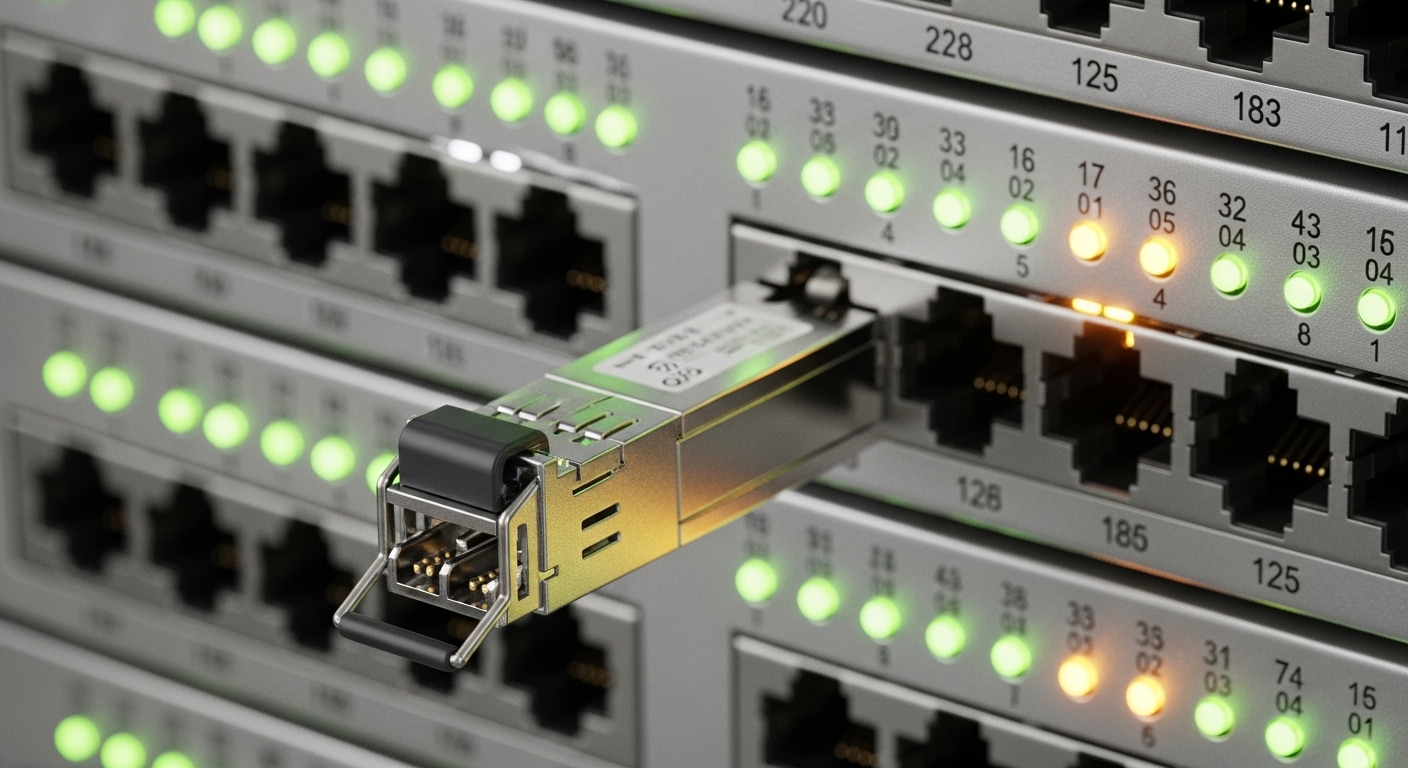
Before ordering or inserting any optics, treat fiber and switch port behavior like a calibration problem. In the field, optics swaps often fail because the link budget was estimated incorrectly or the port profile does not match the module type. Gather the exact Arista 7050 port speed/encoding requirements, your cable plant details, and the environment temperature where the chassis will run.
Also confirm whether you are standardizing on OEM or third-party optics. Many teams use OEM for faster RMAs, while third-party modules can reduce cost if compatibility testing is documented. If you need compliance alignment, use IEEE 802.3 optics specifications as your baseline and then verify the exact transceiver part numbers against vendor datasheets.
Step-by-step implementation: select and validate EOS optics for Arista 7050
This is written as an operational checklist you can execute during a migration window. It assumes you are using Arista 7050 series switches and want coverage from 10G through 400G optics while keeping link stability predictable.
Identify link distances and fiber types by measurement, not assumptions
Use an OTDR or at minimum a validated fiber test report. Record the run length (including patch cords), fiber type (OM3, OM4, OS2), and connector losses. For example, if your ToR-to-spine runs are 85 m on OM4, you should target optics rated for that reach with margin for aging and patching.
Expected outcome: A table of each link with distance and fiber type, including a conservative loss allowance for patching and splices.
Map required speeds to the correct Arista 7050 port mode
Arista 7050 supports a wide set of port speeds depending on specific line cards and optics form factors. Your selection workflow should start by checking the port speed and lane structure requirements for your target throughput. For instance, 400G is typically implemented with QSFP-DD or similar high-density optics, while 10G is commonly SFP+ class.
Expected outcome: A list of which physical ports will run 10G, 25G, 40G, 100G, or 400G, aligned with the supported optics type for that port.
Choose EOS optics by wavelength, reach, and connector standard
Even when the data rate matches, wavelength and reach must align with the fiber plant. Multi-mode optics are usually 850 nm class for short reach, while single-mode optics are typically 1310/1550 nm class for longer spans. Connector type matters too: LC/UPC is common for fiber patch panels, and you must ensure physical compatibility.
Expected outcome: A short list of candidate transceivers for each link class (short reach MM, long reach SM, and any special angled connectors).
Validate module electrical requirements and DOM support
Field reliability often hinges on diagnostics. If your operational standard requires accurate telemetry, confirm Digital Optical Monitoring support (DOM or equivalent) and ensure the transceiver returns expected readings. In practice, you want DOM to populate temperature, bias current, and received optical power so you can detect a degrading link before it fails.
Expected outcome: DOM-compatible optics that match your monitoring tooling and alert thresholds.
Insert modules and configure port profiles using documented commands
With the chassis powered down only if required by your site procedure, insert optics carefully, verify latch engagement, and label both ends. Then configure the port speed and any breakout settings per your Arista platform documentation. For example, if you are moving from a 100G interface to a breakout that requires lane grouping, you must apply the correct port mode before traffic tests.
Expected outcome: Port interfaces up in the intended mode, with no administrative mismatch between optics type and interface profile.
Perform link bring-up tests and verify optical power levels
Bring up the link using a minimal traffic test, then verify interface counters and optical telemetry. In many deployments, engineers check that received power sits within the vendor’s recommended operating window and that the link stays stable under load. If you run BERT or controlled traffic tests, schedule them during off-peak windows to reduce variables.
Expected outcome: Stable link with clean CRC/packet error rates and optical readings consistent with vendor specs.
What “EOS optics” selection really means across 10G to 400G
“EOS optics” in many teams is shorthand for an optics selection approach: match the transceiver to the Ethernet objective (speed), the optical objective (wavelength and reach), and the operational objective (telemetry and compatibility). The Arista 7050 transceiver guide helps because it organizes options by speed and form factor, but the engineer still must validate fiber distance and port configuration.
Think of it like choosing tires for a specific car model: the tire size (data rate) is not enough; you also need the tread depth and road conditions (link budget and environment). For EOS optics, the “road conditions” are fiber type, insertion loss, and temperature drift affecting optical output.
Common speed classes and typical wavelength patterns
Short-reach links often use multi-mode fiber optics (typically 850 nm class), while longer links use single-mode optics (often 1310 or 1550 nm class). Higher speeds use tighter tolerances, so you should expect stricter budget requirements and more sensitivity to connector cleanliness.
Reference optics part examples you may see in the field
Depending on your exact Arista 7050 line card and optics cage, teams commonly deploy vendor-matched or standards-based modules such as Cisco SFP-10G-SR for 10G multi-mode, Finisar FTLX8571D3BCL for compatible 10G multi-mode variants, and FS.com SFP-10GSR-85 as a third-party option for 10G SR class scenarios. For 100G and 400G classes, you will typically use QSFP28 or QSFP-DD families with OM4 or OS2 variants.
Note: Always verify the exact compatibility matrix for your specific Arista 7050 model and line card before deploying any third-party module.
Key specifications comparison: pick the right wavelength and reach
Use the following table as a quick sanity check before you commit to purchase orders. It is not a substitute for the Arista 7050 transceiver guide or the exact vendor datasheet, but it helps prevent obvious mismatches like choosing an OS2 1310 nm module for an OM4 850 nm patch panel.
| Spec category | 10G SR (MM) | 100G SR4 (MM) | 400G (SM variant) |
|---|---|---|---|
| Typical wavelength | ~850 nm class | ~850 nm class | ~1310 nm or ~1550 nm class |
| Typical reach target | ~300 m on OM3, ~400 m on OM4 (varies by vendor) | ~100 m on OM4 class (varies by vendor) | ~2 km to 10 km class depending on variant |
| Fiber type | OM3/OM4 multi-mode | OM3/OM4 multi-mode | OS2 single-mode |
| Connector standard | LC/UPC typically | LC/UPC typically (or MPO depending on module) | LC or MPO depending on module |
| DOM / telemetry | Commonly supported | Commonly supported | Commonly supported |
| Operating temperature | Often 0 C to 70 C (vendor-dependent) | Vendor-dependent; verify for hot aisles | Vendor-dependent; verify for high-density racks |
| Data rate | 10.3125 Gb/s nominal | 100G nominal (4 lanes) | 400G nominal (lane structure varies) |
Pro Tip: In multi-mode deployments, engineers often focus on “rated reach” but forget connector cleanliness and patch-panel contamination. A single dirty MPO or LC can shift receive power enough to pass initial tests yet fail under sustained load. Always inspect and clean connectors with APC-compatible lint-free wipes and a microscope before declaring an optics problem.
Selection criteria checklist engineers use under time pressure
When the clock is running during a cutover, a consistent selection checklist prevents rework. Use this ordered set of factors for EOS optics decisions across 10G to 400G.
- Distance and fiber type: confirm OM3/OM4/OS2 and measured run length plus patch cord losses.
- Wavelength and reach class: match 850 nm class optics to multi-mode, and 1310/1550 nm class optics to single-mode.
- Arista 7050 port compatibility: verify the module form factor and supported lane mapping for the specific line card.
- Data rate and breakout mode: ensure the interface profile matches the optics (especially for 100G and 400G).
- DOM and telemetry requirements: confirm you get temperature and RX power to your monitoring system.
- Operating temperature: verify the optics meets the hot-aisle or constrained airflow temperature range.
- Vendor lock-in risk: document compatibility with third-party modules and define your RMA expectations.
Expected outcome: A purchase list that is technically aligned to both the fiber plant and the Arista 7050 transceiver support policy.
Common mistakes and troubleshooting for EOS optics bring-up
Most optics failures are not “bad optics” but mismatches, contamination, or configuration errors. Below are three high-frequency failure modes with practical root causes and fixes.
Troubleshooting point 1: Link stays down immediately after insertion
Root cause: Interface profile mismatch or unsupported optics form factor for the specific Arista 7050 line card. Sometimes the port is configured for an incompatible speed or breakout mode. Solution: verify the port’s operational mode in the Arista configuration, then cross-check against the Arista 7050 transceiver guide for that exact platform.
Troubleshooting point 2: Link comes up but errors spike under traffic
Root cause: Link budget margin is too tight due to underestimated insertion loss, or connectors are dirty. High-speed optics are sensitive to minute receive power changes. Solution: clean and re-test with a fiber microscope, then compare measured RX power and temperature telemetry to the vendor datasheet operating range.
Troubleshooting point 3: DOM reads “out of range” or monitoring shows missing telemetry
Root cause: DOM is not supported by that module variant or the monitoring expects a different DOM implementation. Solution: confirm the exact module part number and DOM capability from the vendor datasheet, then validate the monitoring configuration and thresholds.
Cost and ROI: OEM versus third-party EOS optics in the real world
In most data centers, the optics line item is not just the module price; it is also the operational cost of failures, downtime, and time spent in troubleshooting. OEM modules for 10G SR class optics can often be several times the cost of third-party equivalents, while third-party can be economical if compatibility is proven. As a realistic planning range, many teams see 10G SR transceivers in the tens of dollars versus higher OEM premiums, while 100G and 400G optics can run into hundreds to thousands per module depending on reach and form factor.
TCO tip: If your mean time to repair matters, pay for compatibility and faster RMAs. If your site has a mature optics qualification process, third-party EOS optics may reduce procurement cost with controlled risk. Either way, track failure rates per vendor batch and keep spares aligned to your most critical link classes.
FAQ
How do I know which EOS optics wavelength to choose?
Match optics wavelength class to your fiber type. Multi-mode OM3/OM4 links usually pair with 850 nm class optics, while OS2 single-mode links use 1310 nm or 1550 nm class options. Then confirm reach using the vendor’s link budget and your measured fiber loss report. Source: IEEE 802.3
Can I mix OEM and third-party optics on Arista 7050?
Often yes, but compatibility depends on the exact Arista 7050 line card and the transceiver part number. Your safest path is to validate in a lab or at least on one low-risk link class before broad rollout. Also confirm DOM behavior so monitoring and alerting remain consistent.
What DOM readings should I watch during acceptance testing?
Watch module temperature and received optical power (RX) and confirm they sit within the vendor’s operating window. If RX power is near the lower threshold, you risk errors later as fibers age or connectors loosen. Use a consistent traffic profile during acceptance tests so comparisons are meaningful.
Why do links fail more often at higher speeds like 100G and 400G?
Higher-speed optics have tighter tolerances and are less forgiving of marginal link budgets and small contamination issues. Lane mapping and breakout configuration mistakes are also more common at these speeds. Clean connectors, verify interface modes, and maintain enough margin in loss calculations.
What is the fastest troubleshooting path when a link is down?
First, confirm the port speed and breakout mode match the optics
