
Edgecore open networking deployments often standardize on OCP switch transceivers to simplify optics sourcing across leaf and spine tiers. The catch is that “compatible” depends on more than wavelength and reach: DOM signaling, vendor-specific EEPROM fields, lane mapping, and switch power budgeting can make or break link bring-up. This article helps network engineers and field technicians verify optics compatibility against Edgecore switch behavior, so you can reduce RMA rates and shorten maintenance windows.
What “compatibility” means on Edgecore open networking switches
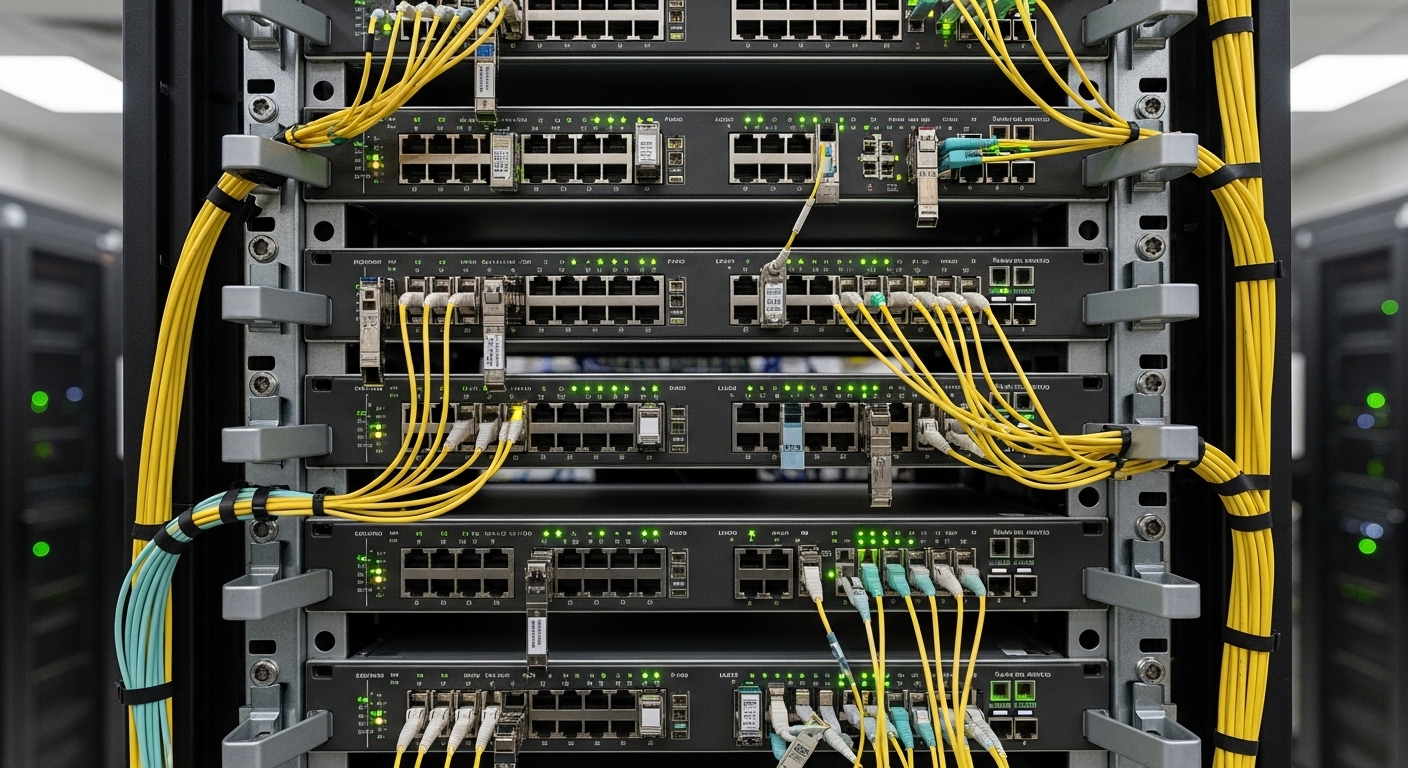
On Edgecore platforms that use OCP form factor optics, compatibility is determined by the switch’s transceiver interface expectations (electrical lane signaling, management bus behavior, and compliance to relevant optical standards). In practice, two transceivers with identical nominal specs (for example, 10G-SR over OM4) can behave differently if their onboard EEPROM (DOM data) layout or threshold calibration fields do not match what the switch firmware queries. Engineers typically see this as “module not supported,” “DOM read failed,” or persistent link flaps under load.
Edgecore switches generally support standard optical interfaces aligned to IEEE Ethernet PHY requirements (e.g., IEEE 802.3 for 10GBASE-SR / 10GBASE-LR) while relying on the optics vendor to implement compliant diagnostics. For DOM, the switch reads vendor and sensor data over the module’s management interface, then applies internal policy for thresholds and allowed ranges. If the module reports unexpected values, firmware may refuse to enable high-power laser drive.
OCP switch transceiver specs that matter for Edgecore validation
Before you test in production, validate the parameters that Edgecore firmware and the PHY will actually enforce. For most datacenter optics, the key is aligning data rate, optical wavelength, fiber type, connector style, and power/temperature envelope. You also need DOM capability (typically digital optical monitoring with vendor-specific EEPROM fields) and correct electrical interface (the OCP module’s host-side pinout and lane mapping must match the switch).
Technical specifications comparison
The table below summarizes the common OCP Ethernet optics classes engineers deploy when building compatibility test matrices. Use it as a baseline for what to compare across vendors—then confirm Edgecore-specific DOM behavior during your acceptance test.
| Optics class (example) | Nominal wavelength | Typical reach | Fiber/connector | Data rate | DOM support | Operating temperature | Power/thermal notes |
|---|---|---|---|---|---|---|---|
| 10GBASE-SR (OCP) | 850 nm (VCSEL) | Up to 300 m on OM3 / 400 m on OM4 (per IEEE guidance) | OM3/OM4 multimode, typically LC | 10.3125 Gbps (10G) | Yes (digital diagnostics over management bus) | 0 to 70 C (commercial) or -40 to 85 C (extended) | Laser class and thermal dissipation must fit switch airflow assumptions |
| 25GBASE-SR (OCP) | 850 nm (VCSEL) | Up to 70 m on OM2 / 100 m on OM3 / 150 m on OM4 (typical) | OM2/OM3/OM4 multimode, LC | 25.78125 Gbps (25G) | Yes (DOM) | -5 to 70 C typical; verify module grade | Higher lane count and tighter power budgets than 10G-SR |
| 100GBASE-SR4 (OCP) | 850 nm (VCSEL array) | Up to 100 m on OM4 (typical for SR4) | OM4 multimode, MPO/MTP | 103.125 Gbps (100G) | Yes (DOM) | 0 to 70 C or -40 to 85 C | Connector cleaning and MPO polarity handling become dominant failure modes |
Actionable takeaway: treat reach and connector type as necessary but insufficient. Edgecore compatibility testing must include DOM read success, link stability under temperature drift, and sustained throughput with error counters monitored.
For standards grounding, reference IEEE Ethernet PHY behavior and optical interface intent via [Source: IEEE 802.3]. For vendor-specific DOM behavior and electrical characteristics, use the module datasheets for the exact part number you plan to install (e.g., Cisco-compatible optics, Finisar/FS.com equivalents, etc.).
Examples of optics families you might encounter in the field include Finisar/FS-style 10G SR parts such as FTLX8571D3BCL and FS.com SFP-10GSR-85 (even when not OCP, these illustrate how DOM and temperature grades vary by vendor). Always map to the exact OCP SKU, since OCP and SFP packages differ physically and electrically.
Pro Tip: During acceptance testing, log not just “link up,” but the switch’s DOM state transitions (for example, “DOM present,” “DOM valid,” and any internal threshold warnings). Many “incompatible” modules are actually compatible electrically, but their DOM sensor data triggers firmware safety interlocks that only appear after minutes of sustained link activity.
Edgecore compatibility validation workflow (fast, repeatable, low-risk)
To validate OCP switch transceiver compatibility with Edgecore open networking switches, run a staged workflow that separates optical physics from firmware policy. Start with offline checks, then do a controlled bring-up in a test rack, then run traffic and environmental soak. This reduces the probability that you blame the optics when the issue is actually cable plant, MPO polarity, or interface auto-negotiation behavior.
Step-by-step checklist
- Match the interface class: confirm the switch port expects the same speed and optics type (SR vs LR vs ER; SR4 vs SR). Do not assume that “850 nm” alone is sufficient.
- Verify DOM capability: confirm the module supports digital diagnostics and that the switch can read DOM fields. If the switch vendor provides an optics compatibility matrix, use it as your initial filter.
- Confirm power and thermal envelope: compare module maximum power draw and temperature grade with your chassis airflow profile. In dense leaf-spine designs, marginal thermal conditions can cause late failures.
- Validate connector and polarity: for multimode MPO/MTP, test both polarity paths if your patching may be reversed. Clean optics with lint-free wipes and approved solvent.
- Run sustained traffic: push line-rate or near line-rate for at least 30 minutes while monitoring interface counters (FCS errors, symbol errors, CRC, and any optical error counters exposed by the platform).
- Perform DOM threshold monitoring: watch laser bias current, received power, and temperature reported via DOM. Look for early warnings or threshold crossings.
Real-world deployment scenario
Consider a 3-tier data center leaf-spine topology with 48-port 25G ToR switches and 100G uplinks, where each leaf has 24 server-facing 25G ports and 4 100G uplinks. If you standardize on OCP switch transceiver optics for the uplinks, a typical rollout installs 192 optics during a weekend window. Engineers can reduce risk by staging the test rack with a representative mix: OM4 MPO SR4 for 100G, plus a subset of 25G SR for server downlinks, then running 30-minute traffic bursts and checking DOM validity before touching the production patch panels.
Selection criteria and decision checklist for field engineers
When choosing OCP switch transceivers for Edgecore open networking switches, use an ordered decision process. This prevents “spec sheet fit” from turning into “firmware policy mismatch” during deployment.
- Distance and link budget: confirm fiber type (OM3/OM4), connector losses, and expected worst-case reach. Use the optics vendor’s link budget guidance, not only marketing reach.
- Data rate and optics class: confirm exact PHY expectations (SR vs SR4, lane count, and any breakout behavior). Many incompatibilities stem from selecting the wrong optical class.
- Switch compatibility and firmware acceptance: check Edgecore release notes and any published compatibility lists. If none exist, run a pilot with DOM validation.
- DOM support and monitoring behavior: ensure the module implements standard digital diagnostics and reads cleanly. Pay attention to DOM read errors and threshold mismatch warnings.
- Operating temperature grade: align module grade with chassis environment. In hot aisle deployments, extended temperature optics reduce drift-induced failures.
- Vendor lock-in risk: third-party optics can be cost-effective, but you must plan for DOM and firmware updates. Maintain a vetted vendor list and do regression testing after switch OS upgrades.
Common mistakes and troubleshooting patterns
Compatibility issues with OCP switch transceivers on Edgecore platforms are often deterministic. The fastest resolution comes from identifying whether the failure is optical, electrical, or firmware policy related.
DOM read failures despite correct wavelength
Root cause: the module’s EEPROM/DOM implementation differs from what the switch firmware expects, or the module is a counterfeit/grey-market unit with incomplete diagnostics. Sometimes it is a lane mapping or management bus timing edge case.
Solution: swap in a known-good, Edgecore-validated optics SKU and confirm DOM transitions. If the problem follows the vendor part number, treat it as an EEPROM compatibility issue and avoid mass rollout.
Link flaps under temperature load
Root cause: the module operates outside its specified temperature grade or the chassis airflow is insufficient for that slot density. Laser bias control can degrade, leading to intermittent receiver errors.
Solution: verify module temperature grade and check airflow paths (fan speed, blocked vents, blanking panels). Re-test at elevated ambient conditions, not only at room temperature.
High error counters with “link up” status
Root cause: dirty connectors, incorrect MPO polarity, or fiber mode mixing (e.g., using OM2/OM3 patch leads in an OM4 plant without proper validation). In multimode 100G SR4, small insertion loss differences can dominate.
Solution: clean and re-terminate as needed; confirm MPO polarity; then re-check received optical power via DOM. If DOM indicates low Rx power, treat the issue as optical loss rather than transceiver incompatibility.
Wrong optics class chosen for port speed expectations
Root cause: selecting “850 nm SR” optics when the port expects SR4 (or a different lane count). The switch may attempt initialization and then disable the transceiver.
Solution: validate the exact port breakout mode and optics class in the Edgecore documentation for your switch model and firmware version. Use a written mapping in your runbook.
Cost and ROI note: how to budget without surprises
In typical enterprise and colocation procurement, third-party OCP switch transceivers can be 20% to 45% cheaper than OEM optics at similar reach, but the TCO depends on failure rates and validation effort. OEM optics often reduce integration risk because their DOM fields and compliance testing are aligned with specific firmware releases. For example, if a third-party batch produces a 2% to 5% higher early-failure or requires reseating/cleaning interventions, the labor and downtime can erase unit cost savings.
ROI improves when you standardize on a small set of vetted optics part numbers, keep spares staged, and run a regression compatibility test after each Edgecore OS upgrade. Treat compatibility validation as an operational process, not a one-time purchase decision.
FAQ
How do I confirm an OCP switch transceiver is compatible with an Edgecore port?
Confirm three layers: optics class match (SR vs SR4, data rate), DOM read success, and sustained traffic stability. In practice, you should verify DOM state transitions and monitor error counters for at least 30 minutes under load.
What errors indicate DOM-related incompatibility?
Look for “DOM not present,” “DOM invalid,” or warnings about threshold interlocks. If the optical link never stabilizes but the wavelength matches, DOM EEPROM formatting or diagnostics support is the first suspect.
Can I mix optics vendors across the same Edgecore chassis?
Yes, but only after validation. Differences in DOM fields and threshold calibration can cause inconsistent behavior across ports, especially after firmware updates.
What is the most common field failure mode for multimode OCP optics?
Dirty connectors and MPO polarity mistakes are the top causes of high error counters with link-up status. Second most common is fiber plant mismatch (mode/grade issues) that reduces effective reach.
Do temperature-rated transceivers matter in datacenter deployments?
Yes. In dense racks, operating temperature affects laser bias stability and DOM sensor trends. Using extended temperature optics can reduce intermittent link flaps during hot-aisle peaks.
Should I use OEM optics to avoid compatibility issues?
OEM optics often reduce risk, but third-party can work well if you validate exact part numbers and DOM behavior. The best approach is a vetted vendor list plus repeatable acceptance testing.
Update date: 2026-04-29. If you are planning a pilot, create an optics compatibility matrix per switch model and firmware version, then run DOM and traffic validation before scaling.
For related planning guidance, see OCP transceiver selection checklist for datacenters.
Author bio: I have deployed and troubleshot OCP and pluggable optics in leaf-spine and TOR environments, focusing on DOM telemetry validation, thermal failure modes, and firmware interlock behavior. I build compatibility test matrices that field teams can execute quickly during cutovers.
