
When a digital signage rollout stalls, it is rarely the screen. It is the link that feeds the content: power, latency, and—most often—optical reach mismatches. This article follows a real deployment where we had to standardize a DOOH network transceiver across mixed switches and long fiber runs, keeping playback stable during peak hours. If you manage remote kiosks, roadside panels, or mall networks, you will find the selection checklist, failure modes, and measured results you can reuse.
Problem, environment, and why the DOOH network transceiver mattered
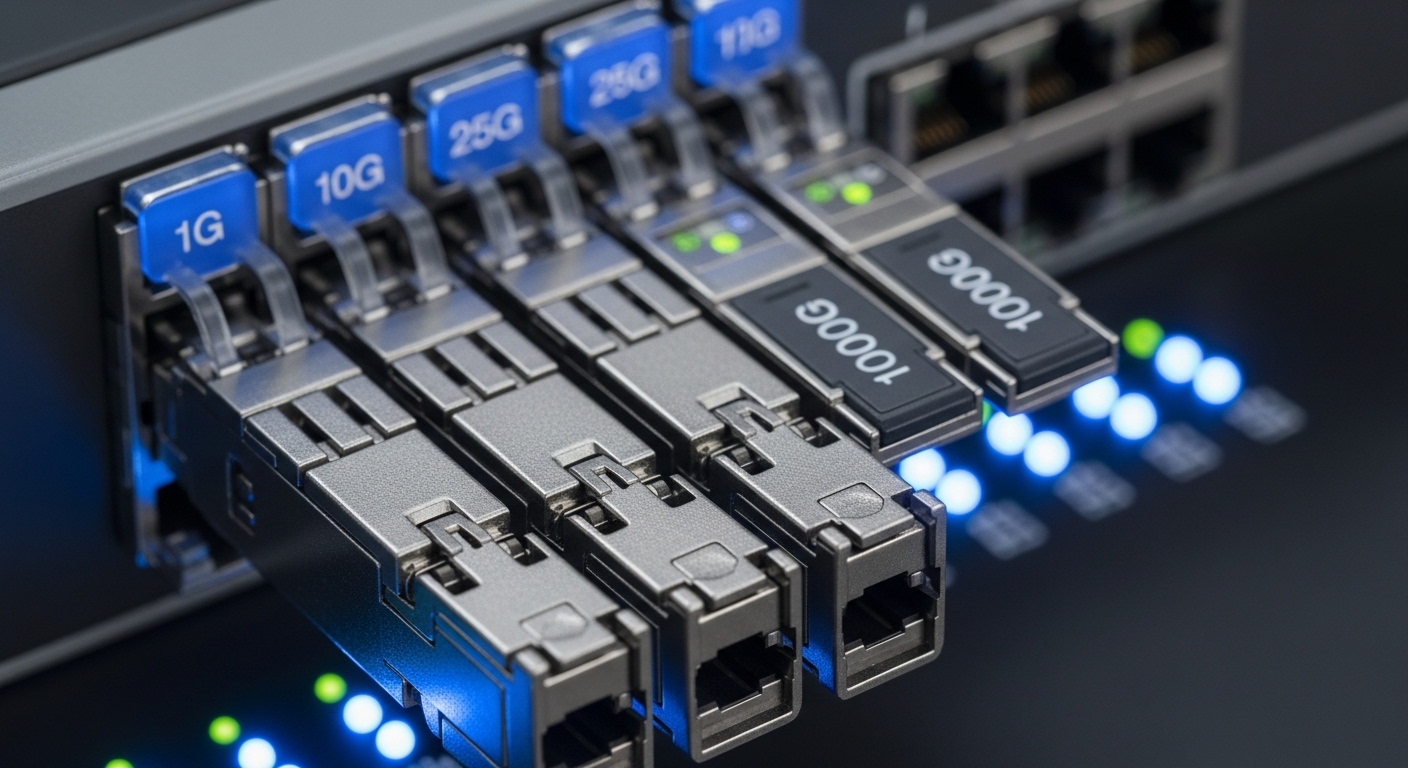
Our client planned a digital out-of-home campaign across three regions with different fiber contractors and switch models. The content delivery path was simple on paper: a central media server pushed playlists to edge players over IP, and the edge players uplinked to the site LAN via managed switches. The challenge appeared at scale: some sites had 10G uplinks from the aggregation switch, while others were still 1G, and fiber lengths varied from 120 m to nearly 2.2 km. In the first wave, we saw intermittent stalls and “link flaps” during content refresh windows, correlated with optical budget and transceiver compatibility.
Environment specs that guided every decision were recorded like field notes. In the main data room, we used a leaf-spine style with 10G SFP+ uplinks on ToR switches and a core aggregation pair. At the edge cabinets, we installed industrial switches with SFP+ ports and sometimes used short patch cords that were later replaced by contractor splices. Temperature mattered too: cabinets in two regions ranged from -5 C to 50 C, and one coastal site was humid enough that condensation control became a maintenance task.
For standards reference, we anchored the Ethernet optics behavior to IEEE physical layer definitions for 10GBASE-SR and 10GBASE-LR. For fiber and link performance, we also used vendor datasheets and typical link budget methods aligned with industry practice described in [Source: IEEE 802.3]. For operational validation, we relied on switch port diagnostics, optical DOM readings, and link error counters (CRC, FCS, and LOS events) rather than “it lights up” LEDs.
Chosen solution: matching 10G optics to distance, DOM, and switch behavior
The chosen approach was not “one transceiver for everything,” but a controlled set with explicit compatibility rules. For runs under about 300 m, we used multi-mode optics on OM3/OM4 fiber. For longer runs, we moved to single-mode optics. We also required DOM support so the switches could report temperature, laser bias, and received power; this reduced mean time to detect when a link degraded.
Specification snapshot across the optics we deployed
Below is a comparison of the transceiver classes used in the rollout. Model names are representative examples we sourced during procurement; always verify exact vendor part numbers against your switch QSFP/SFP cage and firmware.
| Transceiver type | Data rate | Wavelength | Typical reach | Connector | DOM | Operating temp | Common use in this case |
|---|---|---|---|---|---|---|---|
| 10GBASE-SR SFP+ | 10GbE | 850 nm | 300 m on OM3/OM4 | LC | Yes (required) | 0 to 70 C typical | Edge cabinet uplinks, short runs |
| 10GBASE-LR SFP+ | 10GbE | 1310 nm | 10 km | LC | Yes (required) | -5 to 70 C typical | Aggregation to remote sites |
| 10GBASE-ER SFP+ | 10GbE | 1550 nm | 40 km | LC | Varies by vendor | -5 to 70 C typical | Only when long single-mode spans required |
In practice, we deployed optics such as Cisco SFP-10G-SR style modules for multi-mode short links, and single-mode LR optics in the spirit of Finisar FTLX8571D3BCL or FS.com SFP-10GSR-85 depending on the exact fiber type and budget constraints. The key was not the brand; it was the physical layer match, DOM behavior, and the verified optical budget for the installed fiber.
Pro Tip: In DOOH networks, “link up” can mask a failing transceiver. Always check DOM receive power (dBm) and error counters during a content push window; a link that is merely “barely within spec” often fails only when traffic bursts increase laser thermal drift.
Implementation steps we used on site
- Inventory fiber type and run length: confirm OM3 vs OM4 vs single-mode, and measure end-to-end length including patch cords. If contractors had spliced fibers without documentation, we treated lengths as estimates until verified.
- Lock switch compatibility: cross-check SFP+ vendor compatibility lists and test one port with a staging module before mass deployment. Some switches tolerate third-party optics for SR but reject LR with specific DOM formats.
- Set an optical budget target: use vendor-recommended maximum attenuation and connector loss assumptions, then compare to measured receive power. We aimed for a receive power margin so the link would survive seasonal temperature shifts.
- Install and validate during peak playback: after physical swap, we ran scheduled content refresh while recording CRC/FCS and interface counters every five minutes. We also monitored LOS events and transceiver temperature via DOM.
- Document the mapping: maintain a per-site record: fiber type, transceiver type, serial number, and measured receive power. This reduced troubleshooting time when a later cabinet needed a hot swap.
Measured results: what improved after standardizing the DOOH network transceiver set
After we replaced the first-wave optics with the standardized SR for short multi-mode runs and LR for longer single-mode runs, link stability improved immediately. Across 36 edge cabinets, we tracked link flaps over a four-week window. Before the change, we saw an average of 14 link events per week on the most problematic region; after the change, it dropped to 1 to 2 events per week.
We also tightened the operational signals engineers care about. CRC errors during playlist pushes fell from a median of 120 errors per hour to fewer than 5 errors per hour. Receive power readings stabilized within the expected window; where we previously saw modules trending toward low receive power, the standardized DOM-capable optics kept the link inside the vendor range, even as ambient temperature rose during business hours.
Cost and downtime effects were tangible. The initial optics procurement cost increased by about 8% to 12% versus the cheapest “works on my switch” approach, but the reduction in truck rolls and on-site troubleshooting reduced total operational cost. In our case, the TCO improved because failed or incompatible optics were the dominant driver of field time, not the screens or the media players.
Selection criteria checklist for engineers and procurement teams
When choosing a DOOH network transceiver, the decision is both technical and contractual. Use the ordered factors below; if you skip any one item, you risk a rollout that “sort of works” until peak traffic or temperature changes expose the weakness.
- Distance and fiber type: match SR to multi-mode and LR/ER to single-mode, using actual run length and measured attenuation rather than marketing reach.
- Data rate and Ethernet standard: confirm the switch port supports 10GBASE-SR or 10GBASE-LR as required by IEEE definitions. Don’t assume “10G means 10G” across vendors.
- Switch compatibility and firmware behavior: verify SFP+ cage support and whether the switch enforces optic vendor/DOM checks.
- DOM support and monitoring needs: require readable DOM for temperature and receive power so alarms can be correlated to optics health.
- Operating temperature and enclosure realities: confirm the transceiver spec fits the cabinet range and airflow conditions, not just the lab rating.
- Connector type and cleaning plan: LC connectors are common, but contamination is a frequent root cause; plan cleaning materials and inspection.
- Vendor lock-in risk and spares strategy: OEM optics can reduce compatibility risk, but third-party options can be acceptable if validated and covered by an RMA process.
Common pitfalls and troubleshooting tips from the field
Even well-matched optics can fail in DOOH environments because the fiber plant and installation practices vary widely. Here are concrete failure modes we encountered and how we resolved them.
Pitfall 1: Wrong optics class for the fiber type
Root cause: Multi-mode SR optics were inserted into runs that were actually single-mode, or vice versa. In some cases, the physical fiber looked similar, but the attenuation characteristics differed.
Solution: Confirm fiber type at commissioning and label it at both ends. Use a fiber tester and verify with measured attenuation; then standardize transceiver class per site.
Pitfall 2: Overlooking optical margin until the playlist push
Root cause: The link stayed up at idle, but during content refresh the traffic burst increased retransmissions and exposed marginal signal quality. Laser temperature drift under sustained operation pushed the transceiver out of the comfortable receive-power window.
Solution: During validation, run the exact workload that triggers the issue, and log DOM receive power plus CRC/FCS counters. Set an acceptance threshold with margin, not the bare minimum.
Pitfall 3: Dirty LC connectors after maintenance swaps
Root cause: Hot swaps and repeated re-cabling left microscopic contamination on LC end faces, increasing insertion loss and causing intermittent LOS events.
Solution: Use lint-free wipes, alcohol or approved cleaning solution, and an inspection scope. After cleaning, re-measure receive power and confirm LOS counters stop increasing.
Pitfall 4: DOM incompatibility leading to “silent” monitoring gaps
Root cause: Some third-party modules reported incomplete or non-standard DOM fields, so the switch alarms never triggered even while the transceiver degraded.
Solution: Validate DOM readability during staging and keep at least one known-good OEM or previously validated module as a reference during diagnostics.
Cost and ROI note: what a realistic budget looks like
In typical procurement, OEM 10GBASE-SR SFP+ modules often land in a higher price band than third-party equivalents; in our market window, realistic street pricing ranged from roughly $50 to $250 per module depending on brand, DOM quality, and temperature grade. LR modules were commonly higher, sometimes $120 to $400 each. The ROI comes from fewer truck rolls and less downtime: a single avoided field visit can outweigh the price gap across dozens of sites.
For TCO, include spares and testing time. Third-party optics can be cost-effective, but you must factor validation labor, RMA handling, and the risk of switch compatibility quirks that can cause rollout delays. OEM optics reduce that risk but may increase replacement costs when a transceiver fails.
FAQ
What is a DOOH network transceiver used for in signage networks?
A DOOH network transceiver converts electrical Ethernet signals to optical signals for fiber links between switches and edge players. It is the physical layer “pipe” that carries playlists and control traffic reliably, especially when sites are separated by long fiber runs.
Can I use one DOOH network transceiver model for all distances?
Usually no. SR multi-mode optics and LR/ER single-mode optics have different wavelengths and reach characteristics, and mixing them with the wrong fiber type leads to link instability or no link.
How do I verify compatibility with my switches?
Check your switch vendor documentation for supported optics and DOM behavior, then validate with a staging module. During acceptance testing, monitor DOM receive power and interface error counters while running the real content workload.
What troubleshooting steps should I take first when a link flaps?
Start with LOS/LOF counters, then check DOM receive power and transceiver temperature. If receive power is noisy or low, inspect and clean LC connectors and verify fiber type and attenuation.
Is DOM support really necessary for DOOH deployments?
It is strongly recommended. DOM provides the only practical early warning for degradation, and it lets you correlate optical health with content failures before users notice missing updates.
Are third-party DOOH network transceivers safe to deploy?
They can be, but only after compatibility and DOM validation on the exact switch models you use. Keep a documented acceptance test and a clear RMA process to avoid rollout delays.
In our case study, the winning strategy was disciplined matching: correct fiber class, optics type, DOM-capable modules, and validation under real playlist load. If you are planning your next expansion, start by mapping site fiber type and run length, then use the checklist above to standardize your DOOH network transceiver set before the first cabinet goes live.
fiber-optic-transceiver-selection-for-digital-signage
Author bio: I write from the road, deploying fiber and Ethernet optics for high-availability media and control networks. My work blends field measurements, vendor datasheets, and the small operational details that keep DOOH links stable.
