
When you deploy disaggregated optical gear with OpenROADM and Open Line System (OLS), the hardest failures are often not “bad optics,” but mismatched transceiver parameters, vendor DOM quirks, and licensing or reach constraints. This guide helps field engineers and optical planners verify compatibility before a splice truck arrives, and troubleshoot the top issues after turn-up. You will get a practical checklist, a real deployment example, and a specs comparison table you can use during procurement.
Why disaggregated optical breaks in OpenROADM and OLS
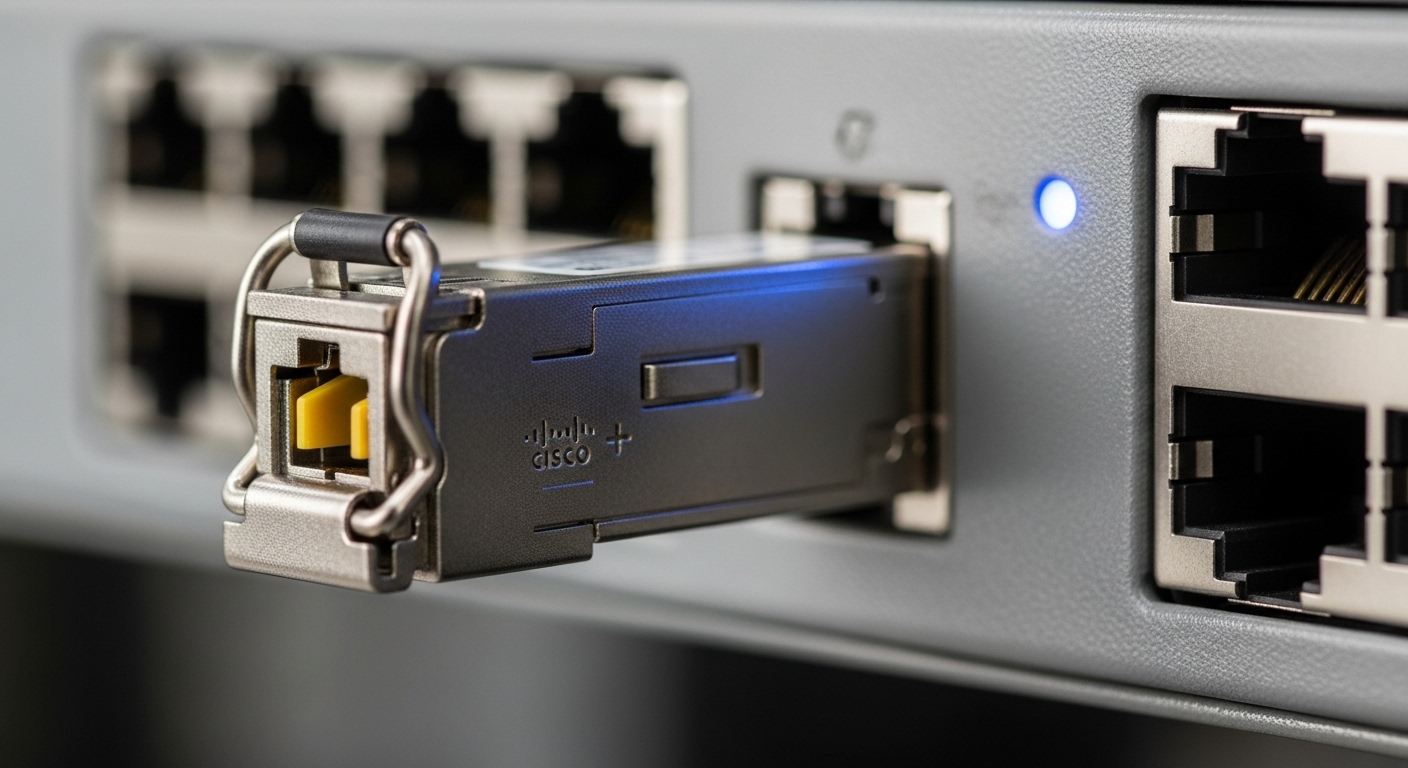
In an OpenROADM/OLS environment, the line system and the transceiver must agree on more than just wavelength and baud rate. Engineers typically assume “it’s standard,” but coherence and management depend on tunable grid support, fiber type, optical power levels, and DOM behavior (Digital Optical Monitoring). Open interfaces still leave practical gaps: vendor-specific calibration ranges, alarm thresholds, and how the system interprets DOM fields.
Think of it like using universal power outlets: the plug shape may match, but the appliance also needs the right voltage and frequency. For optics, the “voltage” equivalents are transmit/receive optical budgets, supported modulation formats, and how alarms map into the OpenROADM telemetry model.
Compatibility is multi-dimensional
- Optical layer: wavelength grid (ITU-like), reach class, fiber type (SMF vs dispersion-shifted), and required OSNR for the modulation format.
- Electrical layer: interface type (e.g., coherent pluggables), lane mapping, FEC expectations, and host-side retimers or clocks.
- Management layer: DOM fields, alarm/warning thresholds, and how the line system enforces “allowed optics” policies.
Pro Tip: During pre-qual tests, compare DOM reported values against the vendor’s recommended acceptance window, not just “module present.” A surprising number of turn-ups fail because host software flags “out of spec” when a DOM field (like temperature or bias current scaling) is formatted differently between vendors—even when optics are electrically compatible.
Key parameters to verify before you buy optics
Use this table as a procurement sanity check. It focuses on the parameters that most often cause incompatibility in OpenROADM and OLS rollouts: wavelength, reach class, optical power budget, and management/DOM support. Always confirm the exact interface type supported by your specific line card and OLS software release.
| Parameter | What to confirm in OpenROADM/OLS | Typical example values | Why it matters |
|---|---|---|---|
| Data rate and modulation | Supported baud rate and modulation format by the host | e.g., 100G/200G class coherent; modulation often varies by vendor | Host may enforce FEC/modulation profiles |
| Wavelength grid | Tunable range and grid step compatibility | e.g., C-band 191.3 to 196.1 THz range; grid steps as specified by your design | Mismatch causes tuning or alignment failures |
| Reach class | Stated reach for SMF under specified OSNR assumptions | Short reach vs extended reach classes (vendor-specific) | System might not meet OSNR for the chosen span loss |
| Connector and fiber type | Connector standard and fiber type supported by OLS ports | LC/UPC or similar; SMF 9/125 common | Physical mismatch prevents clean link establishment |
| Optical power levels | Tx output and Rx sensitivity within host power budget | Vendor datasheet ranges; host max/min thresholds | Overdrive or underpower triggers alarms |
| DOM support | DOM type, alarm mapping, and field interpretation | Vendor-specific scaling and thresholds | Host may reject optics or misreport health |
| Operating temperature | Module class vs cabinet thermal design | Commercial vs extended temperature options | Thermal margins affect laser bias stability |
Concrete module examples you may encounter
In many deployments, you will see vendor coherent or transceiver modules like Cisco coherent optics or third-party pluggables such as Finisar FTLX8571D3BCL (example model; verify against your exact line card compatibility list) and FS.com SFP-10GSR-85 for short-reach SFP-class optics. For disaggregated optical with Open line systems, the key is not the marketing class; it is whether the host firmware recognizes the module’s DOM and supports its tunable/management profile.
When you validate, capture: wavelength lock status, OSNR or Q-factor indicators (if exposed), DOM temperature/bias scaling, and the exact alarm text produced by the OLS controller.
Deployment scenario: leaf-spine metro with OpenROADM/OLS
In a metro aggregation site with a 3-tier topology, a team deployed OpenROADM shelves feeding an OLS-managed coherent line for 8 x 200G channels in the C-band. The design called for 60 km span distance per channel with typical span loss of ~11 dB, plus ROADM add/drop loss of ~6 dB total per route. During cutover, they initially used a mix of transceivers from two vendors because the reach label matched.
The first wave failed at commissioning: the host reported “module out of profile” and refused to enable the transmit power. Root cause was DOM interpretation: one vendor’s DOM field scaling for temperature and bias current caused the host to exceed its internal acceptance window, even though the optical budget was within spec. After swapping to optics validated for that OLS software release and aligning acceptance thresholds, the team achieved stable wavelength lock and clean alarm-free operation.
Selection criteria checklist engineers actually use
Use this ordered list during vendor comparison and before ordering multiple SKUs. If you cannot answer an item, pause the purchase and request documentation or run a lab acceptance test.
- Distance and reach class: confirm SMF type, span loss assumption, and the required OSNR for your modulation profile.
- Wavelength grid and tuning: verify tunable range and grid step; ensure your design’s channel plan aligns with the module.
- Switch and line card compatibility: check your OpenROADM line card model and OLS software release compatibility matrix (DOM and profile enforcement can be release-specific).
- DOM and alarm mapping: validate which DOM standard the host expects and whether alarms map consistently (request DOM screenshots or acceptance test logs).
- Operating temperature and thermal margins: compare module operating temperature to the cabinet thermal profile; plan for fan curve changes in seasonal transitions.
- Power budget constraints: verify Tx power, Rx sensitivity, and host max/min thresholds; include connector and patch cord loss.
- Vendor lock-in risk: quantify how many “allowed optics” SKUs your system enforces; if it is strict, negotiate multi-vendor compatibility in writing.
Common mistakes and troubleshooting tips
Below are the failure modes seen during real turn-ups. Each includes a root cause and a fix that you can apply quickly.
“It fits, so it should work” DOM rejection
Root cause: The host software flags DOM fields outside acceptance windows due to vendor-specific scaling or missing DOM fields. The optics may be optically fine, but management layer blocks activation.
Solution: Capture DOM readout values and compare them to the module datasheet acceptance range. Then test with a validated SKU for your exact OLS release; if needed, request vendor guidance on DOM field mapping.
Wavelength lock fails after enable
Root cause: Channel plan mismatch: the module’s supported tuning grid or center frequency does not align with the OLS configured frequency. Alternatively, OSNR is too low because the actual span loss exceeds the design assumption.
Solution: Verify the configured frequency against the module’s tunable range and grid step. Measure optical power at the demarcation points and confirm span loss using OTDR or loss budget recalculation.
Link flaps under temperature swings
Root cause: The module runs near thermal limits; laser bias stability degrades, triggering intermittent alarms or FEC degradation.
Solution: Confirm cabinet airflow, inlet temperature, and fan control behavior. Use the module DOM temperature trend during the flap window to prove correlation, then adjust cooling or replace with an extended temperature module class.
Connector and patch cord loss surprises
Root cause: Patch cords or patch panels use the wrong connector polish or exceed expected insertion loss, causing underpower at the receiver.
Solution: Re-terminate or replace patch cords; verify with an optical power meter at both ends and check end-face cleanliness.
Cost and ROI: OEM vs third-party in disaggregated optical
Pricing varies heavily by region and capacity, but as a planning baseline, coherent optics and tunable pluggables often sit in the hundreds to low thousands of USD per wavelength for third-party options, while OEM-branded optics can be 20% to 60% higher depending on licensing and support. The ROI comes from faster spares provisioning and reduced vendor lock-in, but only if your OpenROADM/OLS platform supports the optic’s DOM and profile.
TCO should include: compatibility testing labor, spare stocking strategy, and expected failure rates. If the system enforces strict “allowed optics,” third-party cost advantage can disappear due to extra turn-up time or replacement cycles.
FAQ
What does disaggregated optical mean in OpenROADM terms?
It means you separate the optical line function from a single vendor’s fixed optics offering, sourcing pluggable transceivers independently while using an OpenROADM/OLS controller to manage them. Compatibility depends on optical parameters and management behavior like DOM and alarm mapping. Always validate against your specific line card and software release.
How do I confirm transceiver compatibility quickly?
Start with wavelength grid, reach class, and optical power budget, then validate DOM acceptance using a lab or staging chassis. Capture DOM fields and host alarms during enable and wavelength lock. If the host rejects the module, do not proceed to field splicing until the management layer is resolved.
Can I mix optics vendors in the same OLS shelf?
Sometimes, but it depends on how the OLS software enforces allowed optics profiles and how it interprets DOM fields. Mixing can work when both vendors follow expected DOM conventions and the host acceptance windows are broad. If you see “out of profile” alarms, treat it as a DOM mapping issue and test again with validated SKUs.
What are the most common causes of wavelength lock failure?
Channel plan mismatch (grid step or center frequency), insufficient OSNR due to higher-than-modeled span loss, or incorrect configuration of modulation/FEC profiles. Verify frequency settings, then measure optical power and recompute the loss budget. Use DOM and host telemetry to confirm the exact failure phase.
Is DOM support required for link establishment?
In many OpenROADM/OLS deployments, DOM is required for the controller to permit transmit power and to surface health alarms. Even if optics can physically insert, the host may block activation when DOM fields are missing or outside thresholds. Confirm DOM expectations during procurement.
What should I include in an acceptance test report?
Record module part number and serial, OLS software release, DOM field values at idle and enable, host alarm text, wavelength lock status, and measured optical power levels at both ends. Include temperature trend during the test window. This evidence speeds up root cause analysis and future requalification.
If you want to reduce risk on your next rollout, build a compatibility matrix that ties each transceiver SKU to your specific OpenROADM line card and OLS software release. Next step: review your disaggregated optical spares planning plan so your spares strategy matches the platform’s allowed-optics constraints.
Author bio: A field engineer who has commissioned coherent and pluggable optical systems in metro and data center interconnect environments, with hands-on DOM and OSNR validation experience. I focus on operational details like alarm mapping, thermal margins, and acceptance testing evidence to prevent cutover surprises.
