
If you are running AWS Direct Connect from a colocation cage, the Direct Connect module you choose can make or break link stability, latency, and supportability. This guide helps network engineers and field techs pick the right transceiver for colocation fiber handoffs, validate compatibility, and avoid common optics failures. You will also get a deployment checklist tuned for real leaf-spine and transit environments.
Prerequisites before you buy a Direct Connect module
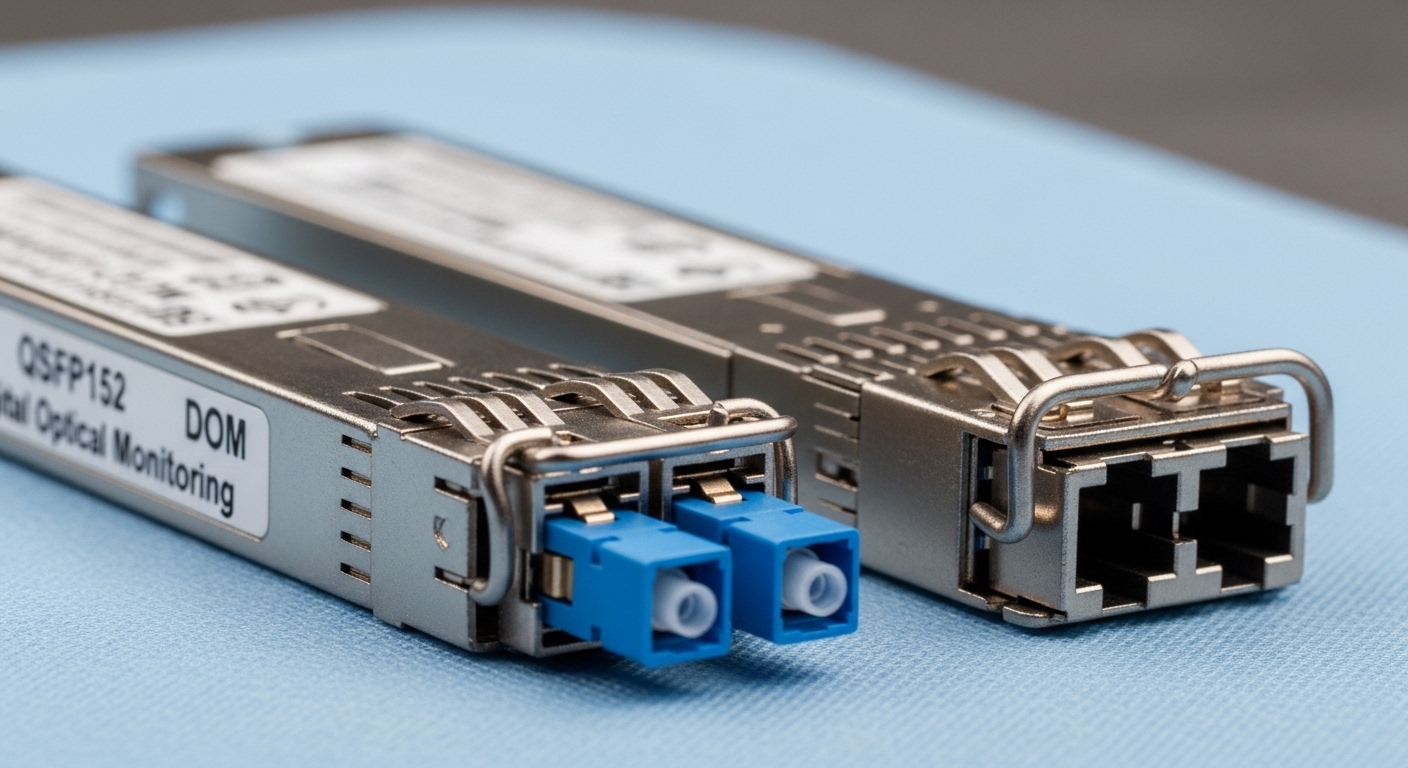
Before selecting a Direct Connect module, confirm your physical plant and the service profile you are targeting. AWS Direct Connect typically delivers connectivity over dedicated fiber pairs or a cross-connect into your colocation network, so you must align optics to the handoff wavelength and reach. Also verify whether your switch vendor requires specific transceivers for DOM and link negotiation.
Gather these inputs (field-ready)
- AWS Direct Connect port type: confirm whether you are using 1G, 10G, or higher on the AWS side.
- Fiber type and core: single-mode fiber (SMF) vs multimode fiber (MMF), and whether it is 9/125 or 50/125.
- Link budget constraints: measured attenuation at your wavelength, connector loss, and any patch panel or MPO transitions.
- Switch model and optics policy: for example, Cisco, Juniper, Arista, or vendor-specific compatibility lists.
- DOM requirements: whether your ops standard requires Digital Optical Monitoring for alarms and telemetry.
- Operating environment: temperature range in your cage and whether airflow is front-to-back or side-to-side.
Expected outcome: you can translate “AWS handoff” into concrete optics requirements: data rate, wavelength, connector type, reach, and temperature class.
Direct Connect module types that match AWS and colo handoffs
In practice, most AWS Direct Connect builds land on 10G optics for initial capacity, but you should plan for growth. The most common choices are SFP+ and SFP28 for 10G-class and 25G-class links, or QSFP+ / QSFP28 for higher density platforms. Your job is to match wavelength (commonly 1310 nm for short-reach single-mode and 850 nm for MMF), connector style (LC vs MPO/MTP), and reach.
Key optical parameters to verify
- Wavelength (nm): must match the fiber and the transceiver family.
- Reach (km): conservative spec should cover measured attenuation plus margin.
- Connector: LC for most SFP/SFP+ and QSFP28 uses MPO/MTP in many deployments.
- Power and safety: optical output class and compliance matter for colocation policies.
- Temperature range: industrial vs commercial can affect reliability in enclosed cages.
Specification comparison table (common 10G-class options)
Below is a practical comparison for typical AWS Direct Connect module scenarios. Always validate against your switch vendor’s supported optics list.
| Direct Connect module type | Data rate | Wavelength | Typical reach | Connector | DOM | Temperature range |
|---|---|---|---|---|---|---|
| SFP-10G-SR class | 10G | 850 nm | ~0.3 to 0.4 km (MMF) | LC | Usually supported | 0 to 70 C (typical) |
| SFP-10G-LR class | 10G | 1310 nm | ~10 km (SMF) | LC | Usually supported | -5 to 70 C (typical) |
| SFP-10G-ER class | 10G | 1550 nm | ~40 km (SMF) | LC | Usually supported | -5 to 70 C (typical) |
| QSFP+ SR class | 40G | 850 nm | ~0.1 to 0.3 km (MMF) | MPO/MTP | Usually supported | 0 to 70 C (typical) |
| QSFP28 LR/ER class | 100G | 1310/1550 nm | ~10 to 40 km (SMF) | MPO/MTP | Usually supported | -5 to 70 C (typical) |
Expected outcome: you can map your measured fiber distance and the colocation cage handoff to a safe reach class and connector.
For deeper standards context, start with IEEE 802.3 for optical PHY behavior and vendor datasheets for transceiver electrical/optical specs. [Source: IEEE 802.3] [[EXT:https://standards.ieee.org/standard/]]
Pro Tip: In colocation environments, the biggest “gotcha” is rarely the transceiver reach spec; it is the patching path. Add up connector pairs, mechanical splice points, and any unplanned patch panels, then keep at least a 2 to 3 dB margin beyond your vendor’s link budget for aged optics and cleaning variability.
Step-by-step: deploy a Direct Connect module safely
This numbered runbook assumes you are connecting an AWS Direct Connect router/switch port to a partner handoff in a colocation cage. The goal is stable link bring-up, correct speed/encoding, and strong observability using DOM.
Validate physical layer match before insertion
- Confirm the fiber type (SMF vs MMF) and connector standard at the cage demarcation.
- Verify that your transceiver wavelength matches the remote endpoint expected wavelength.
- Clean connectors using lint-free wipes and approved cleaning tools; then re-check with an optical inspection scope if available.
Expected outcome: you avoid the top failure mode: optical signal present in theory but suppressed by contamination.
Select the right transceiver SKU for your switch
- Use your switch vendor’s optics compatibility list for the exact module family.
- Prefer modules with DOM support if your monitoring stack expects it.
- If you use third-party optics, require a written compatibility confirmation from the supplier.
Expected outcome: you reduce link flap risk and avoid “module not supported” port lockouts.
Insert optics and confirm link parameters
- Power down only if your platform policy requires it; otherwise follow hot-swap guidance from the vendor.
- Insert transceiver firmly, then connect the correct fiber pair.
- On the switch, check interface status and negotiate speed/duplex.
Expected outcome: the interface comes up cleanly with expected line rate and no CRC spike.
Monitor DOM and error counters during burn-in
- Collect DOM metrics (receive power, transmit power, bias current, temperature) for baseline.
- Run a 30 to 60 minute burn-in with a controlled traffic profile (for example, sustained iperf3 at 70% of link rate if your policy allows).
- Watch for rising BER proxies: CRC errors, FCS errors, and interface discards.
Expected outcome: you establish a performance baseline before putting production traffic on the link.
For module family examples used in the field, engineers commonly reference OEM and reputable third-party SKUs like Cisco SFP-10G-SR and Finisar optical modules for 10G optics. Example part references: Cisco SFP-10G-SR, Finisar FTLX8571D3BCL, FS.com SFP-10GSR-85. Always verify exact wavelength, reach, and switch compatibility before purchase.
Selection criteria checklist for a Direct Connect module
Use this ordered checklist during procurement and design review. It is intentionally biased toward minimizing operational risk in production colocation setups.
- Distance vs reach: choose reach class that exceeds measured fiber loss by margin.
- Switch compatibility: confirm the exact module family is supported on your platform and firmware.
- Wavelength and fiber type: SMF vs MMF mismatch is a hard failure or silent degradation.
- Connector format: LC vs MPO/MTP must match your patching hardware.
- DOM support: ensure your monitoring expects DOM fields and alarm thresholds.
- Operating temperature: align transceiver class to cage ambient and airflow.
- Vendor lock-in risk: weigh OEM pricing against third-party reliability and RMA friction.
- Documentation quality: require datasheets that state compliance and link budget assumptions.
Expected outcome: a defensible selection you can explain to both security and finance during audits.
Common mistakes and troubleshooting for Direct Connect module links
Even experienced teams run into recurring optics issues. Below are the top failure modes, each with root cause and a practical fix.
Link does not come up (or keeps flapping)
Root cause: wrong wavelength/fiber type, or switch policy rejecting the module (unsupported DOM behavior). Solution: confirm SMF vs MMF at both ends, verify wavelength class (1310 nm vs 850 nm vs 1550 nm), and check your switch logs for “unsupported transceiver” or DOM mismatch.
Link comes up but errors climb rapidly
Root cause: contaminated connectors or marginal link budget due to patch panel losses. Solution: clean both ends again, inspect with an optical scope, and re-measure receive power. If you are near the vendor’s limit, shorten the patch run or improve cabling.
DOM telemetry missing or misleading
Root cause: third-party module not fully implementing DOM fields expected by your monitoring tooling. Solution: validate DOM field mapping with a known-good baseline module, update your monitoring parser, and confirm alarm thresholds are appropriate for that vendor’s DOM interpretation.
Operationally, you can also compare received optical power against typical thresholds in your module datasheet and correlate with interface counters. [Source: Vendor transceiver datasheets]
Cost and ROI note for Direct Connect module procurement
Pricing varies widely by data rate and reach, but engineers often see OEM 10G SFP+ optics in a range of roughly $80 to $250 each, while reputable third-party modules may land around $30 to $120. The hidden cost is not purchase price; it is time spent diagnosing link flaps, RMA turnaround, and the risk of extended downtime during maintenance windows.
TCO guidance: if your team already has a DOM-aware monitoring pipeline and a documented optics compatibility list, third-party can be cost-effective. If you lack observability or firmware alignment processes, OEM optics often reduce incident rates and improve change-control outcomes.
FAQ
What does a Direct Connect module need to match for AWS connectivity?
It must match the
