
You are planning fiber upgrades and keep seeing CWDM and DWDM SFP+ transceivers listed with different wavelengths, power budgets, and reach. This article helps network engineers and data center operators decide when a DWDM transceiver is the right tool, versus CWDM, especially for SFP+ optics in constrained fiber plants. You will get practical selection criteria, a troubleshooting checklist, and an ROI lens that reflects what fails in the field.
How wavelength division actually changes your upgrade path
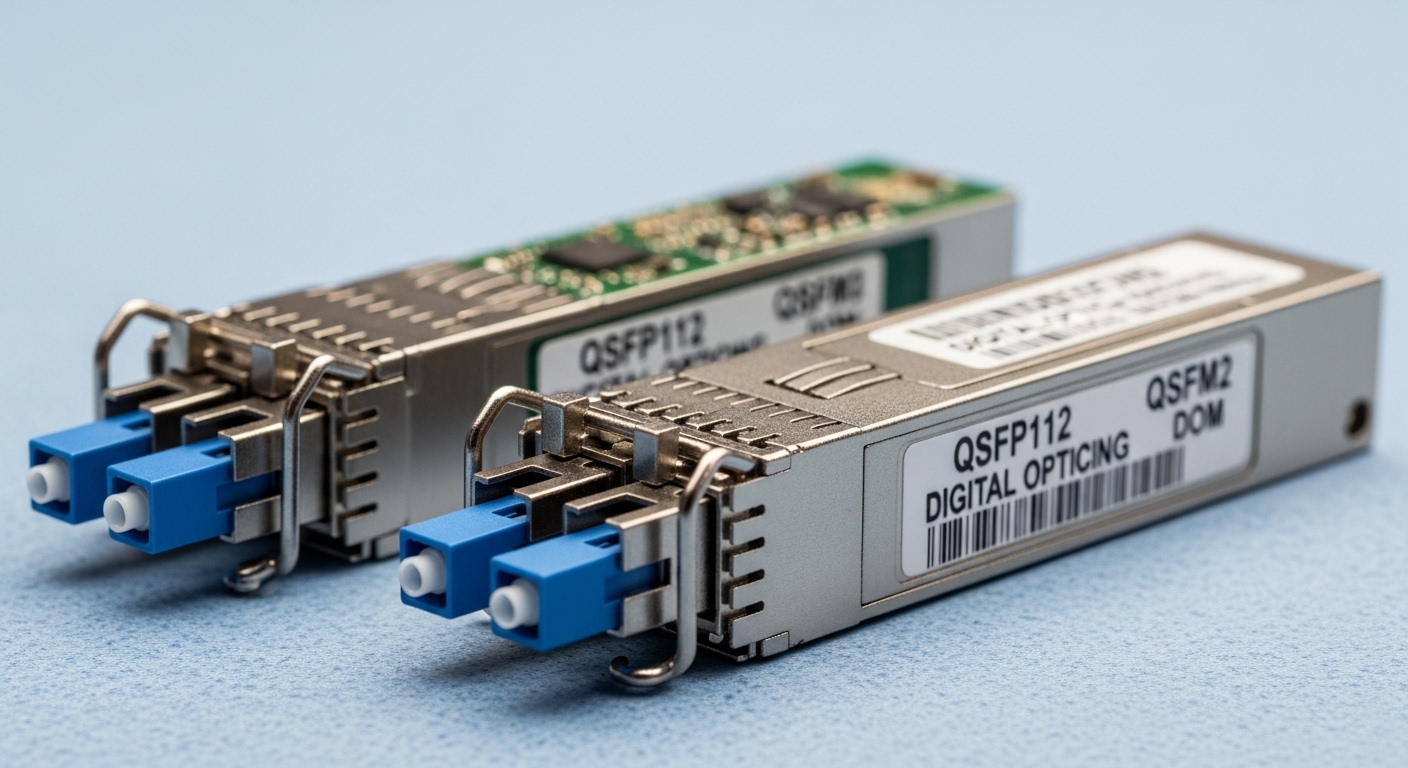
Both CWDM and DWDM SFP+ transceivers rely on wavelength division multiplexing, but they trade off channel spacing and scalability. CWDM uses wider spacing (commonly 20 nm grid around the 1270–1610 nm bands depending on vendor implementation), which limits the number of channels. DWDM uses much tighter spacing (often 100 GHz, 50 GHz, or even narrower grids translated into wavelength steps), enabling more channels over the same fiber.
In practical terms, a DWDM transceiver is often chosen when you must reuse existing single-mode fiber and still add capacity without pulling new strands. The catch is that DWDM systems are more sensitive to laser wavelength accuracy, temperature behavior, and optics vendor compatibility with the multiplexing module. For standards context, Ethernet over fiber optics commonly maps to IEEE 802.3 specifications for 10GBASE, while the wavelength grid and channel plan are governed by system design choices documented by vendors and interoperability guides. Source: IEEE 802.3
DWDM vs CWDM SFP+ specifications that matter in procurement
When you compare optics, do not just look at “10G” and “reach.” For SFP+ transceivers, confirm the exact data rate (typically 10.3125 Gb/s line rate for 10GBASE-R), wavelength, connector type, and optical power class. Also confirm operating temperature range; field failures often correlate with optics that barely meet the temperature envelope of a specific chassis.
| Spec | CWDM SFP+ (typical) | DWDM SFP+ (typical) |
|---|---|---|
| Channel spacing | Wide grid (often ~20 nm) | Narrow grid (commonly 100 GHz) |
| Wavelength precision | Looser tolerances | Tighter tolerances; system-critical |
| Reach (10GBASE-R) | Commonly up to ~80 km depending on power budget | Similar fiber reach, but grid/channel plan determines feasibility |
| Connector | LC recommended; some systems use SC | LC typical; must match mux/demux modules |
| DOM support | Often available (vendor-dependent) | Frequently available; verify alarm thresholds in your platform |
| Operating temperature | Commonly 0 to 70 C (commercial) or -5 to 70 C (extended) | Often extended industrial options; confirm your rack airflow |
| System dependency | Lower; fewer channels means less multiplexing complexity | Higher; must align with DWDM mux/demux and channel plan |
Examples of vendor part numbers you may encounter include Cisco CWDM optics and DWDM optics in SFP/SFP+ form factors, and third-party options such as Finisar and FS.com DWDM SFP+ modules (exact wavelength and grid vary by SKU). Always validate against your system’s channel plan and your switch vendor’s transceiver compatibility list. Source: Cisco optical transceiver documentation
Real deployment scenario: when DWDM saves the fiber pull
Consider a 3-tier data center leaf-spine topology where each top-of-rack switch uses 10G uplinks, and an inter-building link is currently limited by fiber strand count. You have 12 dark fibers remaining between buildings, but the planned growth requires 24 additional 10G circuits over the same route. Pulling new fiber would take 10–14 weeks due to permitting and conduit constraints.
The team selects DWDM SFP+ transceivers to pack multiple 10G wavelengths into the existing strands using mux/demux equipment. For example, if your DWDM plan supports 8 channels per fiber pair on a 100 GHz grid, you can light up 8 additional 10G links per fiber pair. With two fiber pairs, that can cover 16 channels, and you can add more by expanding the channel plan or using additional pairs. The decision hinges on optical budgets: you verify that each transceiver’s transmit power and receiver sensitivity meet the link loss including splice loss, connector loss, and aging margin. A field engineer typically targets at least 3 to 6 dB implementation margin beyond the vendor worst-case to reduce surprise outages.
Pro Tip: In DWDM deployments, the most common “mystery outage” is not bad fiber or a dead transceiver; it is a mismatched channel plan between the mux/demux and the specific DWDM wavelength label on the SFP+ module. Treat the wavelength value as a system parameter, not just a part number attribute.
Selection criteria checklist engineers actually use
- Distance and link budget: confirm reach is not just marketing; use TX power, RX sensitivity, connector loss, splice count, and a conservative margin.
- Channel plan and wavelength: for DWDM, confirm grid type (for example 100 GHz) and exact center wavelength mapping to your mux/demux.
- Switch compatibility: check your switch or router platform transceiver matrix; some platforms are sensitive to DOM format and thresholds.
- DOM and alarm behavior: verify whether your platform reads DOM correctly and whether it expects specific diagnostic registers.
- Operating temperature and airflow: ensure the transceiver meets the chassis spec; measure inlet temperature in the actual rack.
- Vendor lock-in risk: assess whether the DWDM mux/demux vendor imposes strict interoperability constraints; prefer documented interoperability.
Common mistakes and troubleshooting tips
1) Wrong DWDM wavelength for the mux/demux slot. Root cause: center wavelength mismatch or incorrect channel assignment during patching. Solution: label each fiber and each transceiver with the channel ID; verify with the DWDM system’s channel plan worksheet before inserting optics.
2) Overestimating “reach” without real loss accounting. Root cause: ignoring connector count, splice loss, and patch panel aging margin. Solution: build a link budget spreadsheet using measured fiber attenuation and include 3 to 6 dB margin; re-check patch cords and bulkhead adapters.
3) Temperature-induced instability in constrained racks. Root cause: transceiver operating beyond its rated temperature due to poor airflow or blocked vents. Solution: log chassis temperatures during peak load, confirm transceiver temperature spec, and add airflow or adjust fan speed profiles.
4) DOM alarms ignored until traffic drops. Root cause: thresholds differ across vendors; alarms may indicate bias drift earlier than link errors. Solution: baseline DOM readings after installation, then set alerting on trending metrics like received optical power and laser bias current.
Cost and ROI note: where DWDM pays off
DWDM transceivers typically cost more than CWDM or basic 10G LR/ER optics because of tighter laser tolerances and system integration requirements. In many markets, you may see third-party DWDM SFP+ modules in the broad range of $150 to $600 each depending on wavelength, grid, and reach, while OEM-branded options can be higher. TCO should include mux/demux equipment, spares, and engineering time for channel planning.
ROI is strongest when fiber downtime and permitting costs are high. If pulling new fiber would cost tens of thousands of dollars and create a schedule risk, DWDM’s ability to reuse existing single-mode fiber can reduce both capex and project lead time. However, DWDM can increase operational complexity, so budget for proper labeling, documentation, and periodic validation of channel assignments.
FAQ
What is the main difference between a CWDM transceiver and a DWDM transceiver? CWDM uses wider channel spacing, offering fewer channels per fiber. A DWDM transceiver uses a narrower grid, enabling many more wavelengths on the same fiber but requiring precise system channel alignment with mux/demux hardware.
Do DWDM SFP+ transceivers work with any switch? They often work electrically as 10GBASE-R optics, but platform compatibility varies, especially for DOM diagnostics and supported transceiver lists. Always verify the switch model’s optics matrix and test with the exact transceiver SKU.
How do I confirm whether my link budget supports DWDM? Use TX power and RX sensitivity from the vendor datasheet, then subtract measured loss from fiber attenuation, connectors, and splices. Add a margin for real-world variability, and do not assume “typical reach
