
You are deploying a Ciena 6500 optics plan and need to decide which `coherent` versus `DWDM` optical network transceiver path fits your fiber plant, budget, and operational risk. This guide helps data center and metro transport engineers validate compatibility, optical power budgets, and monitoring behavior before rollout. You will also get a field-ready troubleshooting checklist tied to the most common failure modes in coherent and DWDM optics.
Prerequisites: what you must measure before ordering transceivers
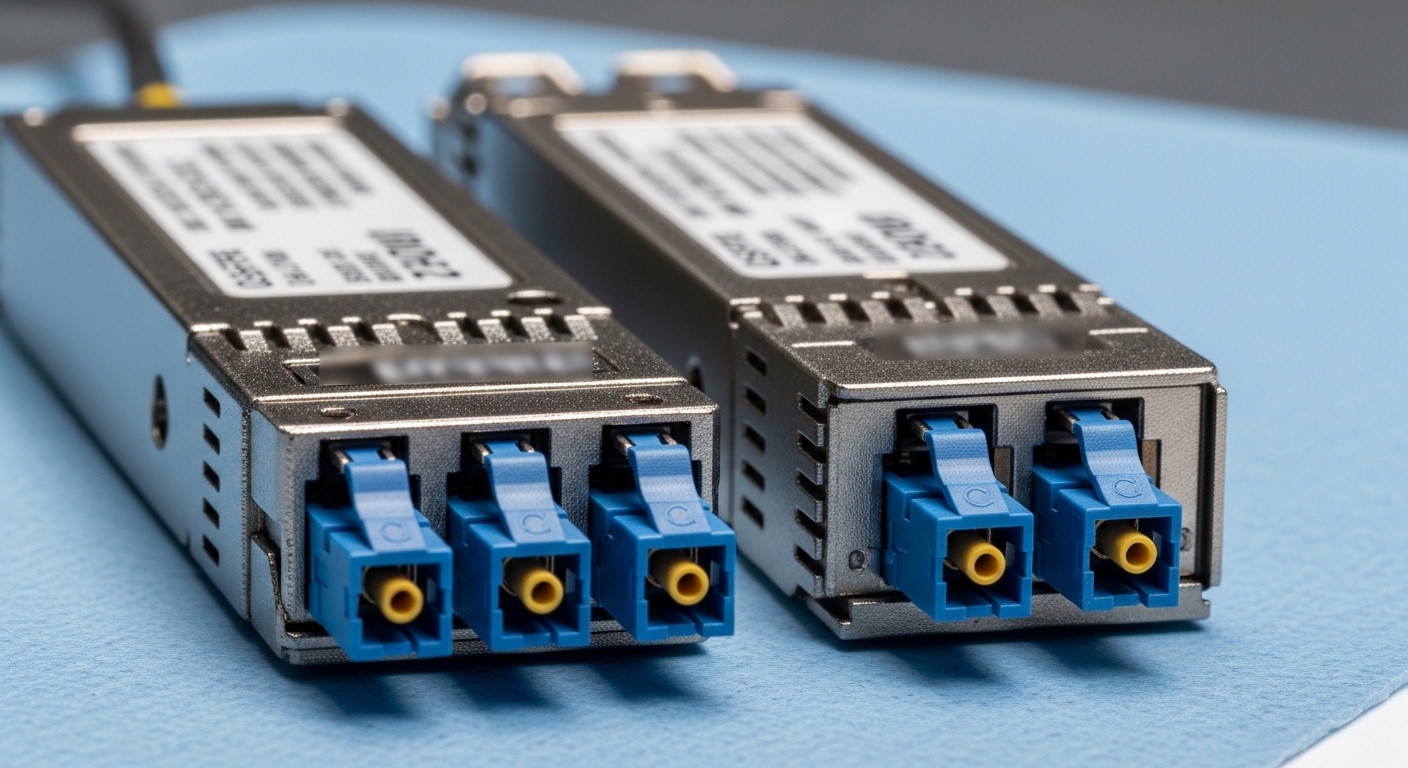
Before you touch optics procurement, collect network and physical plant facts that directly affect reach, margin, and service stability. For Ciena 6500 coherent and DWDM optics, assume you will need accurate link loss, connector quality, and transceiver provisioning details. If you skip measurements, you typically discover the problem after installation when power levels or OSNR are out of spec.
Capture link loss and fiber type with margins
Expected outcome: A per-link spreadsheet with wavelength-dependent loss and an engineering margin you can defend in change control.
- Identify fiber type: single-mode fiber (ITU-T G.652D or G.655) and confirm span lengths.
- Measure or obtain loss at the relevant wavelength bands (for coherent DWDM, channel wavelengths matter).
- Include connector and splice losses; do not assume “typical” unless you have measured.
- Add a safety margin for aging and temperature effects; in practice, teams often start with 3 to 6 dB extra margin depending on how well the plant is documented.
Verify transceiver form factor and Ciena 6500 optics capability
Expected outcome: A short list of candidate optical network transceivers that are actually supported by your exact Ciena 6500 line system configuration.
- Confirm which Ciena 6500 card types and optical ports you are using (the 6500 family uses specific line card/port combinations).
- Confirm whether you are using direct-detect DWDM optics or coherent optics paths; these have different monitoring, commissioning, and optical budget behaviors.
- Check DOM requirements: you will need vendor or standards-based diagnostics (temperature, laser bias current, optical output power, receive power, and sometimes bias drift indicators).
Decide your operational model for monitoring and alarms
Expected outcome: An alarm mapping plan so you know what to expect when signals degrade.
- Plan for OSNR/optical signal health visibility for coherent; for direct-detect, plan for received power thresholds and BER counters.
- Define acceptance thresholds for commissioning: for example, minimum received power and a target OSNR/quality indicator where applicable.
- Confirm whether you will use vendor-provided optics workflows or your own automation via APIs.
Coherent versus DWDM: how the optical network transceiver behaves in real networks
Engineers often treat “DWDM” as a single category, but the underlying receiver physics changes what you must validate. Coherent optics typically provide richer signal processing and better tolerance to impairments, but they require careful OSNR and channel plan verification. Direct-detect DWDM optics can be simpler to deploy and troubleshoot but may be less tolerant to dispersion and some impairments over longer or more complex routes.
Coherent optics: what to validate
Coherent transceivers mix the received signal with a local oscillator and recover phase and amplitude information. In commissioning, your key risk is not only “receive power,” but also signal quality indicators tied to optical spectrum and OSNR. If the channel plan, wavelength grid, or fiber impairments are off, you can see degraded performance even when received power looks acceptable.
Direct-detect DWDM optics: what to validate
Direct-detect DWDM optics convert intensity to electrical signal without phase recovery. Your primary risks are insufficient received power, poor fiber end-face quality, and dispersion effects that raise BER. In practice, you validate with link budget math and then confirm at runtime using receive power and BER/errored-second counters.
Pro Tip: In coherent deployments, teams often over-focus on “watts at the receiver” and under-focus on channel alignment and OSNR-related health indicators. A link can show acceptable receive power while still failing quality targets if wavelength grid alignment or channel plan provisioning is wrong.
Specs that matter: a practical comparison table for Ciena 6500 optics planning
Use the following table as a planning baseline. Actual part numbers and supported wavelengths vary by Ciena 6500 line card and the specific coherent/DWDM optics family you select, so always cross-check vendor datasheets and the Ciena 6500 transceiver guide you are using for your exact configuration.
| Spec category | Coherent optical network transceiver (planning view) | Direct-detect DWDM optical network transceiver (planning view) |
|---|---|---|
| Typical use case | Metro and long-haul where OSNR and channel impairments matter | Cost-sensitive DWDM links where power budget and reach dominate |
| Wavelength behavior | Channel wavelength matters for OSNR and coherent receiver tuning | Channel wavelength matters for filters and link budget |
| Key validation metric | OSNR / coherent quality indicators plus receive power | Received optical power and BER/errored seconds |
| Connector / interface | SFP/QSFP-like optical interface to the platform (confirm exact module type) | SFP/QSFP-like optical interface to the platform (confirm exact module type) |
| Temperature operating range | Typically extended industrial ranges; confirm module datasheet | Typically extended industrial ranges; confirm module datasheet |
| DOM / diagnostics | DOM with coherent-specific health signals where supported | DOM with temperature, bias, TX power, RX power, and alarm thresholds |
| Commissioning sensitivity | Higher sensitivity to channel plan and grid alignment | Higher sensitivity to loss, connector quality, and dispersion limits |
For optical standards context: while Ethernet transceiver behavior is often discussed in SFF specifications, the broader optical performance and modulation/receiver behavior are defined by vendor implementations and system-level requirements. For coherent and DWDM system behavior, rely on vendor and system documentation rather than only generic electrical line-rate expectations. Standards references that matter for transceiver diagnostics and optical interfaces include IEEE 802.3 for Ethernet PHY behavior and SFF committee documents for management and electrical signaling conventions. anchor-text: IEEE 802.3 overview anchor-text: SFF Committee specifications
Implementation steps: selecting and deploying the right optical network transceiver
This is a step-by-step implementation guide for ordering, validating, and commissioning optical network transceivers on a Ciena 6500 platform. It assumes you are planning a change window and want deterministic acceptance criteria.
Build a compatibility matrix before procurement
Expected outcome: A shortlist of modules that match your exact Ciena 6500 slot and line card behavior, reducing rework risk.
- From the Ciena 6500 transceiver guide, extract the supported coherent and DWDM optics categories for your card/port.
- Map each candidate module to: supported wavelength band, reach class, and diagnostics behavior.
- Record DOM support expectations: whether the platform reads standard fields and whether coherent health indicators are present.
Run link budget and margin checks using measured loss
Expected outcome: A pass/fail per link based on optical power and system quality assumptions.
- For direct-detect DWDM: compute expected receive power at the receiver using measured span loss plus connector/splice losses and a margin.
- For coherent: verify channel plan alignment and expected OSNR assumptions; if you cannot model OSNR, use a conservative commissioning threshold and plan to validate quickly.
- Ensure the transceiver’s min/max TX power and receiver sensitivity are respected across temperature swings.
Commission in a controlled environment and validate alarms
Expected outcome: Verified optics health with stable traffic and predictable alarm behavior.
- Install a single transceiver in the target slot and patch fibers as per your design.
- Bring the service up with a controlled test pattern or traffic profile and monitor: TX laser bias, TX power, RX power, and any coherent quality indicators.
- Confirm alarm thresholds: ensure you are not triggering pre-alarm events during normal operating conditions.
- Run a short traffic soak (for example, 30 to 60 minutes) and verify counters: errored seconds, packet loss, and interface stability.
Stage rollout with rollback criteria
Expected outcome: A safe deployment sequence that minimizes outage risk and speeds diagnosis.
- Roll out from least complex to most complex links (fewer spans first).
- Define rollback criteria: e.g., persistent alarm states beyond a threshold duration, or repeated quality failures.
- Keep spares on hand with matching part numbers and revision levels.
Selection criteria checklist: how engineers choose an optical network transceiver
Use this ordered checklist in procurement and engineering review. It prevents the classic “it fit the port but failed in service” outcome.
- Distance and span count: choose reach class that matches measured loss, not just datasheet marketing.
- Budget and total cost: include spares, installation labor, and rework risk from incompatibility.
- Switch and platform compatibility: confirm Ciena 6500 line card/slot support and provisioning requirements.
- DOM and monitoring support: ensure the platform ingests diagnostics you rely on for operations.
- Operating temperature and thermal constraints: confirm module and chassis thermal performance under load.
- Vendor lock-in risk: evaluate third-party compatibility and whether firmware/provisioning expects specific optical behaviors.
Common pitfalls and troubleshooting tips (top failure modes)
Below are the most frequent issues seen after optical network transceiver installation. Each includes a root cause and a practical solution workflow.
Pitfall 1: Received power looks fine, but coherent quality fails
Root cause: channel plan mismatch, wrong wavelength grid provisioning, or filter mismatch causing OSNR/quality degradation. This can happen even if RX power is within nominal range.
Solution: verify channel wavelength assignment against the system plan, confirm you used the correct coherent module family for that channel, and re-check any ROADM or mux/demux configuration.
Pitfall 2: Intermittent alarms after installation, then stability improves
Root cause: thermal settling or connector micro-misalignment; sometimes also due to insufficient fiber slack causing strain as the rack warms.
Solution: re-check patch cord bend radius, verify connectors are seated fully and cleaned, and observe alarm trends across a warm-up interval (for example, 15 to 30 minutes).
Pitfall 3: High BER or errored seconds with direct-detect DWDM
Root cause: end-face contamination, wrong fiber type, or dispersion beyond the module’s intended operating envelope.
Solution: clean connectors with approved procedures, verify fiber type and span design, and confirm you are within the recommended dispersion and reach limits for the selected module.
Pitfall 4: DOM mismatch or missing diagnostics fields
Root cause: transceiver firmware or third-party module behavior not fully matching what the platform expects for alarm mapping.
Solution: validate DOM field visibility during commissioning, compare alarm behavior to a known-good module, and if needed, revert to a supported OEM module revision.
When troubleshooting, log the exact module part number, revision, and serial number. Track optical metrics at a consistent cadence (for example, every 60 seconds) during the first hour after commissioning; it makes root cause analysis faster.
Cost and ROI note: OEM versus third-party optical network transceivers
Pricing varies by optics family (coherent modules typically cost more than direct-detect DWDM), reach class, and whether you include service-level support. As a realistic planning range, coherent optics in metro deployments often run from $3,000 to $10,000 per module, while many direct-detect DWDM modules may be in the $500 to $3,000 range depending on speed and reach. Third-party modules can reduce purchase price, but TCO can increase if you face higher failure rates, slower RMA cycles, or reduced visibility into diagnostics.
ROI usually comes from avoiding downtime and reducing truck-rolls. If your operational team depends on deterministic alarm thresholds and consistent DOM behavior, the cheapest module is not always the lowest TCO option. For coherent optics, mismatch risks are higher because system-level quality depends on more than raw optical power.
FAQ
What is an optical network transceiver in a Ciena 6500 context?
An optical network transceiver is the pluggable optical interface that converts electrical signals to optical signals (and back) for the Ciena 6500 system. In this context, it can be direct-detect DWDM optics or coherent optics depending on the line card and service design. The key difference is how the receiver recovers signal quality and what metrics you must validate.
How do I choose coherent versus direct-detect DWDM for a specific link?
Choose coherent when impairments and OSNR sensitivity matter, such as longer metro routes, more complex optical paths, or tighter quality targets. Choose direct-detect when the design is power-budget driven and dispersion constraints are manageable. Always base the decision on measured fiber loss and the system’s provisioning model.
Do I need DOM support, and what should I look for?
Yes, operational teams typically require DOM diagnostics for temperature, TX bias/current, TX power, RX power, and alarm states. For coherent optics, you may also need additional health indicators exposed via vendor diagnostics. Validate DOM visibility during commissioning so your monitoring system maps alarms correctly.
Can I use third-party optical network transceivers with Ciena 6500?
Sometimes, but compatibility is not guaranteed across firmware revisions, provisioning expectations, and diagnostic field mappings. If you must use third-party modules, test with a known-good link first, confirm DOM and alarm behavior, and keep a rollback plan. For coherent optics, the risk profile is typically higher.
What are the fastest troubleshooting checks when a link fails after optics install?
Start by verifying channel plan or wavelength provisioning, then confirm connector cleanliness and proper seating. Next, compare received power and quality indicators against a known-good baseline module. Finally, check for thermal or physical strain issues like excessive bend radius or tight patch cord routing.
Where should I validate my design assumptions and reach?
Use the Ciena 6500 transceiver guide for supported optics families and system behaviors, then cross-check with vendor datasheets for optical power ranges and operating conditions. For standards-level context on Ethernet PHY behavior, reference IEEE 802.3. anchor-text: IEEE 802.3 standard index
Deploying an optical network transceiver on Ciena 6500 is less about “it fits the port” and more about matching the coherent or DWDM behavior to your channel plan, measured loss, and monitoring expectations. Next step: review the Ciena 6500 transceiver guide section for coherent and DWDM optics, then apply the selection checklist to your link spreadsheet using optical transceiver monitoring and DOM best practices.
Author bio: I lead field-to-cloud transport deployments, focusing on coherent optics commissioning, alarm engineering, and operational reliability. I also manage tech debt in optics tooling and monitoring pipelines to reduce mean time to recovery.
