
If you are trying to get stable WAN or inter-VLAN routing through an SFP-based pfSense or OPNsense firewall, the transceiver choice can make or break uptime. This article helps network engineers and small-DC operators pick the right OPNsense fiber module (usually SFP, sometimes SFP+), focusing on link stability, DOM behavior, and real compatibility constraints. You will also get a troubleshooting checklist for the most common “link up, traffic dead” failures.
Top 8 OPNsense fiber module picks by use-case
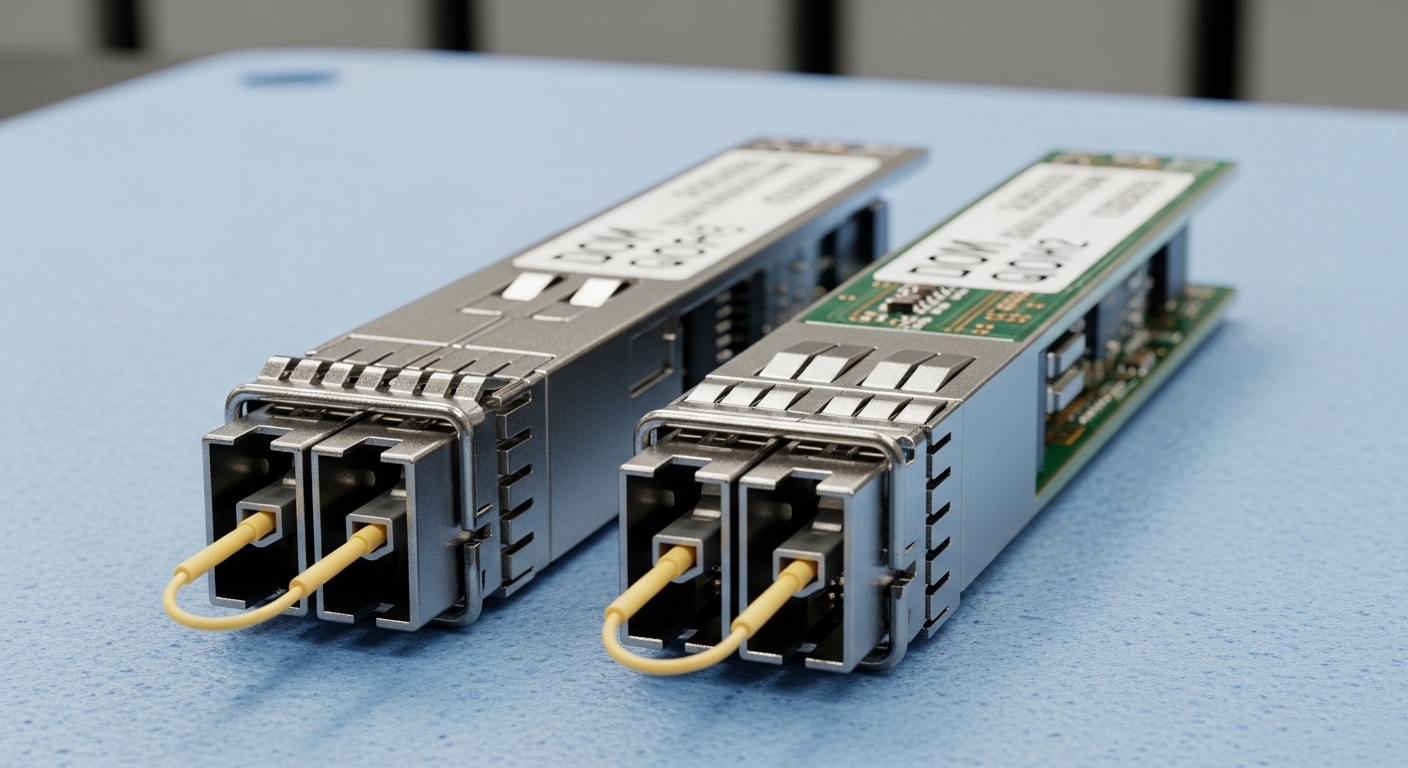
Not every environment needs the same optics. Below are the best-fit options engineers typically deploy with pfSense/OPNsense firewall NICs, from 1G SFP to 10G SFP+ and the “gotchas” that show up in field operations.
1G SFP (SX, 850 nm multimode) for short LAN runs
Key specs: Typical data rate 1.25 Gbps, wavelength 850 nm, reach up to 550 m on OM2/OM3 (distance depends on fiber grade and link budget). Best for server-to-edge or edge-to-switch paths inside a wiring closet where multimode is already installed. Typical connectors are LC, and the module is commonly a “SX” variant.
Best-fit scenario: A small office with a pfSense or OPNsense appliance connected to a core switch via 1G SFP, using existing OM3 fiber between floors (about 200 m). The goal is low cost and easy installation without pushing power or optics budgets.
- Pros: Low cost, widely supported, easy to source
- Cons: Multimode sensitivity to patch quality; OM2 vs OM3 reach surprises
1G SFP (LX, 1310 nm single-mode) for longer runs
Key specs: 1310 nm wavelength, typical reach 10 km on single-mode fiber (SMF) for LX optics, depending on vendor specs. Use this when you have a longer corridor, campus segment, or ISP handoff that already terminates in SMF.
Best-fit scenario: An organization with a remote office link of 3.5 km SMF where the firewall sits at the remote end and needs consistent link training at 1G. LX optics reduce dispersion and keep attenuation manageable.
- Pros: Better for distance, less sensitive to multimode cabling issues
- Cons: Higher module cost than SX; requires correct SMF and clean connectors
10G SFP+ (SR, 850 nm multimode) for dense data closets
Key specs: Data rate 10.3125 Gbps (10G), 850 nm, typical reach up to 300 m on OM3 and 400 m on OM4 (varies by transceiver and fiber). SR is the go-to for short-reach 10G inside modern racks.
Best-fit scenario: In a 3-tier data center leaf-spine topology, you may connect an OPNsense firewall appliance to a distribution switch using 10G SR for policy inspection and routing. Example: 120 m OM4 between the firewall cage and a top-of-rack/distribution pair.
- Pros: Great for short reach 10G, common in enterprise spares
- Cons: Requires OM3/OM4 if you want the rated reach; patch panel cleanliness matters
10G SFP+ (LR, 1310 nm single-mode) for campus or WAN aggregation
Key specs: 1310 nm, typical reach 10 km on SMF for LR optics. LR is often used when you want 10G but do not want to run 10GBASE-LR over costly long-reach fiber beyond the typical campus span.
Best-fit scenario: A campus security deployment where the OPNsense firewall sits in a central building and aggregates traffic from a remote access network over 7 km SMF. LR optics give you stable 10G link without needing expensive coherent optics.
- Pros: Balanced cost vs distance for 10G
- Cons: SMF and connector hygiene still critical; budget for patch cords and cleaning
DOM-aware SFP/SFP+ modules for better monitoring
Key specs: Digital Optical Monitoring (DOM) provides real-time laser bias, transmit power, received power, and sometimes temperature/voltage. This matters if your firewall platform reads SFP diagnostics and you want early warnings before a link degrades.
Best-fit scenario: You run OPNsense with frequent maintenance windows and want to correlate interface events with optical power drift. DOM-aware modules help you catch a failing connector or aging fiber before the link drops.
- Pros: Better observability; faster troubleshooting
- Cons: Some third-party modules expose DOM differently; verify your NIC driver support
“Vendor-matched” optics when you hit compatibility walls
Key specs: Not a protocol difference, but a compatibility strategy: using optics that match the switch/firewall vendor’s tested transceiver list reduces surprises in link negotiation, especially with marginal DOM implementations. For example, enterprise switches often publish compatibility guidance in datasheets and software release notes.
Best-fit scenario: Your OPNsense firewall uses a specific NIC model that is picky about transceiver EEPROM fields. After a failed bring-up with generic optics, you move to a vendor or OEM-compatible SFP to restore stable link training.
- Pros: Faster stabilization; fewer “it works on one port” mysteries
- Cons: Higher cost and potential lock-in; still verify reach and DOM behavior
OEM third-party modules with known-good EEPROM/DOM behavior
Key specs: Many third-party transceivers are excellent, but you need to confirm they are truly compatible with your firewall NIC. Look for datasheets showing DOM support and typical power levels (e.g., SR modules commonly target safe transmit power ranges within vendor limits).
Best-fit scenario: You manage a small fleet of firewalls and want predictable pricing. You buy from a reseller with strong QC practices and keep a spare kit that you validate in a staging rack.
- Pros: Lower TCO; spares are easier to maintain
- Cons: Compatibility variance; always test before scaling
SFP-to-SFP+ “form factor confusion” avoider (don’t mix speeds)
Key specs: SFP (1G class) is not the same as SFP+ (10G class). Even if the connector fits, the electrical interface and optics expectations differ. Mixing incompatible optics can cause link flaps, negotiation failures, or no link at all.
Best-fit scenario: You are upgrading a firewall from 1G to 10G and reuse old fiber patch cords and optics. The right move is to standardize on the correct module type for the NIC interface.
- Pros: Prevents a whole class of outages
- Cons: Requires inventory cleanup and careful labeling
OPNsense fiber module specs that actually affect link stability
Engineers often focus on “reach,” but field failures usually trace back to connector/patch loss, DOM compatibility, or wrong optical class. The table below compares common module types you will see in SFP-based firewall deployments.
| Module type | Standard / class | Wavelength | Typical reach | Connector | Data rate | Operating temp | DOM |
|---|---|---|---|---|---|---|---|
| SFP SX | 1000BASE-SX (IEEE 802.3) | 850 nm | Up to 550 m on OM3 | LC | 1.25 Gbps | 0 to 70 C (varies) | Often available |
| SFP LX | 1000BASE-LX | 1310 nm | Up to 10 km on SMF | LC | 1.25 Gbps | -5 to 70 C (varies) | Often available |
| SFP+ SR | 10GBASE-SR (IEEE 802.3) | 850 nm | Up to 300 m on OM3 | LC | 10.3125 Gbps | 0 to 70 C (varies) | Often available |
| SFP+ LR | 10GBASE-LR | 1310 nm | Up to 10 km on SMF | LC | 10.3125 Gbps | -5 to 70 C (varies) | Often available |
Reference examples engineers recognize: Cisco-branded optics like Cisco SFP-10G-SR, and compatible third-party parts such as Finisar FTLX8571D3BCL or FS.com SFP-10GSR-85 are commonly used in lab and production spares. Still, validate against your exact firewall NIC and transceiver support list.
Pro Tip: When links are unstable, check received optical power (DOM) against the module’s spec window before touching firmware. A connector with 1 extra dB of loss can push you over the margin on SR optics, and the failure often looks like “random flaps” rather than a clean “no link.”
Decision checklist for picking the right OPNsense fiber module
Here is the ordered list engineers should run through before buying optics for an OPNsense fiber module deployment. This is the same sequence I use when staging spares for a site survey.
- Distance and fiber type: Confirm SMF vs OM3/OM4, then map to SR/LR or SX/LX reach budgets.
- Firewall NIC interface: Verify whether the port is SFP or SFP+ and the expected speed class.
- Switch compatibility: If traffic traverses a switch, ensure both ends match the optics class and speed.
- DOM support: Decide whether you need diagnostics for monitoring and alerting; verify your platform reads DOM.
- Operating temperature and airflow: Choose modules with an appropriate temperature range for the rack environment.
- Vendor lock-in risk: Weigh OEM pricing vs third-party risk; plan a staging test and maintain a validated spare list.
- Connector cleanliness and patch loss: Factor in patch cords, splitters (if any), and expected insertion loss.
Common mistakes and troubleshooting tips
These are the failures I see most often when installing SFP optics with pfSense or OPNsense firewalls. Each item includes the root cause and a practical fix.
Wrong fiber type for the optics class
Symptom: Link never comes up, or it flaps at random intervals. Root cause: Using SR (850 nm multimode) optics on SMF, or using multimode optics on higher-loss multimode runs (wrong OM grade). Solution: Verify fiber type at the patch panel, then measure or estimate end-to-end loss; switch to LX/LR for SMF.
SFP vs SFP+ mismatch after an upgrade
Symptom: “No link” or repeated link training events. Root cause: Plugging a 1G SFP into a 10G SFP+ port (or vice versa). Some ports may accept the physical form factor but fail electrical expectations. Solution: Confirm port label and NIC model; standardize module type across the rack and relabel inventory.
DOM incompatibility breaks monitoring, masking the real issue
Symptom: Interface status shows up inconsistently; monitoring dashboards show missing or weird values. Root cause: Third-party DOM EEPROM fields differ, and the driver may misread thresholds. Solution: Validate DOM behavior in staging; if monitoring is critical, prefer modules proven on your platform or OEM optics.
Dirty LC connectors causing “link up, traffic dead”
Symptom: PHY shows link, but throughput is near zero or errors spike. Root
