
When an OEM team brings up a new leaf-spine switch based on Broadcom Tomahawk silicon, transceiver selection can make or break schedule. Link training failures, marginal optical power, and DOM mismatches are common reasons teams lose a week during bring-up. This article helps hardware and network engineers choose the right optic for real rack deployments, verify compatibility, and troubleshoot the failures that show up in the field.
Why Tomahawk transceivers behave like a system, not a part
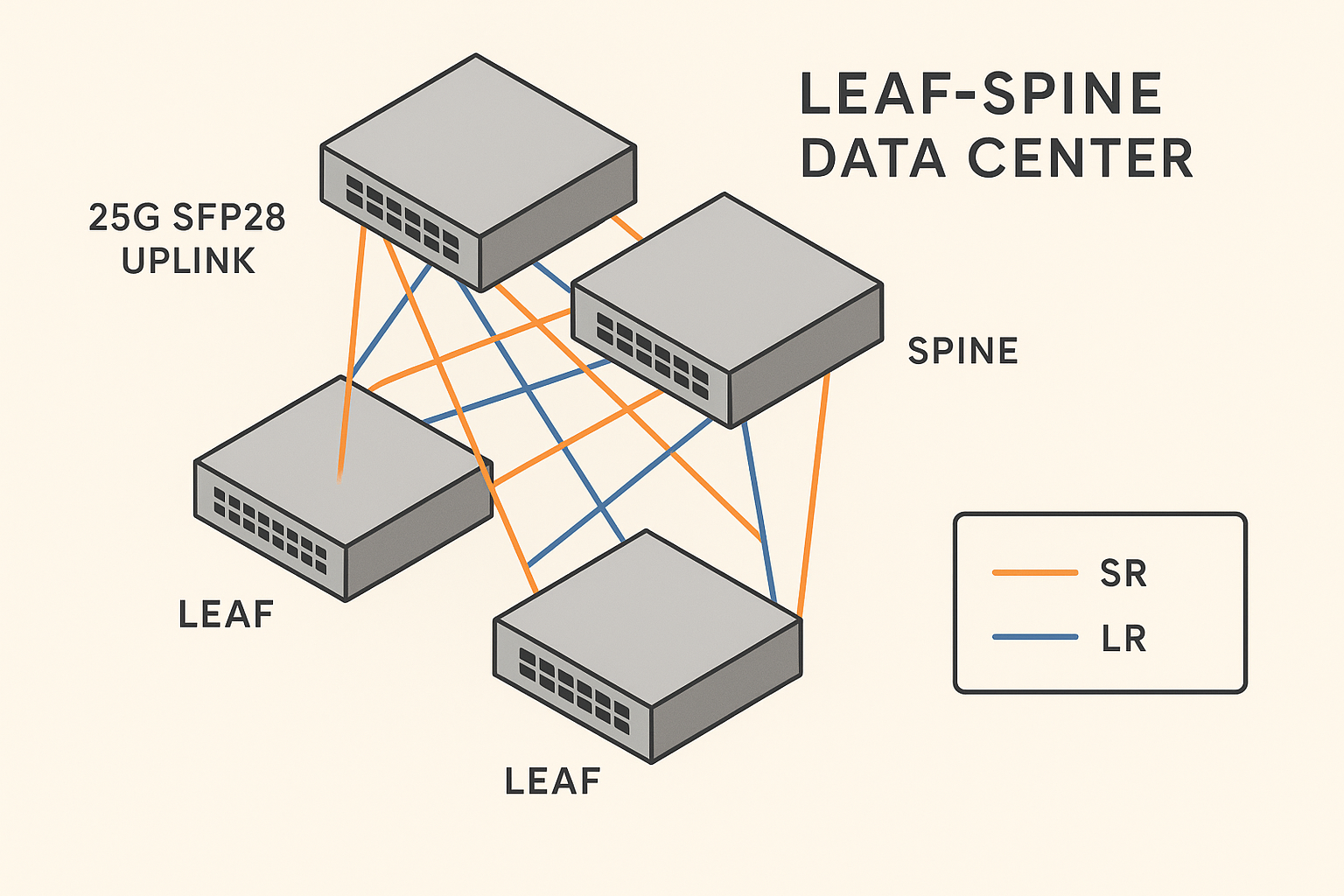
A Broadcom Tomahawk transceiver is only one piece of a tightly coupled optical and electrical chain. The Tomahawk device specifies lane-level electrical characteristics, while the optics define transmitter output power, receiver sensitivity, and timing for 10G/25G/40G/100G classes. Even if a module “fits” the form factor, it can fail due to signal integrity limits, channel power budgets, or optics vendor calibration differences.
In practice, OEM builds are sensitive to three layers: the switch backplane and retimer strategy, the transceiver’s electrical interface (including CDR behavior), and the fiber plant’s loss profile. During factory testing, I’ve seen modules pass a bench loopback test yet drop links under full traffic because thermal drift pushed the receive margin below spec.
For compatibility and expected behavior, treat the target switch platform as the source of truth and cross-check with vendor datasheets and interface requirements. IEEE standards like IEEE 802.3 define optical Ethernet classes, but they do not guarantee that every vendor’s implementation will meet your system margin in every temperature corner. anchor-text: IEEE 802.3 optical Ethernet standards
Optics selection: reach, power budget, and temperature limits
Engineers typically start with the distance requirement, then work backward to a power budget. For OEM builds, you also need to match the transceiver’s wavelength (for example 850 nm for SR or 1310 nm for LR) and the fiber type (OM3/OM4 multimode versus OS2 single-mode). The wavelength selection determines the dispersion behavior, and the fiber type determines the allowable link loss.
Below is a practical comparison of common Ethernet optics classes you’ll see around Tomahawk-based designs. Always confirm exact part numbers against the OEM switch vendor’s compatibility list and the module datasheet.
| Category | Example module | Wavelength | Typical reach | Connector | Data rate | DOM | Operating temperature |
|---|---|---|---|---|---|---|---|
| 10G SR | Cisco SFP-10G-SR or Finisar FTLX8571D3BCL | 850 nm | 300 m (MM) | LC | 10G | Usually supported | 0 to 70 C (common) |
| 25G SR | FS.com SFP-25G-SR or OEM equivalent | 850 nm | 70 to 100 m (MM) | LC | 25G | Supported | -5 to 70 C (varies) |
| 40G SR4 | Generic 40G SR4 QSFP+ | 850 nm | 100 to 150 m (MM) | MPO-12 | 40G | Supported | 0 to 70 C |
| 100G SR4 | Broadcom-compatible 100G SR4 QSFP28 | 850 nm | 100 m (MM) | MPO-12 | 100G | Supported | 0 to 70 C or 70 C max |
| 100G LR4 | 100G LR4 QSFP28 | 1310 nm | 10 km (SM) | LC | 100G | Supported | -5 to 70 C typical |
When I size optics for an OEM build, I add margin beyond the vendor’s nominal reach. A common mistake is using the “maximum” distance from a datasheet without accounting for patch cords, connector insertion loss, and aging. In one deployment, a 100 m multimode link budget looked safe on paper, but field cleaning issues increased insertion loss by several dB and caused intermittent CRC errors after thermal cycling.
Pro Tip: During OEM bring-up, log DOM readings (Tx power and Rx power) under a traffic generator, not just at idle. A module can look healthy at boot yet drift under sustained load, especially near the upper end of the temperature range.
OEM build workflow: compatibility checks you should automate
For a Tomahawk-based OEM switch, treat transceiver validation as a manufacturing workflow. Start by locking the optics family and speed class that the switch design targets, then validate electrical and optical compatibility across temperature bins. Your factory test plan should include link bring-up, error-free throughput tests, and DOM verification.
Then automate what causes late surprises. DOM support is usually available, but the exact interpretation of thresholds, vendor identifiers, and alarms can differ by module vendor. If your platform enforces strict DOM expectations, a “compatible” module on a bench can still fail in production due to policy mismatches.
Decision checklist engineers can use immediately
- Distance and fiber type: Confirm OM3/OM4 versus OS2, and measure actual link loss with OTDR or certified testers.
- Speed and optical class: Match SR, LR, ER, or DR classes to the required lane rate and modulation.
- Switch compatibility: Use the OEM switch vendor’s compatibility list for the exact Tomahawk platform revision.
- DOM support and behavior: Validate Tx/Rx power reporting, alarms, and any vendor ID handling in your management stack.
- Operating temperature: Confirm both module temperature range and the switch’s worst-case airflow path at full load.
- Power and thermal budget: Compare module typical and maximum power draw; ensure your thermals meet the highest-density loadout.
- Vendor lock-in risk: Check whether third-party optics are accepted without feature loss (for example, diagnostic granularity).
Common mistakes and troubleshooting patterns in the field
Even experienced teams make repeatable errors during OEM builds. Below are failure modes I’ve seen during factory bring-up and early deployments, along with root causes and fixes.
“It links on the bench but fails in racks”
Root cause: The bench setup uses short patch cords and clean connectors, while the rack installation adds loss and sometimes polarity or cleaning issues. The module’s receive margin gets squeezed by extra insertion loss and thermal drift.
Solution: Validate with representative patch cords and adapters, run sustained traffic at temperature extremes, and measure link loss end-to-end. Require connector inspection and cleaning before blaming optics.
DOM alarms trigger or telemetry looks wrong
Root cause: The module supports DOM, but the application expects certain threshold behavior, vendor identifiers, or calibration fields. Some third-party optics report values with different scaling conventions.
Solution: Confirm DOM parsing against the module datasheet and test with the exact vendor parts you plan to ship. If your platform has DOM gating rules, align them to the supported identifier set.
Intermittent CRC errors under load
Root cause: Marginal optical power or signal integrity issues at the electrical interface. This can happen when the module’s Tx power is low at high temperature or when the switch port’s lane equalization is near its limit.
Solution: Compare DOM Tx/Rx power readings during traffic, swap modules to isolate whether the issue follows the optic or the port, and verify that your patch cables meet required specifications (including MPO polarity for SR4).
Wrong connector type or polarity for multimode assemblies
Root cause: SR4 optics use MPO-12 and are sensitive to polarity. A “looks connected” MPO can still be mis-polarized, producing weak or inconsistent links.
Solution: Use polarity-verified cassettes and document the polarity method. Perform a continuity and optical power check after installation.
Cost and ROI: OEM optics economics that engineers can defend
Price varies by speed class, reach, and certification level. In typical OEM procurement, 10G SR modules often land in the low tens of dollars per unit, while 25G and 100G optics can be higher depending on whether they are SR (multimode) or LR (single-mode). For Tomahawk switch builds, the dominant cost is frequently not the module itself, but the TCO impact of failures: RMA logistics, downtime during rollout, and the engineering time spent chasing intermittent link issues.
OEM builds usually benefit from a stable, qualified optics supply chain. Third-party modules can reduce unit cost, but you must account for the engineering cost of validation, the risk of DOM behavior differences, and the potential for higher failure rates in high-temperature or high-density environments. If your deployment is mission-critical, I’ve found that paying for consistent compatibility testing up front is cheaper than debugging optics in the field.
FAQ: Broadcom Tomahawk transceiver questions from OEM teams
Q1: Do I need Broadcom-branded optics for Tomahawk switches to work?
No. Tomahawk is an electrical interface target, and many third-party optics can work if they meet the required optical class and the OEM platform’s compatibility expectations. Always validate with the exact switch revision and confirm DOM behavior.
Q2: Which matters more for reliability: reach rating or DOM telemetry?
Both matter. Reach rating indicates whether a link should work under ideal conditions, while DOM telemetry helps you confirm margin and drift during real traffic and temperature load. In production, DOM is often the fastest way to catch a weak link before it becomes an outage.
Q3: Can I mix optics vendors within the same switch?
Sometimes, but it increases variables. If your platform applies strict DOM parsing or alarm thresholds, mixing vendors can trigger false alarms or hide real degradation. For OEM builds, standardize as much as possible.
Q4: What’s the biggest cause of intermittent errors after deployment?
Most commonly, it’s insufficient optical power margin caused by connector loss, dirty MPO/LC endfaces, or additional patch cord attenuation not reflected in the design assumption. A secondary cause is thermal drift near the module’s operating limit.
Q5: How should I test optics during factory acceptance?
Go beyond link-up. Run sustained traffic for at least an hour per module type, verify DOM readings under load, and include temperature soak tests if your customer requires it. Capture baseline Tx/Rx power so you can compare later RMAs.
Q6: Where do IEEE standards help, and where do they not?
IEEE 802.3 defines the Ethernet optical requirements for speed classes, which is a baseline for interoperability. However, system-level behavior depends on vendor implementation details, switch lane equalization, and your real power budget.
Choosing the right Broadcom Tomahawk transceiver for OEM builds is less about finding a “matching” part number and more about validating margin, DOM behavior, and thermal performance in the exact environment you will deploy. Next, review how to size fiber optic power budgets|how to size fiber optic power budgets to lock your link budgets before procurement.
Author bio: I’m an electronics and network hardware specialist who has supported switch bring-up, optical validation, and field failure analysis across 10G
