
GPU clusters are pushing rack-scale bandwidth beyond what copper and older optics can handle. This article helps network and systems engineers select the right AI cluster optical transceiver for 400G and 800G optical interconnects, with practical compatibility checks and field troubleshooting. You will also get a decision checklist, a specs comparison table, and cost-aware ROI guidance for production rollouts.
Why 400G and 800G optics behave differently in GPU racks
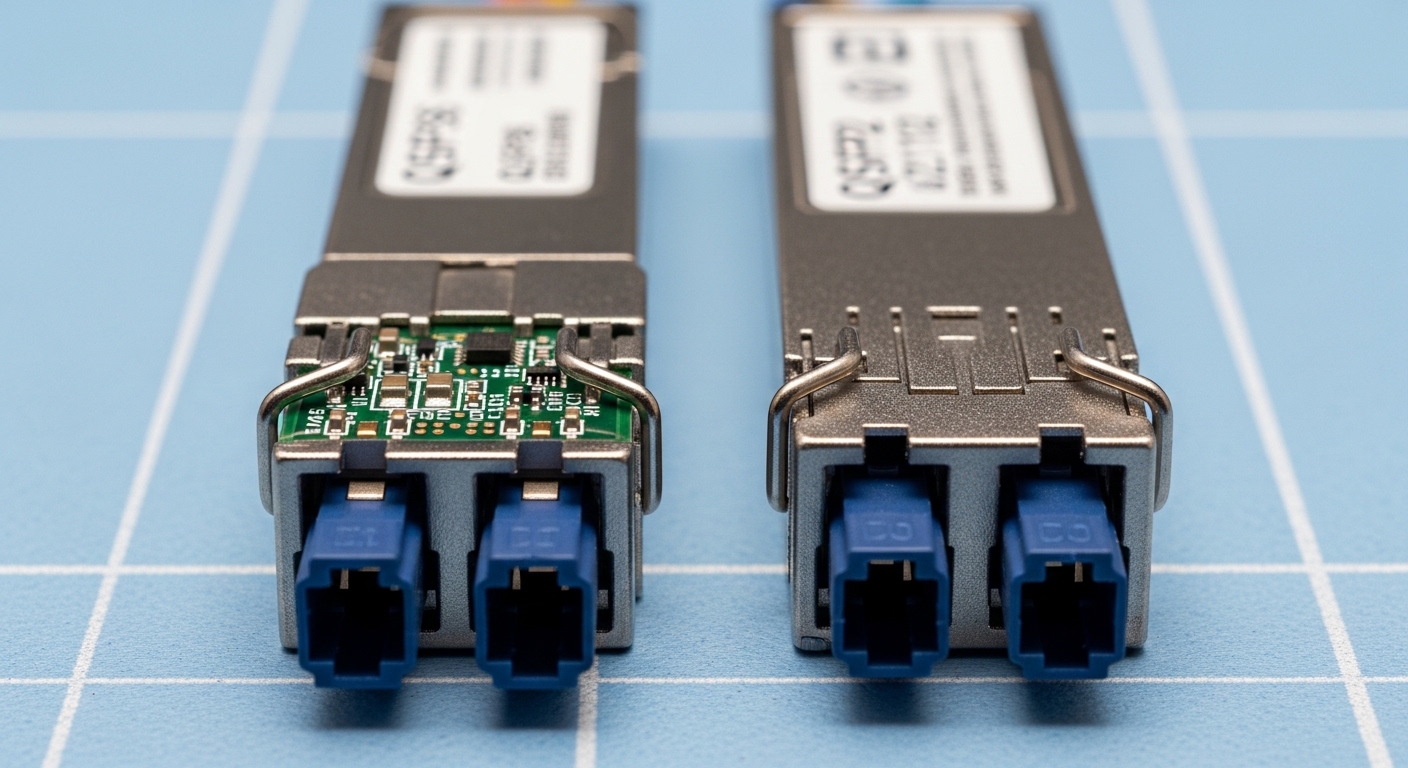
In AI cluster optical interconnects, the “optics choice” is really a system choice: optics, optics cage, host port signaling, fiber plant, and switch optics budget all interact. At 400G, many deployments use QSFP-DD or vendor-specific high-density pluggables with a mix of short-reach multimode and long-reach single-mode. At 800G, the channel count and lane mapping increase, which makes optics compatibility and lane-level diagnostics more critical during bring-up.
From an operations standpoint, engineers often see that 400G links fail in “classic” ways (wrong fiber type, dirty MPO, oversubscribed optics budget), while 800G adds new failure modes related to lane mapping, FEC expectations, and DOM parsing differences across vendors. IEEE 802.3 defines key electrical and optical behaviors for Ethernet PHYs, but the exact implementation details still vary by switch ASIC and vendor optics firmware. For authoritative baseline definitions, see Source: IEEE 802.3.
Key specifications to compare before buying
When comparing an AI cluster optical transceiver, start with reach and wavelength because they dictate fiber type and patching complexity. Then verify data rate, form factor, and connector standard to avoid physical incompatibility. Finally, check temperature range and optical power budget because “works on the bench” modules can fail in hot aisles or under worst-case aging.
| Spec | 400G SR (Multimode) | 400G LR4 (Single-mode) | 800G SR8 (Multimode) | 800G DR8 (Single-mode) |
|---|---|---|---|---|
| Typical data rate | 400 Gbps | 400 Gbps | 800 Gbps | 800 Gbps |
| Wavelength | 850 nm class | ~1310 nm class (4 lanes) | 850 nm class (8 lanes) | ~1310 nm class (8 lanes) |
| Reach (typical) | Up to 100 m over OM4/OM5 | Up to 10 km | Up to 100 m over OM4/OM5 | Up to 500 m |
| Fiber type | OM4/OM5 multimode | OS2 single-mode | OM4/OM5 multimode | OS2 single-mode |
| Connector | MPO/MTP (common) | LC (common) | MPO/MTP (common) | LC (common) |
| DOM support | Usually supported | Usually supported | Usually supported | Usually supported |
| Operating temperature | Typically 0 to 70 C (varies by vendor) | Typically 0 to 70 C (varies by vendor) | Typically 0 to 70 C (varies by vendor) | Typically -5 to 70 C or similar (varies) |
In practice, you will see modules labeled by reach class and “lane scheme,” but the exact mapping to switch ports matters. For example, a Finisar/II-VI class 400G QSFP-DD SR4 optical module such as Source: Finisar products uses specific lane arrangements and power levels. Similarly, FS.com publishes spec sheets for pluggables like SFP and SFP-10GSR variants; their catalog is useful for cross-checking DOM fields and temperature ranges, even when you ultimately choose an OEM part. Use vendor datasheets as the final authority.
Compatibility workflow for AI cluster optical transceiver deployments
Before ordering, run a compatibility workflow that mirrors how a field engineer brings up links in a live rack. Start by confirming the switch model and port type, then verify that the transceiver form factor is supported by the vendor’s optics compatibility list. If you plan to use third-party optics, confirm that the switch firmware supports the module’s DOM schema and vendor-specific EEPROM identifiers.
Step-by-step checklist
- Distance and fiber plant: measure patch cords and trunk lengths; decide whether SR over OM4/OM5 can meet your budget with margin for aging.
- Budget and oversubscription: map how many 400G or 800G links each spine/leaf ASIC can sustain without triggering optics budget throttling.
- Switch compatibility: verify the exact switch SKU and port speed (400G vs 800G) and ensure the optics cage is designed for the module type.
- DOM and telemetry: confirm that the platform can read laser bias, received power, and error counters; some platforms gate diagnostics on DOM support.
- Operating temperature: check whether the module’s datasheet supports 0 to 70 C or stricter requirements for hot aisle operation.
- Vendor lock-in risk: assess whether the OEM firmware restricts “unsupported” optics and whether third-party modules will be tolerated under RMA policy.
Pro Tip: In 800G bring-up, treat lane-mapping mismatches as a first-class failure mode. If the link flaps at initialization but power levels look “reasonable,” verify that the MPO polarity and the switch’s lane ordering expectations align; the symptom can resemble dirty fiber even when the cleaning is perfect.
Real-world deployment scenario: leaf-spine GPU rack scaling
Consider a 3-tier data center leaf-spine design for an AI cluster: 48-port 400G top-of-rack switches feed a spine with 800G uplinks. Each ToR serves multiple GPU server racks using short-reach optics within 30 to 70 m fiber runs, typically over OM4/OM5. In this environment, the team standardizes on 400G SR for ToR-to-server and 800G DR or SR8 for ToR-to-spine depending on cabling geometry. During commissioning, they target a received power margin of at least 3 dB between nominal and worst-case thresholds, because field dust and connector wear reduce link margin over time.
Operationally, the team deploys a consistent cleaning workflow: inspect MPO endfaces under a microscope, clean with validated fiber cleaning tools, and re-check optical power after every patch change. They also enable DOM-based monitoring for thresholds and correlate link errors to temperature and fan speed events. This approach reduces repeat truck rolls and improves mean time to repair when optics are swapped during staged rollouts.
Common pitfalls and troubleshooting in the field
Even when the transceiver model looks correct, link failures often come from plant issues, compatibility mismatches, or optics telemetry blind spots. Below are concrete mistakes engineers repeatedly encounter, with root causes and fixes.
Wrong fiber type or connectorization
Root cause: installing multimode SR optics into an OS2 single-mode patch path, or mixing OM4 and OM5 without validating budget. Some connectors also get converted incorrectly (e.g., MPO adapter polarity changes).
Solution: verify fiber type at the patch panel and trace end-to-end; then confirm connector type and polarity before powering the link. Use OTDR or certified loss testing when moving from lab to production.
Dirty MPO/MTP endfaces causing intermittent flaps
Root cause: contamination on MPO endfaces creates intermittent power drop that triggers link renegotiation and CRC/FEC error spikes.
Solution: inspect every connector endface, clean with the correct method for MPO ferrules, and re-test received optical power. In practice, schedule cleaning after any fiber move, even if the modules were untouched.
DOM incompatibility and misleading telemetry
Root cause: third-party optics that do not fully match the platform’s expected DOM fields can cause telemetry gaps, leading engineers to chase the wrong root cause.
Solution: confirm DOM fields and thresholds during a pilot with a controlled fiber length, then lock the optics SKU set for the rollout. If telemetry is missing, rely on link counters and optical power readings that the switch exposes reliably.
Lane-mapping or polarity mismatch at 800G
Root cause: MPO polarity and lane ordering mismatch can produce immediate link failure or persistent flaps, especially when using pre-terminated trunks.
Solution: validate polarity with the vendor’s lane mapping diagram and ensure consistent polarity across both ends. If your environment uses A/B polarity conventions, enforce them in the cabling spec before procurement.
Cost, ROI, and risk tradeoffs for optics at scale
Pricing varies heavily by OEM vs third-party and by reach class. In many deployments, OEM 400G SR optics are priced higher but come with predictable compatibility and a smoother RMA path; third-party options can reduce acquisition cost but may carry higher operational overhead if DOM behavior differs. For 800G, the unit cost gap can be more noticeable because the module complexity is higher and compatibility testing is more stringent. A realistic planning approach is to compare total cost of ownership: acquisition price plus the cost of testing time, spares inventory, and the expected failure rate under your environmental conditions.
ROI improves when you standardize one or two optics SKUs per distance class, because engineers spend less time validating new combinations during scaling. If you operate in hot aisles or high-density cages, prioritize temperature-rated modules and proven DOM telemetry even if initial cost is higher. For a grounded baseline on Ethernet optical behavior and PHY requirements, reference IEEE 802.3 and vendor datasheets; the “cheapest” module is often the most expensive once downtime and truck rolls are counted.
FAQ: buying and deploying an AI cluster optical transceiver
Q1: What should I choose first for an AI cluster optical interconnect, reach or form factor?
Start with reach and fiber type, because they determine whether SR over OM4/OM5 or DR/LR over OS2 is feasible. Then confirm form factor and connector standard (QSFP-DD, MPO/MTP vs LC) to ensure physical compatibility with the switch cage.
Q2: Can I mix OEM and third-party optics in the same switch?
Often yes, but it depends on firmware support and DOM parsing behavior. Run a pilot with the exact switch SKU and optics SKUs, then validate telemetry and link stability before mixing at scale.
Q3: Why do 800G links fail even when optical power looks acceptable?
Lane mapping and polarity mismatches can cause failures that resemble dirty fiber. Verify MPO polarity conventions, lane ordering expectations, and confirm that both ends of the link use consistent polarity and mapping.
Q4: How do I monitor optics health in production?
Use DOM telemetry for laser bias, received power, and error counters where supported. Pair optics monitoring with environmental telemetry (temperature, fan state) so you can correlate flaps to thermal events.
Q5: Are MPO cleaning tools and inspection really necessary for every change?
Yes. In high-density racks, contamination can occur after routine maintenance or patching. Field teams often see a disproportionate number of intermittent failures traced to MPO endface contamination.
Q6: What is a reasonable spares strategy for 400G and 800G optics?
Plan spares by distance class and switch model. For critical uplinks, keep a small pool of tested spares that have been validated with your exact firmware and cabling polarity, so replacements do not require revalidation during an outage.
If you want to go deeper on selecting the right optical reach and fiber plant for your rollout, see AI cluster optical reach planning for GPU racks. I can also help you build a compatibility spreadsheet for your switch SKUs and target 400G/800G optics families.
.wpacs-related{margin:2.5em 0 1em;padding:0;border-top:2px solid #e5e7eb} .wpacs-related h3{margin:.8em 0 .6em;font-size:1em;font-weight:700;color:#374151;text-transform:uppercase;letter-spacing:.06em} .wpacs-related-grid{display:grid;grid-template-columns:repeat(auto-fill,minmax(200px,1fr));gap:1rem;margin:0} .wpacs-related-card{display:flex;flex-direction:column;background:#f9fafb;border:1px solid #e5e7eb;border-radius:6px;overflow:hidden;text-decoration:none;color:inherit;transition:box-shadow .15s} .wpacs-related-card:hover{box-shadow:0 2px 12px rgba(0,0,0,.1);text-decoration:none} .wpacs-related-card-img{width:100%;height:110px;object-fit:cover;background:#e5e7eb} .wpacs-related-card-img-placeholder{width:100%;height:110px;background:linear-gradient(135deg,#e5e7eb 0%,#d1d5db 100%);display:flex;align-items:center;justify-content:center;color:#9ca3af;font-size:2em} .wpacs-related-card-title{padding:.6em .75em .75em;font-size:.82em;font-weight:600;line-height:1.35;color:#1f2937} @media(max-width:480px){.wpacs-related-grid{grid-template-columns:1fr 1fr}}