
If you are upgrading a leaf-spine fabric and want to avoid last-minute optics swaps, you need more than marketing reach claims. This article helps network and field engineers choose the right 200G QSFP56 transceiver for high-density switches, validate compatibility, and troubleshoot the failures that show up after rollout. You will get a Top 8 item field checklist, a specs comparison table, and a realistic ROI view tied to power, optics lifecycle, and support models.
Top 1: Confirm the switch lane plan and QSFP56 wiring map
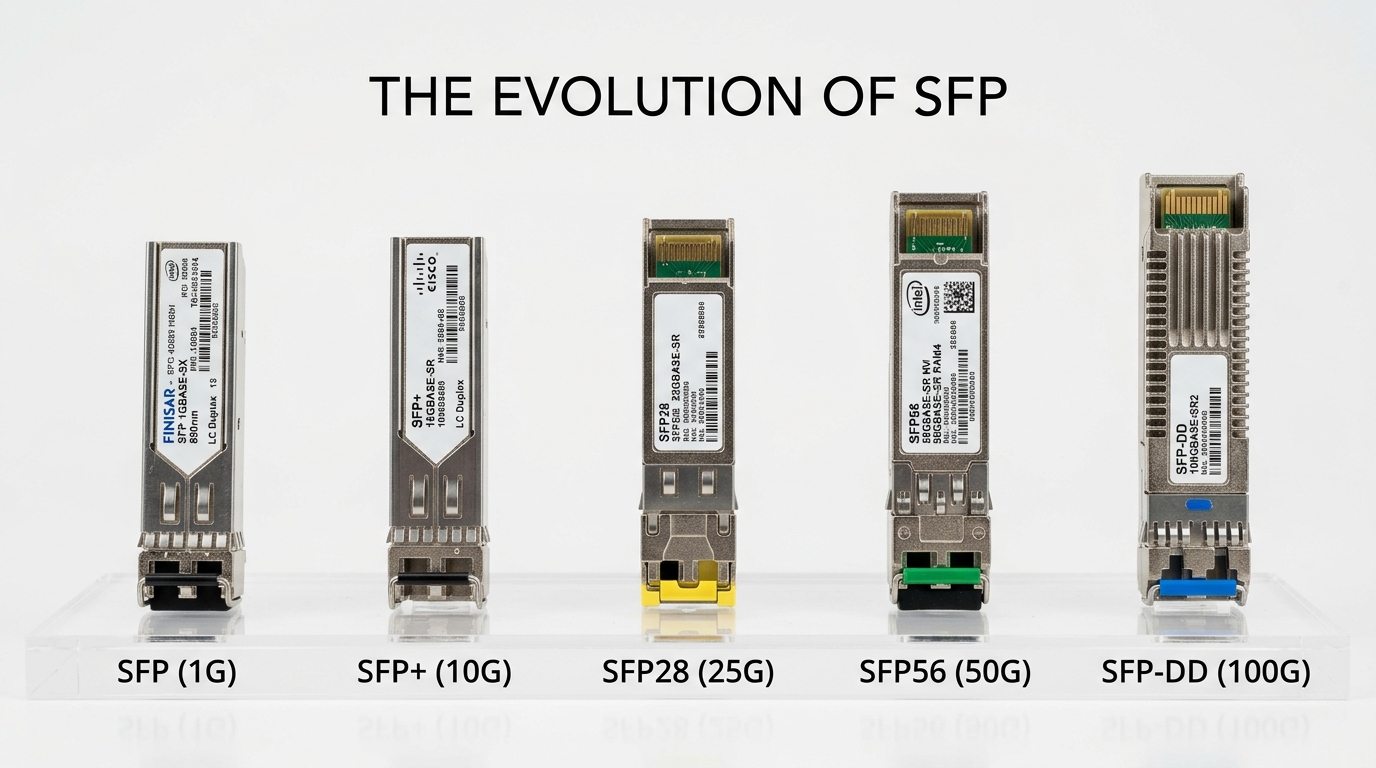
Before touching optics, validate that your switch supports 200G on QSFP56 and that the port wiring matches the transceiver’s electrical interface expectations. Many outages in upgrades come from lane reversal, incorrect breakout assumptions, or selecting optics that the vendor labels as “not supported” for your exact SKU. In practice, you should cross-check your switch’s port profile for 200G (often 56G PAM4 lanes aggregated) and confirm whether the platform uses a single 200G lane group or a specific internal mapping.
Key specs/details to verify:
- Port type: QSFP56 (not QSFP28) and supported data rate: 200G
- Electrical interface: typically 56G PAM4 per lane group depending on vendor implementation
- DOM support: confirm your platform reads temperature, voltage, bias current, and optical power
- Firmware compatibility: optics can be sensitive to PCS/FEC settings
Best-fit scenario: You are migrating from 100G to 200G on a 48-port ToR switch where the vendor supports QSFP56 at 200G but only for specific port numbers (for example, ports 1-24 use a different retimer path). In that case, you must match optics to the supported port list during staging.
Pros: Prevents hard-to-debug “link up but no traffic” cases. Cons: Requires CLI access and careful change control before ordering optics.
Top 2: Choose the right optical physics: SR, LR, and AOC/active options
Once the switch lane plan is confirmed, select the optical reach class that matches your fabric distances and fiber plant. For 200G QSFP56, the common choices map to multimode short reach (SR), singlemode longer reach (LR), and sometimes active optical cables (AOC) or active copper for very short runs. The key is to align your reach class with measured link budget, not just nominal vendor “up to” values.
Key specs/details to verify:
- Wavelength: multimode SR is often 850 nm (check datasheet for exact)
- Connector: LC duplex is typical for fiber; confirm dust caps and polarity handling
- FEC mode: some implementations require specific FEC profiles
- Receiver sensitivity and launch power: use datasheet values for link budget
Best-fit scenario: You have a pod fabric where leaf-to-spine is 50 to 80 meters. SR optics with multimode fiber may be enough, but only if you verify your launch/receive margins after connector losses and patch panel aging.
Top 3: Use a specs comparison table to avoid “compatible but not equivalent” swaps
In real deployments, two optics can both say “200G QSFP56” while differing in reach, power, temperature class, and DOM behavior. Use a comparison table to force your procurement and engineering teams to agree on the exact parameters that affect interoperability and thermal behavior in your chassis.
| Model / Type (examples) | Optical reach class | Wavelength | Data rate | Connector | Power (typ.) | DOM | Temp range |
|---|---|---|---|---|---|---|---|
| Cisco or OEM 200G QSFP56 SR (platform-specific) | Short reach (multimode) | Commonly 850 nm | 200G | LC duplex | ~2 to 5 W (varies by vendor) | Yes (per datasheet) | 0 to 70 C typical (check) |
| Finisar FTLX857xD3xCL (example family for 200G SR optics) | Short reach (multimode) | 850 nm class | 200G | LC duplex | ~3 to 4 W typical | Yes | Industrial options may vary |
| FS.com 200G QSFP56 SR modules (check exact SKU) | SR multimode | 850 nm class | 200G | LC duplex | Often competitive pricing, similar power | Yes (usually) | 0 to 70 C typical |
| Singlemode LR 200G QSFP56 (vendor-specific) | Long reach (singlemode) | 1310 nm class typical | 200G | LC duplex | ~4 to 7 W typical | Yes | 0 to 70 C typical |
Best-fit scenario: You are running a mixed fleet where some spares were bought from an OEM channel and others from a third-party. A comparison table prevents you from accidentally mixing optics that have different temperature classes or different DOM alarm thresholds.
Pros: Faster troubleshooting because you know what changed. Cons: Requires accurate SKU capture and disciplined inventory labeling.
For standards context, QSFP form factors and management interfaces align with industry transceiver specifications, and Ethernet PHY behavior is governed by IEEE 802.3 families. Reference material: [Source: IEEE 802.3], and vendor QSFP56 datasheets for DOM and optical parameters.
Top 4: Validate DOM behavior and alarm thresholds before the cutover
DOM (Digital Optical Monitoring) is not just “nice to have.” In many fabrics, your monitoring pipeline alerts on optical power bias, temperature drift, or link instability long before users notice. During upgrades, you should verify that your telemetry collector parses the DOM fields correctly and that the thresholds align with your optics vendor’s calibration strategy.
Key specs/details to verify:
- DOM type: ensure it is compatible with your switch’s transceiver manager
- Fields: temperature, supply voltage, TX bias current, RX/TX optical power
- Alarm behavior: “high/low” alarms should not trigger immediately on warm-up
- Polling rate: high polling can add CPU load in some management stacks
Best-fit scenario: You are upgrading during a maintenance window but you still need telemetry continuity for NOC dashboards. If DOM parsing fails, you may lose optical health visibility and delay root cause analysis when a link flaps.
Pro Tip: In the field, the fastest way to catch DOM mismatch is to stage one optics batch and run a 30-minute “warm and monitor” test. Watch TX bias and temperature slope; if bias climbs abnormally early or alarms fire during normal warm-up, you likely have a calibration or compatibility issue that will become a noisy-link problem later.
Top 5: Plan thermal and power budgets per shelf, not just per module
QSFP56 optics can draw several watts, and chassis thermal design is sensitive to cumulative heat density. A fabric upgrade often increases the number of active ports, so your power and cooling models must include optics power and any differences between SR and LR transmitters. If you run close to thermal limits, you may see higher module temperatures, accelerated aging, or fan curve changes that destabilize airflow patterns.
Key specs/details to verify:
- Module power: use datasheet “typical” and “max” values, not marketing averages
- Chassis airflow: confirm inlet temperature and expected rise across the front-to-back path
- Temperature range: ensure optics meet your operational class (for example, 0 to 70 C typical)
- Fan and PSU behavior: verify that optics power changes do not force a fan step change during peak load
Best-fit scenario: You are deploying 200G QSFP56 SR optics across 3 shelves in a partially loaded rack. Even if each module is within its rating, the combined load can raise local temperatures; you should measure inlet/outlet deltas after insertion.
Pros: Prevents “works on bench, fails in rack” scenarios. Cons: Requires thermal instrumentation or at least credible telemetry.
Top 6: Pick vendors with predictable lead time, DOM support, and acceptable lifecycle risk
PMF for your network upgrade is reliability: consistent optics behavior, predictable availability, and low failure rates. OEM optics often come with strong switch compatibility guarantees, while third-party optics can reduce cost but may increase risk of partial compatibility, stricter DOM interpretation differences, or firmware sensitivity. Your selection should explicitly include vendor lock-in risk, RMA turnaround time, and whether you can source the exact SKU during a spike.
Key specs/details to verify:
- Switch compatibility list: vendor-supported optics for your exact switch model and port range
- DOM and management validation: confirm your NOC stack supports the DOM fields
- Lead time and supply continuity: avoid “rare SKU” dependence
- Warranty and RMA: measure turnaround time from your last procurement cycle
Best-fit scenario: You have a multi-site rollout with different switch revisions. You need optics that behave consistently across revisions or you need a controlled per-site BOM.
Pros: Better procurement and fewer last-minute substitutions. Cons: Slightly more upfront validation work.
Top 7: Stage and test with real link parameters, including fiber plant measurements
Fiber is where upgrades succeed or fail. You should validate your link budget using measured loss (OTDR or certified inspection), patch panel losses, and connector cleanliness. For SR, multimode modal bandwidth and differential delay can matter; for LR, dispersion and end-to-end loss dominate. If you only test optics in a lab loopback, you will miss real plant issues like contaminated connectors, wrong polarity, or aged patch cords.
Deployment scenario: In a 3-tier data center leaf-spine topology with 48-port 200G ToR switches, you plan 24 leaf-to-spine links per leaf (1:1 mapping to spines) at 72 m average fiber length via two patch panels. You run certification on all patch cords and record per-link insertion loss; the median is 2.1 dB with worst-case 3.8 dB. During staging, you insert one batch of 200G QSFP56 SR optics, then verify DOM readings stabilize within 5 minutes and that link counters show no CRC spikes during a 30-minute traffic test.
Pros: You catch fiber and polarity issues before the maintenance window. Cons: Requires fiber certification and coordinated test tooling.
Top 8: Troubleshoot common failure modes specific to 200G QSFP56 links
When 200G links fail, the root cause is often deterministic: optics mismatch, fiber polarity, insufficient link budget, or incompatible FEC/PHY settings. Below are field-proven pitfalls that show up during fabric upgrades, plus how to respond quickly.
Link comes up but traffic is unstable (CRC/FCS errors)
Root cause: Incorrect FEC profile, marginal optical power, or damaged fiber patch cords causing intermittent attenuation. Sometimes it is also a mismatch between how the switch negotiates 200G and the optics’ expected electrical characteristics.
Solution: Check switch PHY/FEC status, read DOM optical power and temperature, and swap to a known-good optics pair. Re-run error counters and compare before/after; if errors correlate with temperature, thermal margin may be insufficient.
“No module detected” or DOM alarms immediately on insertion
Root cause: Unsupported transceiver for that exact switch model/port, or DOM interpretation differences. In rare cases, contact contamination or a bent latch prevents proper electrical contact.
Solution: Verify compatibility on the switch vendor’s supported optics list, clean and re-seat the module, and use a firmware version that the platform documentation recommends for QSFP56. If DOM fields are empty or nonsensical, replace with the supported SKU and open an RMA ticket.
Works in one direction only or fails after patching (polarity)
Root cause: LC polarity reversed through patch panels, or using the wrong duplex cable order. At 200G, even small asymmetries can lead to receiver overload or loss of sync.
Solution: Confirm polarity with a trusted polarity checker, label fibers at both ends, and retest after rewiring. Standardize patch panel conventions across sites to prevent repeat incidents.
Excess temperature and early degradation
Root cause: High inlet temperature, blocked airflow, or optics in a densely populated region with insufficient cooling. Some racks have localized hot spots due to cable congestion.
Solution: Measure inlet temperature and exhaust airflow, remove obstructions, and confirm the optics temperature stays within spec under sustained load. If you are near the limit, consider redistributing optics or adjusting rack airflow strategy.
Pros: Faster MTTR reduces downtime risk during cutovers. Cons: Requires disciplined monitoring and a known-good optics pool.
Selection criteria checklist for a 200G QSFP56 transceiver purchase
Use this ordered list during BOM finalization and staging. It is designed for rapid validation while still covering the details that field teams actually get paged about.
- Distance and reach class: SR vs LR vs AOC, based on measured fiber loss and patch panel architecture.
- Switch compatibility: supported optics list for your exact switch model and port range.
- Electrical and PHY expectations: ensure the platform’s 200G mode matches the optics’ intended lane aggregation and FEC behavior.
- DOM support and telemetry mapping: confirm your monitoring stack can ingest fields and interpret alarms.
- Operating temperature: check 0 to 70 C vs any extended options for your room and rack inlet conditions.
- Connector and polarity handling: LC duplex type, cleanliness requirements, and polarity convention with your patch panels.
- Vendor lock-in risk: assess supply continuity, firmware sensitivity, and RMA turnaround.
- Validation plan: warm-up monitoring, traffic tests, and error counter thresholds before broad rollout.
Cost & ROI note: what “cheaper optics” really costs
Typical street pricing varies by reach and channel, but in many enterprise and cloud procurement cycles, 200G QSFP56 optics often land in a range of roughly $250 to $900 per module depending on SR vs LR, OEM vs third-party, and warranty terms. OEM optics may cost more but can reduce compatibility risk and shorten troubleshooting time during failures. TCO should include power draw (often a few watts per module), failure and RMA logistics, and the engineering time spent validating optics across switch revisions.
Practical ROI model: If you are deploying 200G across 1000 links, even a 2% higher failure rate in a third-party batch can dominate savings once you factor truck rolls, spare consumption, and extended maintenance windows. The fastest ROI usually comes from buying optics that are compatible on day one and meet thermal and DOM expectations, then standardizing the SKU across sites.
FAQ
What fiber type does a 200G QSFP56 transceiver typically use?
It depends on whether you choose SR or LR. Many 200G QSFP56 SR modules use multimode fiber around 850 nm with LC duplex connectors, while LR variants use singlemode wavelengths such as the 1310 nm class. Always confirm the exact wavelength and reach class in the datasheet and then validate with measured link loss.
Will a 200G QSFP56 transceiver work in any QSFP56 port?
No. Even if the form factor matches, switch vendors can restrict support by port range, firmware version, or PHY/FEC profiles. Check the vendor compatibility list for your specific switch model and port identifiers, then stage-test one batch before expanding deployment.
How do I verify DOM telemetry is correct after installation?
After insertion, monitor temperature, TX bias current, and optical power for at least 20 to 30 minutes under load. Confirm your switch management interface shows sensible values and that alarms do not trigger during normal warm-up. If your monitoring pipeline shows gaps or incorrect units, validate DOM parsing mappings and compare against a known-good optics SKU.
What is the most common reason 200G links flap during upgrades?
The most common causes are mismatched optics expectations, insufficient optical margin due to fiber loss, or polarity and connector issues. Check DOM optical power and temperature, review switch PHY error counters, and verify patch panel polarity with a polarity checker.
Are third-party 200G QSFP56 transceivers a safe cost-saving move?
They can be, but only if you validate compatibility in your environment. Third-party optics sometimes differ in DOM calibration and can be more sensitive to firmware and FEC behavior. The safest approach is to standardize on one SKU, stage-test across a representative set of switches, and keep OEM optics as a short-term fallback during early rollout.
Where can I find authoritative standards context for 200G Ethernet optics?
For Ethernet PHY and link behavior, IEEE 802.3 is the key authority. For transceiver management and electrical/optical expectations, rely on the specific QSFP56 transceiver datasheets and your switch vendor documentation. Useful reference: [Source: IEEE 802.3].
Updated on 2026-04-29. If you want a fast next step, use the selection checklist above to build a staged test plan, then standardize one optics SKU across your fabric before scaling—start with 200G fabric upgrade checklist.
Author bio: I have deployed high-speed optics in production data centers, including leaf-spine fabric upgrades with measurable DOM and error-counter validation. I write from the perspective of an operator focused on PMF for reliability: fast trials, clear acceptance criteria, and minimal downtime.
