
When a leaf switch starts dropping frames and your NOC hears the phrase “we need more headroom,” the fastest path is often a 10G 25G network upgrade transceiver swap. This article helps data center, campus, and industrial network engineers choose the right optics for mixed 10G and 25G links, avoid compatibility traps, and plan power and support costs. You will get field-ready selection steps, a troubleshooting checklist, and a ranking table to guide procurement decisions.
Top 1: Start with the link math your switch really runs
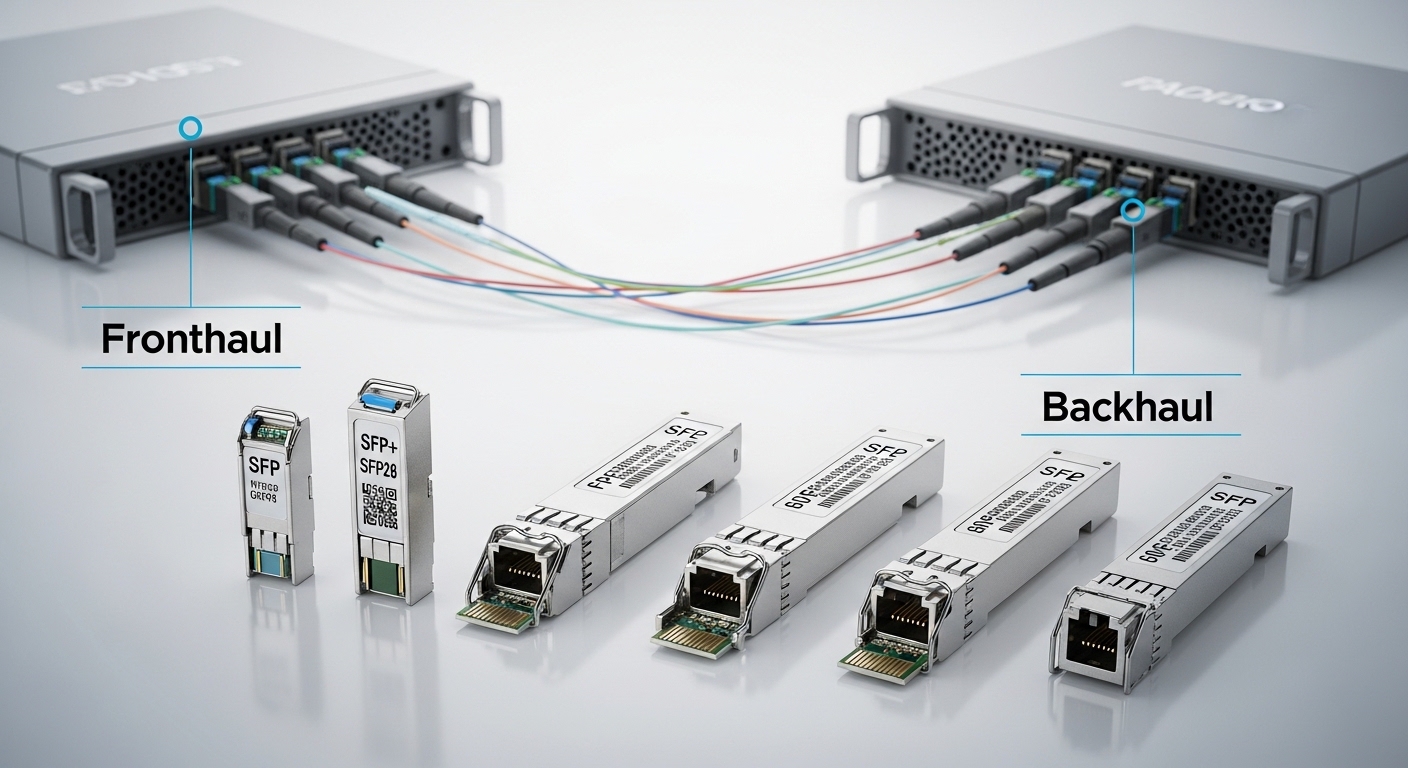
Before buying optics, confirm what your switch ports actually negotiate and what firmware expects. Many platforms support both 10G and 25G, but the behavior differs by optics type and port mode; some require explicit configuration, while others auto-negotiate only within a narrow set of transceiver capabilities. In practice, I have seen a 10G-to-25G migration stall because the ports were set to a 10G-only profile while the optics were 25G-only in capability advertisement.
What to verify on the switch
Check the interface-level configuration and operational state, then map each port to the optical standard you intend to use. Engineers typically look for: port speed setpoints, FEC requirements, and whether the platform expects Auto or a fixed speed. Also confirm whether the optics are recognized as “supported” by the vendor compatibility list, not merely “present.”
- Speed: confirm 10G vs 25G mode support per port
- FEC: check whether the platform enforces RS-FEC or uses vendor-specific settings
- DOM: ensure digital optical monitoring is supported end-to-end
- Optics type: SFP+ vs SFP28 vs QSFP28 matters for physical and electrical compatibility
Pros: prevents purchasing the “right optic, wrong port mode” mistake early. Cons: consumes time on switch audit and may require firmware alignment.
Top 2: Match the optical interface and form factor to the chassis
A 10G 25G network upgrade transceiver is not a single “universal” item; it is constrained by the physical cage, lane wiring, and electrical signaling of the switch. The most common migration pattern uses SFP+ for legacy 10G and SFP28 or QSFP28 for 25G, but exact mapping depends on the chassis. If you insert the wrong form factor or a transceiver that drives the wrong lane count, you can get link flaps, module errors, or silent partial negotiation.
Common module families you will encounter
- SFP+ 10G: typical for 850 nm multimode short reach and 1310 nm single mode
- SFP28 25G: used for 25G SR on multimode and 25G LR on single mode, depending on transceiver
- QSFP28 25G: often used when density is higher and the switch provides QSFP28 cages
From a field perspective, I recommend you treat the optics as part of a system: chassis cage type, transceiver firmware, and port configuration must align. If your vendor provides a matrix, use it; if not, verify with a lab test or at least a known-good transceiver from a compatible supplier.
Pros: avoids mechanical and electrical mismatch. Cons: can increase SKU count during migration.
Top 3: Compare SR vs LR optics with a specs table engineers can act on
The next decision is reach and fiber type. Most 10G-to-25G upgrades in data centers use SR optics over multimode fiber, while campus and metro upgrades often use LR optics over single mode. The selection hinges on wavelength, reach class, connector type, and whether your plant is OM3, OM4, or OS2.
| Spec | Example 10G SR (SFP+) | Example 25G SR (SFP28 / QSFP28) | Example 25G LR (SFP28 / QSFP28) |
|---|---|---|---|
| Target data rate | 10G Ethernet | 25G Ethernet | 25G Ethernet |
| Wavelength | 850 nm | 850 nm (SR) | 1310 nm (LR) |
| Reach class | Typical: up to ~300 m on OM3, ~400 m on OM4 (varies by vendor) | Typical: up to ~100 m on OM4 (varies by vendor) | Typical: up to ~10 km on OS2 |
| Connector | LC (common) | LC (common) | LC (common) |
| FEC / signaling | May be optional depending on switch | Often aligned with platform RS-FEC behavior | Usually aligned with platform FEC expectations |
| Operating temp range | Commercial: ~0 to 70 C typical | Commercial or industrial options vary | Commercial or industrial options vary |
Concrete examples you might see on the bench include Cisco part numbers such as Cisco SFP-10G-SR, Finisar models like FTLX8571D3BCL for 10G SR, and third-party 25G SR modules such as FS.com SFP-10GSR-85 or 25G SR equivalents depending on exact SKU. Always confirm the exact model datasheet for wavelength and reach rather than relying on a family name.
Pro Tip: In many migrations, the limiting factor is not the transceiver reach label; it is the installed multimode fiber quality. If you do not have recent fiber tests (especially end-to-end insertion loss and bend history), you can buy the “right” 850 nm optics and still get marginal links that pass on day one and fail under link load or temperature swings.
Pros: reach-aware choices prevent re-cabling mid-project. Cons: fiber plant variability can make vendor reach claims feel optimistic without validation.
Top 4: Plan the 10G to 25G upgrade path across a mixed-speed fabric
Upgrades rarely happen in a clean cutover. You will likely operate a mixed environment where some links remain at 10G while others move to 25G during staged replacement. That means your transceiver selection must support the transition mode your switch uses, including port speed fallback, optics capability reporting, and any required configuration for lane mapping.
Staging pattern that works in the field
One workable approach is to upgrade aggregation first, then leaf uplinks, then server access ports. For example, in a three-tier data center, you can keep server ToR ports at 10G while upgrading the ToR-to-aggregation uplinks to 25G SR, using multimode fiber where feasible. This reduces the number of server-side changes while adding immediate bandwidth where oversubscription hurts most.
Be careful: some switches treat mixed-speed optics differently, and a port may require a specific “speed override” to avoid getting stuck at 10G when you intended 25G. In my experience, that shows up as consistent but insufficient throughput even though link LEDs indicate “up.”
Pros: smaller blast radius and predictable rollback. Cons: mixed-speed interactions can complicate troubleshooting.
Top 5: Use a real deployment scenario to choose the reach and optics type
Consider a 3-tier data center leaf-spine topology with 48-port 10G ToR switches and 2 x 100G uplinks per ToR. During a refresh, the ops team targets 25G uplinks to reduce oversubscription: they replace 8 uplink transceivers per ToR, moving from 10G to 25G. The facility uses OM4 multimode runs of 65 m from ToR to aggregation, with LC-LC patching and typical insertion loss around 1.0 to 1.5 dB per 5 m patch plus mated connector losses.
What you do with that scenario
- Pick 25G SR 850 nm optics compatible with the switch cage (SFP28 or QSFP28 as required)
- Confirm the switch enforces any FEC mode; align optics behavior with platform requirements
- Validate DOM polling so alarms trigger before hard failures
- Keep a spare kit: at least one known-good transceiver per optics type
In this design, SR optics usually beat LR on cost and power when fiber plant is already multimode. The key is that the 65 m reach must be verified against the transceiver’s specified budget and your measured fiber loss, not just the marketing reach class.
Pros: SR on OM4 delivers low-latency, economical upgrade steps. Cons: if you discover higher loss or microbends, you may need a re-cabling plan.
Top 6: Demand DOM and compatibility behavior you can monitor
Digital optical monitoring (DOM) is how your network becomes observable. A 10G 25G network upgrade transceiver should expose laser bias current, received power, transmit power, and temperature through the vendor’s supported management plane. Some third-party modules implement DOM partially or map thresholds differently, which can create “alarm blindness” where the system thinks the optic is healthy until it is not.
DOM and operational checks
- Threshold alignment: verify high/low alarms for RX power and temperature match your operational expectations
- Polling rate: confirm the switch polls often enough to catch slow drifts
- Alert routing: ensure alarms land in your telemetry pipeline or syslog alerts
- Inventory: confirm serial number and part number fields are populated correctly
Also check standards and vendor guidance. IEEE 802.3 sets the Ethernet PHY expectations and link behavior, but the exact optics management hooks and DOM register interpretations are vendor-specific; see [Source: IEEE 802.3]. For optics interoperability guidance, consult vendor datasheets and compatibility notes; see [Source: Cisco Transceiver Documentation] and [Source: Finisar and OEM Datasheets].
Pros: earlier detection reduces downtime and helps plan preventive replacement. Cons: DOM differences can complicate fleet-wide monitoring.
Top 7: Build a selection checklist that prevents procurement regret
Engineers often purchase based on reach alone, then discover too late that the transceiver does not behave well with the switch, the fiber type, or the environment. Use this ordered checklist before you sign off on quantities.
- Distance and fiber type: confirm OM3/OM4/OS2 and measure end-to-end loss, not just patch length
- Switch compatibility: verify the exact cage type (SFP+ vs SFP28 vs QSFP28) and the platform vendor compatibility list
- Data rate and lane mapping: ensure the optics supports the intended Ethernet PHY mode at 10G or 25G
- FEC and signaling: confirm whether the switch requires RS-FEC or other PHY settings for stable operation
- DOM support: check alarms, serial reporting, and whether threshold behavior matches your monitoring
- Operating temperature: match commercial vs industrial temperature specs to where the module lives
- Operating budget and power: confirm your link budget margin for aging and temperature drift
- Vendor lock-in risk: decide whether you want OEM-only support or you will validate third-party modules with a lab test plan
Pros: reduces failed swaps and accelerates commissioning. Cons: requires disciplined prework and documentation.
Top 8: Manage cost and ROI with a realistic TCO lens
Optics pricing varies widely by vendor, temperature grade, and whether you buy OEM-branded or third-party. In many enterprise data centers, OEM 25G SR modules can cost several hundred dollars each, while third-party equivalents may be meaningfully cheaper, but only if compatibility and DOM behavior are validated. TCO is driven by downtime risk, failure rates, and the labor cost of repeated swaps.
How to estimate ROI in a migration
- Direct cost: module unit price plus spares (usually 1 to 2 per optics type)
- Labor cost: commissioning time, labeling, and post-change verification
- Failure and drift: marginal links can fail intermittently, costing more than the initial price difference
- Power and cooling: optics power differences are usually modest, but failed optics increase retransmits and operational overhead
My practical rule: if third-party transceivers are used, treat them as a validated fleet candidate only after you run a burn-in test and monitor RX power trends over time. Otherwise, “savings” can evaporate under maintenance windows.
Pros: supports budget planning and prevents hidden costs. Cons: ROI depends on your validation discipline.
Common Mistakes / Troubleshooting for 10G 25G Network Upgrade Transceiver
The fastest way to lose a weekend is to assume “it should work.” Here are concrete failure modes I have seen, with root causes and fixes.
-
Mistake 1: Wrong fiber type assumption (OM3 vs OM4) with 850 nm SR. Root cause: fiber loss or modal bandwidth limits reduce optical margin, leading to unstable links under temperature or load. Solution: pull recent fiber test results (loss and reflectance), then select optics with a reach budget that preserves margin; if needed, re-terminate or re-cable.
-
Mistake 2: Port speed mismatch during staged upgrades. Root cause: switch port configured to 10G profile while optics advertise 25G, or the platform requires explicit speed override. Solution: verify port configuration and operational speed state; apply the vendor-recommended settings and confirm link negotiation output.
-
Mistake 3: FEC or PHY mode mismatch. Root cause: some platforms enforce FEC behavior depending on module capability or selected speed. Solution: check interface counters and PHY errors; align FEC settings and confirm module capability through DOM and switch logs.
-
Mistake 4: DOM thresholds not matching your monitoring expectations. Root cause: third-party DOM mappings can trigger too late or not at all, delaying corrective action. Solution: compare DOM readouts and alarms with OEM behavior in a lab; adjust monitoring thresholds if the switch supports it.
If you want a structured troubleshooting approach, start with physical layer observability: optics presence, DOM readings, RX power, temperature, and then interface error counters. Only after that should you change higher-layer configurations.
FAQ
Q1: Can I use the same 10G 25G network upgrade transceiver on both 10G and 25G ports?
A: Sometimes, but not automatically. Many optics are speed-specific or require the switch port to be configured for the intended PHY mode. Confirm the transceiver datasheet supports both rates (or that the switch can run it at 10G), then validate with link negotiation output.
Q2: What fiber type matters most for 850 nm SR optics?
A: The installed multimode fiber quality and measured loss matter more than the marketing reach. OM4 typically provides better bandwidth for 850 nm SR than OM3, but you still need end-to-end loss testing and connector cleanliness verification. If your plant is older or has many patch points, plan for margin.
Q3: Are third-party transceivers safe for production?
A: They can be, but only after compatibility and monitoring validation. I recommend a lab test that checks link stability, DOM reporting, and error counters over time. Without that validation, you risk intermittent failures that cost more than the unit price savings.
Q4: How do I know whether the upgrade will require FEC changes?
A: Check the switch documentation and interface PHY settings, then observe counters after install. If you see rising CRC or PHY-related errors that correlate with speed or optics insertion, investigate FEC mode alignment. Always confirm with vendor guidance because behavior varies by platform.
Q5: What is the best way to prevent downtime during a staged migration?
A: Keep spares of each optics type, label both ends of fiber runs, and verify link speed immediately after insertion. Also monitor DOM RX power trends for at least the first operational week, not just the first hour. A staged rollout with rollback checkpoints reduces risk.
Q6: Where can I find authoritative standards references?
A: Start with IEEE Ethernet PHY expectations in IEEE 802.3, then rely on vendor datasheets for optics capabilities and DOM behavior. For platform-specific compatibility, use the switch vendor optics support matrices and transceiver documentation. IEEE 802.3 working group and Cisco transceiver and platform documentation are common starting points.
As a field-tested approach, treat the 10G 25G network upgrade transceiver selection as a system decision: speed mode, fiber plant, DOM observability, and switch compatibility must align. If you want the next step after choosing optics, review your broader upgrade plan using network upgrade compatibility testing to structure validation and commissioning.
| Rank | Best-fit scenario | Optics choice | Why it ranks |
|---|---|---|---|
| 1 | OM4 multimode, short runs, staged 25G uplinks | 25G SR 850 nm (SFP28 or QSFP28 as per cage) | Low cost vs LR, fast installation, strong performance when fiber tests confirm margin |
| 2 | Single mode campus or metro, longer distances | 25G LR 1310 nm | Long reach with stable optics budget on OS2, typically simpler fiber requirements |
| 3 | Mixed fleets where 10G must remain during transition | Speed-appropriate optics per port type (no forced “universal” assumptions) | Minimizes negotiation and PHY mismatch risk during staged rollouts |
| 4 | Environments with strict observability and alarm workflows | Modules with robust DOM and verified threshold behavior | Reduces mean time to detect optical degradation |
| 5 | Budget-constrained projects with validation capacity | Third-party modules after lab validation | Lower unit cost can win, but only if compatibility and monitoring are proven |
Author bio: I have deployed fiber networks in data centers and industrial sites, validating transceiver behavior with DOM telemetry, optical power budgets, and interface error counters. I write from hands-on commissioning experience, and I cite standards and vendor documentation to keep engineering decisions auditable.
