
You are planning 100 gigabit ethernet connectivity but need QSFP28 transceivers that match your switches, fiber plant, and operational constraints. This article helps network engineers and field technicians choose 100G QSFP28 optics using measurable criteria: reach, wavelength, optical power, connector type, DOM support, and environmental limits. You will also get troubleshooting patterns that explain common link failures and how to prevent them during staged rollouts.
Top 1: Decode QSFP28 vs QSFP28-derivatives and vendor compatibility
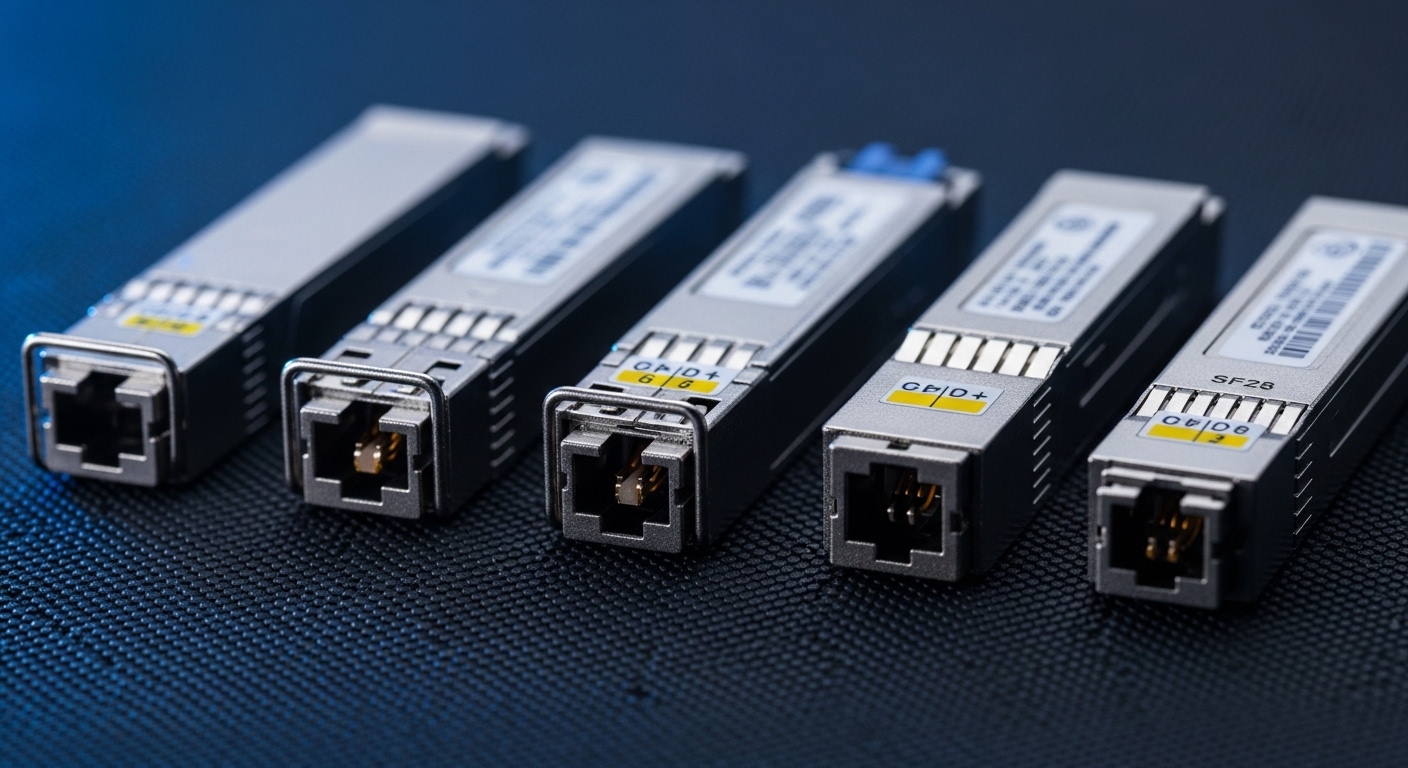
Most deployment delays come from mismatched form factor expectations and switch compatibility, not from fiber or cabling. QSFP28 is electrically designed for 100G Ethernet over four lanes (100GBASE-SR4/ LR4 style signaling), so you must align the transceiver to the switch’s port mode and optics support matrix. Before ordering, confirm whether your platform expects QSFP28 specifically (not QSFP+), and whether it supports breakout modes (typically not for 100G QSFP28, unlike some 40G/100G variants).
In practice, engineers verify compatibility by checking the switch vendor optics interoperability list and by validating lane mapping behavior during bring-up. Some platforms also enforce minimum DOM thresholds or require vendor-coded optics for certain optics profiles. If you use third-party modules, plan a controlled lab validation because firmware and diagnostic handling can differ.
Best-fit scenario: You are upgrading a leaf-spine fabric where the ToR switches already have empty QSFP28 cages, and you must add 100G uplinks without changing switch configuration templates.
- Pros: Higher port density than 10G, standard cage footprint, mature ecosystem
- Cons: Platform-specific compatibility checks may be required
Pro Tip: During staging, capture switch port diagnostics immediately after optical insertion (link state, Rx power, DOM alarms). If the port flaps within the first 60 seconds, you often have a DOM/compatibility profile mismatch rather than a fiber attenuation issue.
Top 2: Pick the right 100G optical reach and wavelength plan (SR4 vs LR4)
The two most common goals for 100 gigabit ethernet are short-reach data center connectivity and longer intra-building or campus reach. For QSFP28, you typically choose between SR4-class optics (multimode fiber) and LR4-class optics (single-mode fiber). SR4 uses 850 nm nominal windows and relies on OM3/OM4 multimode performance, while LR4 uses 1310 nm nominal single-mode transmission with much longer reach budgets.
To select correctly, start from your fiber plant characteristics: OM3 vs OM4, measured insertion loss, patch panel losses, and the number of connectors/splices. Then match to the optic’s maximum reach and minimum receive power requirements. If your measured fiber loss is close to the spec limit, you should consider lower-margin scenarios like colder optics or additional patch changes during moves/adds/changes.
| QSFP28 Type | Nominal Wavelength | Typical Fiber | Target Reach | Connector | Operating Temp | Power Class (typ.) |
|---|---|---|---|---|---|---|
| 100GBASE-SR4 | 850 nm | OM3/OM4 MMF | ~70 m (OM4 often higher margin) | LC | 0 to 70 C (commercial) or -5 to 85 C (extended) | ~1.5 to 3.5 W |
| 100GBASE-LR4 | 1310 nm | Single-mode fiber (OS2) | ~10 km | LC | 0 to 70 C / -5 to 85 C variants | ~2.5 to 4.5 W |
Best-fit scenario: Your data center has OM4 trunks between top-of-rack switches and a planned 100G uplink distance around 40 to 65 m; SR4 is the cost-effective choice if insertion loss is verified with OTDR.
- Pros: SR4 is inexpensive and fast to deploy in MMF environments; LR4 reduces future cabling constraints
- Cons: SR4 is sensitive to MMF quality and patch loss; LR4 requires OS2 single-mode plant
Top 3: Validate optical power, DOM, and link budget with measured data
Modern 100 gigabit ethernet optics rely on deterministic link budgets, but the critical values are only meaningful if you measure your actual plant. DOM (Digital Optical Monitoring) provides Tx bias, Rx power, temperature, and sometimes alarm thresholds. For field work, you want to correlate DOM Rx power readings with your expected attenuation so you can detect marginal links before they cause intermittent errors.
Use a repeatable measurement workflow: first verify fiber continuity and polarity, then measure end-to-end loss with a calibrated light source plus power meter or OTDR. Compare results against the optic’s vendor datasheet link budget and minimum receive power. If your Rx power is consistently near the vendor’s lower threshold, schedule a patch optimization (shorter jumpers, fewer connectors) rather than waiting for a failure window.
When validating third-party optics, also confirm DOM behavior: some modules report slightly different alarm threshold conventions, which can trigger spurious warnings even when the link is stable. That matters because some network operators treat any DOM warning as a maintenance ticket.
Best-fit scenario: You are migrating a production cluster and need to keep error budgets stable during cutover; you will monitor DOM telemetry and interface counters for at least 24 hours post-change.
- Pros: DOM enables proactive maintenance and faster root cause analysis
- Cons: DOM alarm thresholds can differ across vendors and cause noisy alerts
Top 4: Engineering selection criteria checklist for 100G QSFP28 optics
Choosing QSFP28 optics is a multi-constraint optimization. Engineers weigh distance, budget, and operational risk, and they often discover that “compatible” on paper still fails in practice due to temperature, DOM handling, or vendor firmware expectations. Use this decision checklist to reduce procurement churn and installation rework.
- Distance and fiber type: Confirm SR4 on OM3/OM4 or LR4 on OS2; verify measured insertion loss, not just cable length.
- Switch compatibility: Match QSFP28 cage type and confirm port mode support; consult the switch vendor optics list.
- Data rate and standard alignment: Ensure the module supports the expected 100GBASE-SR4 or 100GBASE-LR4 profile per IEEE 802.3.
- Connector and polarity: LC connectors are common; verify polarity and keying to prevent swapped fiber issues.
- DOM support and telemetry behavior: Confirm diagnostic support; plan how your network OS interprets alarms.
- Operating temperature and airflow: Use datasheet temperature range and compare to actual rack inlet temperatures and fan profiles.
- Power and thermal budget: Estimate additional watts per module; validate switch PSU and airflow headroom.
- Vendor lock-in risk: Assess whether third-party optics are acceptable and whether you can standardize on a small set of approved part numbers.
- Warranty and failure rates: Track RMA patterns; ensure you can swap quickly during maintenance windows.
Best-fit scenario: You are standardizing optics across multiple sites and want predictable maintenance: you will approve one or two transceiver families with similar DOM behavior and stable interoperability.
- Pros: Reduces downtime by aligning risk factors early
- Cons: Requires disciplined pre-checks and accurate fiber records
Top 5: Field deployment scenario for 100 gigabit ethernet on a leaf-spine fabric
Consider a 3-tier data center leaf-spine topology with 48-port 10G ToR switches upgrading uplinks to 100G. You deploy 100G QSFP28 optics on leaf switches to connect to spine switches, using 8 uplinks per leaf and 24 leaves. That means 192 active 100G links. If the rack-to-spine distance averages 55 m over OM4 trunks with patching, you select 100GBASE-SR4 optics and require verified insertion loss per link.
Operationally, the field team performs staged cutovers: first install optics in a single leaf pair, then confirm interface counters (no CRC growth), check DOM Rx power stability, and run a 10 to 20 minute traffic test with realistic load. After 24 hours, they compare error rates and DOM alarms versus baseline. In this scenario, disciplined DOM monitoring helps catch marginal patch panels where a connector contamination event causes elevated error bursts even though link state appears “up.”
Best-fit scenario: You need a low-risk rollout with measurable acceptance criteria and a clear rollback plan during production maintenance.
- Pros: Repeatable verification reduces cutover failures
- Cons: Requires time for measurements and telemetry baselining
Top 6: Cost, power, and ROI modeling for QSFP28 optics
Pricing varies by reach, vendor, and whether you select OEM or third-party modules. For many deployments, 100 gigabit ethernet optics are a meaningful portion of CapEx, but operational savings can dominate if you reduce downtime and simplify spares management. In typical enterprise procurement, OEM QSFP28 SR4 modules often land roughly in the $250 to $700 per module range depending on brand and warranty depth, while reputable third-party units may be lower (commonly $150 to $500) but require stricter validation.
TCO should include power and failure handling. If each module consumes about 3 W average, then 192 links could add roughly 576 W for optics alone, excluding any chassis overhead. That is rarely the largest cost component, but it affects heat and airflow planning. Failure costs include truck rolls, maintenance windows, and risk of incident escalation when links degrade during peak traffic.
Best-fit scenario: You are selecting optics for a multi-year refresh and want to minimize both purchase price and operational risk across many sites.
- Pros: ROI is improved by reducing downtime and standardizing spares
- Cons: Lowest price can increase RMA frequency or compatibility issues
Top 7: Common mistakes and troubleshooting patterns for 100G QSFP28 links
Even experienced teams hit repeatable failure modes. Below are concrete pitfalls with root causes and practical solutions, written for the kind of evidence you can gather on-site.
Link stays down or flaps immediately after insertion
Root cause: Switch optics compatibility mismatch, DOM profile issues, or unsupported port settings. Sometimes the transceiver is electrically present but fails the initialization handshake.
Solution: Verify port mode configuration, check vendor interoperability list, and try a known-good approved module. If DOM shows temperature or bias alarms right away, replace the optics and log DOM values for vendor escalation.
Link is up but CRC errors or BER-like behavior increases
Root cause: Fiber attenuation too high, dirty connectors, incorrect polarity, or marginal optical power levels near the receiver threshold.
Solution: Clean LC connectors using lint-free wipes and approved cleaning tools, then re-check with a light meter or OTDR if errors persist. Confirm polarity and re-terminate if the patch panel wiring is reversed.
Intermittent outages correlated with temperature or airflow changes
Root cause: Optics operating outside the effective thermal envelope due to inadequate airflow, blocked vents, or high rack inlet temperatures.
Solution: Measure inlet and exhaust temperatures; compare to the module’s specified operating range. Improve airflow (fan tray seating, cable management) and re-seat the module to ensure proper thermal contact.
Uneven behavior across lanes (some links degrade before others)
Root cause: Patch cord quality differences, asymmetric loss, or contaminated fibers on one lane set.
Solution: Replace jumpers with known-good certified cords, inspect under a fiber microscope, and validate with per-end loss testing. If the issue follows the transceiver rather than the fiber, swap optics and capture DOM lane diagnostics if available.
Best-fit scenario: You are running an acceptance test for a new optics batch and need fast isolation between fiber plant and module quality.
- Pros: Faster MTTR with evidence-based isolation
- Cons: Requires disciplined logging of counters and DOM telemetry
Top 8: Module examples and standards references engineers actually use
When you need concrete starting points, engineers commonly reference IEEE optical Ethernet definitions and vendor datasheets. For standards, IEEE 802.3 defines 100GBASE-SR4 and 100GBASE-LR4 behaviors and optical interface expectations. For practical module selection, use vendor datasheets and optics compatibility guides tied to your switch model.
Examples you might see in real inventories include Cisco-branded optics such as Cisco SFP-10G-SR for 10G (not QSFP28) and QSFP28 optics from optical vendors and integrators for 100G. For 100G QSFP28 SR4, common third-party families include parts marketed like Finisar FTLX8571D3BCL (example naming pattern varies by exact vendor SKU) and FS.com offerings such as FS.com SFP-10GSR-85 (note: that specific name is 10G; always verify QSFP28 form factor and 100GBASE-SR4 support). The key is to verify datasheet alignment: wavelength, reach, DOM capabilities, and connector type.
Best-fit scenario: You are standardizing procurement across multiple switch vendors and want a defensible, audit-friendly selection record.
- Pros: Standards alignment reduces interoperability guesswork
- Cons: SKU naming conventions can be misleading; verify form factor and speed class
References: IEEE 802.3 and vendor datasheets accessible from module manufacturers and switch vendors, plus interoperability documentation for your exact switch model. [Source: IEEE 802.3 standard]
Summary ranking table: which QSFP28 optics choice fits your constraints
| Rank | Use case | Recommended optic profile | Primary constraint | Operational risk notes |
|---|---|---|---|---|
| 1 | Data center links under typical MMF reach | 100GBASE-SR4 on OM4 (QSFP28 LC) | Measured insertion loss and MMF quality | Risk of dirty connectors and patch loss; mitigate with cleaning + OTDR |
| 2 | Need longer reach across buildings | 100GBASE-LR4 on OS2 (QSFP28 LC) | Single-mode plant availability | Higher transceiver cost; mitigate by standardizing on verified DOM behavior |
| 3 | Mixed vendor environment with strict change control | Approved OEM or approved third-party QSFP28 | Switch interoperability list compliance | Risk of DOM alarm noise; mitigate by baselining and aligning thresholds |
| 4 | High-temperature racks or constrained airflow | Extended temperature optics (if supported) | Thermal margin | Risk of performance degradation; mitigate with airflow validation and temp logging |
For your next step, use the checklist above to shortlist optics, then validate with measured link budgets and DOM telemetry in a staging window before scaling. If you are planning the cabling side too, read fiber polarity and connector cleaning for 100G links for practical procedures that prevent the most common outages.
FAQ
Q: What is the simplest way to choose a QSFP28 transceiver for 100 gigabit ethernet?
A: Start with your fiber type and distance: OM4 + 850 nm for SR4, or OS2 + 1310 nm for LR4. Then confirm your switch model supports that exact QSFP28 profile and validate with the vendor interoperability list. Finally, verify measured insertion loss and check DOM readings during staging.
Q: Can I mix OEM and third-party 100G QSFP28 modules in the same switch?
A: It can work, but it is not guaranteed. The switch may treat DOM alarms and diagnostic thresholds differently, and some platforms enforce optics profiles. The safest approach is to approve a small set of optics SKUs and validate them together under your actual traffic and temperature conditions.
Q: How do I know if my 100GBASE-SR4 link will be stable before production cutover?
A: Measure end-to-end loss on the exact fiber path, including patch panels and jumpers, and compare
