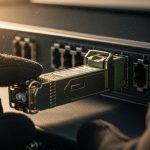
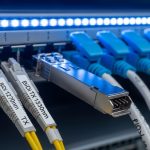
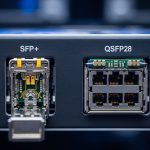
In a leaf-spine data center, one “mystery” link flap can become a full outage when a high-speed optical transceiver overheats. This article helps network and procurement teams design transceiver thermal cooling controls that match port density, switch airflow, and vendor optics behavior. You will get a practical, step-by-step implementation guide, a spec comparison table, and the top failure modes I’ve personally traced during field replacements. Updated: 2026-04-28.
Prerequisites: what you must measure before changing anything
Before you specify optics or approve alternates, confirm the physical and electrical environment where the module must operate. Thermal cooling is not only a module spec; it is a system outcome shaped by airflow, cage design, and PCB heat spreading. In procurement terms, this is where you reduce the supply chain risk of “compatible” parts that are not thermally equivalent.
Gather these inputs
- Switch model and airflow plan: exact platform (example: vendor chassis part number), front-to-back airflow direction, and measured inlet temperature at the ToR.
- Port type and module form factor: SFP/SFP+/SFP28, QSFP+/QSFP28, or QSFP-DD; verify whether the cage is passive or requires fan-assisted cooling.
- Link budget and wavelength: 850 nm multimode (SR), 1310 nm (LR), or 1550 nm (ER/ZR) expectations; confirm distance in meters.
- Optics vendor and revision: record OEM part number and DOM capability; keep the datasheet revision date.
- Baseline temperatures: if available, export switch telemetry for module temperature, or plan an immediate measurement after the first swap.
Expected outcome: You can map each transceiver thermal cooling requirement to a specific cage and airflow condition, not just a generic “operating temperature” line item.
Step-by-step implementation guide for transceiver thermal cooling
Think of thermal cooling as a chain: ambient control, airflow path, module heat dissipation, and monitoring. The goal is to keep the module within its specified temperature limits across warm-up, traffic spikes, and seasonal HVAC drift. Below is the approach I use when rolling optics across multiple racks.
Confirm optics temperature class and monitoring method
Start with the module datasheet temperature range and the switch’s DOM interpretation. Many high-speed optics list 0 to 70 C (commercial) or -40 to 85 C (extended) operating ranges, but your failure risk is tied to how often you flirt with the upper bound. Verify that the switch reads DOM fields for Tx bias, Tx power, Rx power, and module temperature; if DOM support is partial, thermal alarms may not trigger early enough.
Expected outcome: A confirmed temperature envelope for both the module and the switch’s alarm thresholds.
Validate airflow and cage constraints at the rack level
Thermal cooling fails most often when airflow bypasses the cage or when fan speeds change during maintenance. Measure or verify inlet temperature and, if possible, local exhaust temperature near the optics bank. In one deployment I supported, a firmware update altered fan curves during low utilization; module temperature jumped by 8 to 12 C within 20 minutes and caused intermittent CRC errors on 10G SR links.
Expected outcome: A documented airflow path that matches the module’s thermal design expectations.
Choose optics with thermal behavior that matches the port density
Procurement must treat “compatible” optics as candidates for thermal cooling validation, not as interchangeable SKUs. For example, a vendor may build a 10G SR SFP+ with slightly different laser drive management or thermal interface materials, changing steady-state temperature under the same traffic load. Prioritize optics with published thermal test conditions and consistent DOM reporting.
Expected outcome: A candidate list of optics that are thermally and operationally aligned with your switch cages.
Implement a controlled rollout with telemetry gates
Roll out in phases: one row or one switch line card at a time, keeping traffic patterns representative. Use telemetry to define go/no-go gates: for instance, stop the rollout if module temperature exceeds 85 percent of the module spec margin, or if Tx bias drifts faster than normal. I recommend capturing telemetry snapshots for the first 24 hours after each batch, because warm-up behavior can mask issues that only appear under steady load.
Expected outcome: Data-backed confirmation that thermal cooling is adequate before scaling.
Lock supply chain with thermal qualification evidence
When you approve third-party optics, require evidence: datasheet revision, DOM behavior notes, and any qualification test results tied to temperature and link stability. This reduces supply chain risk when lead times shift or a manufacturer revises internal components. If you cannot obtain qualification evidence, keep a smaller safety stock of OEM optics for critical links until the alternate is validated.
Expected outcome: Reduced thermal cooling risk during procurement substitutions and lead-time changes.
Thermal cooling specs you should compare before buying
Different optics may share the same wavelength and reach, but thermal cooling can vary due to laser drive management, threshold temperature behavior, and how the vendor models worst-case ambient. The table below focuses on the fields procurement and operations teams can verify quickly.
| Spec category | What to check | Why it matters for thermal cooling |
|---|---|---|
| Form factor | SFP+, SFP28, QSFP+, QSFP28, QSFP-DD | Cage geometry and airflow differ; heat sink effectiveness changes with density. |
| Wavelength and reach | 850 nm SR, 1310 nm LR, 1550 nm ER/ZR | Laser type and drive current influence steady-state power dissipation. |
| Data rate | 10G, 25G, 40G, 100G | Higher lane counts generally raise thermal load under identical traffic. |
| Connector | LC duplex, MTP/MPO | Mechanical fit can affect airflow and module seating consistency. |
| Operating temperature | 0 to 70 C or -40 to 85 C | Defines the safe thermal cooling envelope; check margin to rack ambient. |
| DOM support | Temperature, Tx bias, Tx power, Rx power fields | Determines whether you get early warning before thermal shutdown. |
| Power dissipation (if listed) | Module consumption in watts | Directly affects heat flux into the cage and local PCB. |
Expected outcome: A comparison basis that ties thermal cooling to measurable fields, not just marketing reach claims.
Procurement decision checklist for transceiver thermal cooling
When the request for quote arrives, engineers often focus on price per port. I recommend a ranking approach that treats thermal cooling as a hard constraint because overheating can create intermittent errors that are expensive to diagnose and costly to remediate under time pressure.
- Distance and link type: pick the right wavelength class (SR/LR/ER) to avoid unnecessary laser drive overhead.
- Budget and realistic TCO: include failure handling, truck rolls, and downtime risk, not only unit price.
- Switch compatibility: confirm the exact switch model supports the optics type and DOM profile.
- DOM and alarm behavior: verify that temperature thresholds are surfaced and that the switch logs module events.
- Operating temperature headroom: compare rack ambient to module spec; avoid running near the upper limit.
- Vendor lock-in and substitution risk: require thermal cooling evidence for alternates to protect lead-time variability.
- Lead time and spares strategy: maintain critical spares sized to the replenishment delay.
Expected outcome: A documented rationale that procurement and operations can defend during audits and incident reviews.
Common mistakes and troubleshooting for thermal cooling failures
Most thermal cooling issues reveal themselves as link instability, escalating CRC/FEC events, or sudden interface drops. Below are the top failure modes I’ve seen, with root causes and fixes.
Pitfall 1: Assuming module temperature spec alone guarantees safety
Root cause: The module spec range assumes ideal airflow and correct seating; in the field, bypass airflow or blocked vents can push local module temperature beyond expectations. Solution: measure inlet/exhaust and validate fan curve behavior; reseat optics and confirm cage latches fully engage.
Pitfall 2: Installing alternates without DOM alarm validation
Root cause: Some third-party optics report temperature but do not trigger the switch’s expected alarm mapping, delaying detection until errors occur. Solution: perform a telemetry test: confirm temperature and Tx/Rx power fields appear in the switch logs and dashboards.
Pitfall 3: Overlooking seasonal HVAC drift and maintenance fan profiles
Root cause: Rack ambient can rise by 3 to 7 C after filter changes or during “quiet mode” fan profiles, pushing modules toward shutdown. Solution: set monitoring thresholds and schedule a seasonal validation run that compares module temperature distributions week-to-week.
Pitfall 4: Ignoring optical cleaning and connector contamination that mimics thermal symptoms
Root cause: Dirty optics can increase error rates; technicians may misattribute the issue to overheating because both can cause link flaps. Solution: verify with optical power readings and clean LC/MPO ends using lint-free wipes and approved cleaning tools, then retest.
Pro Tip: In dense QSFP28 and QSFP-DD deployments, the fastest way to confirm transceiver thermal cooling adequacy is to correlate module temperature telemetry with CRC counters over a 10 to 20 minute traffic ramp. If temperature rises while error counters accelerate, you likely have a local airflow bypass rather than a pure optical budget issue.
Real-world deployment scenario: what this looks like in a live fabric
In a 3-tier data center leaf-spine topology with 48-port 10G ToR switches, each ToR sits in a row with front-to-back cooling and average inlet temperature around 24 C. During a planned fan replacement, the facility temporarily ran a reduced fan profile; within 18 minutes, module temperature telemetry for SFP+ optics increased from 52 C to 66 C and CRC counters rose, leading to intermittent link resets. The fix was not a new optics wavelength choice; it was restoring the intended fan curve, then reseating modules to remove micro-gaps that reduced heat transfer. After validation, the team locked approved optics candidates and required DOM alarm mapping for any alternates.
Cost and ROI note: pricing is only half the story
Typical street prices vary by form factor and vendor channel, but as a rough planning range: OEM 10G SR SFP+ often lands in the higher tier, while qualified third-party optics can be 20 to 50 percent cheaper. However, the ROI depends on your failure and downtime cost. If a thermal cooling-related failure causes even a single truck roll plus a maintenance window, the savings from cheaper optics can disappear quickly; also account for total cost of ownership including spares, testing time, and procurement lead time volatility.
Expected outcome: A financially defensible choice that prioritizes thermal cooling reliability over unit price alone.
FAQ
How do I verify that transceiver thermal cooling is adequate before an outage?
Use the switch’s DOM telemetry to track module temperature and pair it with error counters during a controlled traffic ramp. If temperature increases correlate with CRC or FEC degradation, address airflow or seating before you assume an optics mismatch.
Do extended temperature optics eliminate thermal cooling risk?
They reduce the probability of exceeding limits, but they do not correct airflow bypass, blocked vents, or fan profile mistakes. Treat extended range as margin, not a substitute for system-level thermal design.
Are third-party optics always worse for thermal cooling?
Not always, but differences in internal thermal management can matter. Require DOM behavior validation and, ideally, evidence of thermal qualification under realistic ambient and airflow conditions.
What should I monitor besides temperature for thermal cooling troubleshooting?
Monitor Tx bias, Tx power, Rx power, and any logged module events. Temperature alone can lag behind the onset of laser drive stress, so correlating multiple DOM fields improves diagnosis accuracy.
Which standards or references should guide my thermal checks?
Start with IEEE 802.3 for physical layer expectations and module electrical behavior, and rely on vendor datasheets for module temperature and DOM fields. For general optical subsystem guidance, also consult [Source: IEEE 802.3] and platform-specific vendor optics guidance via the switch datasheet.
How should procurement reflect thermal cooling requirements in RFQs?
Include required operating temperature class, DOM field support expectations, and a compatibility requirement tied to the exact switch model. Add a clause for thermal cooling validation evidence when ordering alternates, especially if lead times force substitutions.
Transceiver thermal cooling is a system property: optics choice, cage fit, and airflow control must work together, or you will pay later in outages and troubleshooting. Next step: align your optics procurement list with your platform’s DOM and alarm expectations using optics compatibility and DOM mapping to reduce supply chain risk.
Author bio: I am a field procurement and network reliability specialist who has supported optical module rollouts across high-density data center fabrics. I translate vendor datasheets and IEEE 802.3 expectations into RFQ requirements, acceptance tests, and thermal cooling controls that engineering teams can operate safely.
Sources: [Source: IEEE 802.3], [Source: Cisco SFP-10G-SR platform optics guidance], [Source: Finisar/Flex optics datasheets for temperature and DOM], [Source: vendor switch transceiver compatibility guides].