
In high-density networks, a “working” fiber link can still be fragile: the BER may be barely acceptable, and a small temperature swing or dirty connector can push performance over the edge. This article helps network engineers and field technicians understand how SNR optical transceiver relates to receiver sensitivity, jitter, and error rates across common interfaces. You will also get practical selection criteria, a comparison table of representative modules, and troubleshooting steps you can apply during maintenance windows.
What SNR actually means inside an optical transceiver
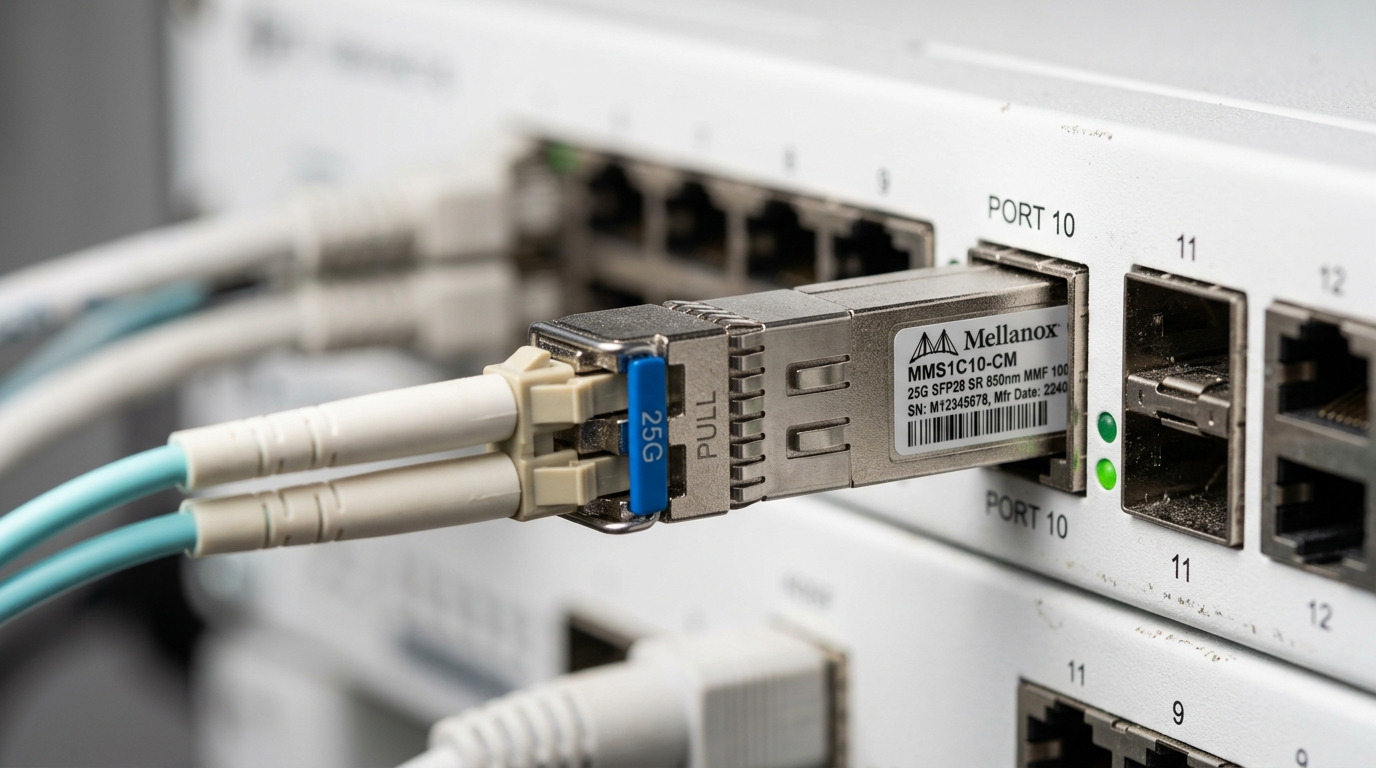
Signal-to-Noise Ratio (SNR) in an optical transceiver describes how strongly the received optical signal stands out from noise sources in the receiver chain. In practice, the dominant noise contributions include photodiode shot noise, thermal noise of the receiver front-end, relative intensity noise (RIN) from the laser, and electrical noise in the limiting amplifier and clock/data recovery (CDR). Vendors often do not publish a single “SNR number” in the way RF datasheets do; instead, they publish metrics such as receiver sensitivity, extinction ratio, and sometimes optical power and penalty terms under specific test conditions. The key is that higher effective SNR generally improves margin against BER growth caused by impairments like fiber attenuation, connector contamination, and chromatic dispersion (for longer reaches and higher data rates).
For standards-based Ethernet links, link health is ultimately judged by error performance: IEEE 802.3 defines physical layer behavior and FEC options (for example, 25G/50G/100G variants may use RS-FEC depending on the system). As SNR degrades, the receiver’s sampling margin shrinks, CDR jitter increases, and the probability of symbol decision errors rises. That is why two transceivers with similar nominal optical power can behave differently when the receiver noise floor differs, or when the module’s internal equalization and limiting stage respond differently to the same fiber plant.
How SNR maps to receiver sensitivity, BER, and FEC margin
Receiver sensitivity is measured under a defined BER target (commonly BER 1e-12 for non-FEC comparisons, and tighter or FEC-related targets for systems that include forward error correction). While “SNR” is not always directly listed, the physics link is consistent: sensitivity improves when the receiver has more SNR at the decision point. When SNR drops, you typically see one or more of the following symptoms: link flaps under load, errors that increase with temperature or after patch-panel maintenance, and higher counts of corrected/uncorrected errors depending on whether FEC is enabled.
In field deployments, I have seen SNR-related failures show up after seemingly minor changes: swapping a patch cord from a different vendor, re-terminating LC connectors, or moving transceivers between switches with different receiver front-ends. Even if transmit power and nominal reach are unchanged, the system margin can shift because the receiver’s effective noise performance and tolerance to signal impairments differs. For engineers, the actionable step is to translate SNR implications into measurable link margin: verify optical power levels, confirm connector cleanliness, check DOM telemetry, and validate error counters.
Pro Tip: If your platform supports it, monitor both DOM optical power and the physical-layer error counters (and FEC counters if present). A gradual rise in corrected errors with stable optical power is a strong indicator of falling effective SNR due to receiver noise growth, aging, or subtle fiber impairment rather than a pure power outage.
Representative SNR-relevant module specs (what to compare)
Since SNR is often indirect, compare transceivers using the parameters that most strongly influence receiver noise margin: wavelength band, data rate, reach class, connector type, transmit power and receive sensitivity, and operating temperature. Below is a practical comparison of commonly deployed optics that engineers use when budgeting link margin and planning maintenance spares.
| Example module | Data rate | Wavelength | Reach class | Connector | Operating temp | Typical sensitivity / notes |
|---|---|---|---|---|---|---|
| Cisco SFP-10G-SR (SFP+) | 10G | 850 nm | Up to ~300 m OM3 / ~400 m OM4 | LC duplex | 0 to 70 C (module-dependent) | Receiver sensitivity specified per datasheet test setup; compare link budget to your measured fiber loss |
| Finisar FTLX8571D3BCL (10G SR class) | 10G | 850 nm | Up to ~300 m OM3 / ~400 m OM4 | LC duplex | -5 to 70 C (variant-dependent) | Specs include sensitivity and optical power; higher margin generally correlates with better effective SNR headroom |
| FS.com SFP-10GSR-85 (10G SR class) | 10G | 850 nm | Up to ~300 m OM3 / ~400 m OM4 | LC duplex | -5 to 70 C | Third-party modules often match standard electrical interfaces; validate compatibility and DOM behavior |
When you evaluate a SNR optical transceiver behavior, treat these specs as a proxy for SNR margin under the vendor’s test conditions. Your real-world link budget should incorporate fiber attenuation, patch cord loss, splice loss, and connector insertion loss. For higher-rate links, also consider system penalties: equalization requirements, dispersion tolerance (for multimode vs single-mode), and whether the platform uses FEC that can tolerate some BER growth.
Selection criteria: turning SNR concerns into engineering checks
Use this decision checklist to avoid “it links up now” surprises. Order matters because early checks prevent expensive rework during outages.
- Distance and fiber loss budget: compute worst-case attenuation including patch panels, connectors, and any known hotspots; aim for a margin that keeps receiver operation comfortably above sensitivity under temperature variation.
- Switch compatibility and electrical interface behavior: confirm the transceiver is supported by the exact switch model and software release; some platforms enforce strict DOM and digital diagnostics behavior.
- DOM support and telemetry accuracy: verify that vendor-specific alarms (if exposed) behave correctly; inaccurate temperature or bias telemetry can mask early SNR degradation.
- Operating temperature and airflow profile: in cabinets, transceiver temperature can differ by 10 to 20 C depending on airflow and port density; validate module temperature range and your cooling design.
- Fiber type and impairment class: multimode links are sensitive to bandwidth limitations and modal distribution; single-mode links are sensitive to dispersion and connector cleanliness.
- Vendor lock-in risk and spares strategy: evaluate OEM vs third-party total cost; keep a burn-in plan and document compatibility results per platform.
Common pitfalls and troubleshooting tips for SNR-driven failures
Below are field-proven failure modes that often correlate with falling effective SNR even when optical power readings appear “reasonable.”
Connector contamination after patching
Root cause: Micro-dust or film on LC end faces increases insertion loss and can also change modal coupling behavior, effectively reducing received signal quality. Solution: clean with verified procedures (lint-free wipes plus approved cleaning tools), inspect with an endoscope, and re-seat while monitoring link errors.
Transceiver temperature drift in high-density racks
Root cause: Elevated module temperature increases receiver noise and can alter laser biasing and internal equalization; SNR margin shrinks gradually. Solution: measure port-side temperatures, improve airflow (fan direction and baffle alignment), and compare error counters before and after airflow changes.
Mismatched optics or unexpected vendor-specific behavior
Root cause: Two “compatible” optics can differ in transmitter spectral characteristics, receiver front-end gain, or equalization settings, affecting effective SNR at the decision point. Solution: standardize optics within a fabric domain, validate with a staged rollout, and record which transceiver models pass acceptance tests on each switch.
Assuming DOM optical power alone guarantees margin
Root cause: DOM power is not the same as received signal quality; it does not directly capture noise, jitter, or impairment penalties. Solution: correlate DOM with physical-layer error counters and FEC statistics; treat increasing corrected errors as an early warning.
Cost and ROI: what SNR-aware planning changes in TCO
In most deployments, OEM transceivers cost more upfront but often reduce compatibility risk and shorten troubleshooting cycles. Third-party optics can be 15% to 40% cheaper depending on rate and vendor, but you should budget for qualification and spares testing. From a TCO perspective, the ROI comes from fewer field truck rolls and fewer “mystery” link degradations: when you track error counters and maintain a clean fiber plant, you reduce downtime and accelerate root cause identification. If your acceptance testing includes error-rate verification under temperature and traffic load, you typically prevent premature replacements and avoid cascading outages.
FAQ
How do I interpret SNR optical transceiver impact if SNR is not listed in the datasheet?
Most vendors publish receiver sensitivity, optical power, and sometimes penalty or extinction ratio rather than a direct SNR figure. Treat sensitivity and BER test conditions as proxies for effective SNR margin, then validate using switch error counters and FEC statistics.
Does higher transmit power always mean better SNR margin?
Not always. Higher transmit power improves received optical power, but noise can still be dominated by receiver thermal noise, RIN, or system impairments. Always correlate optical power with error counters and observe trends under temperature and traffic changes.
What error counters should I check for early SNR degradation?
Check per-port physical-layer error counters, including corrected errors if FEC is enabled, and any alarms for LOS/LOF. A steady rise in corrected errors with stable DOM power is a common early symptom.
Are third-party SNR optical transceivers safe for production?
They can be, but only after platform-specific qualification. Validate DOM behavior, error-rate performance, and temperature operation on the exact switch model and software version you run in production.
How can I confirm whether a fiber issue is reducing effective SNR?
Measure end-to-end link loss with a certified tester and inspect connectors with an endoscope. Then compare error counters before and after cleaning or swapping patch cords to separate contamination from transceiver aging.
What is the fastest troubleshooting path during a link flap?
First confirm LOS/LOF and optical power readings, then inspect and clean connectors, and finally swap the transceiver with a known-good unit. If the issue correlates with temperature or port density, address cooling and airflow before replacing hardware.
Understanding how SNR optical transceiver quality translates into receiver sensitivity, jitter margin, and BER behavior helps you prevent fragile links and reduce downtime during maintenance. Next, cross-check your optics plan against your platform’s optics compatibility matrix using optics compatibility and DOM telemetry and build an acceptance test that includes error counters, not just link-up status.
Author bio: I have 10+ years of hands-on experience deploying and troubleshooting Ethernet optical interconnects, including SFP+/QSFP and FEC-enabled 25G/40G/100G systems. I focus on measurable link margin, DOM telemetry correlation, and field failure analysis grounded in vendor datasheets and IEEE 802.3 behavior.
