Single-Mode vs Multi-Mode SFP Fiber Modules Explained
In the world of fiber optic networks, the choice between single-mode and multi-mode SFP (Small Form-factor Pluggable) modules drives performance, distance, cost, and application suitability. Understanding the fundamentals of each type—and where they excel or fall short—helps IT managers, network engineers, and procurement teams design reliable, scalable links. This article breaks down the key differences, practical use cases, and technical considerations to help you select the right SFP module for your fiber optic links.
What is an SFP Module and Why It Matters
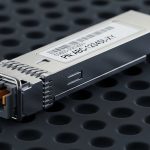
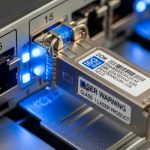
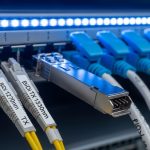
An SFP module is a compact, hot-pluggable transceiver that converts electrical signals into optical signals and vice versa. It plugs into a switch, router, or network card, enabling flexible, standardized connectivity over fiber. SFPs come in various wavelengths, speeds, and fiber types. The core distinction in fiber optics lies between single-mode and multi-mode fiber, which dictates the appropriate SFP type, link distance, and cost profile.
Single-Mode vs Multi-Mode: The Core Differences
Single-mode uses a narrow core (about 9 micrometers) and transmits light in a single path, typically at 1310 nm or 1550 nm. Multi-mode uses a larger core (50 or 62.5 micrometers) and supports multiple light paths at 850 nm or 1300 nm. Single-mode SFPs excel over long distances, often beyond 10 kilometers, and are essential for inter-building or WAN links. Multi-mode SFPs are optimized for shorter distances, commonly within a data center or campus network. Both families offer a range of speeds (1 Gbps, 10 Gbps, 25 Gbps, 40 Gbps, 100 Gbps) depending on the module. However, the practical distance and attenuation characteristics differ, impacting how far you can push high-speed links for each type. Multi-mode optics and fiber are generally cheaper per meter for short runs due to simpler launch geometries and lower fiber costs. Single-mode components and fiber tend to have higher upfront costs but lower attenuation over long distances. SFPs are standardized, but ensure the module supports your device’s vendor and firmware. Check for DOM (Digital Optical Monitoring) and compatibility lists for best results.
When to Choose Single-Mode SFPs
When your network spans city blocks, campuses, or data centers connected via metro or long-haul links, single-mode SFPs are the preferred choice due to lower attenuation at 1310/1550 nm wavelengths. The single-path propagation minimizes modal dispersion, which is a bigger concern with multi-mode fibers on longer runs or high-bandwidth apps. 1550 nm optics enable lower attenuation, enabling longer reach per link and easier network scaling with fewer repeaters or amplifiers.
When to Choose Multi-Mode SFPs
Multi-mode SFPs shine in environments with distances typically under 2 km (often under 550 meters for 10G-MMF and short runs for 25G/40G). If your links are within the standard modal bandwidth range, multi-mode optics and fiber are cost-effective for rapid deployments. Multi-mode fibers are generally more tolerant of bend radii and connector tolerances in crowded data centers, simplifying installation and maintenance. In dense racks and closer-proximity networks, multi-mode SFPs deliver the required bandwidth with less concern about long-reach attenuation.
Practical Technical Details to Consider
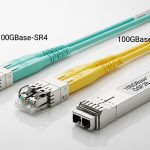
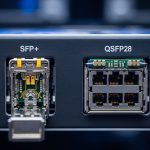
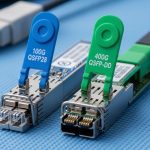
Single-mode typically uses 1310 nm or 1550 nm; multi-mode often uses 850 nm (MM) or 1300/1550 nm for newer wide-band MM optics. Ensure your transceiver wavelength matches the receiving interface and fiber type. Use single-mode fiber (SMF) with single-mode SFPs for long distances. Use multi-mode fiber (MMF) with multi-mode SFPs for short-distance links. Mismatches can cause severe signal loss and connectivity issues. Higher data rates (e.g., 40G/100G) may require single-mode optics for long runs; some shorter multi-mode links can still carry high speeds over MMF with the right OM (optical multimode) grade and reach. On the host side, ensure the device supports the chosen SFP family and the required interface (SFP+ for 10G, QSFP28 for 100G, etc.). Many SFPs provide DOM data—temperature, voltages, optical power—that helps monitor link health. Use devices and tools that read this data for proactive maintenance. Consider future growth, spares, and potential rewiring. A mixed deployment with SMA paths can reduce total cost of ownership by preserving options.
Practical Deployment Tips
Always add a buffer to link length estimates to account for aging, connector loss, and unforeseen route changes. This keeps you within the spec and reduces retry costs. Do not mix MMF with SMF. A common pitfall is attempting to push long MMF links with single-mode optics or vice versa. Conduct optical loss budgets, OTDR testing for longer spans, and ensure connectors are clean and properly seated. Poor terminations are a leading cause of link failure. If you plan to switch vendors or devices, verify SFP compatibility lists and firmware requirements to avoid interoperability issues. Stock a mix of common SFP bases, including known-good spares for critical links, and track their performance metrics over time.
Conclusion: Aligning Your Choice with Your Network Goals
The decision between single-mode and multi-mode SFP fiber modules hinges on distance, cost, and future growth expectations. Single-mode SFPs are the backbone of long-haul, scalable networks where attenuation becomes a primary concern, while multi-mode SFPs offer a cost-effective, high-density solution for data centers and short-range campus deployments. By matching the fiber type, wavelength, and link budget to your specific application—and by validating compatibility with your networking equipment—you can optimize performance and total cost of ownership. When in doubt, conducting a formal link budget, consulting vendor compatibility guides, and provisioning a conservative maintenance plan will help ensure reliable, future-ready connectivity.