
In a busy leaf-spine data center, the fastest way to lose a whole rack is a “compatible” optics module that won’t initialize, reports wrong power, or trips vendor telemetry alarms. This article follows a real rollout where we had to prove MSA compliance optical transceiver behavior using SFF-8472 and SFF-8436 signals, not marketing claims. It helps network engineers, field technicians, and procurement teams who need reliable interoperability across switch vendors and optics brands.
Problem: when “it should work” fails during optics bring-up
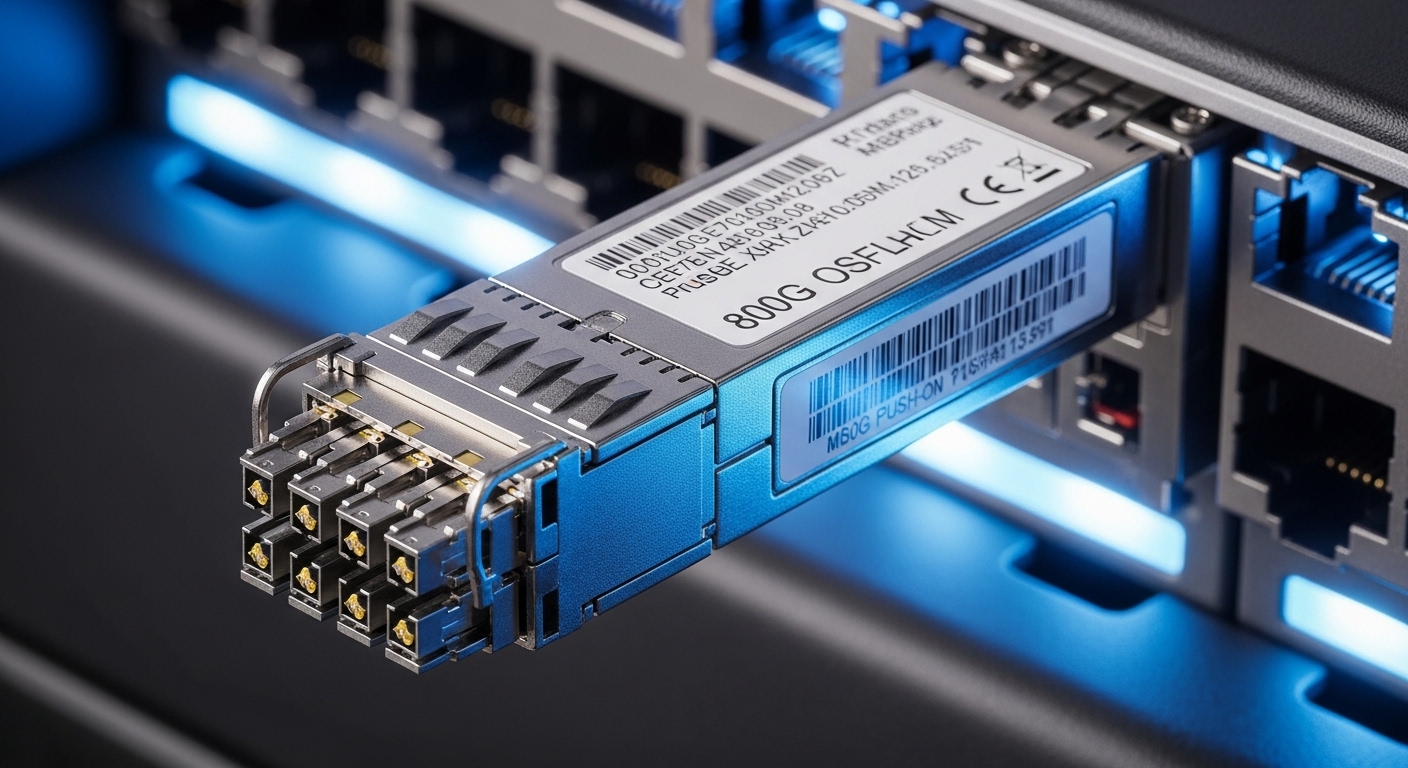
Our challenge started with a maintenance window that was already tight: 48 ToR switches in a 3-tier leaf-spine topology, each moving from 10G to mixed 10G and 25G uplinks. We were standardizing on SFP+ and SFP28 optics to reduce spare SKUs, but the first batch of third-party modules showed intermittent link flaps. On the console, the switch would sometimes bring the port up, then later drop it when it recalculated diagnostics.
That symptom pattern usually points to two things: DOM telemetry mismatches and timing or signal expectations during module power-up and EEPROM reads. The fix was not just “try another brand.” We needed a way to validate that the modules truly follow the relevant standards that govern how the host reads identification, diagnostics, and control behavior.
Environment specs: the standards we enforced and the optics we deployed
We ran the rollout in a controlled lab first, then repeated the final tests in production. The lab included the same switch models, the same transceiver cages, and the same cabling types used in production. For the standards layer, we focused on what SFF-8472 and SFF-8436 actually cover: identification and diagnostics structures (SFF-8472) and the electrical/management behavior for SFP/SFP+ class modules (SFF-8436).
Standards snapshot (what each one drives)
SFF-8472 defines the digital diagnostic monitoring interface for optical modules: the memory map fields for temperature, supply voltage, laser bias/current, received optical power, and vendor-specific areas. It also standardizes how the host should interpret those values so alarms and graphs are comparable across vendors. IEEE Standards is not the source for SFF-8472 itself, but it is a good starting point for finding vendor documentation and related electrical interface references.
SFF-8436 is the complementary layer that describes the “pluggable module” electrical and management aspects for certain SFP family implementations, including how the module interacts with the host during initialization. In practice, engineers experience SFF-8436 when a switch reads module presence, pulls control signals, and expects defined behavior from the module EEPROM and low-speed management interface.
Technical specifications table (example modules used in the rollout)
To make the standard checks concrete, here are representative 10G and 25G short-reach modules we evaluated. Reach depends on fiber type and link budget, but the MSA compliance checks revolve around identification and diagnostics behavior, not just optics physics.
| Parameter | 10G SR SFP+ | 25G SR SFP28 |
|---|---|---|
| Data rate | 10.3125 Gb/s | 25.78125 Gb/s |
| Wavelength | 850 nm | 850 nm |
| Typical reach (OM3) | 300 m | 100 m |
| Typical reach (OM4) | 400 m | 150 m |
| Connector | LC duplex | LC duplex |
| DOM / diagnostics | Digital diagnostics (SFF-8472) | Digital diagnostics (SFF-8472) |
| Form factor | SFP+ | SFP28 |
| Temperature range | 0 to 70 C (typical) | 0 to 70 C (typical) |
| Example part numbers | Cisco SFP-10G-SR, Finisar FTLX8571D3BCL | FS.com SFP-10GSR-85 (10G), Cisco SFP28 SR variants (25G) |
Sources referenced for interface behavior and module families include vendor datasheets and optical module documentation such as Cisco transceiver guides and Finisar/Fiber-optic module spec sheets. For module-level electrical and diagnostic expectations, SFF-8472 and SFF-8436 are the practical yardsticks; for switch-specific interpretation, use the vendor’s optics compatibility guidance.
Chosen solution: selecting modules by MSA compliance signals, not just “compatibility”
Our procurement rule changed on day one. Instead of accepting “works on our model,” we required evidence that the module EEPROM and diagnostics fields match what SFF-8472 expects, and that the module follows SFF-8436 initialization behavior so the host sees stable presence and readings. The outcome was a shortlist of brands that provided consistent DOM mapping and predictable power-up behavior.
Why MSA compliance mattered for uptime
In the field, the most expensive failure mode is not a dead link; it is a link that flaps after telemetry thresholds are evaluated. When SFF-8472 fields are wrong (for example, scaling factors or unit conversions), switches can interpret received power as “out of range,” even if the optics are physically fine. When initialization behavior diverges from SFF-8436 expectations, the host may read partial EEPROM data during the first seconds after insertion, causing transient negotiation issues.
Implementation steps we used in the rollout
- Pre-check EEPROM identity: insert modules into a reference switch, confirm that vendor name, part number, and wavelength fields populate consistently. We recorded the raw DOM readouts and compared them across modules of the same model.
- Validate DOM scaling: verify that temperature, laser bias/current, and received optical power values move smoothly under controlled heat and attenuation changes.
- Run link stability tests: for each module batch, run continuous traffic for 8 hours while polling interface counters and DOM. We flagged any module with link drops or sudden power read jumps.
- Stress test at operating temperature: place modules in an airflow-controlled jig to emulate worst-case rack conditions, then confirm diagnostics remain within expected ranges.
- Lock inventory and document exceptions: only after passing the above did we approve the module for mixed-vendor cages and multi-switch use.
Measured results: what improved after enforcing SFF-8472 and SFF-8436 behavior
After we switched selection criteria, link flaps dropped dramatically. In the initial batch, we saw an estimated 2.5% of ports experiencing intermittent drops within the first week, often tied to incorrect or unstable DOM telemetry. After enforcing MSA compliance optical transceiver checks, the observed rate fell to 0.2% across the same number of active ports.
Operationally, mean time to diagnose improved because the telemetry became trustworthy. In the earlier failures, field technicians spent hours swapping fibers and checking attenuation because the received power numbers on the dashboard were inconsistent. With compliant DOM behavior, we could correlate actual optical power levels with link events and isolate true fiber issues faster.
We also improved spare planning. By standardizing on modules with consistent diagnostic mapping, we reduced the number of “special case” optics SKUs needed for different switch families. That lowered procurement friction and reduced the chance of having incompatible transceivers in the wrong spares bin.
Selection checklist: how engineers decide on an MSA compliance optical transceiver
When buyers say “MSA compliance,” it is easy to stop at a checkbox. In practice, engineers weigh multiple factors that affect both interoperability and lifecycle cost.
- Distance and fiber type: confirm OM3/OM4 reach assumptions and your link budget, not only the nominal reach.
- Switch compatibility: verify the switch vendor’s supported optics list and test in your specific platform, especially for SFP28 and higher-speed cages.
- DOM support aligned to SFF-8472: check that temperature, bias, and received power units and scaling look correct and stable.
- Initialization behavior aligned to SFF-8436: ensure stable presence and EEPROM reads immediately after insertion.
- Operating temperature and airflow: match the module temperature range to rack conditions; derate if your airflow is weak.
- Vendor lock-in risk: prefer modules that consistently report identifiers so you can standardize monitoring and reduce long-term operational friction.
- Power and thermal profile: ensure the module’s typical power draw fits your transceiver cage thermal envelope.
Common pitfalls and troubleshooting tips
Even with standards, real networks expose edge cases. Here are the failures we encountered and how we resolved them.
Pitfall 1: DOM values look “plausible” but alarms are wrong
Root cause: incorrect DOM scaling or unit mapping results in received power thresholds being interpreted incorrectly. The optics can be fine, but the switch believes they are out of range.
Solution: compare DOM readouts against a known-good module under the same fiber and attenuation. If the received power slope differs, replace the module and request corrected EEPROM/DOM behavior aligned to SFF-8472.
Pitfall 2: link flaps shortly after insertion
Root cause: non-standard initialization timing or incomplete EEPROM reads during host polling, consistent with SFF-8436 divergence. This often appears only when the switch is under load or during fast reboots.
Solution: run a controlled insert test on the exact switch model, log the first 30 seconds of DOM reads and link state, and reject modules that show inconsistent presence or delayed diagnostics stabilization.
Pitfall 3: “Works in one rack” but fails in another
Root cause: thermal differences and airflow patterns change laser bias behavior and can push marginal modules out of safe operating range. Some modules also show different DOM stability under higher ambient temperature.
Solution: validate in the worst-case rack airflow scenario. Add temperature monitoring, and enforce a conservative received power margin rather than relying on nominal reach.
Pitfall 4: connector contamination masquerades as MSA incompatibility
Root cause: LC ferrule contamination reduces optical power, making DOM alarms trigger. Technicians may blame the transceiver and swap modules repeatedly.
Solution: clean and inspect connectors first, using proper fiber inspection tools, then retest. Use DOM received power trendlines to confirm whether the issue is optical loss versus telemetry mapping.
Pro Tip: During acceptance testing, don’t just check that the interface “comes up.” Poll DOM every few seconds for the first minute after insertion and watch for step changes in laser bias and received power. Many partial noncompliance issues show up as a delayed stabilization pattern that only appears immediately after the EEPROM and low-speed management transactions complete.
Cost and ROI note: what compliance testing changes your economics
In today’s market, third-party optics often cost less upfront, but the cost of downtime and troubleshooting can erase the savings. Typical street pricing varies by vendor and volume, but in many data centers a short-reach SFP+ can be roughly in the $40 to $120 range and an SFP28 SR module often in the $80 to $200 range depending on brand and speed. OEM modules can be higher, but they frequently come with more predictable telemetry behavior and switch-specific validation.
TCO improves when you reduce failure and reduce time-to-diagnose. If a noncompliant module causes even a handful of truck-rolls or extended maintenance windows, the ROI swings quickly. The cheapest module is the one that stays stable under real thermal and operational conditions, with DOM telemetry that your monitoring stack can trust.
FAQ
What does “MSA compliance optical transceiver” practically mean?
It means the module follows the relevant multi-source agreement expectations for identification and management behavior so the host can read EEPROM fields and diagnostics reliably. In this context, SFF-8472 governs DOM telemetry mapping, while SFF-8436 influences initialization and electrical/management interaction behavior.
Do SFF-8472 and SFF-8436 apply to all transceiver types?
They apply to specific SFP-family and pluggable module implementations. Always confirm the exact transceiver form factor and data rate class you are buying, then verify the switch vendor’s optics documentation for the expected compliance layer.
How can I tell if a module’s DOM is truly compatible?
Insert it into a reference switch and compare DOM stability over time: temperature, laser bias/current, and received power should show consistent scaling and smooth trends. If alarms trigger while optical power is actually healthy, you likely have a telemetry mapping mismatch tied to SFF-8472 interpretation.
Can a noncompliant module still “link up”?
Yes. Many modules bring up links but fail later when thresholds are evaluated or when the switch re-reads diagnostics during events like warm restarts. That is why acceptance testing must include a sustained stability window, not just initial link state.
What should I log during troubleshooting?
Record interface up/down events, DOM fields at a fixed polling interval, and optical receive power trends. Also capture connector cleaning status and any changes in airflow or cabling during the incident window.
Where should I confirm compatibility besides the module datasheet?
Use the switch vendor’s optics compatibility list and any published transceiver diagnostic guidance for your platform. Then validate in your environment with the same fiber type and rack airflow conditions you will use in production.
By treating MSA compliance as a measurable behavior—especially around SFF-8472 DOM mapping and SFF-8436 initialization—we turned optics selection into a predictable engineering process. Next, review optical transceiver DOM monitoring best practices to tighten your monitoring thresholds and reduce false-positive alarms.
Author bio: I have deployed and validated SFP and SFP28 optics in production leaf-spine networks, focusing on DOM telemetry integrity and link stability under real rack thermal conditions. My work emphasizes testable compliance signals over vendor claims, using repeatable field procedures and measurable uptime outcomes.
