SFP vs SFP+: Key Differences and When to Upgrade
In modern data networks, the choice between SFP and SFP+ transceivers can significantly impact bandwidth, distance, and upgrade timelines. Understanding the key differences helps IT managers plan for capacity, compatibility, and future-proofing. This article breaks down the technical distinctions, practical implications, and when to consider upgrading from SFP to SFP+.
What are SFP and SFP+? A quick refresher
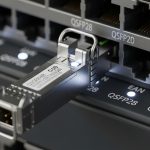
SFP (Small Form-factor Pluggable) and SFP+ (Enhanced Small Form-factor Pluggable) are hot-pluggable transceiver modules used to connect network devices like switches, routers, and servers to fiber or copper cabling. The primary purpose is to convert electrical signals into optical signals (and vice versa) for data transmission over distances.
- SFP: Typically supports speeds up to 1 Gbps (Gigabit Ethernet) and is widely used in legacy networks. It offers several variants for different fiber types (single-mode, multi-mode) and distances, usually up to ~550 meters on multi-mode and several kilometers on single-mode with the right fiber type.
- SFP+: Designed for 10 Gbps Ethernet and higher, with enhanced power and protocol support. It commonly supports 10GBASE-SR/LR/ER and even 25G/40G with newer iterations, depending on vendor and module type. SFP+ is backward-compatible with SFP in many cases, but the electrical/optical interfaces are optimized for higher data rates.
Key technical differences: Bandwidth, signaling, and latency
- Data rate: SFP typically handles up to 1 Gbps, while SFP+ targets 10 Gbps and beyond. This is the fundamental driver for upgrading in most networks.
- Electrical interface: SFP uses a single 3.3V interface with lower signaling bandwidth. SFP+ uses a more advanced electrical interface designed to support higher peak data transmission with improved channel utilization.
- Optical support: Both modules can use similar fiber types (multi-mode and single-mode), but SFP+ optics are optimized for higher speeds and may require fiber with appropriate bandwidth (OM3/OM4 for multi-mode 10G, OS2 for single-mode 10G).
- Power consumption: SFP+ generally consumes more power due to higher data rates and more complex circuitry. This can impact port density and cooling considerations in dense deployments.
- Form factor and compatibility: The physical size is the same, but the electrical interface is not always backward-compatible. While many vendors offer “SFP+ that fits into an SFP slot,” actual compatibility depends on hardware and firmware support.
Distance and fiber type: What changes with SFP+?
- 10GBASE-SR/LR/ER modules: These SFP+ optics are designed for short, long, and extended reach respectively. SR typically uses multimode fiber (MMF) for short reach (up to 300 meters on older MMF, longer on newer OM3/OM4). LR and ER use single-mode fiber with distances up to 10 km (LR) or 40 km (ER), assuming appropriate fiber quality and connector integrity.
- MMF vs SMF drainage: For 1G SFP, MMF often suffices for shorter distances. For 10G SFP+, MMF can support SR variants, but distance is constrained; SMF is favored for longer links and backbone networks.
- Wavelength considerations: SFP optics typically operate at 850 nm (MMF) or 1310/1550 nm (SMF). SFP+ optics commonly use 1310 nm or 1550 nm wavelengths for long-haul or high-density deployments, aligning with higher bandwidth over fiber.
When to upgrade from SFP to SFP+: practical decision points
- Bandwidth demand: If your network traffic routinely exceeds 1 Gbps per link, upgrading to SFP+ is the most straightforward path to 10 Gbps and beyond. Consider anticipated growth to 25G/40G in the near term.
- Network backbone and aggregation: Core switches and aggregation layers often benefit from SFP+ to handle uplinks between devices, data-center fabrics, and link aggregation scenarios.
- Hardware compatibility and lifecycle: If your core switches are aging but still support SFP+, verify vendor support for SFP+ modules and firmware. Some devices may require a full chassis refresh to unlock 10G features.
- Cost and availability: While SFP+ components have become more affordable, total cost of ownership includes fiber cabling, power, cooling, and transceiver warranties. If you’re building a new network or performing a greenfield upgrade, SFP+ is typically cost-effective for higher throughput.
- Distance requirements: For shorter distances within a data center (up to ~100 meters on MMF), SFP+ SR modules are common. For longer links, LR/ER variants enable multi-kilometer connections, justifying the upgrade if higher speeds are needed over fiber.
- Latency and jitter: 10 Gbps and above can introduce slightly different latency characteristics, especially in congested networks. Ensure switches, NICs, and cabling are compatible and tuned for low-latency operation.
Practical considerations for a smooth upgrade
- Check device capabilities: Confirm that all involved switches, routers, and NICs support SFP+ with the desired wavelengths and data rates. Some devices may require firmware updates or a hardware revision.
- Plan the transceiver mix: In mixed deployments, you may run SFP+ on uplinks while edge access remains SFP. Use proper in-line or through-port compatibility mapping to avoid bottlenecks.
- Fiber infrastructure readiness: Inspect fiber for connector cleanliness, correct fiber type (OM3/OM4 for MMF in 10G SR), and compatibility with WDM if used. Ensure patch panels and splice closures are compatible with SFP+/SFP optics.
- Power and cooling: Account for higher power consumption in dense 10G environments. Ensure adequate cooling and consider energy-efficient transceivers where available.
- Warranty and support: Use vendor-approved transceivers to maintain warranty and support. Some vendors restrict support if third-party modules are used in core paths.
Common deployment scenarios: SFP vs SFP+ in action
- Data center uplinks: A typical modern data center uses 10G (SFP+) uplinks between top-of-rack and aggregation switches, often scaling to 40G or 100G with breakout configurations. SFP+ enables higher throughput without a full hardware overhaul.
- Campus networks: SFP+ can backhaul high-speed links between distribution switches or data centers, ensuring scalable performance as user demand grows. SFP remains viable for access-layer devices with modest throughput needs.
- Storage networks: iSCSI or Fibre Channel over Ethernet (FCoE) environments frequently leverage 10G SFP+ links to move large volumes of data with low latency.
SEO-friendly recap: choosing the right module for your network
To optimize performance and budget, align your choice with workload, distance, and device capabilities. SFP+ is the practical upgrade path for networks targeting 10 Gbps and beyond, especially in data centers and high-demand campuses. SFP remains a cost-effective solution for existing 1 Gbps links and simpler access-layer deployments. Always verify compatibility, plan for fiber infrastructure, and consider future growth to maximize return on investment.
Conclusion: Plan, upgrade, and future-proof with confidence
The transition from SFP to SFP+ marks a meaningful jump in network performance, enabling higher bandwidth, longer reach, and scalable architectures. By evaluating bandwidth needs, distance requirements, and hardware readiness, IT teams can execute a strategic upgrade that minimizes disruption and maximizes throughput. Whether refreshing a data center core, expanding campus connectivity, or building a future-ready fabric, SFP+ offers a robust path to faster, more efficient networks.