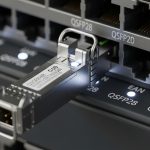
SFP vs SFP+: Key Differences and When to Upgrade
In modern networks, small form-factor pluggable (SFP) transceivers are the quiet workhorses that keep fiber and copper links flexible and scalable. As data demands rise, many administrators face a common question: should you stick with SFP or upgrade to SFP+? Understanding the core differences, performance implications, and practical upgrade scenarios can help you design a more reliable, future-proof network. This guide breaks down the distinctions, typical use cases, and decision criteria so you can choose with confidence.
What are SFP and SFP+? A quick refresher
SFP and SFP+ are standardized interface modules used to connect network devices to fiber optic or copper cables. Both are hot-swappable, hot-pluggable transceivers that slide into SFP/SFP+ ports on switches, routers, media converters, or servers. The main differences lie in data rate, power consumption, and wavelength support:
- SFP typically supports data rates up to 1 Gbps (1000BASE-SX/LX/IR etc.) over short, multimode, or long-haul single-mode fiber depending on the variant.
- SFP+ is the enhanced version designed for 1 Gbps and higher, commonly 2 Gbps to 4 Gbps and up to 16 Gbps in some contexts, with improved interface efficiency and transmitter power handling. The most common use is 10 Gbps (10GBASE-SFP+) and higher-speed protocols on older hardware that supports SFP+. Some platforms also support 4x10G, stacking, or quad-channel modes via SFP+ ports.
Key technical differences that matter in the real world
When deciding whether to upgrade, focus on these practical distinctions:
- Data rate capability: SFP is bandwidth-limited to about 1 Gbps, making it suitable for classic Ethernet or Fast Ethernet links. SFP+ is designed for higher bandwidths, commonly 10 Gbps and beyond, enabling high-performance uplinks and data-center connectivity.
- Compatibility and wavelength options: Both modules share common form factors, but wavelength options differ by variant. SFP modules come in 850 nm (multimode) or 1310/1550 nm (single-mode) variants suitable for distances from tens to thousands of meters. SFP+ modules often mirror these wavelength options but are optimized for 10 Gbps signaling and may support enhanced extended distance (XFP-style) variants in some cases.
- Power consumption and heat: SFP+ modules generally consume more power due to higher signaling rates and processing requirements. In dense deployments, consider cooling and power budgets to avoid thermal throttling or failures in hot environments.
- Connector and cabling compatibility: Both use LC connectors for fiber; copper variants (e.g., SFP+ DAC cables) exist but are not interchangeable. Ensure your switch/router supports the exact module type and cable assembly you plan to use.
- Link length and reach: Classic SFP reach varies from 100 m (multi-mode) to several kilometers (single-mode). SFP+ reach depends on the transceiver grade; 10GBASE-LR, -SR, -ER modules extend reach substantially but require compatible fiber and proper return loss/dispersion characteristics.
- Cost and availability: SFP modules are typically cheaper and widely available for legacy networks. SFP+ modules cost more but unlocks substantial bandwidth gains, which can reduce the need for multiple links or additional switches.
Use cases: When SFP makes sense and when SFP+ is the smarter choice
Understanding your network topology helps determine the right choice:
- Legacy or budget-constrained networks: If you’re maintaining a Gigabit Ethernet backbone, SFP modules are typically sufficient. They offer straightforward operation, broad compatibility, and lower upfront costs.
- Data centers and uplinks to core: Upgrading to SFP+ is usually warranted when you require 10 Gbps links between top-of-rack (ToR) switches, aggregation layers, or between core devices. This helps reduce port density while boosting aggregate throughput.
- Long-haul fiber connections: For longer distances, SFP+(with appropriate laser and fiber type) can offer better spectral efficiency and reach, enabling fewer repeaters and slimmer network topology.
- Future-proofing: If you anticipate upgrading to 25/40/100 Gbps in the near term, starting with SFP+ now can provide a smoother migration path, especially when your switch supports dual-rate modules or line cards with SFP+ uplinks.
Practical upgrade considerations
If you’re planning a transition from SFP to SFP+, here are steps and considerations to ensure a smooth upgrade:
- Check device support: Verify that your switches, routers, and NICs explicitly support SFP+. Some devices offer mixed-slot capabilities or require specific line cards for 10 Gbps SFP+ modules.
- Assess the cabling and fiber type: For 10 Gbps SFP+ links, determine whether you need multimode or single-mode fiber, and confirm compatible fiber standards (OM3/OM4, OS2, etc.). Mismatched fiber types can severely degrade performance or render links unusable.
- Plan for power and cooling: SFP+ modules generate more heat. Ensure adequate airflow and power budgets, especially in dense racks or data centers with many 10 Gbps links per switch.
- Compatibility of DAC cables: If you’re using direct-attached copper (DAC) cables, ensure your devices support the same standard (SFP+/DAC) and verify the acceptable cable lengths. Some devices require specific DAC cable brands or firmware versions for reliable operation.
- Firmware and driver readiness: Upgrade device firmware or drivers to support new SFP+/10 Gbps features. In some cases, older firmware can cause negotiation failures or link instability with newer modules.
- Cost-benefit analysis: Weigh the capex of SFP+ modules, uplink ports, and potential fiber upgrades against the expected performance gains, reduced latency, and future growth needs.
Performance considerations: latency, jitter, and bandwidth planning
Beyond raw speed, upgrading to SFP+ can influence overall network performance in meaningful ways:
- Latency and jitter: 10 Gbps links often offer lower processor overhead per bit and more efficient forwarding for high-transport traffic patterns. Consolidating uplinks via fewer, higher-speed connections can reduce jitter and simplify QoS planning.
- Link aggregation: SFP+ enables 10 Gbps link aggregation (LACP) to create resilient, high-bandwidth paths. This is especially beneficial for storage area networks (SANs) and virtualization workloads.
- Quality of Service (QoS): Higher-speed interfaces provide more predictable performance under load. If you implement strict QoS policies, ensure your devices support consistent policing or shaping at 10 Gbps scales.
- Future upgrade path: If you anticipate migrating to 25/40/100 Gbps, SFP+ can serve as an interim bridge or even a central spine in certain architectures, avoiding premature replacement of core gear.
Common myths and pitfalls to avoid
When evaluating SFP vs SFP+, steer clear of these misconceptions:
- All SFP+ are backwards compatible with SFP: Not always. While many devices support dual-rate SFP and SFP+, some port configurations require the exact module type or firmware to negotiate correctly. Always verify compatibility lists from the vendor.
- More speed always equals better performance: Upgrading an uplink without bottlenecks elsewhere (core routing, storage, or CPU) may yield diminishing returns. Consider end-to-end paths and workloads.
- Higher cost means better value: Budget-friendly SFP+ modules exist, but you should evaluate warranty, MTBF, and vendor support. In some environments, enterprise-grade modules with robust warranties pay off over time.
Conclusion: choosing wisely for your network’s future
The choice between SFP and SFP+ hinges on current bandwidth demands, growth projections, and the specific topology of your network. If you’re maintaining basic, Gigabit-era links or operating with tight budgets, SFP remains a viable, stable option. If you’re building a modern, scalable network—particularly in