Ever swapped a transceiver, watched the link flap, and then spent your evening Googling part numbers like they are ancient runes? This guide helps network engineers and field techs choose between SFP module comparison options for typical 10G/25G fiber runs, and understand when SFP is the right fit versus QSFP-style optics. You will get practical selection criteria, a specs table you can actually use, and troubleshooting steps that target real failure modes.
Where SFP module comparison gets real: link speed, footprint, and optics

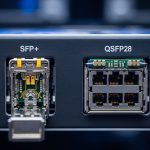
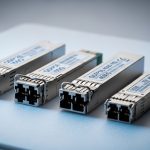
In data centers, “SFP vs QSFP” is usually shorthand for tradeoffs in port density, data rate per port, and optical form factor. SFP modules commonly show up in 10G and 25G deployments, while QSFP families often target higher aggregate bandwidth per slot (for example, 40G/100G class). The key for engineers is aligning the module type with the switch transceiver cage and the supported optics profile (including DOM, lane mapping, and coding).
Practical mapping: typical speeds you will see
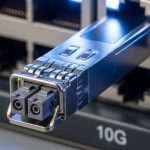
- 10G Ethernet: SFP+ (fiber optics with LC connectors), typical reaches vary by wavelength and fiber grade.
- 25G Ethernet: SFP28 (short-reach SR and longer-reach options depending on module).
- 40G/100G Ethernet: QSFP+ or QSFP28 / CFP-class depending on platform; lane count and optics differ.
Electrical and optical compatibility traps
Even when the data rate “looks compatible,” the switch may require a specific host behavior: digital optical monitoring (DOM), supported vendor IDs, and correct FEC mode for higher speeds. Many enterprise switches accept third-party optics only when DOM is present and parameters match expectations. For IEEE alignment, Ethernet physical-layer behavior follows vendor implementation under the IEEE 802.3 family; the practical outcome is that the module must meet the platform’s optics requirements rather than just “work on paper.” anchor: IEEE 802.3 family reference
Pro Tip: In the field, the fastest way to stop link flapping is to verify the switch’s transceiver compatibility matrix and confirm DOM status via the platform CLI. If the switch reads DOM but still refuses the link, you likely have a wavelength/fiber-type mismatch (OM3 vs OM4 vs OS2) or an optics profile mismatch rather than a “bad module.”
Specs that matter in a SFP module comparison: wavelength, reach, power, and DOM
Below is a compact reference table engineers use when selecting optics for common fiber runs. Values can vary by vendor and exact part number, so always validate against the switch vendor’s compatibility list and the transceiver datasheet. For real deployments, the two big determinants are wavelength and reach on your fiber grade.
Common example modules (for comparison only)
Examples include widely referenced vendor families. Use these as a starting point, then verify exact specs with the datasheet for the specific SKU you plan to buy.
| Module type | Typical data rate | Wavelength | Reach (typical) | Connector | Power (typical) | DOM | Operating temp range |
|---|---|---|---|---|---|---|---|
| SFP / SFP+ (SR) | 10G | 850 nm (multimode) | Up to ~300 m on OM3, ~400 m on OM4 (varies) | LC | ~0.8 W to ~1.5 W | Supported on most modern modules | 0 C to 70 C (typical) |
| SFP28 (SR) | 25G | 850 nm (multimode) | Up to ~100 m on OM3, ~150 m on OM4 (varies) | LC | ~1.0 W to ~2.0 W | Supported on most modern modules | 0 C to 70 C (typical) |
| SFP28 (LR) | 25G | 1310 nm (singlemode) | Up to ~10 km class (varies) | LC | ~1.5 W to ~2.5 W | Supported on most modern modules | -5 C to 70 C (varies) |
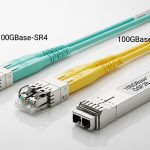
| QSFP28 (SR4) | 100G (4 lanes) | 850 nm (multimode) | Up to ~100 m on OM4 class (varies) | LC (often MPO-to-LC breakouts) | ~3 W to ~5 W | Supported on most modern modules | 0 C to 70 C (typical) |
For specific vendor examples you can cross-check, look at vendor datasheets for models such as Cisco SFP-10G-SR (10G SR over multimode) and third-party equivalents like Finisar FTLX8571D3BCL or FS.com SFP-10GSR-85. Always verify that the exact SKU supports the optical distance you need and that DOM is compatible with your switch firmware. anchor: Finisar official site anchor: FS.com optics catalog
Deployment scenario: choosing SFP vs QSFP in a leaf-spine topology
In a 3-tier data center leaf-spine topology with 48-port 10G ToR switches and 8-port 100G spine uplinks, you might run thousands of short-reach links between server racks and ToR. A typical setup uses SFP+ SR (850 nm) for server-to-switch and QSFP28 SR4 (100G) for ToR-to-spine. Assume a fiber plant of OM4 and a measured average patch-run distance of 45 m (including slack). In this case, SFP+ SR is cost-effective and easy to stock, while QSFP28 is reserved for the uplink where port density and aggregate bandwidth matter.
Operationally, field teams track success by monitoring link up time, CRC/FCS counters, and DOM telemetry like laser bias current and received power. If you see a link that stays up but error counters climb, you may have a fiber polarity issue, a dirty connector, or a marginal optical budget rather than a “wrong transceiver.”
Selection criteria checklist for SFP module comparison decisions
Use this ordered checklist during procurement or during an on-site replacement. It prevents the classic “it matched the port speed, so it must be right” fantasy.
- Distance and fiber type: Confirm OM3 vs OM4 vs OS2. Match wavelength (850 nm SR vs 1310/1550 nm LR/ER) to the installed plant.
- Switch compatibility: Validate against the switch vendor’s optics support list and firmware level. Some platforms are stricter than others.
- Data rate and lane mapping: Ensure the module supports the exact Ethernet profile (SFP+ vs SFP28 vs QSFP28 SR4 requires different lane behavior).
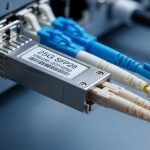
- Connector and breakout expectations: SFP uses LC. QSFP often uses MPO with breakouts; verify polarity and harnessing.
- DOM support: Prefer modules that provide DOM and are accepted by the host. DOM mismatch can cause “module present but link down.”
- Operating temperature: Check the transceiver’s industrial/extended range versus your rack environment. Hot aisles are not a myth.
- Vendor lock-in risk: OEM optics may cost more but reduce compatibility surprises. Third-party can work, but you should test with your specific switch model and firmware.
Common pitfalls and troubleshooting tips (SFP vs QSFP reality checks)
When things go sideways, it is rarely “mystical.” It is usually measurable and fixable with disciplined checks.
Link down right after insertion
- Root cause: Switch rejects the module due to compatibility/DOM expectations, or the module is not supported for that cage.
- Solution: Confirm the exact switch model, transceiver cage type, and firmware. Try an OEM optics known-good. Then confirm DOM reads correctly in the switch CLI.
Link up but high error counters
- Root cause: Dirty connectors, fiber polarity mismatch (especially with MPO breakouts for QSFP), or an optical budget marginality due to wrong fiber grade.
- Solution: Clean connectors with approved cleaning tools (no improvised “shop towels of doom”). Verify polarity mapping end-to-end. Remeasure loss and compare to the module’s specified budget.
Works on one switch, fails on another
- Root cause: Different host PHY behavior, different DOM parsing, or stricter transceiver profiles on one platform.
- Solution: Do not assume interchangeability across switch vendors/models. Test the exact module SKU with each host platform before broad rollout. Keep a small lab inventory and a documented compatibility matrix.
Intermittent flaps under temperature changes
- Root cause: Marginal thermal performance, airflow issues, or a connector that is not seated firmly.
- Solution: Check airflow direction and fan curves, verify cage seating, and inspect for bent pins or damaged latches. Compare DOM temperature telemetry to acceptable operating range.
Cost and ROI note: where money actually goes
In typical enterprise and colocation environments, OEM optics can cost roughly 1.5x to 3x the price of third-party equivalents. A 10G SR SFP+ might be a few tens to low hundreds of dollars depending on vendor and temperature grade; 25G and QSFP28 modules can climb higher, especially for longer reach or higher-volume SKUs. The ROI angle is not just purchase price: it is also mean time to replacement, compatibility failures, and reduced downtime.
Third-party optics can be a solid TCO win when you have a tested compatibility process and a planned burn-in. If you cannot test, OEM optics often pay for themselves by avoiding “mystery link failures” during change windows. Also account for power: QSFP-class optics generally consume more power per module than single-lane SFP-class optics, which matters at scale for thermal budgets and rack-level power planning.
FAQ: SFP module comparison questions engineers ask before buying
Which is better for 10G: SFP+ or QSFP?
For 10G links, SFP+ is usually the correct choice because it matches the port type and expects LC fiber. QSFP is typically used for higher aggregate rates (like 40G/100G class) and may require different cabling like MPO breakouts.
Can I mix OEM and third-party optics in the same switch?
Often yes, but it depends on the switch model and firmware. The safe path is to verify the optics compatibility list and confirm DOM telemetry behavior before rolling out widely.
How do I choose between OM3 and OM4 for SFP SR optics?
Use the installed plant. If you have OM4, you generally get more reach margin for 850 nm SR optics, which reduces sensitivity to connector loss and patch cord variability. If you only have OM3, you must ensure your measured link length stays within the module’s specified budget.
Why does DOM matter for link stability?
DOM provides the host with telemetry such as laser bias and received power. Some platforms rely on DOM to validate whether the optics is functioning within expected parameters; without compatible DOM behavior, you can get link down or degraded performance.
What is the fastest troubleshooting method for “link up but bad performance”?
Start with cleaning and polarity checks, then measure optical loss end-to-end. If the fiber checks out, compare DOM received power against expected thresholds from the datasheet and look for FEC or CRC-related error patterns.
Do I need IEEE 802.3 details to buy optics?
You do not need to memorize the standard, but you should ensure the module is designed for the correct Ethernet physical-layer profile. Vendor datasheets and your switch compatibility matrix are the practical sources that determine real-world acceptance.
If you want the next step, use this article to build a short list, then validate each SKU against your switch’s compatibility matrix and DOM behavior; that is the fastest route to predictable uptime. For related guidance on selecting and validating link hardware, see fiber optic transceiver selection for data centers.
Author bio: I have deployed and troubleshot SFP and QSFP optics in leaf-spine and storage networks, including DOM-driven health checks and fiber loss verification. I write like a field engineer: measured values, compatibility matrices, and failure modes you can fix without sacrificing a weekend.