If you are building or upgrading an HPC or data center fabric, you have probably asked whether an InfiniBand optical transceiver can be “treated like” Ethernet optics. On paper, both move bits over fiber using similar wavelengths and connector styles, but the control plane, link behavior, and safety limits differ. This article helps network engineers and field techs choose correctly when the transceiver part numbers look interchangeable yet the systems behave differently.
What is actually different between InfiniBand and Ethernet optical links?
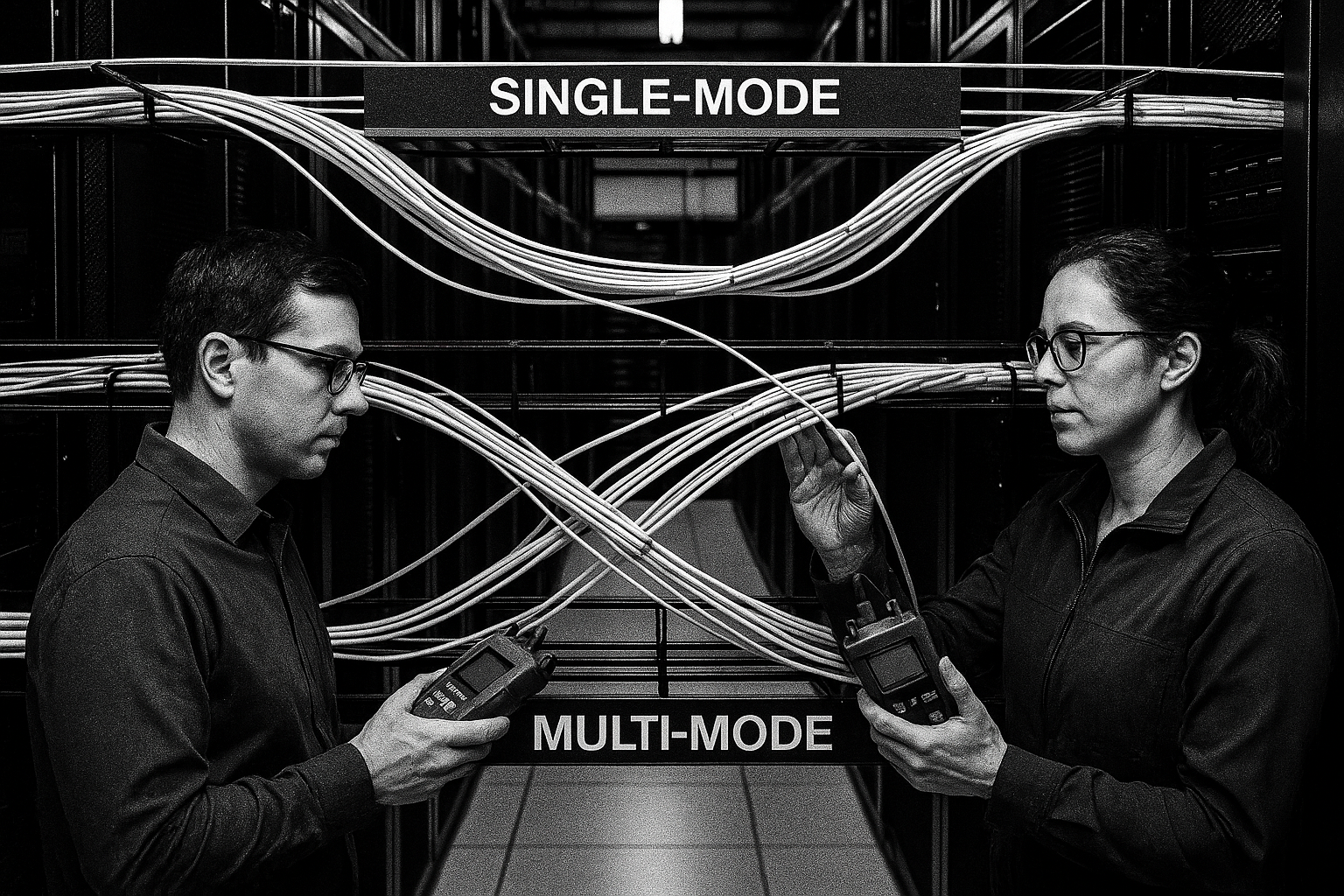
Think of fiber optics as the road and the transceiver as the car: the road can look identical, but the car’s dashboard rules, braking logic, and driver handshakes are not the same. An InfiniBand optical transceiver is designed around InfiniBand link establishment, lane training, and reliability expectations from the InfiniBand specification. Ethernet optics are designed around Ethernet PCS/PMA behavior, autonegotiation (where applicable), and the way Ethernet handles link states and pause/flow control.
In practice, the “optical layer” may share similar components (laser type, receiver sensitivity class, and fiber type), but the electrical interface and management model are distinct. Many InfiniBand platforms use vendor-specific or standards-based management hooks that can interpret DOM (Digital Optical Monitoring) fields differently than Ethernet switches do. If you swap optics across ecosystems without validating compatibility, you may see link flaps, degraded error counters, or a link that never reaches the expected operational state.
Analogies that help in the field
During troubleshooting, I often explain it like this: InfiniBand optics are tuned for a “tight choreography” between endpoints, while Ethernet optics are tuned for “network traffic etiquette.” Even when both use the same physical fiber, the handshake timing and error handling can differ enough that the link never stabilizes. That is why engineers should compare both optical specs and protocol expectations before moving an optics SKU from an Ethernet BOM into an InfiniBand rack.
Key optical and electrical specs to compare side by side
Before you even think about part numbers, build a comparison table from the datasheets and the platform requirements. For most engineers, the most actionable fields are wavelength, reach, data rate, connector type, DOM support, and optical power class. The second layer is electrical interface expectations: whether the module is specified for the host’s channel type and whether it supports the vendor’s required management features.
| Spec | InfiniBand Optical Transceiver (example) | Ethernet Optical Transceiver (example) |
|---|---|---|
| Typical data rates | 56G (FDR / EDR families), 100G (varies by generation) | 10G / 25G / 40G / 100G (IEEE 802.3 aligned) |
| Wavelength / fiber type | Often 850 nm for OM4/OM5 (MM) | Commonly 850 nm for SR on MM |
| Reach (typical) | OM4 short-reach profiles; exact meters depend on generation and power class | SR reach commonly listed (e.g., 300 m on OM4 for 100G SR4) |
| Connector | Usually LC duplex (MM) or MTP/MPO for higher density | LC duplex or MTP/MPO depending on port density |
| DOM / monitoring | DOM supported; fields may be interpreted by InfiniBand fabric manager | DOM supported; fields interpreted by Ethernet switch/host |
| Operating temperature | Often 0 to 70 C or extended ranges for datacenter | Often 0 to 70 C (some extended availability) |
| Host compatibility | Requires InfiniBand-capable port electrical mapping and firmware support | Requires Ethernet-capable port electrical mapping and firmware support |
For concrete part numbers you may encounter in the wild: an InfiniBand-oriented optic might be sold as an FDR/EDR module for a specific platform, while an Ethernet module might be a Cisco SFP-10G-SR style transceiver for 10G SR. On the optics side, third-party vendors also publish compatible SKUs such as Finisar FTLX8571D3BCL (100G-class optics families vary by mapping) or FS.com SFP-10GSR-85 (10G SR). The important caveat is that identical-looking fiber specs do not guarantee identical electrical mapping or fabric expectations.
For authoritative baseline behavior, review IEEE 802.3 for Ethernet physical layer behavior and link state conventions. For InfiniBand, use the official InfiniBand Architecture and link layer documents as your ground truth. [Source: IEEE 802.3 working group documentation] [Source: InfiniBand Architecture specification materials]
Compatibility reality: why “same fiber, same connector” can still fail
Field failures usually come from assumptions: “850 nm is 850 nm,” “LC is LC,” and “DOM is DOM.” The non-obvious truth is that compatibility is a stack, not a single spec. An InfiniBand optical transceiver expects an InfiniBand electrical interface and will often present different training and lane-mapping behavior than Ethernet optics. Ethernet optics may rely on Ethernet lane alignment, PCS framing, and specific link state transitions defined by Ethernet implementations.
Decision checklist engineers actually use
- Distance and fiber grade: confirm OM4 vs OM5 and connector loss budget; verify the module’s rated reach for your exact class.
- Data rate and lane format: confirm whether the platform expects 4-lane vs 8-lane mapping and whether the port supports that generation.
- Switch or adapter compatibility: check vendor compatibility lists for both the host NIC/HCA and the exact transceiver part number.
- DOM support and interpretation: confirm the host firmware reads DOM fields correctly; verify alarm thresholds.
- Operating temperature: validate datacenter ambient and airflow; confirm module supports the required range.
- Vendor lock-in risk: assess whether third-party optics are supported and what the support contract says about optics-related RMA.
- Firmware and retimers: ensure the endpoint firmware supports that optic generation and that any retimer/CDR path is not out of spec.
Deployment scenario: leaf-spine data center with mixed fabrics
Imagine a mixed environment: a 3-tier data center leaf-spine topology with 48-port 10G ToR switches feeding 25G/100G spine links, plus an adjacent HPC cluster using an InfiniBand fabric for MPI traffic. The Ethernet side uses 100G SR4 optics over OM4, while the InfiniBand side uses short-reach optics over MM fiber for FDR/EDR-class links. During a maintenance window, a team swaps a “matching-looking” LC optic on an InfiniBand port with an Ethernet SR module to save inventory time.
The result is not a clean link-down; instead, the InfiniBand port repeatedly attempts link establishment, and error counters rise until the fabric manager flags the port as unhealthy. DOM still shows laser bias current and received power values, but the host’s expected electrical training and lane mapping never complete. After replacing the Ethernet optic with the correct InfiniBand-oriented transceiver SKU, the port immediately transitions to stable link state and error counters return to baseline within minutes.
Common mistakes and troubleshooting tips (with root causes)
Below are real failure modes I have seen when teams compare optics across InfiniBand and Ethernet ecosystems. Use them as a checklist before you open an escalation ticket.
Treating optical reach as the only requirement
Root cause: Reach is necessary but not sufficient. Some modules meet the reach budget yet still differ in power class, receiver sensitivity grading, or lane mapping required by the host. Solution: verify the module’s exact rated reach on your fiber type (OM4 vs OM5) and confirm the host compatibility list for that transceiver part number.
Assuming DOM readings guarantee protocol compatibility
Root cause: DOM data can be present even when the protocol handshake fails. DOM tells you about optical health, not whether the host’s link training and framing expectations match. Solution: check host-side link state logs and interface error counters immediately after insertion; if link never reaches operational state, it is likely an electrical/protocol compatibility mismatch.
Ignoring connector cleanliness and polarity during high-density swaps
Root cause: When modules are swapped quickly, polarity errors (Tx/Rx reversed) or dirty endfaces can create intermittent links that look like “compatibility problems.” Solution: inspect with a fiber microscope, clean with approved swabs, and verify polarity using a structured labeling scheme at the rack level.
Overlooking temperature and airflow assumptions
Root cause: Some optics operate within spec only under defined airflow. In a partially blocked rack, the module may pass initial checks but later show increased errors. Solution: verify the module operating temperature range and measure ambient at the port area; confirm airflow direction and blank panel usage.
Pro Tip: When you suspect an InfiniBand optical transceiver is “almost compatible,” watch the host training timeline rather than only the final link status. In many deployments, a mismatched optic can still show plausible DOM values while the endpoint never completes lane training; the fastest confirmation is a firmware log entry that indicates training retries or lane alignment failure.
Cost and ROI: what you save vs what you risk
Pricing varies by speed, reach, and whether you buy OEM or third-party. In many datacenter purchasing environments, common short-reach optics like 10G SR modules may cost roughly tens of dollars, while higher-speed InfiniBand generations and 100G-class optics can be higher. For ROI, the key is total cost of ownership (TCO), not the unit price: a cheaper optic that triggers repeated maintenance, extended downtime, or unsupported RMAs can cost far more than the original savings.
Operationally, consider failure rates and warranty terms. OEM optics typically come with tighter compatibility testing and clearer RMA pathways for vendor-managed systems. Third-party optics can be cost-effective when the platform’s compatibility list explicitly supports them and when your support contract allows optics substitutions. Also factor power and cooling: if a module runs warmer due to higher bias current under your fiber conditions, you may see a higher probability of thermal throttling or early-life wear, especially in dense bundles.
FAQ
Can I use an Ethernet optical transceiver in an InfiniBand port?
Sometimes you may get physical link activity, but it is not reliable to assume it will work. InfiniBand endpoints expect specific electrical training and link-layer behavior, so mismatched optics can fail to reach stable operational state. Always verify host and transceiver compatibility lists for the exact part numbers.
Do InfiniBand optical transceivers and Ethernet optics use the same wavelengths?
They often use similar wavelengths such as 850 nm for short-reach multimode links. However, matching wavelength does not guarantee matching receiver sensitivity class, power budget, or electrical mapping requirements. Confirm both optical and electrical specifications in the datasheets and platform documentation.
What DOM alarms should I watch first?
Start with laser bias current, transmit power, received power, and temperature. If the link is unstable, also check for rising error counters reported by the host interface. DOM helps diagnose optical health, but protocol mismatch will still show up in host training or framing logs.
How do I validate reach during installation?
Use your certified fiber plant loss budget: connector insertion loss, patch panel losses, and any MPO/MTP fanout penalties. Compare those numbers to the transceiver’s rated optical power budget for your speed and fiber type (OM4 vs OM5). If you are near the margin, clean connectors and shorten patch lengths before assuming the optic is wrong.
Are third-party InfiniBand optical transceivers safe for production?
They can be, but only when the platform explicitly supports them and the transceiver SKU matches the required generation and interface mapping. For production, require a compatibility statement, confirm DOM field behavior, and plan a controlled pilot before scaling. If your vendor support is strict, OEM may be the lower-risk choice.
What is the fastest way to troubleshoot a “link down” after swapping optics?
First confirm correct polarity and connector cleanliness. Then check host logs for training retries and lane alignment messages, and compare DOM readings against expected ranges. If DOM looks healthy but training never completes, treat it as an electrical/protocol compatibility issue rather than an optical power problem.
If you want the practical next step, map your current port speed, fiber type, and host compatibility list, then build a like-for-like transceiver validation plan; use InfiniBand vs Ethernet optical transceivers comparison as your starting point. With that approach, you avoid the most common “looks compatible” trap and keep your fabric stable through maintenance windows.
Expert author bio: I have deployed InfiniBand and Ethernet optical links in production data centers, including hands-on transceiver swaps, DOM validation, and fiber plant loss budgeting. I write vendor-neutral guidance grounded in IEEE 802.3 behavior and real field troubleshooting patterns.