
When a link stays dark after swapping a transceiver, the problem is rarely “bad fiber” alone. In most cases, fiber module interoperability breaks at the handshake layer: EEPROM identification, DOM behavior, optics timing, and the switch’s electrical expectations. This article helps data center and campus network engineers choose transceivers that actually work with their switches, with practical checks you can run before you buy pallets.
Interoperability reality check: what must match for a link to come up?
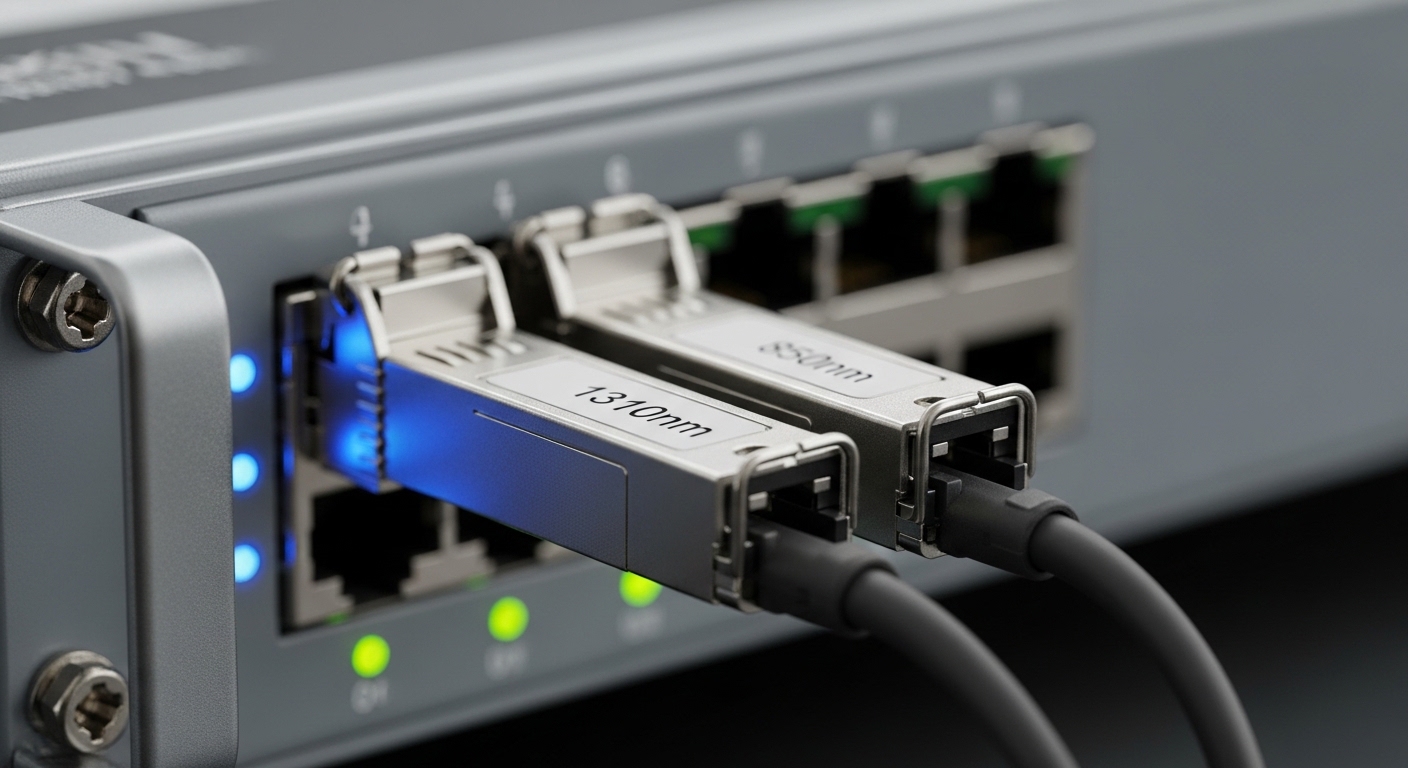
At a physical level, fiber module interoperability depends on more than the wavelength and connector. The switch and module negotiate link parameters using standardized electrical interfaces (for example, QSFP28/OSFP electrical lanes) and the module’s identification data stored in its EEPROM. Many modern platforms also enforce optics class support (timing, modulation format, and safety constraints) and may behave differently with DOM (Digital Optical Monitoring) enabled.
IEEE standards define the optical/electrical frameworks, but vendors implement compatibility policies in firmware. The result: two modules that both say “10G SR” can still fail if the switch expects a specific DOM implementation, tolerates a narrower power range, or rejects a particular vendor’s calibration profile.
For baseline Ethernet over fiber behavior, engineers generally map the optics to IEEE 802.3 link types and then validate operational requirements against the switch vendor’s transceiver matrix. For standards references, see IEEE 802.3. For practical compatibility rules, always consult your switch’s optics guide and transceiver support list from the manufacturer.
Pro Tip: Before troubleshooting optics, check whether the switch port is in a “transceiver strict mode” (some platforms accept only vendor-approved part numbers). In field practice, this single setting explains many “identical specs, different outcome” swaps.
SFP/SFP+ vs QSFP28: performance and reach tradeoffs that affect interoperability
Head-to-head, SFP/SFP+ modules often target lower density and simpler lane configurations, while QSFP28 increases port density by using more lanes per module. That lane topology changes how the switch’s port logic expects signal presence, lane mapping, and fault handling. As a result, interoperability issues can show up as partial lane lock, intermittent CRC errors, or a link that never trains.
In real deployments, the choice is usually driven by bandwidth per rack and how many ports you need at a given distance. For short-reach multimode runs, the market frequently uses OM3/OM4 with nominal center wavelengths around 850 nm. For longer reach, single-mode optics use nominal wavelengths like 1310 nm or 1550 nm, and reach is constrained by fiber attenuation and the module’s link budget.
| Module family | Typical data rate | Common wavelength | Typical connector | Reach class (example) | Power / monitoring | Operating temperature | Interoperability sensitivity |
|---|---|---|---|---|---|---|---|
| SFP | 1G | 1310 nm or 850 nm | LC | Up to ~10 km SM (depends on optic) | DOM varies by vendor | 0 to 70 C (commercial) or -40 to 85 C (extended) | Medium (DOM and vendor EEPROM behavior) |
| SFP+ | 10G | 850 nm (MM) or 1310/1550 nm (SM) | LC | OM3/OM4: ~300 m to ~400 m for SR class; SM: multiple km | DOM common; thresholds vary | 0 to 70 C or -40 to 85 C | Medium-High (timing, lane mapping, DOM strictness) |
| QSFP28 | 25G | 850 nm (SR) or 1310/1550 nm (LR/ER) | LC | OM4 often ~100 m to ~150 m (depends on exact part) | DOM and power levels are tightly handled | 0 to 70 C or -40 to 85 C | High (lane training and firmware policies) |
To anchor examples engineers recognize, common real-world parts include Cisco SFP-10G-SR, Finisar FTLX8571D3BCL, and FS.com SFP-10GSR-85. These are often used as reference points when comparing third-party optics. Still, interoperability is not guaranteed by part number alone; it’s guaranteed by the switch’s compatibility validation.
Compatibility testing: how to verify fiber module interoperability before rollout
In a change window, you typically need confidence within minutes, not after a week of intermittent errors. Engineers validate fiber module interoperability in three layers: identification, optics behavior, and link quality. If any layer fails, you avoid deploying the module into production.
Layer 1: EEPROM identity and switch acceptance
Most modules expose identification fields (manufacturer, part number, compliance codes) via EEPROM. Switch firmware reads these fields and may apply allow/deny logic. Start by comparing module part numbers against the switch vendor’s supported optics list, then confirm the DOM schema is compatible with your platform.
Layer 2: DOM and threshold behavior
DOM telemetry commonly includes receive power (Rx in dBm), transmit power (Tx), temperature, and bias current. However, vendors may report values with different scaling or slightly different alarm thresholds. If the switch’s monitoring thresholds are strict, a “working” optical link can still get flagged or shut down depending on configuration.
Layer 3: Link budget and error counters
Even when a link comes up, you should verify signal integrity. For high-speed optics, engineers check interface counters for CRC/FCS errors, symbol errors, and optical warnings. A conservative approach is to test at the planned temperature range and validate that Rx power stays within the switch’s allowed receive range.
Cost and ROI: OEM vs third-party optics without betting your uptime
Interoperability affects total cost of ownership (TCO) more than purchase price. OEM optics can cost more upfront, but they often reduce risk of port lock failures, DOM mismatch alerts, and vendor support friction. Third-party optics can be cheaper per port, yet the risk of incompatibility can increase labor time and downtime during rollouts.
In typical enterprise and colocation scenarios, optics prices vary widely by reach class and temperature grade. As a rough planning range, many 10G SR optics may land in the tens of dollars per module from third-party vendors, while OEM-branded equivalents can be notably higher. For QSFP28 SR, pricing is often higher due to higher speed and tighter tolerances, and supply variability can swing costs.
ROI becomes favorable when you standardize on a tested optics family and keep spares consistent. The most expensive failure mode is not the module itself; it is the time spent diagnosing “interoperability” under production pressure. Create a bill of materials with validated part numbers and document switch firmware versions used during validation to reduce future variance.
Selection criteria checklist: choosing modules that work with your switch
When engineers talk about fiber module interoperability, they usually mean “will it work reliably in my exact switch environment.” Use this ordered checklist to decide quickly and defensibly.
- Distance and fiber type: confirm OM3 vs OM4 vs single-mode, connector cleanliness, and expected attenuation.
- Switch compatibility matrix: match module type and part number to the switch vendor’s supported optics list for your exact model and firmware.
- Data rate and lane expectations: ensure the module’s electrical interface matches the port’s configuration (for example, 25G vs 10G breakout capabilities).
- DOM support: verify whether DOM is supported and whether the switch expects thresholds or specific telemetry fields.
- Operating temperature grade: align module grade with the switch environment; avoid mixing commercial (0 to 70 C) optics in hot aisles without proof.
- Link budget and Rx power range: check module datasheet receive power limits and confirm your fiber plant supports margin at end of life.
- Vendor lock-in risk: decide whether you want OEM-only parts, or a controlled third-party strategy backed by testing and spares.
- Regulatory and compliance: ensure the module meets required laser safety and compliance markings for your region and facility.
Common pitfalls and troubleshooting tips (root cause + fix)
Even careful teams hit predictable failure modes. Below are real-world patterns field engineers see when fiber module interoperability fails.
Pitfall 1: Link never comes up after insertion
Root cause: switch rejects the module based on EEPROM identity, compliance code, or transceiver policy. This can happen even when the module is “the same type” (for example, SR vs SR) because firmware rejects certain third-party part numbers. Solution: verify the module against the switch vendor’s compatibility list for that exact switch model and firmware; if allowed, relax transceiver strictness or update switch firmware.
Pitfall 2: Link comes up, but errors spike (CRC, symbol, or FEC-related counters)
Root cause: marginal optical power due to fiber attenuation, connector contamination, or an optics class mismatch (for example, OM3 vs OM4 assumptions). Interoperability can appear to “work” but fail under load because receiver sensitivity is exceeded. Solution: clean connectors using approved procedures, measure Rx power with DOM, and compare against the module datasheet receive range; if needed, shorten the run or change optics class.
Pitfall 3: DOM alarms trigger or the port flaps
Root cause: DOM telemetry scaling or alarm thresholds differ from what the switch expects, causing the port to treat readings as out-of-range. Some platforms also react to temperature or bias current drift differently by vendor. Solution: confirm DOM compatibility documentation from the switch vendor, check optical thresholds in the switch CLI, and validate with a known-good OEM module to isolate whether the issue is telemetry behavior or physical layer margin.
Pitfall 4: Intermittent behavior during temperature changes
Root cause: using commercial-temperature optics in a hot environment can push laser bias or receiver sensitivity outside stable operation. The link may recover at cooler temperatures, creating a misleading “it works sometimes” symptom. Solution: confirm module temperature grade and measure ambient and module temperature; if necessary, migrate to extended-temperature optics and improve airflow.
Head-to-head decision matrix: match the option to your risk tolerance
Use this matrix to compare interoperability outcomes and operational risk. It is intentionally practical: it assumes you will deploy in real racks with real spares and maintenance windows.
| Option | Interoperability confidence | Upfront cost | Operational risk | Best fit | Typical caveat |
|---|---|---|---|---|---|
| OEM optics (validated by switch vendor) | High | High | Low | Production networks with strict uptime SLAs | Higher replacement cost |
| Third-party optics from a tested, approved set | Medium to High | Low to Medium | Medium | Organizations with a test lab and documented BOM approvals | New switch firmware can change behavior |
| Unvalidated third-party optics (buy-and-try) | Low to Medium | Low | High | Non-critical labs or temporary builds | May fail DOM/EEPROM policy or link margin |
Which option should you choose?
If you run a production 3-tier data center leaf-spine with 48-port ToR switches and strict maintenance windows, choose OEM optics or third-party optics that are explicitly validated against your switch model and firmware. If you have a small lab that can run DOM checks and error-counter validation, a tested third-party strategy can reduce capex while keeping interoperability predictable.
If you are building a lab or staging environment where downtime has low impact, you can experiment more widely, but still verify link budget and clean fiber practices. The common thread: for true fiber module interoperability, you must treat transceivers as part of a system, not a commodity.
FAQ
Q: What does fiber module interoperability actually mean on a live switch?
A: It means the switch accepts the module identification, the physical layer trains successfully, and DOM telemetry does not trigger unsafe alarms or port shutdown. Even when the optics type matches (like SR vs SR), firmware policy and DOM behavior can make or break the link. Always validate with your switch model and firmware.
Q: Can I use any “10G SR” SFP+ module with my switch?
A: Not safely. Many switches require the module to be in their supported optics list, and some enforce strict EEPROM or compliance codes. If you buy third-party, test with a known-good fiber run and confirm Rx power and interface counters stay clean.
Q: How do I check DOM compatibility quickly?
A: Insert the module in a spare port and read temperature, Tx/Rx power, and alarm thresholds via the switch CLI. Compare results to a known-good module (often OEM) on the same port. If DOM values look out-of-range or the port flaps, treat it as a compatibility issue, not a cabling issue.
Q: What fiber plant details matter most for interoperability?
A: Fiber type (OM3 versus OM4), connector cleanliness, end-to-end attenuation, and patch panel losses matter most. Interoperability fails often because link budget margin is gone, not because the wavelength is wrong. Measure or estimate the budget and ensure you have working margin at the far end.
Q: Are QSFP28 SR modules more sensitive than SFP+ SR?
A: In practice, yes. Higher lane speeds and tighter timing can expose marginal power and lane training differences. Also, switch firmware may handle QSFP28 optics policies more strictly. Plan validation accordingly.
Q: Should I standardize on OEM or third-party?
A: Standardize on what you can validate and support. OEM typically minimizes surprises, while third-party can be cost-effective if you maintain a tested parts list and document firmware dependencies. Avoid “buy-and-try” for production uplinks unless your risk tolerance is high.
Expert author bio: I have deployed Ethernet over fiber in data centers and enterprise campus networks, validating transceivers with DOM telemetry, interface error counters, and link budget margin under real temperature conditions. I write from the perspective of the field engineer who needs compatibility to be provable before the first patch cable is cut.
