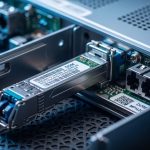
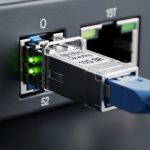
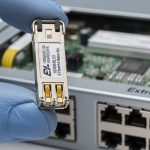
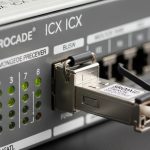
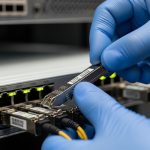
Choosing third party SFP modules for your network infrastructure can significantly cut costs and improve flexibility. However, ensuring compatibility between these fiber optic transceivers and your switches is critical to avoid performance degradation or hardware issues. This article provides an in-depth analysis of third party SFP compatibility, helping network engineers make informed decisions for reliable deployments.
Understanding Third Party SFP Modules and Switch Compatibility

Small Form-factor Pluggable (SFP) transceivers are hot-swappable optical modules that enable network switches to connect over fiber or copper cables. While many switch vendors recommend using their own branded SFP modules, third party SFPs offer cost-effective alternatives. The challenge lies in ensuring these third party modules operate seamlessly with your switch hardware.
Compatibility depends on multiple factors including physical form factor, electrical interfaces, firmware validation, and vendor-specific locking mechanisms. Switches often have firmware that checks SFP vendor IDs and rejects unrecognized modules, which can cause link failures or warnings.
Key Technical Specifications of Common Third Party SFP Modules
| Model | Wavelength (nm) | Max Reach | Data Rate | Connector Type | Power Budget (dBm) | Operating Temp (°C) | DOM Support |
|---|---|---|---|---|---|---|---|
| FS.com SFP-10GSR-85 | 850 | 300 m (OM3) | 10 Gbps | LC Duplex | -7 to -1 | 0 to 70 | Yes |
| Finisar FTLX8571D3BCL | 850 | 300 m (OM3) | 10 Gbps | LC Duplex | -7 to -1 | 0 to 70 | Yes |
| Cisco SFP-10G-SR | 850 | 300 m (OM3) | 10 Gbps | LC Duplex | -7 to -1 | 0 to 70 | Yes |
| Generic 10GBASE-LR SFP+ | 1310 | 10 km (SMF) | 10 Gbps | LC Duplex | -3 to 0 | -5 to 85 | Varies |
Table 1: Technical specifications of popular third party and OEM 10G SFP modules.
Real-World Deployment Scenario: Data Center Leaf-Spine Topology
Consider a mid-size data center deploying a leaf-spine architecture using 48-port 10G ToR (Top of Rack) switches from Cisco. The network team opts to use third party SFP-10GSR modules from FS.com to reduce costs. The critical criteria are ensuring these modules support Digital Optical Monitoring (DOM) for real-time diagnostics, maintaining compatibility with Cisco switch firmware, and supporting a 300-meter link over OM3 multimode fiber.
After lab validation, the team confirms the third party SFPs operate without errors under Cisco IOS XE version 17.3.1, providing stable links and accurate DOM readings. Power consumption is slightly lower than OEM modules—around 0.8W versus 1.0W—resulting in cumulative savings on data center cooling. Over six months, no compatibility-related failures were observed, validating the interoperability when proper selection and testing are conducted.
Selection Criteria for Third Party SFP Modules
- Distance and Fiber Type: Confirm the required link length and fiber cable type (e.g., OM3 multimode, SMF singlemode) to select an SFP with matching wavelength and reach.
- Switch Compatibility: Verify that the third party SFP is validated on your switch model and firmware version. Check vendor interoperability lists or conduct lab testing.
- Data Rate and Protocol: Ensure the module supports your network speed (e.g., 1G, 10G, 25G) and protocol standards (IEEE 802.3ae for 10GBASE-SR).
- Digital Optical Monitoring (DOM) Support: For proactive network monitoring, select modules that support DOM to track parameters like transmit power and temperature.
- Operating Temperature Range: Consider environmental conditions; industrial temperature modules (-40°C to 85°C) may be necessary in harsh environments.
- Vendor Lock-in Risk and Firmware Updates: Investigate if the switch firmware enforces vendor lock-in via SFP vendor IDs, and whether third party vendors provide firmware updates to maintain compatibility.
- Warranty and Support: Choose vendors offering robust warranties and technical support to minimize downtime risks.
Common Mistakes and Troubleshooting Tips When Using Third Party SFPs
- Issue: Switch rejects third party SFP with “Unsupported transceiver” error.
Root cause: Switch firmware performs vendor ID validation blocking non-OEM modules.
Solution: Use vendor-approved third party SFPs or apply firmware patches that disable vendor ID checks where possible. Alternatively, enable “allow unsupported modules” mode if supported. - Issue: Link flapping or intermittent connectivity.
Root cause: Electrical or optical mismatch, such as incorrect wavelength or poor optical power budget.
Solution: Verify fiber type, module wavelength, and power specs. Use optical power meters to confirm link budget margins. - Issue: DOM monitoring data unavailable or inaccurate.
Root cause: Third party SFP lacks full DOM implementation or is incompatible with switch’s monitoring software.
Solution: Select third party modules with certified DOM support compatible with your switch’s management platform. - Issue: Excessive power consumption causing switch overheating.
Root cause: Some third party modules consume more power or generate more heat than OEM counterparts.
Solution: Reference module datasheets for power usage and consider higher-efficiency models to reduce cooling load.
Cost and Return on Investment Considerations
Third party SFP modules generally cost 30–60% less than equivalent OEM transceivers. For example, a Cisco SFP-10G-SR may retail around $400, whereas a compatible FS.com or Finisar third party module can be found near $150-$250.
However, total cost of ownership (TCO) includes factors such as failure rates, warranty coverage, and operational support. Third party modules with proven compatibility and robust support can yield substantial savings without compromising reliability. Additionally, selecting lower power modules reduces data center energy costs over time.
Be aware of potential costs related to troubleshooting or firmware updates if compatibility issues arise. A recommended approach is to pilot third party SFPs in non-critical links before full-scale deployment.
Pro Tip: Many switch vendors embed vendor-specific EEPROM signatures in their SFPs. Some third party vendors now offer “firmware cloning” where their modules emulate OEM EEPROM data, increasing compatibility without legal firmware hacking. This reduces link failure rates and switch warnings significantly in mixed environments.
FAQ
- Are third party SFP modules always compatible with all switches?
No. Compatibility depends on switch model, firmware version, and vendor lock-in policies. Always verify interoperability through vendor documentation or lab testing before deployment. - Can using third party SFPs void my switch warranty?
It depends on the switch vendor’s policy. Some vendors prohibit third party modules, potentially affecting support. Check warranty terms carefully. - Do third party SFPs support Digital Optical Monitoring (DOM)?
Many reputable third party vendors provide DOM support, but it varies. Verify DOM functionality if real-time diagnostics are required. - How do I identify if a switch is rejecting my third party SFP?
Common signs include error messages in switch logs, link down status, or warning LEDs. Access switch CLI or GUI to check transceiver status. - Is there a performance difference between OEM and third party SFPs?
When properly matched, performance is comparable. However, OEM modules may have stricter quality controls and firmware integration, offering marginal reliability improvements.
In summary, third party SFP modules can offer cost-effective and reliable alternatives to OEM transceivers if careful selection and compatibility verification are performed. Start with understanding your network’s physical and operational requirements, then validate module compatibility with your specific switch firmware and hardware. For further insights on fiber optic transceivers, explore Fiber Optic Transceiver Types and Use Cases.
Author Bio: John Mitchell is a network infrastructure engineer with over 10 years of experience in data center fiber optic deployments. He specializes in network hardware interoperability and cost optimization strategies.