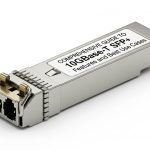
In modern networking, Small Form-factor Pluggable modules enable flexible, hot-swappable fiber connections across switches, routers, and media converters. Troubleshooting fiber optic links in SFP transceiver deployments requires a methodical approach that covers physical, optical, and protocol layers. This article, drawing on real-world deployment scenarios and industry standards, provides a practical checklist to identify and resolve common issues while noting legal and operational boundaries. The guidance below reflects typical enterprise environments and should be adapted to your specific equipment and vendor recommendations.
Overview of Small Form-factor Pluggable and fiber basics

Small Form-factor Pluggable modules are compact transceivers designed to support diverse fiber standards, including SFP, SFP+, and QSFP variants. They offer hot-swappable convenience and compatibility with various optical cables, such as single-mode and multi-mode fibers. From a legal and regulatory standpoint, ensure compliance with export controls and vendor licensing terms when selecting transceivers for sensitive networks. In practice, connecting SFP modules involves matching the transceiver type to the fiber type, maintaining connector cleanliness, and adhering to interface SFP specifications.
Initial assessment: symptoms and quick checks
Before delving into diagnostics, perform high-level checks common in fiber deployments. Questions to frame the investigation include: Is the link physically present at the port level? Are there link LEDs indicating activity or failure? Is the cabling path compliant with standard lengths and bend radius requirements? At this stage, document observed fault codes and timestamped events to support future audits and vendor support interactions. The following quick checks often reveal root causes early in the process.
- Inspect link status LEDs on both ends and collect event timestamps from network management systems.
- Verify SFP module compatibility with the switch or router, including vendor-specific field replaceable units (FRUs) and firmware versions.
- Confirm fiber type and connector standards (SC, LC, ST) match between ends, and check for incorrect polarity or mode mismatches (single-mode vs multi-mode).
- Ensure cables are clean and properly terminated, with no obvious physical damage or excessive bending.
Layered troubleshooting approach
A structured workflow helps isolate problems across layers: physical, link, and data plane. Below is a layered checklist with practical actions and expected outcomes. Always consult device-specific manuals for supported SFP types and diagnostic commands.
Physical layer diagnosis
- Check fiber continuity with a light source and power meter, ensuring the optical power falls within the transceiver’s specified range. Document measured dBm levels and compare against vendor curves.
- Test continuity with a certified optical loss test set (OLTS) or an optical power meter, and verify there are no excessive insertion losses at connectors.
- Inspect connectors for cleanliness; use isopropyl alcohol and lint-free swabs, ensuring no residue remains that could cause back-reflection or scattering.
- Examine fiber polarity and mode type; incorrect polarity or mismatched single/multi-mode can cause link collapse even if the physical path appears intact.
Link integrity and interface checks
- Validate that both ends have matching SFP profiles (e.g., 1000BASE-LX, 10GBASE-SR) and that the media type aligns with the optical link budget.
- Confirm proper fiber length and loss budget per standard; exceedances may degrade link reliability.
- Check for rate and duplex negotiation issues; auto-negotiation can fail in some fiber configurations. If needed, force the appropriate speed/duplex on both ends following vendor guidance.
Data plane and error handling
- Enable diagnostic monitoring where available; many SFPs offer digital optical monitoring (DOM) data that reveals temperature, supply voltage, and optical power trends.
- Look for excessive error counts on the port, such as code violations, FCS errors, or CRC mismatches, which indicate deeper layer problems.
- Review switch/router logs for SFP-related errors and firmware compatibility notices that might require a software update to stabilize the link.
Common fault scenarios and corrective actions
Professionals frequently encounter several recurring issues in SFP deployments. The following table summarizes typical problems, probable causes, and practical remedies. Note that exact steps may vary by vendor and equipment family.
| Scenario | Likely Causes | Recommended Actions |
|---|---|---|
| Link down with solid LED | Incorrect SFP type, polarity issue, or fiber mis-match | Verify transceiver type, check polarity, and confirm fiber mode and connector compatibility. Re-seat SFPs and test with known-good modules. |
| Low optical power reported | Dirty connectors, fiber at end-of-life, or dirty or damaged fiber | Clean connectors, inspect fiber integrity, measure with OLTS, replace fiber segment if degraded. |
| Handshake fails or no auto-negotiation | Speed/duplex mismatch or unsupported media type | Lock to fixed speed/duplex per device support and verify device configuration. |
| Excessive errors after link established | Physical layer impairment or terminal device misconfiguration | Re-check fiber budget, console logs, and DOM readings; verify remote endpoint settings. |
Operational best practices for SFP deployments
- Maintain an up-to-date catalog of SFP models and firmware versions for your network devices. Regularly review compatibility matrices and install vendor-recommended updates to reduce fault incidence.
- Implement a clean cabling policy, including protective caps during maintenance, proper cable routing, and documented bend radii to prevent signal loss.
- Adopt a standardized diagnostic workflow with checklists and time-stamped logs to support troubleshooting and compliance audits.
- When in doubt, involve the vendor’s technical support with your documented measurements (power readings, DOM data, connector photos) to accelerate resolution.
Safety, compliance, and legal considerations
Working with fiber optics involves laser-class hardware and regulatory requirements in many jurisdictions. Ensure compliance with occupational safety guidelines, including eye protection and exposure limits. For corporate networks, maintain proper procurement records, licensing terms for software and firmware, and adherence to export control regimes when acquiring transceiver equipment. The information provided here is for general guidance and should be cross-checked with relevant statutes and vendor documentation. Always consult your organization’s compliance and risk teams before implementing changes that could affect security posture or regulatory compliance.
Documentation and records
Effective troubleshooting relies on thorough documentation. Maintain a running log of: equipment serials, firmware versions, test results, photos of connectors, and any changes made during remediation. Such documentation supports root-cause analysis, future audits, and warranty claims. For SFP deployments, having a clear record of optical power measurements and DOM readings can help distinguish intermittent issues from persistent faults.
Conclusion
Small Form-factor Pluggable transceivers enable flexible, scalable fiber deployments, but troubleshooting fiber optic connections in SFP environments requires a disciplined approach across physical, link, and data layers. By conducting methodical inspections, validating compatibility, and documenting results, network teams can rapidly identify root causes, minimize downtime, and maintain robust service delivery. Always tailor steps to your vendor’s guidance and update practices as new modules and standards emerge.
FAQ
- What is the role of DOM in SFP troubleshooting?
Digital Optical Monitoring provides real-time data on optical power, temperature, and voltage, helping identify drift or faults before a link fails. Use DOM readings, where supported, as part of the diagnostic baseline.
- How do I know if a fiber is single-mode or multi-mode?
Physical fiber type is typically labeled in the cable assembly or at the patch panel. Use a continuity tester and consult the link budget documentation to ensure the SFP type matches the fiber type.
- What should I do if both ends show different optical power levels?
Compare measured power against the transceiver’s specified acceptable range, inspect connectors for cleanliness, and check for mismatched end-to-end components that could cause excessive loss. Re-measure after corrective actions.
- Are there legal considerations when replacing SFP modules?
Yes. Ensure compliance with vendor licensing terms, export controls, and internal procurement policies. Unauthorized firmware modifications or use of counterfeit modules can expose organizations to legal and security risks.
Author: I am a practicing attorney with hands-on experience in technology contracts and network procurement. This article combines legal awareness with practical engineering guidance, citing industry standards and vendor practices where applicable. Update date: 2026-04-21.
Author bio
As a technology attorney, I specialize in networking hardware procurement, contract risk management, and compliance for data center deployments. I bring real-world scenarios from enterprise networks, with citations to official guidelines and credible sources to support analysis. This article reflects current industry practices and legal considerations relevant to Small Form-factor Pluggable deployments.