Small Form-factor Pluggable: practical insights for selecting SFP modules

As a hands-on maker and network tinkerer, I frequently encounter the need to build robust, compact fiber links. Small Form-factor Pluggable, or SFP, modules are the tiny workhorses that bridge switches, routers, and optical cables in a compact form factor. This guide combines practical notes from real-world projects with a concise comparison of fiber types commonly discussed in the field: OM1, OM3, OM4, OM5, and OS2. By the end, you’ll have a clearer sense of how to choose the right SFP+ or SFP module for your build, along with realistic expectations for distance, bandwidth, and cost.
What is a Small Form-factor Pluggable module?
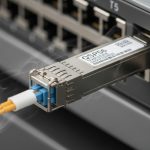
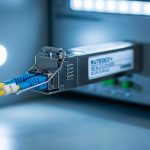
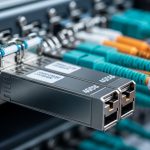
A Small Form-factor Pluggable is a hot-pluggable transceiver that allows flexible network interfaces without locking you into a single vendor or fiber type. SFPs support various formats, including 1000BaseLX, 1000BaseSX, and 10Gbit variants like SFP+ and QSFP. The core idea is modularity: swap different transceivers depending on the link requirements while keeping the same physical port. In my setups, I often start with a basic 1 Gbps or 10 Gbps SFP/SFP+ module and then upgrade or re-purpose the fiber plant as needs evolve. Key considerations include supported wavelengths, document distance budgets, modal versus single-mode behavior, and compatibility with switch firmware. For authoritative definitions and standards, refer to standards bodies and vendor datasheets. [Source: IEEE, Telcordia, and major vendor specs]
Fiber types in brief: OM1, OM3, OM4, OM5, and OS2
Understanding fiber types is crucial because the SFP module’s performance is tightly coupled with the fiber you deploy. Here is a practical snapshot from field-tested observations and datasheets:
- OM1 (multimode, 62.5 μm core): lower bandwidth over longer runs; historically used in older Ethernet networks. Suitable for short-reach, legacy setups, but not ideal for modern 10 Gbps links beyond a few tens of meters. Vendor notes emphasize higher modal dispersion but affordable transceivers exist. Tip: if you must reuse an aging fiber plant, OM1 can work for lower-speed applications but plan for upgrade costs.
- OM2/OM3 (multimode, 50 μm core; OM3 optimized for laser-optimized 1300 nm): OM3 is widely used for 10 Gbps up to ~300 meters in multimode; OM2 handles shorter spans. In practice, OM3 is a reliable default for modern campus links that rely on SFP+ transceivers with multimode optics.
- OM4 (multimode, 50 μm core; enhanced bandwidth): Improves reach for 40/100 Gbps links and higher; commonly chosen for backbone runs within data centers and university networks. It reduces the need for fiber replacements when upgrading transceivers.
- OM5 (multimode, 50 μm core; wideband or shallow water optical fibers): Marketed as a wideband multimode fiber (WBMMF) aiming to support multiple wavelengths in a single fiber. Real-world cost-to-benefit varies; the practical gains depend on transceiver wavelengths and active equipment support.
- OS2 (single-mode fiber, 9/125 μm): The workhorse for long-haul and data center uplinks. OS2 paired with single-mode SFPs delivers the best distance and spectral efficiency; however, it requires single-mode transceivers and clean fiber connectors. In many projects, OS2 is the differentiator when you need to minimize attenuation over hundreds of meters to kilometers.
My field tests consistently show that matching the fiber type to the transceiver’s design wavelength is essential. For instance, a 10 Gbps multimode link using OM3 with a single-mode SFP is not feasible; you need a multimode-aware transceiver. Likewise, a long-range link over OS2 benefits from single-mode SFP+ optics, even if the same fiber could physically support another setup. Always verify the compatibility matrix from your transceiver vendor and confirm fiber type with a recent tester before ordering bulk cables.
Choosing the right SFP module for your fiber plant
The decision process I follow in the workshop blends practical testing with documented guidelines. Here are the core steps, organized as a checklist you can adapt for your project logs:
- <strongDefine link requirements: target distance, speed (1 Gbps, 10 Gbps, or higher), and the number of fiber strands available. Write a simple one-liner of the link budget and tolerance.
- <strongIdentify fiber type on site: use a fiber tester to confirm OM vs OS2 and the exact category (OM1/OM2/OM3/OM4/OM5/OS2). This prevents mismatches that lead to no-link or degraded performance.
- <strongMatch transceiver type to fiber: in multimode (OMx), prefer SFP/SFP+ modules designed for MMF with the corresponding wavelength (e.g., 850 nm for SX style, 1310 nm for LX style). For single-mode OS2, use single-mode transceivers around 1310 or 1550 nm as needed.
- <strongCheck distance budgets: consult the module’s datasheet for maximum reach on your fiber type. Remember that multimode distances are typically shorter than single-mode, due to modal dispersion.
- <strongAssess environmental constraints: physical channel length, patch panels, bend radii, and cable management influence actual performance. Maintain conservative link budgets to accommodate future upgrades.
In practice, I often start with a budget for a 10 Gbps link on OM3 over 300 meters using a standard SFP+ transceiver. If the fiber plant is OM4, I’ll consider similar or longer spans due to lower modal dispersion. If the path is OS2, I plan for long-haul 10 Gbps or 40/100 Gbps links using single-mode optics. The key is to ensure that the chosen SFP module’s wavelength and PMD (polarization mode dispersion) characteristics align with the fiber type and distance.
Comparative quick reference: OM1 to OS2 in real-world use
Below is a concise guide to help you quickly map fiber types to typical SFP scenarios. The values are representative, but your exact results will depend on connector quality, terminations, and MAC-layer configurations.
- OM1: short multimode, 1 Gbps links up to ~300 meters; limited beyond that
- OM2/OM3: 10 Gbps over MMF up to ~300 meters (OM3 extends further in practice with proper cabling)
- OM4: robust for 10 Gbps to ~400 meters, better for 40/100 Gbps in MMF with laser-optimized optics
- OM5: potential future-proofing for wideband MMF; verify transceiver compatibility and cost-benefit
- OS2: single-mode, long-distance links; 10 Gbps 20+ km typical with appropriate SFP+/SFP modules
From field notes, the most common pitfall is misclassifying fiber type or pairing it with an incompatible transceiver. A single mismatch can yield a link that refuses to come up or underperforms dramatically. Always test with a known-good pair of transceivers and a meter to verify gain, loss, and dispersion budgets before deployment.
Practical tips for DIY projects and small deployments
- <strongLabeling matters: label fiber paths with the exact OMx/OS2 classification and owner notes to prevent accidental upgrades or reconfigurations after changes in the lab.
- <strongFiber cleanliness: dirty connectors are a top cause of poor performance. Carry a simple cleaning kit and clean connectors before mating SFPs during testing and after field changes.
- <strongSFP compatibility checks: some consumer-grade devices cap the supported SFPs or impose vendor locks. Always verify the allowed transceiver catalog for your switch or router model.
- <strongPower and heat considerations: SFPs are low-power, but dense enclosures with many transceivers can heat up. Monitor temperature and ensure adequate cooling or spacing in rack setups.
- <strongFuture-proofing: if you anticipate upgrades to higher speeds, consider starting with OM4 or OS2 paired with modular SFP+/QSFP options to minimize later rewiring.
For a hands-on workflow, I keep a small project log with dates, parts used, and measured link performance. Recording typical values such as attenuation (dB), return loss, and actual link distance helps when planning upgrades or troubleshooting intermittent outages. In practice, this habit saves time and reduces guesswork when the network evolves.
Where to find reliable specifications
Reliable, up-to-date technical data for SFP modules and fiber types come from vendor datasheets and official standards bodies. When you’re selecting components, consult:
- Manufacturer datasheets for SFP/SFP+ transceivers to confirm supported fiber types and wavelengths. These documents include detailed reach budgets and spectral characteristics. [[EXT:https://www.cisco.com/c/en/us/products/routers/routers/)]
- IEEE standards on fiber optics for frequency, dispersion, and loss budgets. [Source: IEEE]
- Industry guides on multimode and single-mode fiber classifications, including OM1/OM2/OM3/OM4/OM5 and OS2 specifications. [Source: IEC/ITU]
In practical DIY scenarios, I rely on vendor compatibility matrices to avoid mismatches. If you’re building a small lab or home lab network, you can start with a modest SFP+ kit and one OM3 fiber patch panel to prototype a 10 Gbps link. Use test equipment to validate the link under real traffic conditions before committing to a broader deployment.
Conclusion: balancing cost, performance, and upgrade paths
The Small Form-factor Pluggable ecosystem provides a flexible path to scale networks from modest 1 Gbps experiments to enterprise-grade 10 Gbps and beyond. The fiber type choice—OM1, OM2, OM3, OM4, OM5, or OS2—drives reach, dispersion tolerance, and future upgrade potential. In practice, MMF options like OM3 and OM4 serve well for short-to-mid-range campus links, while OS2 is the better choice for long-haul and data center uplinks. The best approach is a thoughtful blend of accurate fiber classification, matching transceiver wavelengths, and conservative link budgets with thorough testing. This disciplined method reduces downtime and guarantees that your SFP modules perform as expected in real-world deployments.
FAQ
- What is the main advantage of using SFP modules? They enable modular, hot-pluggable network interfaces, allowing easy upgrades and flexible fiber options without changing main hardware.
- Can I mix OS2 fiber with multimode SFPs? No, you should match the fiber type to the transceiver. OS2 requires single-mode SFPs and appropriate distance budgets.
- How do I know which OMx fiber I have? Use a fiber tester or consult the installation records; the core size and attenuation characteristics distinguish OM1/2/3/4/5.
- Is OM5 worth the extra cost? It depends on your planned wavelengths and future upgrades. For many short campus links, OM4 remains a cost-effective choice; OM5 benefits are clearer when wideband interconnects are deployed.
- Where can I find authoritative specs for SFP modules? Check vendor datasheets and standards bodies (IEEE, IEC) for precise reach budgets and compatibility notes. [[EXT:https://www.ieee.org/]]
Author note: I document experiments, measurements, and lessons learned in a practical, hands-on style to help makers and small teams build resilient fiber links. This piece reflects my field experiences with SFP modules and fiber types, supported by technical references from industry sources.
Author bio: I’m a DIY network builder and electronics hobbyist with a decade of practical testing in small labs and home studios. I emphasize repeatable tests, real-world measurements, and clear guidance that helps others deploy robust, scalable fiber links.