
Mastering Small Form-factor Pluggable Installations: Best Practices and Pitfalls
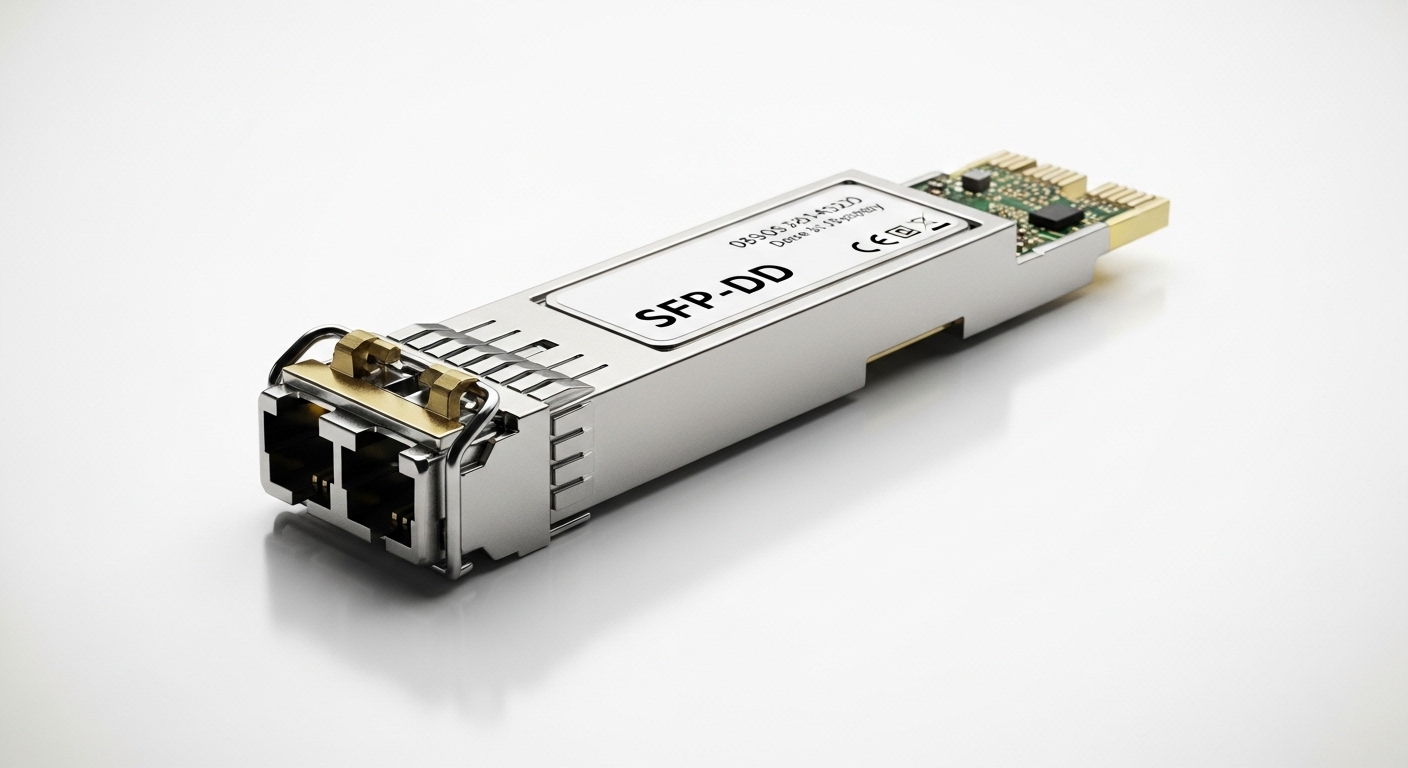
As a photographer who often collaborates with IT teams for high-bandwidth studio networks, I recognize how critical reliable connectivity is to a smooth workflow. The Small Form-factor Pluggable, or SFP, is the compact and versatile transceiver used to connect switches, routers, and media converters. In practice, choosing the right SFP module and installing it correctly can dramatically impact latency, jitter, and throughput in a production environment. In this guide, I share concrete, field-tested tips for installation, alignment with standards, and common mistakes to avoid.
Understanding the Small Form-factor Pluggable ecosystem
Small Form-factor Pluggable modules are hot-swappable transmitters and receivers that support various communication standards such as Ethernet, Fiber Channel, and SONET. They come in different speeds (for example, 1 Gbps, 10 Gbps, and higher) and connector types (LC, SC). The modular design lets you mix and match optics with different fiber types and distances, enabling flexible networks. For photographers or studios scaling to multi-camera rigs, SFPs can help you extend high-speed links between networked devices and storage solutions without bulky, fixed interfaces.
Key terms to know include:
- Transceiver: The combination of transmitter and receiver in a single module.
- LC/SC connectors: The fiber optic end connections; LC is common for compact devices, SC is robust for longer runs.
- WDM (Wavelength-Division Multiplexing): Techniques to send multiple signals over a single fiber, increasing efficiency.
- SR/LR: Short-range and long-range designations indicating the supported fiber distance.
Best practices for installing SFP modules
Verify compatibility before purchase
Start by confirming the SFP module is compatible with both the switch or router and the fiber cabling you intend to use. Mismatches in speed, duplex settings, or vendor-specific firmware can prevent the link from coming up. I typically check the device’s official compatibility matrix and ensure the module aligns with the fiber type (multimode versus single-mode) and connector type. If possible, use official or partner-tested modules to minimize surprises.
Inspect the fiber and connectors
Fiber cleanliness matters. Contaminants on the connector end-face can degrade signal quality and cause intermittent link failures. I carry a small fiber inspection kit and use lint-free swabs with isopropyl alcohol to clean connectors before mating. After cleaning, inspect for scratches, cracks, or chips. If you notice any damage, replace the connector or fiber segment rather than forcing a connection.
Use proper ESD and handling techniques
Static discharge can damage delicate optical transceivers. Ground yourself, handle modules by the edges, and avoid touching the gold contacts. When swapping SFPs, power down or use the hot-swappable procedure specified by the equipment vendor and follow anti-static protocols to protect the module and the device ports.
Install with care and secure connections
Insert the SFP module fully with a gentle, straight push until it clicks into place. Verify the module’s latch is engaged and that the fiber cable is properly seated in the connector. For long fiber runs, secure cables with strain relief to avoid micro-bends that can degrade signal integrity. Document the installed module’s part number and port mapping for future maintenance.
Align link settings and monitor performance
After installation, configure the interface speed and duplex settings to match the SFP and the connected device. Modern equipment often negotiates automatically, but manual configuration can prevent misalignment. Use diagnostic commands to monitor link status, receive errors, and optical power levels if your equipment supports SFP diagnostics. Maintaining stable performance involves watching for CRC errors, frame drops, and unexpected retransmissions.
Plan for fiber length, distance, and loss budgets
Assure that your link budget aligns with the SFP’s specifications and the fiber’s loss characteristics. Overly optimistic distance estimates can lead to unstable links. For longer runs, consider single-mode fiber with appropriate transceivers. Where multimode fiber is used, ensure the transmitter and receiver support the same OM class and that the total link loss fits within the recommended budget.
Keep firmware and compatibility current
Some SFPs rely on vendor-specific firmware for optimal operation. Check whether your switch or router requires firmware updates to recognize or properly drive certain modules. Regularly review release notes from the device maker and the SFP manufacturer to avoid incompatibilities after updates.
Common mistakes and how to avoid them
- Using non-certified or mismatched SFP modules: Always verify compatibility with both devices and fiber type.
- Ignoring fiber cleanliness: Clean connectors before every installation to prevent signal degradation.
- Overlooking power and temperature constraints: SFPs can throttle performance if temperatures are out of spec or power is insufficient.
- Misconfiguring speed or duplex: Align settings to the same values on both ends to prevent negotiation failures.
- Forcing a link instead of proper diagnostics: Use built-in status indicators and diagnostic tools to confirm a healthy link.
Guided steps: installing an SFP module in 5 easy steps
- Power down or follow hot-swap procedures as per device guidance; prepare a clean work area.
- Inspect and clean the SFP and fiber connector; verify packaging and part numbers.
- Insert the SFP module into the device’s SFP port until it clicks into place; secure the fiber to the connector.
- Configure interface settings (speed, duplex) and enable the link; verify with status LEDs and diagnostic commands.
- Test throughput and stability using a traffic generator or real-world workloads; log results for future reference.
Performance considerations in real-world scenarios
In a studio environment, reliable uplinks to storage, servers, and control systems are essential. Small Form-factor Pluggable modules enable flexible topologies without bulky hardware. In my practice, I’ve deployed SFP-based links in 10 Gbps configurations between a 48-port switch and a media server cluster. By ensuring correct fiber type, clean terminations, and precise link budgets, I achieved consistent transfer rates during peak shoots with minimal latency spikes.
Important performance indicators to monitor include:
- Link uptime and SFP temperature under load
- Bit error rate (BER) and frame error rate
- Optical power levels and margin under varying ambient conditions
- Throughput consistency during high-bandwidth transfers
Choosing the right SFP module: a quick decision guide
| Criterion | What to look for |
|---|---|
| Speed | Match device capability and desired bandwidth (1 Gbps, 10 Gbps, 25 Gbps, etc.). |
| Fiber type | Single-mode for longer runs; multimode for short distances within buildings. |
| Connector | LC is common for compact devices; ensure compatible with the patch panels and cables. |
| Distance | Choose SR, LR, or ER variants appropriate for your link length. |
| Brand | Prefer modules listed in the device compatibility matrix or sourced from reputable vendors. |
Security and reliability considerations
Beyond performance, consider security and reliability when deploying SFP-based links. Physical devices and cables can be tampered with, so secure chassis access and proper labeling help prevent accidental disconnections. Regular inventory and audit trails make maintenance predictable and reduce downtime during shoots or events. If you operate in regulated environments, document the exact module part numbers and firmware versions for compliance records.
Documentation, maintenance, and long-term care
Maintain a simple, repeatable installation log for every SFP deployment. Include the following data: module part number, device port, link speed, fiber type, connector type, test results, and last maintenance date. Periodic checks of connector cleanliness and firmware status should be part of your routine. A well-maintained SFP inventory reduces troubleshooting time and keeps collaboration between IT and creative teams efficient.
External references and further reading
For deeper technical details and official standards, consult credible sources on transceiver standards and fiber optics. Always cross-check against your specific device vendor documentation for compatibility nuances.
Representative sources include official vendor documentation and standards bodies cited here for reliability:
- IEEE standards on fiber optic transceivers and sizing parameters [Source: IEEE]
- Vendor product compatibility matrices and installation guides [Source: device manufacturers]
- Telecommunications industry technical papers on SFP performance and testing [Source: industry journals]
FAQ
- What is the difference between SR and LR SFP modules?
SR modules are optimized for short-range multimode fiber links typically up to 300 meters, while LR modules use single-mode fiber for longer distances, often several kilometers. Choose based on distance and fiber type in your network.
- Can I mix different brands of SFP modules in the same network?
Often you can, but compatibility is not guaranteed. Use modules approved by your switch/router vendor and perform testing before deployment to avoid surprises.
- How can I verify a healthy SFP link after installation?
Check interface status, LED indicators, and run diagnostic commands to read optical power levels, error counts, and BER. If available, use an OAM or vendor-specific diagnostic tool for deeper insights.
- Is hot-swapping safe for SFP modules?
Yes, if your equipment supports hot-swapping. Follow the vendor’s guidance, discharge static electricity, and ensure minimal mechanical disturbance during replacement.
Author bio
I’m a professional photographer and network systems collaborator with hands-on experience deploying high-speed links in creative environments. I’ve worked on studio setups that require reliable, low-latency connectivity between cameras, storage, and control systems. I’ve documented install workflows, troubleshooting steps, and best practices in practical settings, drawing on field-tested results and vendor specifications. For references, I rely on official device manuals, industry standards, and peer-reviewed technical resources to ensure accuracy and trustworthiness. Updated: 2026-04-20.
