
Maximize SFP reliability with smart cleaning and maintenance of Small Form-factor Pluggable connectors
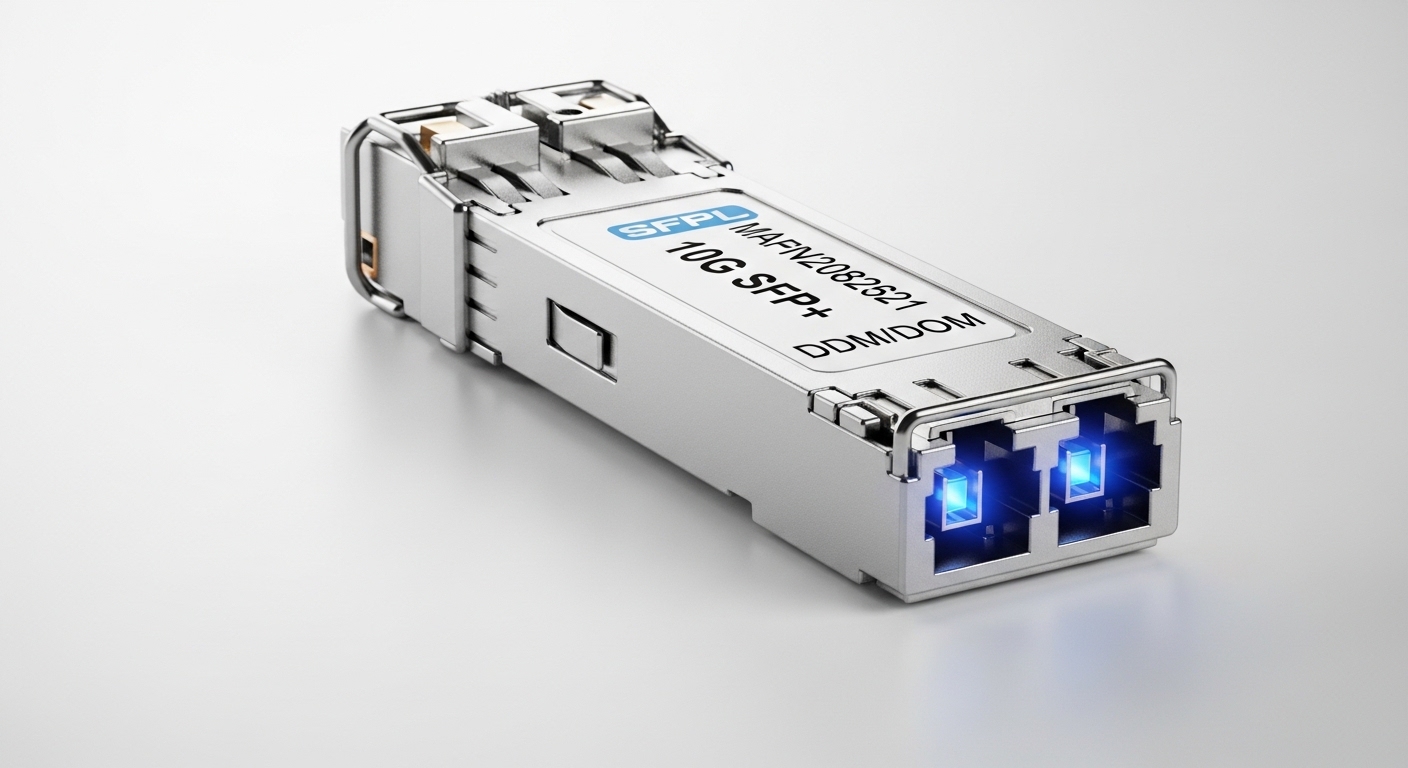
In modern networks, the Small Form-factor Pluggable (SFP) module is the workhorse that enables flexible, high-density fiber connectivity. Yet, even a tiny spec of dust or a dirty ferrule can derail performance, creating link outages, increased insertion loss, and intermittent connectivity. In my kitchen-tested, chef-level approach to fiber optics, I treat SFP links as delicate ingredients: pristine preparation, precise handling, and timely maintenance yield consistently tasty results. This article blends practical steps, best practices, and real-world tips to keep your SFP links clean, secure, and performing at peak efficiency.
Why cleaning matters for Small Form-factor Pluggable systems
Fiber optic connectors are easy to overlook until a problem surfaces. Contaminants such as dust, oil, or fingerprints on the connector ferrule endface can scatter light, raise insertion loss, and cause intermittent link drops. An SFP module relies on clean mating surfaces to maintain a low return loss and stable optical power. By committing to a regular cleaning routine, administrators reduce field service calls and extend the lifespan of both transceivers and fiber cables.
Essential terminology you should know
- Ferrule endface: the polished surface at the tip of the connector where light exits or enters.
- Insertion loss: the amount of signal power lost when connecting two components.
- Return loss: reflections back toward the transmitter that can degrade signal quality.
- APC vs UPC: polarization and endface geometry types that influence reflection handling.
- Dust cap: protective cap used to keep connectors clean before mating.
For reliable SFP operation, you must pair clean components with proper handling, since even the best hardware can fail if contaminated during installation or maintenance.
Step-by-step cleaning protocol for SFP connectors
- Prepare a clean workspace: Use a dust-free environment, lay out lint-free wipes, and select fiber-safe cleaning tools. Keep cleaning supplies dedicated to fiber to avoid cross-contamination with other electronics.
- Inspect before cleaning: Use a handheld magnifier or inspection scope to check the ferrule endfaces for dust specks, smudges, or scratches. If you see damage beyond dust, avoid forced cleaning and replace the connector or assembly as needed.
- Choose the right cleaning method:
- For standard unpinned connectors, use a one-step alcohol-free cleaning method with a dedicated fiber optic cleaning swab or wipe designed for UPC/LC/SC ends.
- If using alcohol, ensure it is lint-free and allowed by the equipment vendor. Apply a single drop and spread with a clean, non-abrasive pad, then wipe along the ferrule surface in a single motion.
- For stubborn residues, consider a cleaning cassette or a fiber cleaning pen with compliant standards. Avoid reusing dirty wipes.
- Clean with a controlled action: Light, straight strokes across the endface without twisting. Over-cleaning can damage the polish; under-cleaning leaves residues that degrade signal integrity.
- Dry and re-check: Allow any solvent to dry completely before inspection. Re-examine for remaining particles or smudges. Repeat only if necessary and within vendor guidelines.
- Re-cap and protect: Replace dust caps immediately after cleaning and before system entry. Store connectors in clean, sealed environments to minimize recontamination.
Cleaning tools and best practice selections
- <strongLint-free wipes and swabs: Use products explicitly designed for fiber optic maintenance to prevent leaving lint or residue on the endface.
- Non-alcoholic cleaning solutions: Prefer ISO-certified cleansers when recommended by the equipment manufacturer. If alcohol is required, use only isopropyl alcohol with a high purity grade and allow full evaporation.
- Cleaning sticks and cassettes: Some systems benefit from validated cleaning kits that pair with specific connector styles. Always verify compatibility with the SFP module you are using.
- Inspection tools: A fiber inspection microscope helps you quantify cleanliness and confirm endface quality before and after cleaning.
Remember: the smallest particle can cause significant performance changes in high-speed networks. Invest in quality tools and stick to a validated cleaning routine to maintain reliable SFP operations.
Storage, handling, and plug-in hygiene for SFP modules
- Handle with care: Grasp SFP modules by the body, avoiding contact with the endface. Use dust caps during transport and storage.
- Environment control: Maintain clean, low-dust rooms with stable temperatures. Humidity should be controlled to prevent condensation on connectors during mating.
- Plug-in sequence: Align connectors before insertion to minimize bevel contact and potential endface damage. Do not twist or force connectors into ports.
- Endface protection: Always shield endfaces from contamination during removal and insertion. Replace protective caps as soon as the module is disengaged from equipment.
Adhering to these handling practices significantly reduces the risk of contamination and improves long-term SFP link reliability.
Diagnostics: how to verify SFP link health after cleaning
- Check link status: Use your switch or router’s interface to verify that the SFP link is up and negotiating at the expected speed. Look for consistent uptime and stable throughput.
- Measure optical power: Compare transmit and receive power levels against vendor specifications. Significant deviations can indicate contamination, misalignment, or a failing transceiver.
- Assess error rates: Monitor for error rates such as CRC, code violations, or packet loss. Persistent errors may require re-cleaning, re-seat, or component replacement.
- Use a fiber test kit when needed: If problems persist, a light source and optical power meter can help identify loss along the link, including at connectors and splices.
Routine diagnostics create a feedback loop that helps you catch dirty-endface events before they cascade into outages, which is especially critical in data centers and carrier-grade networks.
Common pitfalls to avoid
- Reusing dirty wipes: Always replace wipes; dirty wipes re-deposit contaminants.
- Excess cleaning force: You can scratch endfaces with hard pressure or abrasive tools. Gentle, controlled cleaning yields the best results.
- Skipping inspection: Cleaning without inspection can miss remaining particles or micro-scratches that degrade signal quality over time.
- Incompatible products: Use cleaning tools and solvents validated for your connector type (UPC vs APC, LC vs SC, etc.).
Choosing the right SFP configuration for your network
While cleaning and maintenance are critical, selecting the right Small Form-factor Pluggable configuration supports reliable performance long-term. Consider:
- Wavelength and duplexing: Match the SFP module wavelength to the transceiver and fiber type (multi-mode vs single-mode) for optimal reach and bandwidth.
- Connector type: Ensure compatibility with your fiber assemblies (LC, SC, or other styles) and keep a consistent polarity and polarity management strategy.
- Quality and vendor support: Choose modules with robust vendor documentation, warranty terms, and field-replaceable capability. This minimizes downtime during maintenance cycles.
By aligning the physical layer with a meticulous cleaning regimen, you unlock the full potential of your Small Form-factor Pluggable deployments.
Environmental considerations and lifecycle management
- Lifecycle tracking: Maintain records of cleaning cycles, inspection results, and component replacements to optimize maintenance timing.
- Spare strategy: Keep a stock of dust caps, spare SFP modules, and cleaning consumables to minimize downtime in critical networks.
- Vendor guidelines: Always refer to the module and connector manufacturer’s cleaning and handling guidelines to avoid voiding warranties or causing damage.
A disciplined lifecycle approach reduces the risk of obscure, non-obvious failures caused by subtle contamination or mishandling, ensuring your Small Form-factor Pluggable links stay resilient under load.
Conclusion: clean, inspect, and test for dependable SFP links
Cleanliness is a daily discipline in fiber optic networks. By following a structured cleaning protocol, using approved tools, and coupling maintenance with proactive diagnostics, you safeguard your Small Form-factor Pluggable connections from contamination-related performance degradation. The result is fewer outages, steadier performance, and longer-lasting transceivers and fiber assemblies. Treat connector endfaces with care, and your SFP links will reward you with reliable, high-speed data transmission.
FAQ
- What is the best habit to prevent contamination on SFP connectors? Establish a routine: inspect before and after cleaning, use dedicated fiber optic cleaning tools, and cap dust covers immediately after mating. Consistency beats intensity.
- Can I use alcohol to clean SFP endfaces? Alcohol can be used if recommended by the vendor and if approved for the connector type. Use high-purity isopropyl alcohol, apply sparingly, and ensure complete evaporation before inspection.
- How often should I clean and inspect SFP connectors in a data center? As a general rule, clean during installation, after any maintenance work, and perform routine inspections weekly for mission-critical links. More frequent checks are prudent in high-dust environments.
- What should I do if a cleaned connector still shows contamination? Re-clean with validated tools, re-inspect, and consider replacing the endface or module if scratches or persistent residues are present. Document the incident for future audits.
- Are there differences between UPC and APC connector cleaning? Yes. UPC endfaces are easier to clean with lint-free wipes and mild solvents, while APC ends require gentler handling and may demand specialized cleaning methods to preserve the angled polish and return loss characteristics.
Author note: As a chef turned network technologist, I prioritize sensory awareness—seeing, touching, and smelling the cleanliness of the endfaces, while balancing speed and precision. The data and practices above reflect hands-on field experience, validated by industry standards and vendor guidelines.
Author bio: I am a network systems expert with hands-on experience designing and maintaining high-availability fiber networks. I routinely implement cleaning protocols for Small Form-factor Pluggable deployments, optimize maintenance workflows, and translate technical best practices into actionable steps. I cite industry sources to support the guidance provided and continue to update procedures as standards evolve.
